Premium
Quick takeFacetWP is a premium faceted-search plugin for WordPress that filters posts, users, WooCommerce products, custom post types, taxonomies, and…
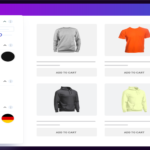
Advanced AJAX Product Filters by BeRocket is a WooCommerce-focused filtering plugin that helps shoppers narrow products by categories, attributes, price, ratings, tags, availability, sale status, and other catalog data without reloading the page. The current free version includes one-click filter setup, responsive desktop and mobile groups, AJAX filtering, sorting, and common WooCommerce filter types. Paid Premium and Business licenses add deeper styling, placement, SEO, analytics, and support features.
Best fit: WooCommerce stores that need fast product filtering and want a purpose-built ecommerce filter rather than a general faceted-search framework for every WordPress post type.
The plugin analyzes WooCommerce catalog data and can recommend useful filters such as price, categories, brands, color, size, ratings, tags, and other product attributes. Its one-click setup can create filter groups for desktop and mobile, then administrators can edit each filter and placement later.
Because the plugin is built around WooCommerce, its setup vocabulary is closer to products, variations, attributes, stock, and catalog pages than to arbitrary custom post types. That specialization can make configuration easier for stores while making it less suitable for directories, document libraries, or non-commerce datasets.
Visitors can filter, sort, and search products without a full page refresh. Filters can use checkboxes, selects, sliders, colors, images, hierarchical values, and other layouts. The plugin also supports reset controls, selected-filter displays, product pagination, and responsive placement.
Mobile behavior deserves specific testing. A store may need different filter presentation on phones than on desktop, especially when the catalog has many attributes. The paid editions include more control over compact mobile presentation and above-product placement.
Recent versions emphasize catalog-aware setup. The plugin can analyze which categories, attributes, prices, and other data are useful enough to recommend as filters. This reduces the work of manually creating a large initial filter set, although store owners should still remove filters that do not help real customers.
Large catalogs should test filter counts after imports, stock synchronization, and variation changes. Product data can look correct in the admin while a stale cache or incomplete index causes inaccurate customer-facing counts.
The Business tier adds advanced SEO permalink controls, custom meta titles, descriptions, H1 values for filtered pages, filter statistics, and additional styling options. This can help stores intentionally create search landing pages from selected filter combinations.
That capability should be used selectively. Indexing every attribute combination can create thin or duplicative pages. Define which combinations have independent search demand, then keep purely navigational filter states out of the index.
The free WordPress.org edition covers core AJAX product filtering. The current Premium license starts at $44 per year for one site, with larger site-count licenses up to $169 per year. The Business license is currently $99 per year and adds advanced SEO, analytics, styling, and priority support. Paid licenses include one year of updates and support, and the vendor advertises a 30-day refund policy.
Before replacing another WooCommerce filter plugin, document product attributes, taxonomies, price ranges, rating filters, URL behavior, mobile presentation, and any custom query modifications. If old filtered URLs are indexed, preserve important landing pages with redirects or equivalent SEO rules.
Test variable products, sale prices, stock states, hidden products, multilingual catalogs, and builder templates on staging. Filters are part of the shopping journey, so small count or query errors can directly affect product discovery.
This is primarily a WooCommerce product-filter solution. A directory or custom-post-type site may need a more general tool such as FacetWP, Filter Everything, JetSmartFilters, Search & Filter Pro, or WP Grid Builder. Stores that already use a broader dynamic-content ecosystem may also prefer filters integrated directly with that stack.
Because the plugin is tightly coupled to WooCommerce catalog data, test the exact product types used by the store before launch. Variable products, hidden catalog items, backorders, sale schedules, custom taxonomies, and multilingual attributes can change which filter values should appear. Run the same tests after a large inventory import or ERP synchronization.
Also compare filter behavior with the store theme and any custom product loop. A filtering plugin can calculate the right result set while a builder template, cache layer, or custom pagination component still renders stale output.
Version 3.3 adds native Gutenberg blocks for single filters and filter groups, so stores can place configured filters directly in block layouts while preserving the styles already defined in the plugin. The paid Business tier adds intelligent grouped values, filter-usage statistics, advanced styling, SEO-friendly permalinks, and custom SEO metadata for filtered combinations. Those features are most useful when filtered archive URLs are intentionally part of the store’s search and merchandising strategy rather than disposable AJAX states.
Large catalogs need more than attractive filter controls. Before deployment, test attribute recounting, out-of-stock variation handling, pagination, mobile filter drawers, cache compatibility, and the number of database queries generated by common filter combinations. If filtered URLs are crawlable, decide which combinations deserve canonical self-indexing and which should consolidate to broader category pages. The plugin can generate cleaner filter URLs, but an SEO-friendly URL format does not automatically make every possible combination valuable for search.
For migration, rebuild the highest-traffic filters first and compare result counts against the old system. Preserve any indexed filter URLs with redirects when the URL structure changes. Stores using Business statistics should also establish a fresh baseline after migration because historical usage data from another filter system will not transfer automatically.
Yes. The WordPress.org edition includes core WooCommerce AJAX filtering and one-click setup for common product filters.
The current Premium one-site license starts at $44 per year. The Business license is $99 per year and includes additional SEO, analytics, and styling features.
Yes. The plugin is built specifically for WooCommerce and includes product attribute, price, rating, availability, category, and variation-aware filtering workflows.
The Business edition includes advanced permalink and metadata controls for filtered pages. Use them selectively to avoid indexing low-value combinations.
Yes. It supports responsive filter groups, with paid features providing additional mobile presentation and placement controls.
Not usually. It is focused on WooCommerce product discovery, while FacetWP supports broader custom post types, users, taxonomies, and custom-data applications.
Quick takeFacetWP is a premium faceted-search plugin for WordPress that filters posts, users, WooCommerce products, custom post types, taxonomies, and…
Quick takeJetSmartFilters is Crocoblock's advanced filtering plugin for WordPress sites built with Elementor, Gutenberg, Bricks, Divi, WooCommerce, and related JetPlugins.…
Quick takeFilter Everything is a WordPress filtering plugin for posts, custom post types, WooCommerce products, taxonomies, custom fields, and builder-generated…
Log in or create an account to continue.