Freemium
Quick take Spotlight Social Feeds is one of the cleaner choices for WordPress sites that want Instagram to function as…

Tagembed is a hosted social-feed and review-aggregation platform with a WordPress plugin that connects your site to widgets created in the Tagembed service. It can collect content from social networks and review platforms, moderate that content, style a widget, and publish it on WordPress without building a custom API integration.
The main buying decision is not the WordPress plugin itself. It is the hosted Tagembed plan behind it. Free is useful for testing and small sites, while paid plans increase feed count, monthly views, refresh speed, moderation capability, shoppable features, support, and branding control.
Tagembed can power an Instagram wall, a customer-review section, a multi-network social proof block, a UGC gallery, a TikTok or YouTube feed, a branded event wall, or a shoppable social gallery. It is useful when marketing teams want to control the source and presentation from one hosted dashboard instead of configuring separate WordPress plugins for every network.
Because the content is aggregated externally, your WordPress site becomes the presentation layer. That can simplify setup, but it also means plan limits and the Tagembed service are part of the runtime dependency.
Tagembed currently offers Free, Starter, Growth, and Advanced plans. The plan differences are operational: feeds, monthly views, refresh frequency, moderation, shoppable widgets, storage limits, branding, and support.
| Area | Free | Starter | Growth | Advanced |
|---|---|---|---|---|
| Feeds | 1 | 2 | 4 | 10 |
| Monthly widget views | 500 | 10,000 | 50,000 | 1,000,000 |
| Refresh frequency | Every 4 days | Every 2 hours | Every 30 minutes | Every 15 minutes |
| Shoppable widget | No | No | Yes | Yes |
| Moderation | Manual | Plan tools | Automatic moderation | AI moderation |
| Branding removal | No | Plan dependent | Ad free | Ad free |
| Support | Guides | Paid support | Live chat | Chat and call |
| Current price verification | Free plan advertised | Check vendor billing | Check vendor billing | Check vendor billing |
The Free plan is enough for a small site that needs one feed, can live with 500 monthly widget views, and does not require frequent refreshes or a white-label presentation. It is also useful for evaluating the workflow before connecting Tagembed to a production marketing page.
Upgrade when traffic exceeds the free view limit, content must refresh more often, the site needs multiple feed sources, branding must be removed, moderation needs automation, or social content is part of an ecommerce workflow. Growth is the first tier where shoppable widgets and stronger automation become a central part of the plan.
The first step is choosing a source and deciding what content belongs in the widget. Tagembed can collect from supported social and review platforms, but the best feed is usually narrower than “everything from the brand.” Use one account, hashtag, review source, or campaign concept that has a clear reason to appear on the page.
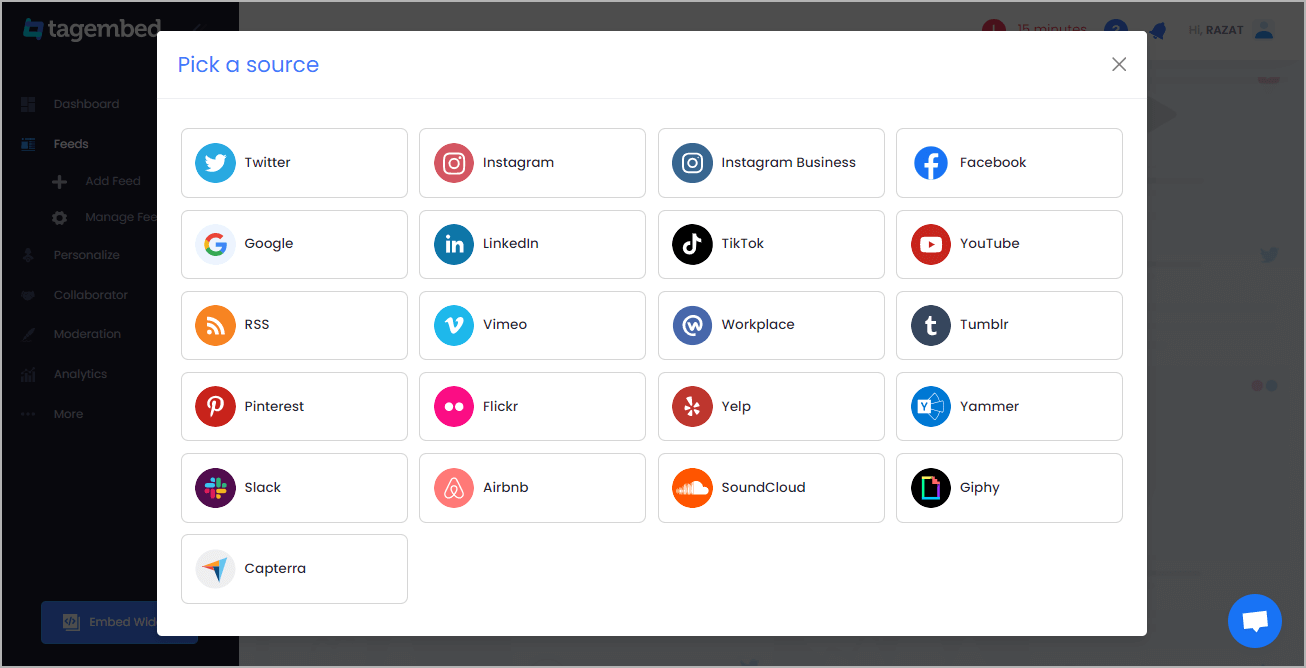
Collection rules should match the page intent. A homepage social proof widget needs different content from a campaign gallery or a product-specific UGC section.
Moderation is where a social feed becomes editorial rather than automatic. Remove duplicate, irrelevant, outdated, low-quality, or off-brand posts before publishing. Paid plans provide stronger moderation options, while the Free plan includes manual moderation.
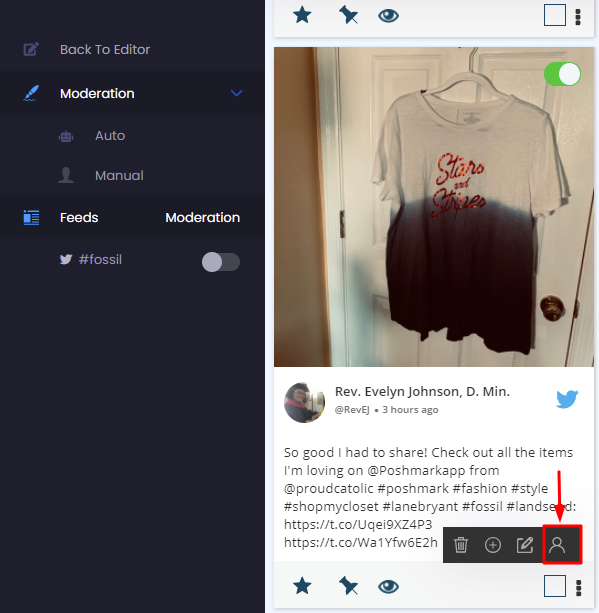
For reviews, moderation should never become selective editing that hides legitimate negative feedback just to manufacture a perfect rating. Use moderation for relevance, spam, and policy, and keep the presentation honest.
Tagembed provides themes and customization controls so the feed can fit the surrounding site rather than looking like an iframe dropped into a page. Keep typography, spacing, card density, and media ratios close to the site design system.
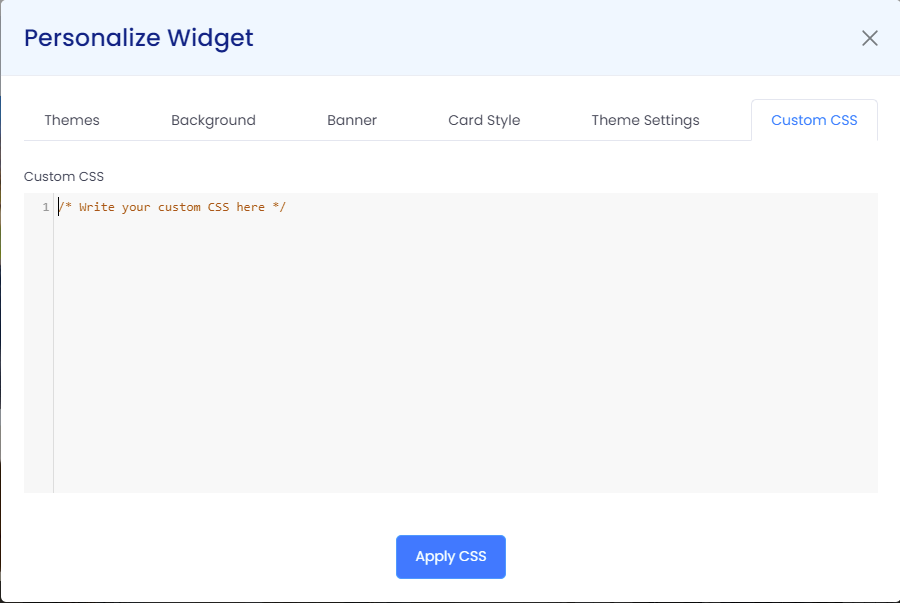
Avoid over-styling the widget. Social content is already visually busy. A neutral container, clear spacing, and consistent image sizing usually produce a more credible result than heavy shadows, animations, or competing brand colors.
After collection, moderation, and styling, the widget is published to the website. The WordPress plugin provides the connection point so a site editor can place the generated feed without rebuilding the integration in code.
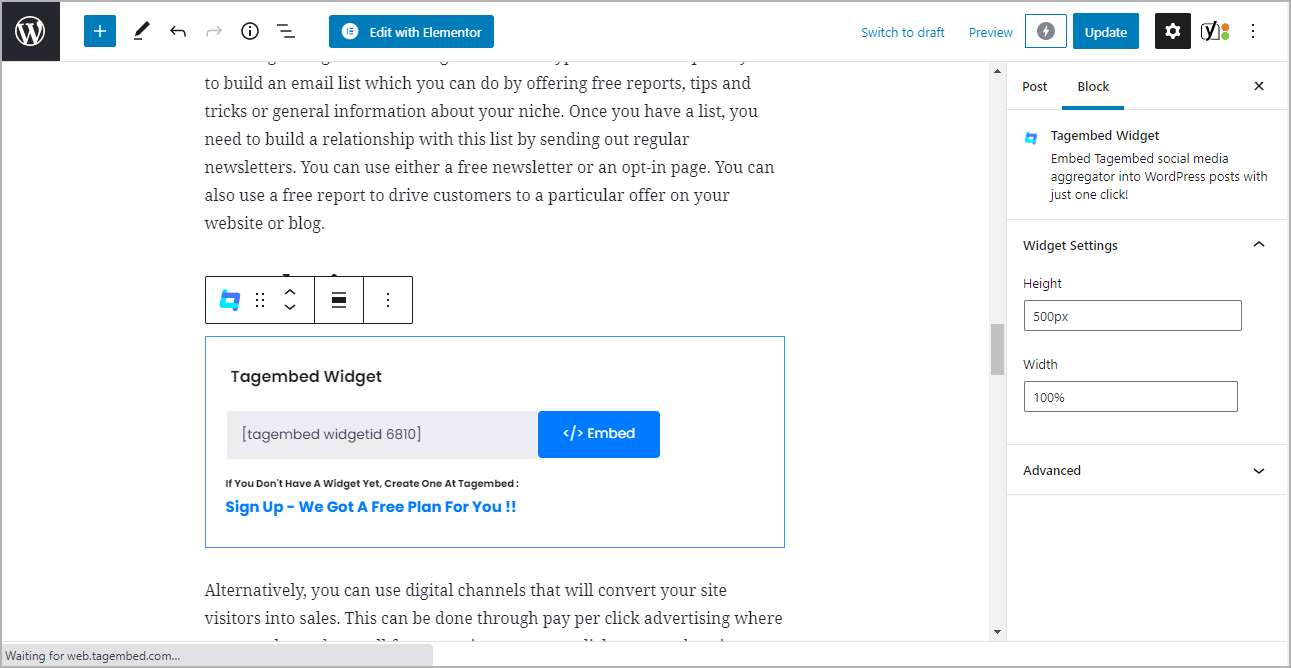
Document which Tagembed widget belongs to each WordPress page. If someone changes the hosted widget later, that change can affect every page where the same widget is embedded.
Growth and Advanced plans include shoppable widgets. This turns selected social content into a merchandising surface instead of a passive feed. The important implementation detail is product mapping: every tagged product should still point to a valid, purchasable product and behave correctly on mobile.
Use shoppable galleries where UGC materially helps the buying decision. Do not add product tags to every social post simply because the feature exists.
Social widgets often fail when card widths, video ratios, or horizontal controls are tested only on desktop. Tagembed promotes responsive widget layouts, but the final WordPress page still needs viewport testing with the actual theme, builder, cookie banner, and surrounding section width.
Analytics can help you understand whether visitors see and interact with a feed. Treat these metrics as widget-level signals rather than complete attribution. A social gallery may assist a purchase without receiving a direct click, and a high interaction rate does not automatically mean the widget improves conversions.
Use analytics to compare placements and layouts, then confirm important business outcomes in your normal analytics stack.
Tagembed can collect and display review content as well as social posts. Review widgets are useful on service pages, local landing pages, product-adjacent sections, and other places where customer evidence helps answer trust questions.
Keep the source and context obvious. Visitors should understand that the content comes from a review platform rather than mistaking a styled card for an on-site testimonial written by the business.
The current Google Review widget page highlights AI-assisted review features and review-management tools. These can make a large review set easier to work with, but automated summaries and moderation should be checked for accuracy before they become part of a sales page.
Tagembed advertises rating-schema functionality for review widgets. Structured data should only describe content and entities that are eligible under current search-engine rules. Do not add aggregate rating markup simply because a widget can display stars. The schema needs to match the page, the reviewed entity, and Google’s current guidelines.
For SEO, also make sure the page has useful native text outside the widget. A social feed can support a page, but it should not be the only substantive content search engines and AI systems can extract.
Tagembed is a hosted widget service, so widget rendering depends on external scripts, network requests, and the Tagembed service. Test Core Web Vitals and interaction delays on pages where the widget appears, especially when multiple widgets or video-heavy feeds are loaded.
Use the widget only where it contributes to the page. Loading a social feed site-wide in the footer can add a third-party dependency to pages that gain little from it.
Social embeds can involve third-party data requests and content from people who did not create the post specifically for your website. Review your privacy and consent setup, especially in regions where marketing or tracking scripts require consent.
For UGC campaigns, keep records of the rights or campaign terms that allow the brand to reuse participant content. A technically embeddable post is not automatically licensed for every marketing use.
Tagembed plan selection should account for traffic spikes, not only normal monthly averages. A homepage placement, product launch, event, paid-media campaign, or viral social post can consume widget views much faster than a quiet content page. Estimate the pages where the widget appears, expected sessions, and how often one visitor can load it before choosing a view allowance.
Refresh frequency matters separately from views. A campaign built around live event content may need the 30-minute or 15-minute refresh of higher plans even when traffic itself fits a smaller tier. Match the plan to the operational requirement that is hardest to compromise.
Tagembed is SaaS-backed. The plugin is not the whole product, and your feed limits, refresh rate, view allowance, moderation tools, and branding depend on the hosted plan. Budget for the service based on real page traffic, not just the number of WordPress sites.
The free plan’s 500 views and four-day refresh are intentionally limited. That is fine for a low-traffic proof of concept but can be too restrictive for a busy homepage or campaign.
Tagembed fits marketing teams, agencies, ecommerce brands, local businesses, event sites, and publishers that want one hosted system for social feeds and review widgets across one or more websites. It is less compelling if you only need a single simple feed and prefer all data and rendering to remain inside WordPress.
Pricing rechecked October 27, 2026. Tagembed advertises a Free plan, but its public pricing link currently redirects to a page without paid-plan prices. The earlier October 16 plan rates cannot be independently confirmed today. Check the current billing page or request a quote before purchasing.
The current WordPress plugin version is 8.2, updated October 16, 2026. WordPress.org lists WordPress 5.0 or newer, PHP 5.6 or newer, and testing through WordPress 7.1.3.
Tagembed is worth considering when you need several social or review sources managed from one hosted platform. Start with Free for a small proof of concept, but treat Growth and Advanced as the more realistic plans for active brands that need faster refresh, stronger moderation, or shoppable widgets.
Yes. Tagembed has a Free plan with one feed, 500 monthly widget views, manual moderation, and a four-day refresh interval.
Tagembed advertises a Free plan. Current paid-plan prices were not publicly verifiable on October 27, 2026; confirm the quote in Tagembed billing before purchase.
The current WordPress.org version is 8.2.
Yes. Tagembed supports customer-review widgets, including Google Reviews, alongside social media feeds.
Yes. Its current plans support Instagram and TikTok feeds, with plan-specific limits and source options.
Yes. Shoppable widgets are included on Growth and Advanced according to the current plan comparison.
No. The WordPress plugin connects the site to Tagembed’s hosted aggregation and widget service, so plan limits and external service availability are part of the setup.
Quick take Spotlight Social Feeds is one of the cleaner choices for WordPress sites that want Instagram to function as…
Combines social feeds, business reviews, testimonials, notification popups, and social chat in one WordPress social-proof plugin.
A modular WordPress suite for social feeds, reviews, Social Wall and feed analytics across major social networks.
Log in or create an account to continue.