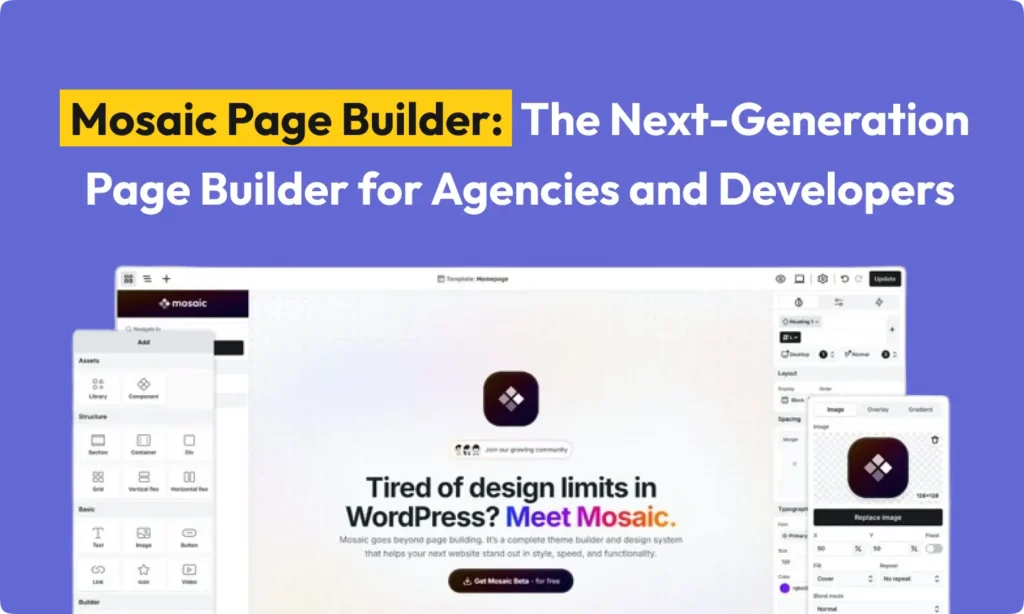
Mosaic Builder is a new tool for WordPress. It helps you build pages and even entire themes. It comes from the team at Nextend, who you might know from Smart Slider and Social Login. The project is led by co-founder Daniel David.
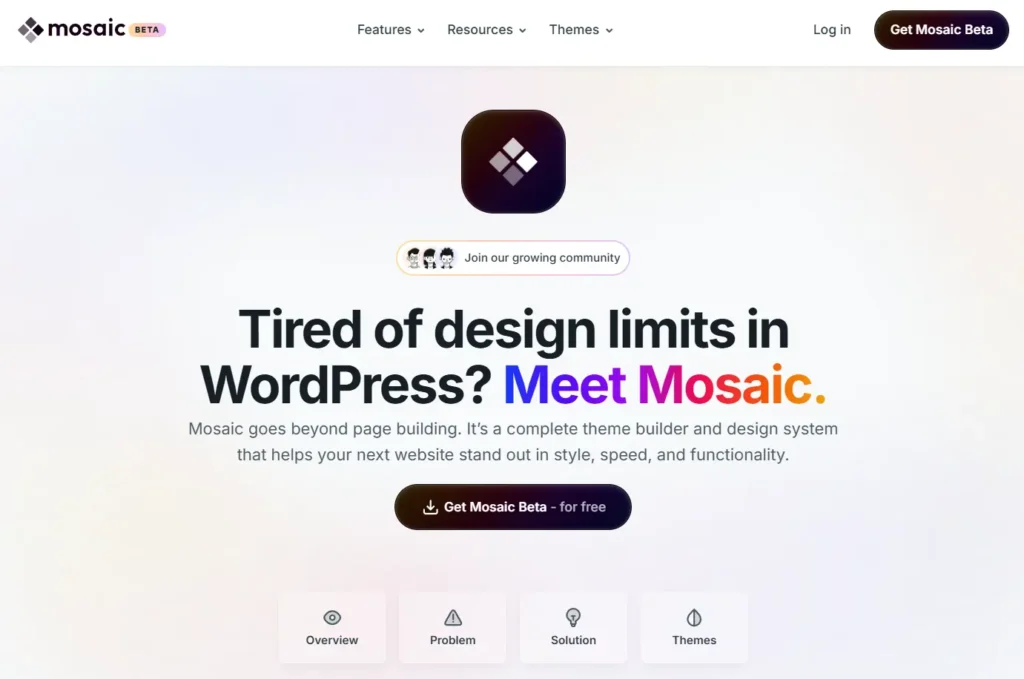
The main vision behind Mosaic Builder is to help you use all of WordPress’s power. It combines a drag-and-drop editor, a theme builder, and a design system in one place. Mosaic Page Builder says it changes how page builders work. Instead of adding a builder to a theme, you use Mosaic to build the theme itself. This approach aims to give everyonedevelopers, agencies, and designers – a faster and cleaner way to create websites. It helps avoid common problems like messy code and inconsistent designs.
Daniel and his team worked on Mosaic for four years. They wanted to fix the hidden problems of making WordPress sites. These problems include old themes, plugin conflicts, and slow performance. Mosaic Builder was built from the ground up to solve these issues. It’s a single system where every part of your site is connected through classes, variables, and components. The idea is that your website should work with you. It does this by showing you the site’s structure (HTML, CSS) in a visual way. The team’s blog says this leads to websites that are faster, cleaner, and built to last.
Who Made the Mosaic Page Builder?
Mosaic was created by Nextend, a company known for its WordPress plugins. The main person behind it is Daniel David, who is the co-founder and lead of Mosaic Builder. He mentioned that Smart Slider and Social Login taught their team a lot, and Mosaic Builder is their third big project.
Other important team members from Nextend include co-founder Roland Soos, developers Gabor Racz, Laszlo Szalvak, and Norbert Tenk. The team also has designer Benjamin Kohidi-Nagy and marketing lead Sara Humenyanszky. This group has a history of making popular plugins. This suggests that Mosaic Builder has good backing and support. The team also focuses on community help. They offer documents, a Discord channel, and a Facebook group to support users.
Why Was Mosaic Page Builder Created?
The main reason for building Mosaic was to connect design freedom with the basic rules of the web. Daniel David describes Mosaic Page Builder as mixing WordPress’s content management with Webflow’s layout tools and Figma’s design system approach. The philosophy is “Shape the web… piece by piece.” This means building sites with parts you can reuse, instead of making one-off pages.
Mosaic was designed to fix common frustrations in WordPress development, such as:
- Outdated themes with poor user experience. With Mosaic Builder, you can start fresh or use pre-designed “starter themes” that are built right into the tool.
- Bloated sites from too many plugins. Because Mosaic Page Builder combines the theme and builder, it reduces the need for extra plugins and improves performance.
- Inconsistent designs. Sites can look messy without a unified system. Mosaic’s style guide, variables, and class system keep your design consistent across the whole site.
- Limited control over CSS. Many builders make it hard to do advanced styling. Mosaic gives you access to every CSS property, so you are not limited by the interface.
- Slow websites. Mosaic Builder focuses on producing clean HTML and CSS code. As Daniel notes, you build with “clean, inspectable HTML” to prevent a slow site.
- Difficult site maintenance. Mosaic’s masters and templates make it easy to update your site. A change in one spot, like the header logo, updates everywhere. This solves a big headache when sites get bigger.
In short, the goal is to provide a modern tool that follows web standards. The creators of Mosaic believe that visual building in WordPress should be a faster way to make real websites, not a gimmick. They wanted to keep the “language of the web” (HTML/CSS) visible, not hidden behind widgets.
How Mosaic’s Features Work
Build a Theme from the Ground Up
Unlike many other page builders, Mosaic Builder actually builds the theme for you. After you install the Mosaic plugin, a setup wizard helps you create a new theme. You don’t apply Mosaic to a theme you already have.
Mosaic comes with several starter themes. You can choose “Empty” or “Blank” for a very simple base. Or you can use “Gibraltar” or “Monolith,” which are complete design systems. Each theme includes hundreds of pre-built blocks and pages that all fit together. For example, one theme might have over 400 unique blocks and more than 50 pages.
You can use Master Templates to set up global layouts like headers and footers. When you change a master, every page that uses it gets updated. You can also create templates for specific conditions, like for a certain post type or category. You can do all of this without writing any PHP code. Mosaic also has a custom loop builder. This lets you create dynamic lists for blogs or portfolios with full control over how they look and what they show. This means you can design your entire site structure visually.
The Visual Editor and Class System
Mosaic’s editor is visual, but it understands code. It treats every element as real HTML. An image is an image tag, and a div is a div. This results in clean, proper code. The editor is also very fast because it’s native, not in an iframe. Your changes show up instantly. You can even open multiple pages or work on the same page with other users.
A key part of Mosaic is its class system. You can create classes for structure (like grid columns) and utility classes for quick styling (like margins). This lets you build with both a solid structure and speed. You have full access to CSS, so there are no styling limits. You can type or adjust any CSS property live.
For faster work, you can turn any element into a reusable Component. You can then drag this component onto any page. You can change the content or style for each instance of the component. You can even create a unique version of a component without changing the original. Mosaic also includes a built-in animation engine. You can add animations for scrolling, hovering, or mouse movement to any element without needing other plugins. This keeps your site fast.
Design System: Global Styles and Variables
One of Mosaic’s best features is its design system tools. Each theme has a Style Guide where you manage your site’s entire look. This includes colors, fonts, spacing, and more. If you change a style in the guide, like the main accent color, it updates across your whole site instantly.
You can create style variables, similar to Sass variables, for colors, fonts, and other properties. You can group these variables into collections. You can even create different “Skins” or “Modes,” like a dark mode and a light mode, that switch entire sets of variables at once. This makes changing your theme’s look later on very fast and consistent. Mosaic also lets you style the default WordPress Gutenberg blocks within this system. So, if you use core blocks, they can match your site’s global styles.
Finally, Mosaic includes a Design Library. It contains pre-built page kits, pages, and blocks for each theme. These aren’t just generic templates; they are built with your theme’s styles and structure. You can use them as a starting point and customize them. This gives agencies and beginners a huge advantage.
Mosaic Page Builder Beta Release and Pricing
Mosaic Builder is currently in a beta phase. Daniel David says there is “no trial, no expiry, no crippled features, just Mosaic Builder, for free.” Everyone is encouraged to download and try it.
In the future, there will be a paid “Pro” version with more advanced features, like more templates and interactions. However, the free version already has everything you need to build a complete site. The beta version is fully functional. The company has not announced specific pricing details after the launch.
How Mosaic Page Builder Solves Common Problems
Mosaic Page Builder was created to fix the typical issues people face when building WordPress sites. For instance, using a mix of themes and plugins often leads to inconsistent designs. Mosaic solves this with its built-in design system. As Mosaic’s blog points out, without a system, each page feels like it was built by a different person. Mosaic ensures that one change ripples through your whole site.
Another common complaint is limited CSS control in builders. Mosaic Builder gives you full access to CSS. You can always write custom code or adjust any property. This fixes the frustration of builders who hide CSS away and create “bloated code.” With Mosaic, there is nothing between you and your styles.
For performance, Mosaic’s clean code aims to solve the problem of sites that “groan under bloated code.” It tries to produce code as clean as builders like Oxygen and Bricks. For example, a Bricks Builder user noted it was the “first [builder] that results in frontend loading times under 1 second.” Mosaic Page Builder promises similar results by avoiding extra code.
For long-term maintenance, Mosaic’s template system means one edit can fix every page. The blog describes how a single change on traditional sites can “unravel everything.” Mosaic prevents this. If you change the header in your master template, it’s updated everywhere.
By letting you build the theme from scratch, Mosaic Builder also helps eliminate plugin conflicts. Since you aren’t adding a builder on top of an unknown theme, Mosaic Builder controls the entire system.
Mosaic vs. Other WordPress Builders
Elementor vs Mosaic
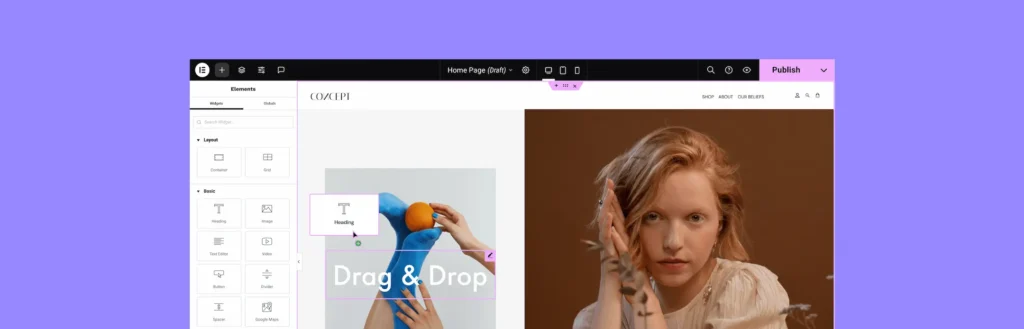
Elementor is the most popular WordPress page builder, used on over 18 million sites. It has a visual drag-and-drop interface and a large library of widgets and templates. Many people find Elementor easy to use. However, it is a plugin that sits on top of a theme, and its code can be heavy.
In contrast, Mosaic is a full theme builder. The Mosaic Page Builder team says you should “forget what you know about page builders.” Instead of working with an existing theme, “you create your own.” This allows Mosaic to enforce design consistency in a way Elementor can’t without extra plugins. Also, Elementor’s free version is limited. Mosaic’s beta includes global site building and dynamic content for free. On the other hand, Elementor has a massive ecosystem of third-party add-ons. Mosaic Builder is new and only has its own tools for now.
Bricks Builder vs Mosaic
Bricks is another builder that is built into its own theme and focuses on speed. Both Bricks and Mosaic are “theme builders.” Bricks users love its clean code and fast performance. Bricks also uses CSS classes and gives developers code-level access, much like Mosaic Page Builder. However, Bricks has been around longer and has more community templates.
A key difference is the target audience. Bricks is more for developers who know CSS. Mosaic tries to appeal to both developers and beginners with its wizards and kits. For agencies, Mosaic’s built-in style guide can speed up the theming process. Bricks requires a paid license, while Mosaic Builder is free during its beta.
Oxygen Builder vs Mosaic Builder

Oxygen is a theme builder for developers, known for its very clean code. Its marketing talks about “full control, no bloat.” Like Mosaic Builder, Oxygen builds the theme itself. It is for designer-developers and allows you to use raw PHP, JS, and CSS in the builder. Many call it a “developer’s dream.”
Mosaic Builder also gives you access to real code, but with a more guided interface. Oxygen has a reputation for being hard to learn. Mosaic Page Builder tries to make the initial setup simpler. Oxygen is very powerful for dynamic data, and it’s not yet clear if Mosaic will match that. Oxygen requires a one-time purchase, while Mosaic Builder is free in beta.
Breakdance vs Mosaic Page Builder
Breakdance is another new site builder from the creators of Oxygen. It aims to be a user-friendly but powerful tool. Breakdance says it creates “leaner code and faster sites” compared to the block editor. Like Mosaic Page Builder, it comes with a full set of elements and templates.
Breakdance and Mosaic Builder share features like global styling and drag-and-drop editing. However, Breakdance is more focused on page blocks, while Mosaic Page Builder is more about classes and templates. Mosaic’s unique feature is its full design system and staging mode, which lets you test changes safely. Breakdance has very good integration with WooCommerce.
Gutenberg (Block Editor)
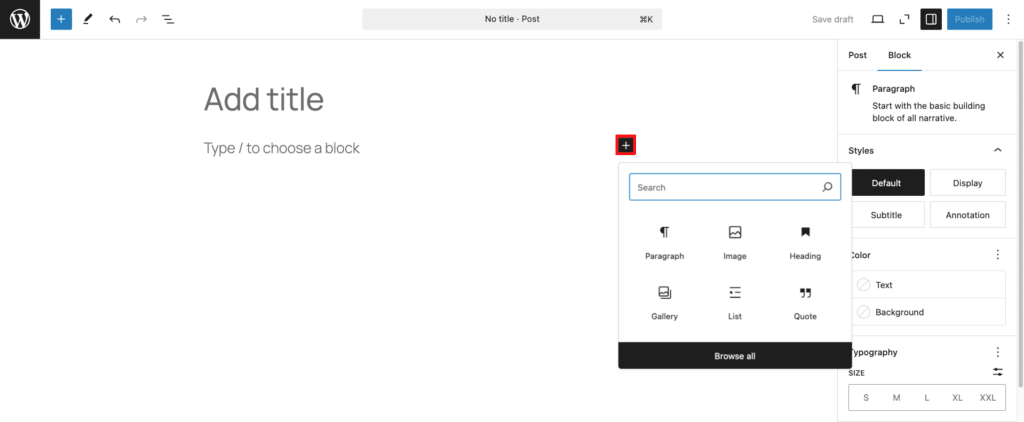
The native WordPress block editor, Gutenberg, is the default way to build pages. Its main advantage is that it’s built into WordPress and costs nothing. However, Mosaic Builder argues that Gutenberg is “missing the advanced tools and workflows serious creators rely on.” Native block themes often lack the global styling and logic of a builder.
Mosaic is a separate interface that offers more design power. It’s an alternative to building with Gutenberg, not an add-on. If you need a complex, dynamic site, Mosaic Page Builder might be a better choice. But if you prefer to stick with native WordPress tools, Gutenberg may be enough.
Summary of Comparisons
- Performance: Builders like Bricks and Oxygen are known for clean, fast code. Mosaic Builder aims for the same speed by using real HTML/CSS.
- Ease of Use: Elementor is great for beginners. Bricks and Oxygen are harder to learn. Mosaic Page Builder seems to be in the middle, easier to start with than Oxygen but more powerful than Gutenberg.
- Flexibility: Oxygen currently offers the most raw power for developers. Mosaic Builder offers a good mix of developer tools and design automation.
- Design Consistency: Mosaic Builder’s built-in design system is a major advantage. It makes it easy to keep branding consistent, which is great for agencies.
Should you switch to Mosaic Page Builder? If you are a developer or an agency frustrated with the limits of other page builders, Mosaic Builder is worth checking out. For new projects, the free beta is a risk-free way to try a modern workflow. If your site is already built with another tool, switching would mean rebuilding your designs. As a new tool, it might have some rough edges, but early users can help shape its future.