Are you building a WordPress website? You probably want to add a simple form to collect messages, leads, or even payments. Maybe you feel worried about complicated plugins or hidden costs. I understand. Choosing a good form builder does not need to be hard.
This guide explains five of the best beginner-friendly WordPress form builder plugins for 2025. I cover Bit Form, MetForm, Fluent Forms, Ninja Forms, and Everest Forms. You will see what they do, how easy they are, and what each costs. At the end, you can pick the one that works for your needs.
Why Choose a Beginner-Friendly Form Builder?
If you are new to WordPress, you need a plugin that does not make things confusing. A beginner-friendly form plugin means you do not have to code. You just drag and drop fields to make a form. Templates are there to help you get started in minutes. These plugins also send emails and protect your website from spam.
When you pick an easy plugin, you spend less time learning and more time growing your site or business. You can build forms for payments, surveys, or anything else, all without stress. That is why choosing the right tool is important.
Quick Comparison Table: WordPress Form Builder Plugins
Here is a side-by-side feature comparison. Each plugin is a column, and you can easily scan what each one offers.
| Feature | Bit Form | MetForm | Fluent Forms | Ninja Forms | Everest Forms |
|---|---|---|---|---|---|
| Free Plan | Yes | Yes | Yes | Yes | Yes |
| Pro Price | $39/year | $39/year | $79/year | $99/year | $49/year |
| Field Variety | 45+ fields | 40+ widgets | 25+ fields (conversational too) | Unlimited forms, add-ons | Free fields & uploads |
| Made For | All WP users | Elementor users | Speed-focused users | Developers, agencies | Beginners, simple use |
| Payment Gateways | PayPal, Stripe, Razorpay, Mollie (Pro) | Stripe, PayPal (WooCommerce route) | Stripe (Free), PayPal, Authorize.net | Stripe, PayPal (with Add-ons) | PayPal, Stripe, Square, Authorize.net (Pro) |
| Conditional Logic | Yes (advanced with Pro) | Pro only | Yes (free & paid) | Paid add-on | Pro only |
| File Uploads | Yes (Free) | Yes (Free) | Paid only | Paid add-on | Yes (Free) |
| Spam Protection | reCAPTCHA, hCaptcha, Turnstile, Honeypot | reCAPTCHA (Pro), Honeypot | reCAPTCHA, hCaptcha, Turnstile | reCAPTCHA, Akismet | Honeypot, Akismet, CAPTCHA (Free) |
| Submission Dashboard | Included | Basic/CSV export | Analytics dashboard | Yes with exports | Yes, basic export |
| PDF Export | No | No | No | No | Yes (Pro) |
| Best For | Power users on a tight budget | Elementor site owners | Website speed fans | Custom projects, developers | Simple forms, free file uploads |
Pro Price refers to the cheapest plan for one site as of September 2025.
Best Beginner-Friendly WordPress Form Builder Plugins in 2025
Now, let’s dive into each plugin. I keep it honest, simple, and helpful.
Bit Form: Most Advanced yet Affordable WordPress Form Builder
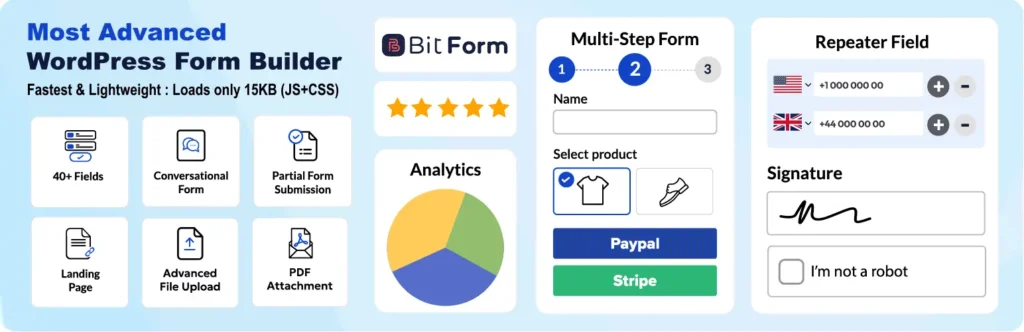
Bit Form is a form builder that gives you real power, even if you are just starting out. The design uses a clear drag-and-drop system, so you build your form as you see it. Bit Form stands out because it offers over 45 field types, including special ones like image select, repeat fields, signature, rating, and advanced file upload with options to crop or resize images.
Multi-step forms are easy with Bit Form. You can also use the conversational form mode to ask one question per step. The logic is advanced; you can set up simple “show if” rules or even use nested conditional logic for more complex needs. Advanced calculation fields are there for things like quizzes, cost estimates, or surveys.
The dashboard to see your form entries is detailed. You can view, edit, filter, and analyze submissions, all in the WordPress admin. Bit Form includes built-in SMTP for sending emails. The Pro version unlocks more: you get payment fields for PayPal, Stripe, Razorpay, and Mollie, smart form abandonment tracking to catch partial entries, and conditional email routing. There’s also support for 300+ integrations (with Bit Integrations) if you need to send data elsewhere.
Pros: Rich features even in the free plan. Advanced dashboard for submissions. Detailed logic and field control. Great for handling payments and complex forms.
Cons: The many settings can feel a bit much for beginners. Some top features, like nested logic and payment tools, require Pro.
Best for: Small businesses, marketers, and anyone who wants advanced tools without a high price.
MetForm: Best Form Builder for Elementor Users
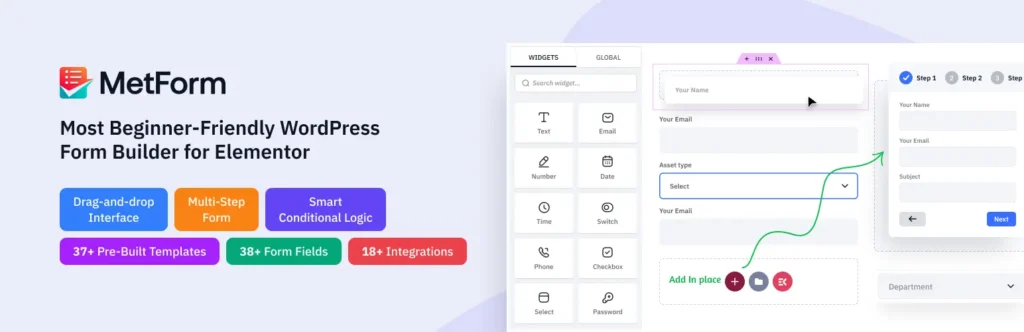
MetForm is built for users who love working with Elementor. This plugin works as an Elementor add-on, so you build forms entirely inside the Elementor page editor. Every field you add is a widget, and you see your form exactly as it will look when you publish.
The integration is real-time, any style or layout you change with Elementor updates your form instantly. There are over 40 field widgets to choose from, covering all the standard types and more.
MetForm also offers time-saving tools. You can make field groups, then reuse those groups in different forms without starting from scratch. Entry management is simple, too, with built-in tools to save submissions to your site and export them. The free version includes many templates for surveys, multi-step, and basic contact forms. Upgrading adds advanced logic and lets you take payments by connecting Stripe or PayPal.
Note that you always need Elementor running; everything happens within that environment.
Pros: Feels easy if you already use Elementor. Fast to set up and style. Seamless live preview during editing. Handy reusable field groups.
Cons: You must use Elementor. Most smart tools are only in the paid plan.
Best for: Anyone who loves Elementor and wants full control over design.
Fluent Forms: Best User-friendly WordPress Form Builder

Fluent Forms is well known for its speed and many features. It keeps your site loading quickly, using very little extra code. The free version comes with over 25 fields, including logic for showing or hiding questions. It also provides a helpful analytics dashboard. You can track how users interact with your forms, see submission counts, and view charts, all inside the WordPress admin.
What makes Fluent Forms different is its AI form builder. You can type what you need in simple words, and the builder will create the form fields for you. This tool saves time for people who do not want to click and drag every detail. Fluent Forms also includes conversational forms, where users answer one question at a time. This style can help people finish longer forms more easily.
There are many integrations. You can connect marketing tools, email services, and payment gateways directly. Stripe payments are included for free, but other gateways and advanced file upload features come with the Pro version.
Pros: Does not slow your site. Modern analytics, AI form building, and conversational forms. Friendly interface for new users.
Cons: File uploads are not free. Pro version costs a bit more than some others.
Best for: Anyone who wants a fast site, smart automation, and many features without extra add-ons.
Ninja Forms: Simple WordPress Form Builder Plugin
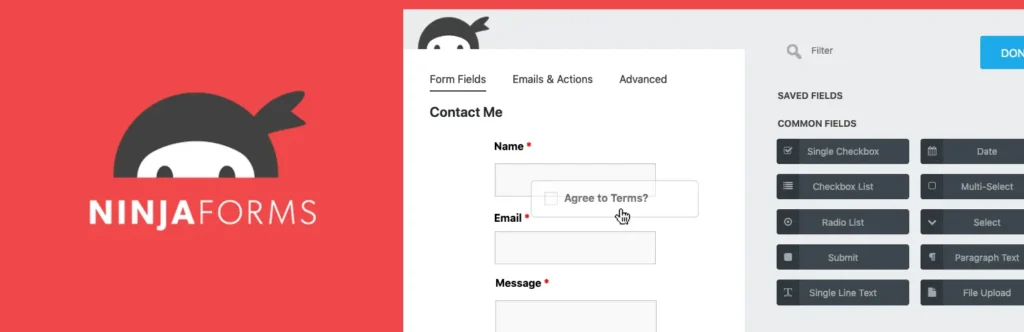
Ninja Forms stands out for its modular design and flexibility. The plugin gives you a solid core for free, letting you create unlimited forms and collect unlimited submissions on your website.
If you need more specialized features, you can choose from a huge add-on library; things like payment gateways, advanced conditional logic, file uploading, and CRM integrations are all available as paid extras. This approach gives freedom to buy only what you want, but you need to watch your costs if you want many advanced tools.
Ninja Forms has a strong developer community. It offers many hooks and filters for developers, so you can deeply customize forms or connect them to other plugins. Submission data is saved in your WordPress dashboard and can easily be exported as a CSV file. You also get built-in spam protection using Google reCAPTCHA and Akismet.
Most powerful features, like payment fields or conditional logic, are paid add-ons. It can get confusing choosing the right add-on.
Pros: Grow as you need. Great for big projects or special features. Very flexible for developers and agencies.
Cons: Costs add up if you want many features. Not the easiest for pure beginners.
Best for: Agencies, developers, or anyone needing special options.
Everest Forms: Beginner-friendly WordPress Form Builder Plugin
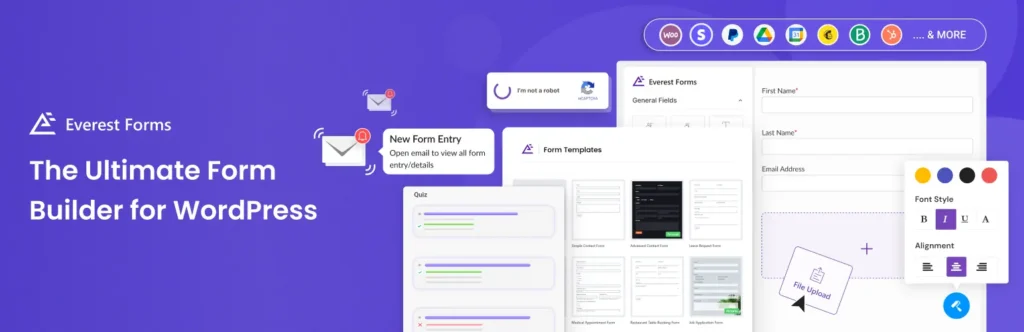
Everest Forms stands out for users who want everything simple and easy. The interface is clean with no clutter, so you can create forms quickly. One big draw is that file and image uploads are completely free; many plugins charge for this. You get unlimited forms and can export each submission as a PDF, which is handy for records or sharing.
If you’re switching from Contact Form 7, Everest Forms makes migration easy with a built-in importer. This way, you don’t have to remake all your forms from scratch. The plugin also covers basics like surveys and quizzes, but you need Pro for features like conditional logic and more survey field options. Styling is basic unless you buy an add-on, but most beginners won’t need more.
Pros: File uploads without extra cost. Simple to start for any WordPress beginner. Helpful tools like PDF export and form migration.
Cons: Not many advanced integrations. Conditional logic and some survey features need Pro.
Best for: Beginners who want straightforward forms, free file uploads, and easy migration from Contact Form 7.
Feature Comparison
Builder Style: All have drag-and-drop. Bit Form and Fluent Forms look most modern. MetForm works only in Elementor. Ninja and Everest feel basic but are easy.
Templates: Every plugin helps you start fast. MetForm and Everest give many ready-made designs. Fluent Forms builds forms from your text instructions.
Conditional Logic: Fluent Forms gives this for free. Bit Form also offers good logic, but best options need Pro. Others like MetForm, Ninja, Everest need Pro for logic.
Integrations: Fluent Forms has many. Bit Form can connect through “Bit Integrations.” Ninja Forms supports almost everything, but most are paid. Everest works with popular apps, but the options are fewer.
Payments: Stripe in Fluent Forms is free. Bit Form Pro gives most gateways at a fair price. MetForm uses WooCommerce or Pro add-on. Ninja and Everest charge more for payments.
File Uploads: Free in Everest, Bit Form, and MetForm. Fluent and Ninja require payment for uploads.
Spam Protection: All cover basics. Bit Form, Fluent Forms, Everest Forms have the newest options (Google reCAPTCHA, hCaptcha, Turnstile).
Calculations: Free and strong in Bit Form and Fluent Forms for things like price calculators. MetForm, Ninja, and Everest limit this to paid versions.
Mobile Support: All plugins work well on mobile.
Conclusion
There is no perfect form plugin for everyone. You need to think about your website, your tech skills, and the features you want. If you use Elementor, MetForm makes sense. If you need free file uploads, Everest Forms is good. For strong logic or more advanced needs, look at Bit Form or Fluent Forms. For big projects or special custom work, Ninja Forms is a top pick.
Try the free version of one or two plugins. See which one feels best to you. All the plugins in this guide are safe and work well in 2025. You can always upgrade for more features later.
FAQs
What is the best WordPress form builder for beginners?
Bit Form, Fluent Forms, and Everest Forms are easiest for new users. All have free plans and clear drag-and-drop editors.
Can I use these plugins for free?
Yes. All five have free versions. Paid plans add more options like payments or logic.
Do forms slow down my website?
Fluent Forms and Bit Form are built to be fast. Most forms will not affect your speed.
How do I protect my form from spam?
Look for plugins with reCAPTCHA, hCaptcha, or honeypot. These help block unwanted messages.
Can I accept payments with these plugins?
Yes, but you usually need the Pro version. Fluent Forms supports Stripe free. Bit Form, MetForm, and others offer payments with upgrade.
Which one is best if I use Elementor?
MetForm works right inside Elementor and is best for Elementor fans.
How do I add a file upload field?
Everest Forms, Bit Form, and MetForm offer file uploads free. Others require Pro.
Can I import forms from Contact Form 7?
Everest Forms lets you move forms over easily.