Watching your website traffic hit a plateau is a painful experience for any business owner. You spend hours creating the perfect content but only reach a small fraction of the world. Most internet users do not speak English as their first language and they prefer to buy in their native tongue.
If your site is only in one language you are likely leaving thousands of dollars on the table every month. It feels like there is a wall between you and your global customers that you just cannot climb.
This guide will show you how to break that wall down using the best translation tools available today. You will learn how to reach a global audience and boost your sales without needing to be a coding expert.
What is the most SEO friendly WordPress multilingual plugin?
A truly SEO friendly plugin must create separate crawlable URLs for every language version of your site. It needs to handle hreflang tags automatically so search engines understand which version to show to which user. Plugins like WPML, Polylang, and TranslatePress are top choices because they allow you to translate meta titles and descriptions. They ensure that your site ranks high in local search results across different countries.
Can I translate my WordPress site for free?
Yes you can definitely start translating your website without spending a single penny. Polylang and TranslatePress offer excellent free versions that let you add at least one additional language. These free tools are perfect for small blogs or local businesses that are just starting their global journey. You can manually add your own translations or use free tools to help you get the words right.
Will a translation plugin slow down my website speed?
Some plugins can impact your speed because they add more data to your database or process text on the fly. However most modern plugins are built to be lightweight and fast so they do not hurt your user experience. Using a cloud-based solution like Weglot or a performance-focused plugin like Polylang keeps your site running smoothly. It is always a good idea to use a caching plugin alongside your translation tool to maintain high speeds.
Why Multilingual Sites
The digital world in 2026 is more connected than ever before but language remains a huge barrier. If you only speak one language to your customers you are essentially ignoring billions of people. A multilingual site is no longer just a fancy feature for big companies. It is a basic requirement for anyone who wants to grow their business online today. When you speak the language of your visitors you build instant trust and credibility.
Global reach & SEO impact
Reaching more people is the obvious benefit but the actual impact on your search engine rankings is even bigger. Google loves websites that provide relevant content to users in their own local language. When you translate your site you are not just duplicating pages but creating new opportunities to rank for local keywords. This means you can show up in search results in France, Spain, or Japan for the same products you sell in the US.
Search engines use complex systems to figure out who should see which page based on where they are. By using a WordPress multilingual plugin you give search engines the signals they need to categorize your site correctly. This leads to more organic traffic from different parts of the world without spending more on ads. It is one of the most cost-effective ways to scale your business internationally in 2026.
| Metric | Impact of Localization |
| Potential Audience | Increases by up to 75% |
| Conversion Rate | Up to 76% higher for native content |
| SEO Visibility | Can double or triple indexable URLs |
| User Trust | 90% prefer sites in their own language |
Manual translation vs plugins
Many people wonder if they should just hire a translator and do everything by hand. Doing it manually gives you the most control over the quality and the tone of your content. You can make sure every idiom and joke is perfectly localized for the target culture. However this process is very slow and can be very expensive if you have a lot of pages.
Translation plugins offer a middle ground that saves you time and money. They can automatically detect your content and provide a machine-translated version in seconds. You can then go in and fix any mistakes or polish the phrasing to make it sound more natural. This hybrid approach is how most successful websites manage their multilingual content in 2026.
Plugins also handle the technical side of things that you would likely forget if you did it manually. They automatically add the code that tells Google about your different languages. They manage your URL structures so you do not have to worry about broken links or messy addresses. Using a plugin makes the whole process much more manageable for a busy site owner.
Top WordPress Multilingual Plugins and Translation Plugins
There are many options available when you look for a WordPress multilingual plugin. Each one has different strengths depending on what you need for your specific site. Some are great for beginners who want something simple and others are for experts who need total control. I have tested these tools on various projects to see how they perform in real-world situations. Here are the top seven plugins you should consider for your website in 2026.
1️⃣ WPML: comprehensive language support
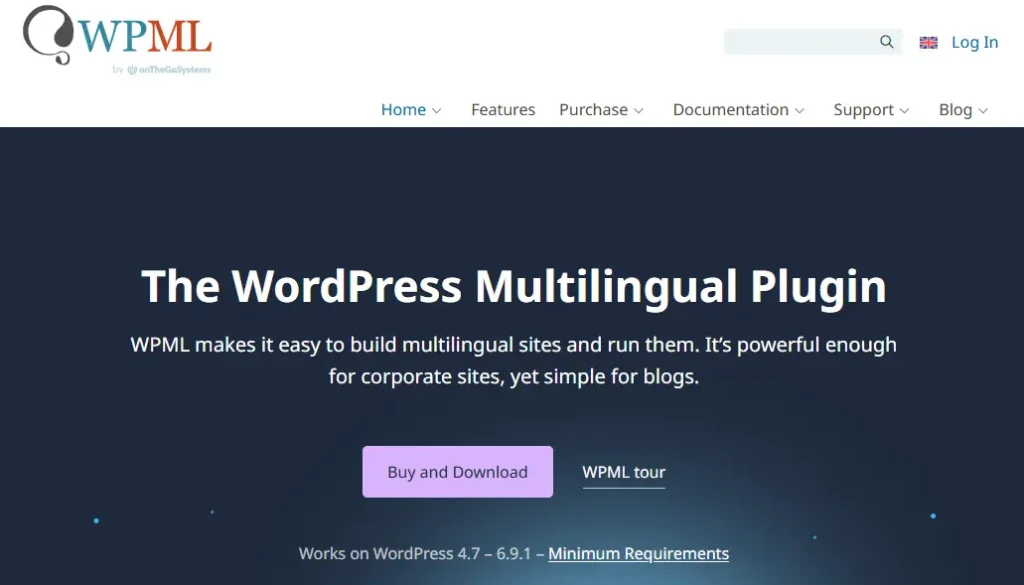
WPML is the oldest and most established player in the WordPress translation market. It is a very powerful tool that can handle almost any type of website from small blogs to massive online stores. Most themes and plugins are built to be compatible with WPML because it is the industry standard. It offers deep control over every single string of text on your site.
I have used WPML for years on large corporate projects and it always gets the job done. It is a bit complex to set up at first because it has so many options. You might feel a little overwhelmed by the interface but the documentation is excellent. It is a premium plugin which means you have to pay for it but it is worth the investment for serious businesses.
- Manage your translations easily with a dedicated dashboard that connects to professional services.
- Translate every part of your site including menus and widgets without any extra coding.
- Works perfectly with WooCommerce to translate your products and manage multi-currency sales.
- Includes built-in SEO tools to manage your hreflang tags and create search-friendly URLs.
- Allows you to use different domains or subdirectories for each language version.
- Compatible with all major page builders like Elementor and Divi for a smooth design process.
- Supports over 65 languages out of the box and you can add your own custom variants.
- String translation lets you find and translate text hidden deep within your theme files.
2️⃣ Polylang: free and user-friendly
Polylang is a fantastic choice if you want something that feels like a natural part of WordPress. It is incredibly lightweight and does not add a lot of bloat to your site. The free version is very generous and allows you to add as many languages as you want. It is perfect for people who prefer to handle their own translations manually.
When I set up Polylang on a simple service site it only took a few minutes to get running. It integrates directly into the standard WordPress editor so you do not have to learn a new interface. While it lacks some of the automated features of other plugins it is very reliable. It is the best option for those who want a fast and clean site on a budget.
- Create a fully multilingual site using the core features of WordPress for better speed.
- Add an unlimited number of languages to your site without needing to pay for a pro plan.
- Translate posts and pages as separate records which allows for different designs per language.
- Automatically generates the necessary hreflang tags to keep your SEO in good shape.
- Customizable language switcher widget can be placed anywhere in your theme.
- Pro version adds support for translating URL slugs which is vital for international SEO.
- Sync your meta data across translations so you do not have to enter the same info twice.
- Supports RTL languages like Arabic and Hebrew right out of the box.
3️⃣ TranslatePress: visual translation editor
TranslatePress has changed how many people think about translation by making it a visual process. Instead of working in the backend you can translate your site while looking at the front end. You just click on the text you see and type in the new version right there. This makes it very hard to make mistakes because you see exactly how it looks.
I recently helped a restaurant owner use TranslatePress to create a Spanish menu. She had zero technical skills but she was able to translate her whole site in an afternoon. The plugin handles all the complex stuff in the background so you can focus on the words. It is highly compatible with page builders and WooCommerce which is a huge plus.
- Translate your whole page visually with a live preview that shows your changes instantly.
- Works with all themes and plugins because it translates the final HTML of the page.
- Initial setup is very fast and you can use Google Translate to get a head start.
- Translations are stored in your own database so you own all your data forever.
- Dedicated translator accounts allow you to hire help without giving away admin access.
- Translate images and sliders to provide a truly localized experience for your visitors.
- SEO pack lets you translate meta titles and descriptions for better search rankings.
- Supports over 130 languages which gives you plenty of room to grow globally.
4️⃣ Weglot: the automatic cloud solution
Weglot is the fastest way to get a multilingual site up and running in 2026. It is a cloud-based service that automatically detects all the text on your site and translates it instantly. You do not have to worry about the technical setup because Weglot handles it all on their servers. It is a very polished and professional solution for growing businesses.
In my experience Weglot is perfect for people who do not want to spend hours managing a plugin. The dashboard is very clean and easy to use even for teams. It is a subscription service so the costs can add up if you have millions of words. However the time you save is often worth the monthly fee for most companies.
- Automatic translation of your entire site happens in minutes after you install the plugin.
- Manage all your languages from one central cloud dashboard outside of WordPress.
- Built-in SEO tools automatically add hreflang tags and create language subdirectories.
- Collaborate with team members or order professional edits directly from the interface.
- Visual editor lets you see your site and make changes while preserving the design.
- Redirect visitors to their correct language automatically based on their location.
- Translations are served via a fast content delivery network for better global speed.
- Full support for WooCommerce including products and all transactional emails.
5️⃣ GTranslate: the power of Google Translate
GTranslate uses the massive power of Google Translate to make your site multilingual instantly. The free version adds a simple widget that lets visitors choose their language and see a translated page. It is an excellent choice for sites that need a quick fix without a lot of cost. The setup is as easy as installing the plugin and choosing your languages.
When I used GTranslate on a support forum it saved the team a lot of headaches. It allows people from all over the world to read the help docs without any manual work from the staff. The paid version is much more powerful and includes full SEO support so your pages can rank on Google. It is a budget-friendly way to scale your reach to over 100 languages.
- Instant machine translation into 103 languages using Google’s neural API.
- No limits on the number of words or pageviews even on the paid plans.
- Cloud-based system means the heavy lifting is done on their servers not yours.
- Paid plans enable SEO friendly URLs in subfolders or subdomains for better indexing.
- Customize the look of your language switcher with flags or dropdown menus.
- Allows you to manually edit the automatic translations for better accuracy.
- Supports WooCommerce and translates your product pages and categories automatically.
- Automatic updates ensure that your site stays compatible with the latest WordPress versions.
6️⃣ ConveyThis: simple and efficient
ConveyThis is another strong cloud-based contender that focuses on speed and ease of use. It is very similar to Weglot but often comes at a more affordable price point. It uses a mix of different AI engines to give you the best possible translation for each language. The setup process is very straightforward and you can have a live multilingual site in five minutes.
I like ConveyThis because of its translation memory feature that saves you from repeating yourself. If you correct a phrase once it will remember that change for the rest of your site. This is a massive time saver for large websites with a lot of common phrases. It also has a great visual editor that makes tweaking your translations very easy.
- Quick and easy installation that requires no coding or complex server setup.
- Translation memory saves your edits and applies them across your whole website.
- Built-in SEO tools handle your hreflang tags and metadata automatically.
- Supports over 120 languages which allows for a very broad global reach.
- Localize your images so you can show different graphics to different audiences.
- Free plan is available for small sites that only need one extra language.
- Visual editor lets you see exactly where each translation appears on the page.
- Block specific content from being translated to protect your brand names.
7️⃣ Autoglot: the pay as you go option

Autoglot is a unique WordPress multilingual plugin that does not require a monthly subscription. Instead of paying every month you only pay for the words you actually translate. This makes it a very cost-effective choice for sites that do not update their content every single day. It uses advanced AI to provide high-quality translations that are stored right in your database.
I find Autoglot to be a refreshing change because it gives you full control over your budget. You can translate a few pages today and wait months before doing more without any extra fees. It is fully SEO compatible and handles all the technical details like hreflang and sitemaps automatically. It is a great long-term solution for businesses that want to grow at their own pace.
- No recurring monthly fees means you only pay for what you use and when you use it.
- Translations are stored in your own WordPress database for better speed and ownership.
- Automatically translates your SEO meta tags and updates your XML sitemaps.
- Each language gets its own crawlable URL structure for maximum search visibility.
- Includes a powerful translation editor for fine-tuning the AI-generated results.
- Localize your media files and internal links to provide a seamless user experience.
- Easy setup with a simple API key that connects your site to the translation service.
- Automatic language switcher widgets can be added to your sidebar or menus.
Configuring a Multilingual Site
Setting up a WordPress multilingual plugin is just the beginning of your journey. You need to configure it correctly to make sure both your users and search engines are happy. A poor setup can lead to confusion and might even hurt your existing rankings if you are not careful. It is important to take your time and follow the best practices for international websites in 2026.
How to translate pages/posts
Once your plugin is active you will see new options in your WordPress dashboard for each post. Most plugins like WPML or Polylang add a simple flag or a plus icon next to your content. Clicking this creates a new version of the page where you can enter the translated text. This keeps everything organized and linked together so visitors can switch between languages easily.
If you are using a visual plugin you will work directly on the front end of your site. You just browse to the page you want to translate and click on the elements you want to change. This is often much faster for complex pages with a lot of different blocks or widgets. Always remember to check your translated pages on a mobile device to ensure the text still fits the design.
SEO considerations (hreflang tags)
The most important technical part of your setup is the hreflang tag system. This code tells search engines exactly which language each page is using and how it relates to other pages. For example it tells Google that your Spanish page is just a translation of your English page and not duplicate content. This prevents you from being penalized and helps you rank in the right countries.
There are a few iron rules you must follow for your hreflang tags to work. Every page must point to itself and all its other language versions in a reciprocal way. If the English page points to the Spanish page then the Spanish page must point back to the English one. Using a good WordPress multilingual plugin handles this automatically so you do not have to write the code yourself.
| Hreflang Rule | Importance | Fix |
| Self-Referencing | Essential | Page must link to its own URL as a variant |
| Reciprocal Links | Critical | Page A links to B and B must link back to A |
| Valid Language Codes | Required | Use ISO 639-1 codes like en or es |
| Absolute URLs | Mandatory | Use the full address including https |
Common pitfalls in multilingual SEO
One big mistake people make is ignoring their URL structure when they go multilingual. You should avoid using parameters like lang=es because they are not very search engine friendly. It is much better to use subdirectories like yoursite.com/es/ which are easy for Google to understand. This keeps your domain authority strong and makes your site look more professional to local users.
Another pitfall is using flags to represent languages instead of using the language names. Flags represent countries and many countries speak the same language while some speak many. For example using a Spanish flag might confuse users in Mexico or Argentina who speak Spanish but live elsewhere. It is always safer to use the native name of the language like Español or Français in your switcher.
Best practices for media translation
Many site owners forget to translate their images and videos when they localize their site. If your image has text on it you must provide a version in the target language. A good WordPress multilingual plugin will let you swap out image files for different language versions easily. This ensures that your brand message is clear to everyone regardless of their language.
You also need to localize your image alt text which is great for SEO and accessibility. Search engines use this text to understand what is in your pictures. By translating your alt tags you increase the chance of appearing in local image search results. This is a small detail that can make a huge difference in your overall traffic from other countries.
Conclusion
Choosing the right WordPress multilingual plugin in 2026 depends entirely on your specific goals and skills. If you want a visual experience and no technical headaches then TranslatePress is the way to go. For those who need a professional and automated solution with great support Weglot is worth the subscription.
If you are a developer looking for a lightweight and free tool then Polylang should be your first choice. Those running massive stores or agency sites will likely find WPML to be the most reliable industry standard.
For those who want to avoid monthly fees and only pay for what they use Autoglot is a smart alternative. No matter which tool you pick the most important step is to start today and reach the global audience you deserve.
FAQs
What is the best WordPress multilingual plugin for SEO?
The best plugins for SEO are WPML, Polylang, and TranslatePress because they create crawlable URLs and handle hreflang tags correctly. They also allow you to translate your meta data which is vital for ranking in different countries.
How do I choose between WPML vs Polylang?
WPML is better for large complex sites with many users while Polylang is better for simple sites that need to stay fast and lightweight. If you have a budget and need advanced features pick WPML but if you want a free and simple tool pick Polylang.
Can a translation plugin slow down my WordPress site?
Yes some plugins can add load to your server but using a cloud solution like Weglot or a performance-focused tool like Polylang helps maintain speed. It is also important to use a good caching setup to minimize any impact on your users.
Is automatic translation accurate enough for a business site?
Modern AI translation is very good but it is always best to have a human check the important pages for cultural nuance. Using a hybrid approach with a plugin allows you to get the speed of AI and the quality of human editing.
How do I set up hreflang tags in WordPress?
Most top plugins like WPML and TranslatePress set these up for you automatically once you choose your languages. You can then check your work in Google Search Console to make sure everything is working perfectly.
What is a TranslatePress tutorial for beginners?
The best way to start is by installing the plugin and entering the visual editor where you can simply click and translate any text you see. You can use the free version to add one extra language and test the workflow before upgrading.
Can I translate my WooCommerce store into multiple languages?
Yes plugins like WPML, Weglot, and Polylang have specific tools to translate products, checkout pages, and emails. This allows you to sell to customers all over the world in their own currency and language.
Do I need separate domains for each language version?
You do not need separate domains as you can use subdirectories like yoursite.com/es/ which are very effective and cheaper to manage. Subdirectories are the recommended choice for most businesses because they consolidate your SEO power.
Is there a free WordPress multilingual plugin for unlimited languages?
Polylang is one of the few plugins that allows you to add an unlimited number of languages in its free version. This makes it a great choice for hobbyists or small businesses with a global vision.
How do I translate my WordPress theme and plugins?
You can use a tool like Loco Translate to edit the translation files directly in your dashboard for specific labels and buttons. For content translation you should use one of the main multilingual plugins like WPML or TranslatePress.
What should I avoid when making a site multilingual?
Avoid using automatic translation without any review and do not use messy URL structures like question marks for languages. Also try to avoid using flags as the only way to select a language to prevent confusing your users.
Does WordPress have a built-in translation feature?
WordPress itself does not have a built-in multilingual system yet but it is very easy to add this functionality using one of the plugins mentioned above. Using a plugin is currently the standard way to handle multiple languages in 2026.