CAPTCHA should stop automated abuse without turning every contact form, login, checkout, and registration screen into a puzzle. That balance matters more in 2026 because WordPress sites often run several form systems at once, while privacy expectations and bot traffic keep increasing.
For this roundup I separated true challenge systems such as Turnstile, reCAPTCHA, and hCaptcha from broader anti-spam plugins. If you mainly need invisible spam filtering rather than a CAPTCHA layer, see our WordPress anti-spam plugin guide. For login hardening beyond bots, our 2FA plugin comparison is the better next step.
TL;DR: Which WordPress CAPTCHA Plugin Should You Pick?
- Simple Cloudflare Turnstile: best free option for low-friction Turnstile protection across many popular forms.
- CAPTCHA 4WP: best when you want one WordPress plugin that can work with several CAPTCHA providers and policies.
- hCaptcha for WP: best privacy-focused alternative with broad integrations and advanced hCaptcha service tiers.
- Advanced Google reCAPTCHA: best for sites committed to Google reCAPTCHA and a familiar setup.
- WP Armour: best when you want a CAPTCHA-free honeypot layer before adding visible challenges.
Quick Comparison: CAPTCHA, Turnstile, hCaptcha or Honeypot?
| Plugin | Protection style | Best fit | Pricing |
|---|---|---|---|
| Simple Cloudflare Turnstile | Cloudflare Turnstile | Low-friction forms and WooCommerce | Free |
| CAPTCHA 4WP | Multiple CAPTCHA providers | Centralized CAPTCHA control | Free; Premium from about $29/year |
| hCaptcha for WP | hCaptcha + anti-spam controls | Privacy-focused sites | Plugin free; hCaptcha Basic free, Pro from $99/month billed yearly |
| Advanced Google reCAPTCHA | Google reCAPTCHA | Google-based protection | Free; Pro available |
| WP Armour | Honeypot | Invisible form spam filtering | Free; Extended version available |
What I Check Before Adding CAPTCHA to WordPress
- Coverage: confirm the plugin protects the exact forms you use, not only the native WordPress login.
- Checkout compatibility: WooCommerce blocks, express payments, and AJAX forms need specific testing.
- Friction: challenge frequency matters as much as raw bot blocking.
- Privacy and consent: third-party CAPTCHA services may load external scripts and process request data.
- Fallback: never lock administrators out without testing login, password reset, and accessibility flows.
1. Simple CAPTCHA with Cloudflare Turnstile — Best free low-friction option

This free plugin adds Cloudflare Turnstile to WordPress core forms, WooCommerce, and a long list of form builders. I like it when the goal is simple: protect common submission points without adopting a large security suite. Turnstile can often verify legitimate visitors without asking them to solve image puzzles.
What stands out
- WordPress login, registration, password reset, and comments
- WooCommerce checkout and account forms
- WPForms, Fluent Forms, Contact Form 7, Gravity Forms and more
- Elementor Pro Forms and other builder integrations
- IP allowlisting including CIDR ranges
- No paid plugin tier or built-in tracking
Pros: Very broad form support, free plugin, low-friction user experience.
Cons: It is focused on Turnstile, so it is not the right choice if you need provider switching inside one plugin.
Best for: Best free low-friction option
Pricing: Completely free plugin; Cloudflare Turnstile is also free.
Official plugin or pricing page
2. CAPTCHA 4WP — Best for centralized CAPTCHA policies
CAPTCHA 4WP is useful when CAPTCHA is a site-wide policy rather than a one-form fix. It supports WordPress authentication surfaces and common third-party forms, with premium controls aimed at more complex sites and teams.
Why choose it
- Protection for login, registration, password reset and comments
- Support for multiple CAPTCHA technologies depending on configuration
- WooCommerce and popular form-plugin integrations
- Control over where CAPTCHA appears
- Premium integrations and policy options
- Designed as a dedicated CAPTCHA management layer
Pros: Flexible provider approach and strong WordPress-specific controls.
Cons: The broader feature set is more than a small brochure site may need.
Best for: Best for centralized CAPTCHA policies
Pricing: Free version available; current Melapress pricing lists Premium from about $29/year for one site.
Official plugin or pricing page
3. hCaptcha for WP — Best privacy-focused CAPTCHA alternative
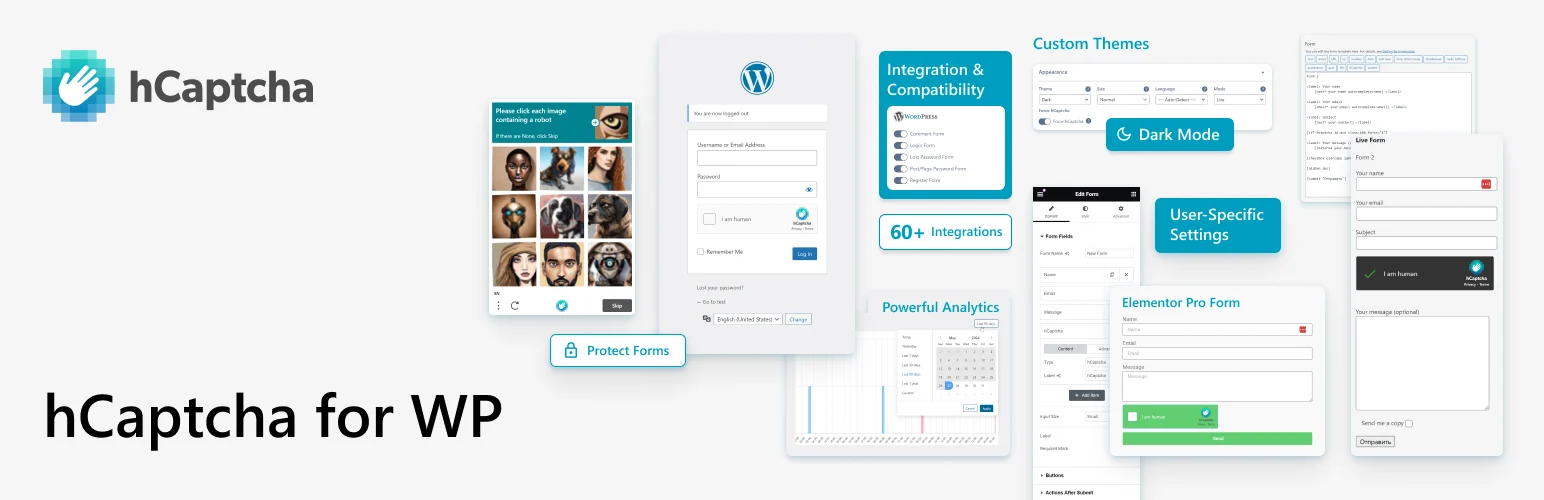
hCaptcha for WP now combines the hCaptcha challenge with honeypot checks, minimum submit time, analytics, migration tools, and broad WordPress integrations. The plugin itself is free; the hCaptcha service has free, Pro, and Enterprise tiers.
Protection features
- Migration wizard from reCAPTCHA or Turnstile
- 60+ plugin and theme integrations
- Honeypot and minimum-submit-time checks
- IP and country access controls
- Delayed API loading for performance
- Support for hCaptcha Pro and Enterprise passive modes
Pros: Broad integration coverage and privacy-oriented positioning.
Cons: Advanced passive modes belong to paid hCaptcha service tiers, which can be expensive for small sites.
Best for: Best privacy-focused CAPTCHA alternative
Pricing: WordPress plugin is free. hCaptcha Basic is free; Pro is currently $99/month when billed yearly.
Official plugin or pricing page
4. Advanced Google reCAPTCHA — Best for sites staying with Google reCAPTCHA
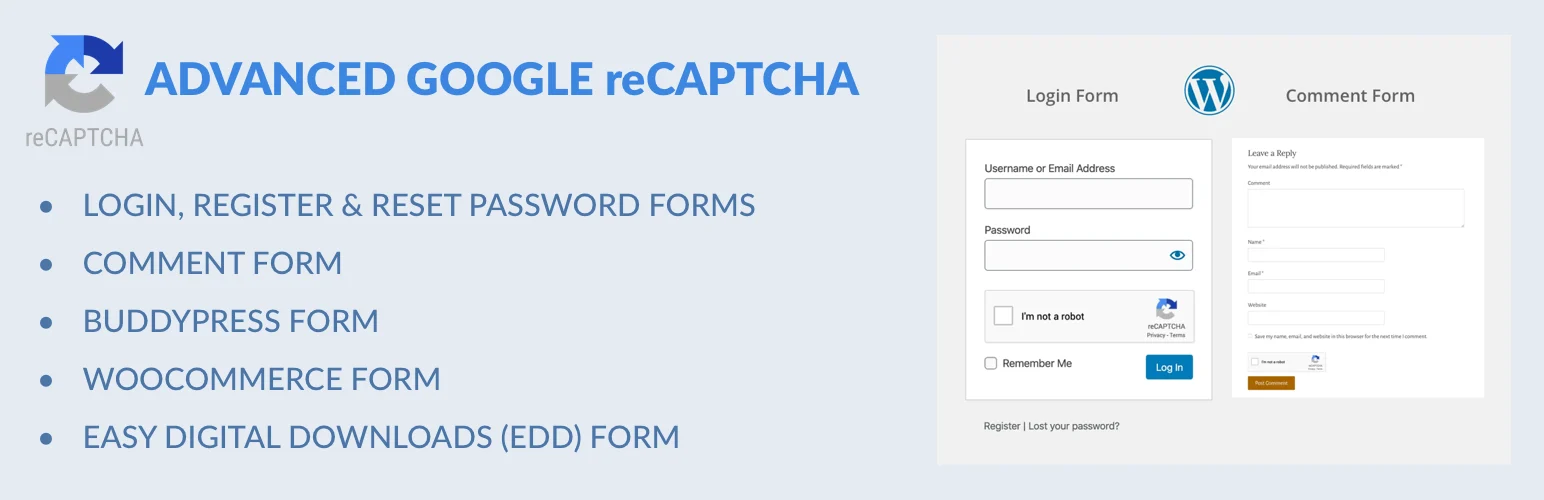
Advanced Google reCAPTCHA gives WordPress owners a straightforward way to put Google reCAPTCHA on common authentication and form surfaces. It makes the most sense when your existing stack already depends on Google services and you do not want to introduce another CAPTCHA provider.
Core capabilities
- Google reCAPTCHA integration for WordPress
- Login and registration protection
- Comment and password-reset coverage
- Compatibility options for common forms
- Centralized WordPress settings
- Free core with a commercial Pro edition
Pros: Familiar Google ecosystem and simple setup.
Cons: Google reCAPTCHA may not match privacy or UX preferences for every site, and you should review the service configuration carefully.
Best for: Best for sites staying with Google reCAPTCHA
Pricing: Free core plugin; a Pro edition is available from the vendor.
Official plugin or pricing page
5. WP Armour — Best CAPTCHA-free honeypot layer

WP Armour takes a different route: it hides a honeypot field from human visitors and uses it to catch automated submissions. That means no visible CAPTCHA challenge. I would treat it as a lightweight first layer, especially on sites where form conversion matters.
How it works
- Invisible honeypot technique
- No puzzle for legitimate visitors
- Works with common WordPress forms and form plugins
- Interaction-based spam defenses
- Extended version adds additional filtering tools
- Simple install-and-configure workflow
Pros: Excellent UX because real users normally see nothing.
Cons: A honeypot is not the same as a challenge-based CAPTCHA and may need another layer against sophisticated abuse.
Best for: Best CAPTCHA-free honeypot layer
Pricing: Free version available; Extended version is paid.
Official plugin or pricing page
Which CAPTCHA Setup Makes Sense?
For most small WordPress sites I would start with Turnstile or a honeypot and only add more friction when the spam data proves it is necessary. High-risk login, membership, checkout, or public-registration sites may justify stronger challenge rules. Whatever you choose, test logged-out checkout, password reset, mobile forms, screen-reader flows, and any cached/AJAX form before calling the setup finished.
Conclusion
The best WordPress CAPTCHA plugin is the one that protects the forms you actually run with the least unnecessary friction. Start with Simple Cloudflare Turnstile for a free Turnstile workflow, CAPTCHA 4WP for centralized policies, hCaptcha for a privacy-focused alternative, Google reCAPTCHA when that ecosystem already fits your stack, or WP Armour when invisible honeypot filtering is enough.
Frequently Asked Questions
What is the best free CAPTCHA plugin for WordPress?
Simple Cloudflare Turnstile is my strongest free starting point when your forms are supported. hCaptcha for WP is also free and gives you a different privacy-focused challenge provider.
Is Cloudflare Turnstile better than Google reCAPTCHA?
Neither is automatically better for every site. Turnstile often creates less visible friction, while reCAPTCHA may fit sites already standardized on Google services. Test your actual forms and privacy requirements.
Can CAPTCHA hurt conversions?
Yes. Visible challenges, failed verification, slow third-party scripts, or checkout conflicts can reduce completed submissions. Use the least-friction protection that reliably stops your actual abuse.
Do I still need an anti-spam plugin if I use CAPTCHA?
Possibly. CAPTCHA focuses on proving a visitor is likely human. Anti-spam tools can add content filtering, reputation checks, rate limits, or workflow controls that solve different parts of the problem.
Should I add CAPTCHA to WordPress login?
It can help against automated login abuse, but it should complement strong passwords, rate limiting, and two-factor authentication rather than replace them.