
Freemium
Quick take WPFront User Role Editor is a focused permissions tool for WordPress roles and capabilities. The free version covers…

Advanced Access Manager, now positioned as Access Governance for WordPress, goes beyond a conventional role editor. It can govern roles, individual users, visitors, content, admin areas, URLs, REST endpoints and other identities from one access model. Version 8 also adds an Abilities and MCP service plus a security audit layer. The free plugin already covers a large part of the core access-control workflow. Premium is for sites that need the advanced controls, broader policy features and prioritized support. I would choose AAM when access rules span more than role checkboxes and need to be managed as an ongoing governance system.
| Area | What AAM can govern |
|---|---|
| Identities | Roles, users, visitors and other authenticated identities |
| Capabilities | Role and user capability control |
| Admin area | Backend menu, metabox and widget access |
| Content | Posts, pages, media, custom post types and taxonomies |
| URLs | Frontend, backend and REST URL access rules |
| API surface | REST endpoint restrictions and API-oriented access |
| Policies | Portable JSON access policies with conditions |
| Authentication | Login/logout redirects, application-password and token-related controls |
| Governance | Security audit and effective-access review |
| Modern integrations | Abilities and MCP service introduced in version 8 |
| Capability | Free | Premium |
|---|---|---|
| Role and user governance | Yes | Yes |
| Capability management | Yes | Yes |
| Backend menu controls | Yes | Yes |
| Content access controls | Core controls | Expanded advanced controls |
| URL access rules | Core rules | Advanced and wildcard rules |
| Access policies | Core policy engine | Expanded premium policy capabilities |
| REST API controls | Yes | Advanced governance options |
| Default access at scale | Limited | Expanded |
| Reference / contextual conditions | Limited | Expanded |
| Bulk and advanced content governance | Limited | Yes |
| Premium add-on features | No | Yes |
| Support | Community / standard | Prioritized |
Free is enough when the site needs strong role, capability, admin-area, content or URL controls but does not depend on premium-only conditions or large-scale default rules. For a normal client site, internal portal or editorial team, the free plugin can already be much broader than a basic role editor. Start by modeling the access requirement with the core services and only add Premium when a specific missing control blocks the policy you are trying to enforce.
Premium is the better fit when access needs to be standardized across a larger surface: advanced content restrictions, wildcard URL rules, broader conditional policies, governance at scale or other Complete Package features. It also adds prioritized support, which matters more on sites where access rules can interrupt revenue, internal operations or API integrations. The upgrade case is strongest when AAM is becoming security infrastructure rather than an occasional admin utility.
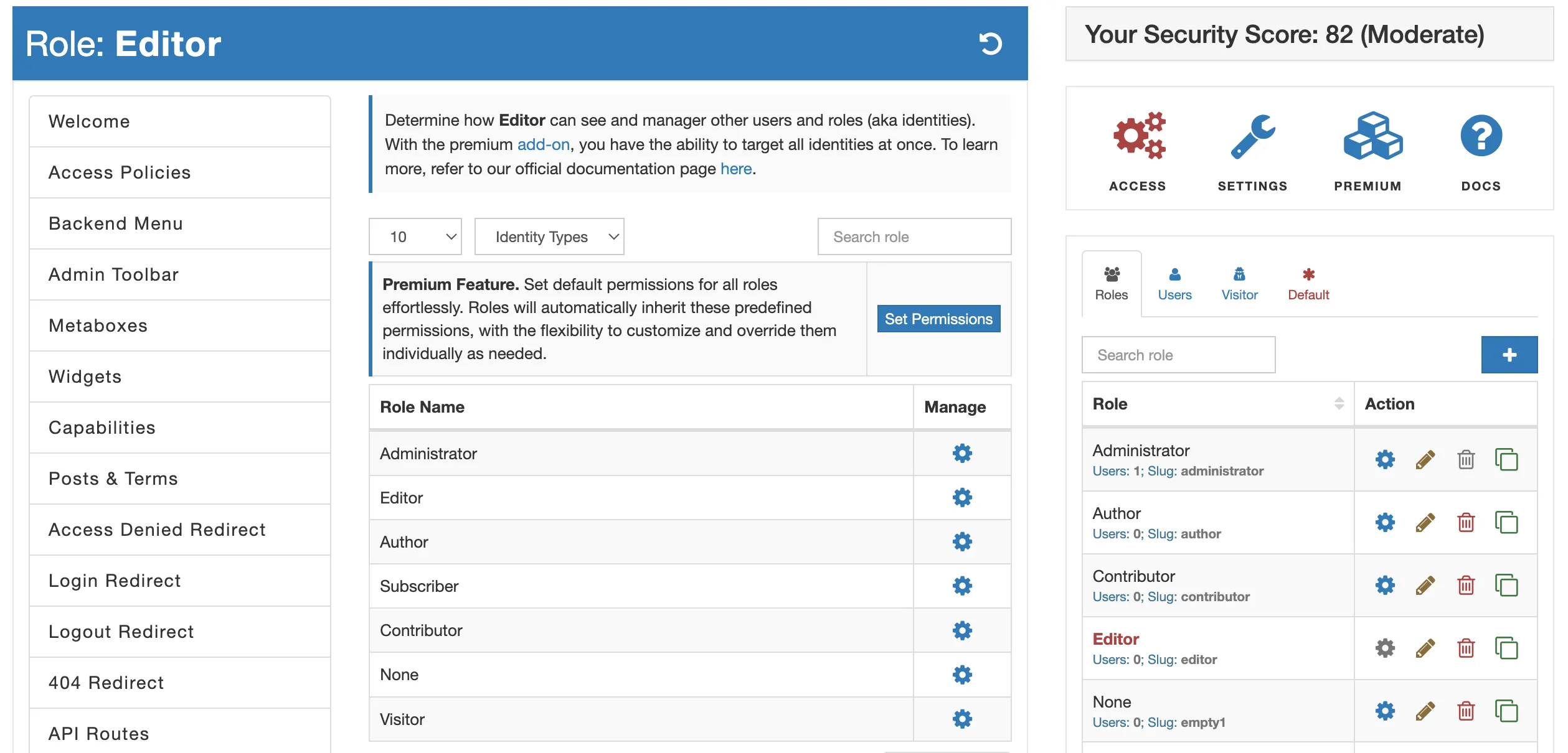
AAM lets you select an identity and then define controls for that role or user. This is more granular than editing the role globally because an individual user can receive an exception without creating another role solely for one person. That flexibility should be used sparingly. If many users need the same exception, the access model is usually clearer when the rule lives at the role or policy level instead of being repeated user by user.


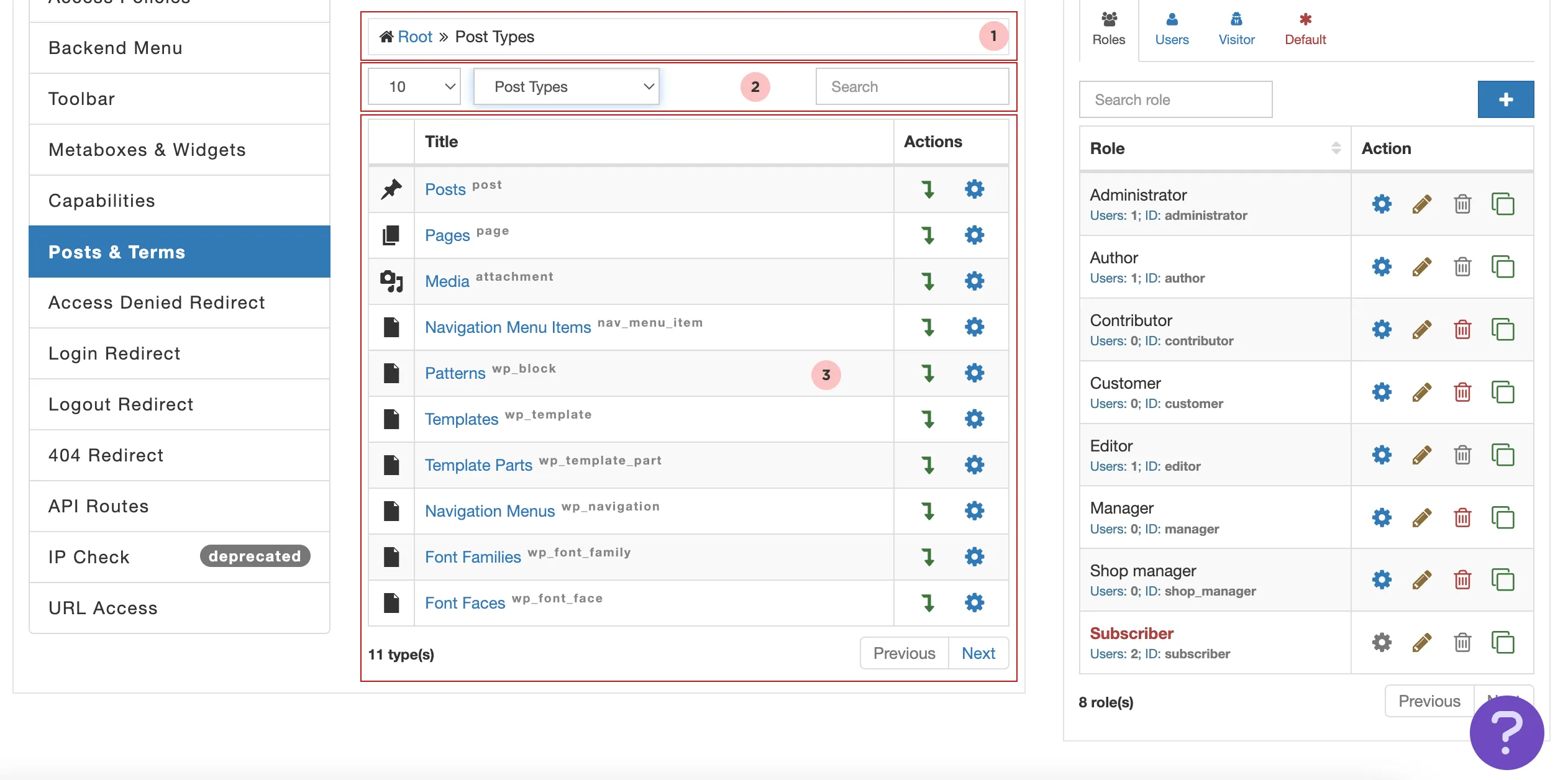
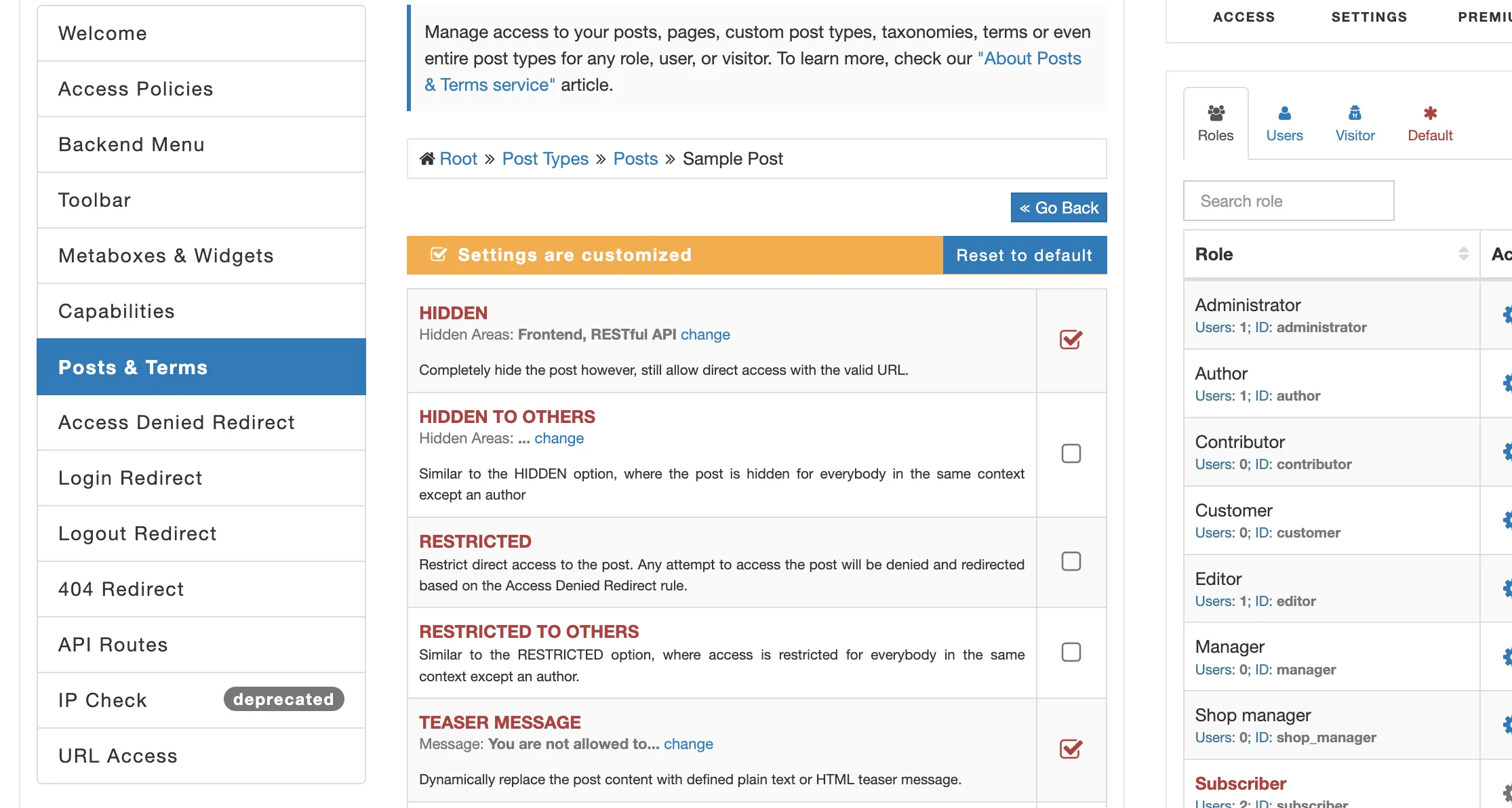
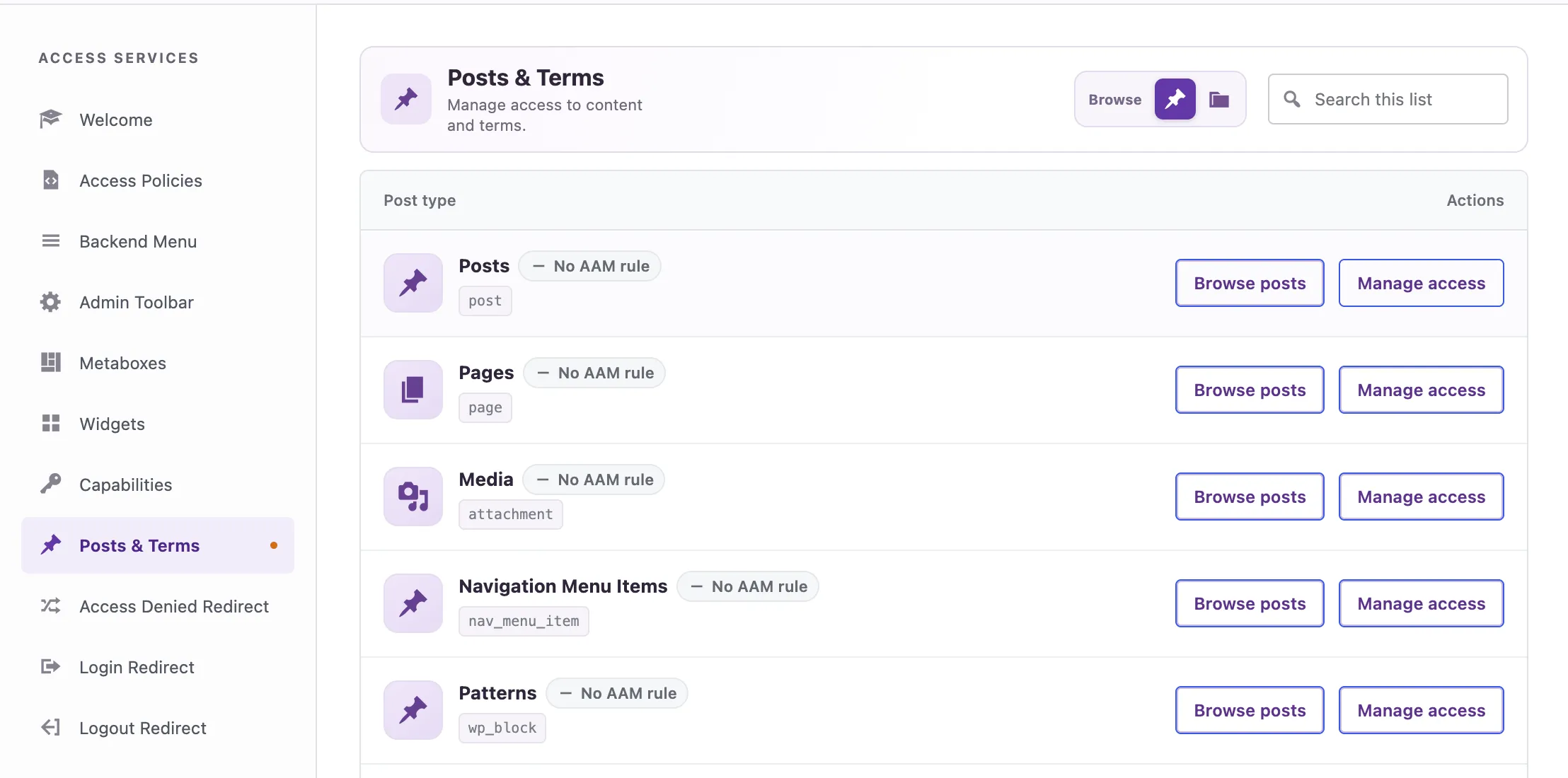
The Posts and Terms service handles access to posts, pages, media, custom post types and taxonomy content. AAM supports multiple outcomes, including hiding content from listings, restricting direct access, showing teaser content and applying edit or delete controls. These choices affect both security and user experience. Decide whether a restricted item should disappear entirely, remain visible with a login prompt, or redirect elsewhere. Do not treat those outcomes as interchangeable.

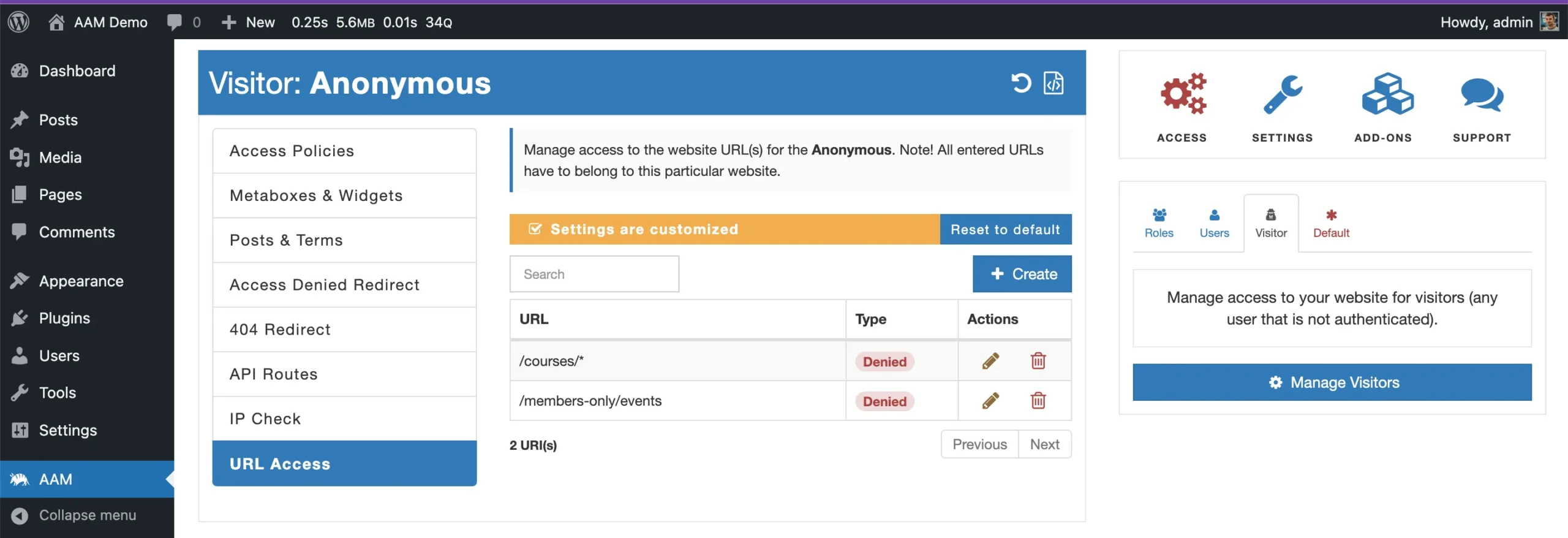
URL Access can govern frontend, backend and REST-style URLs independently of the post editor. That is useful for routes that do not map neatly to a normal WordPress post. Premium wildcard rules can protect groups of paths with one pattern. Test redirects and direct access carefully, especially when caching, multilingual routes or query parameters are involved. A broad wildcard is convenient, but one incorrect pattern can lock out more of the site than intended.

AAM can place the WordPress REST API into a more restrictive access model so only required endpoints remain available. This is relevant to headless sites, mobile apps, automation tools and integrations that use WordPress as an API platform. Start with an inventory of which endpoints the site actually needs. Blocking the API without that inventory can break editors or plugins, while leaving every route open defeats the purpose of the exercise.
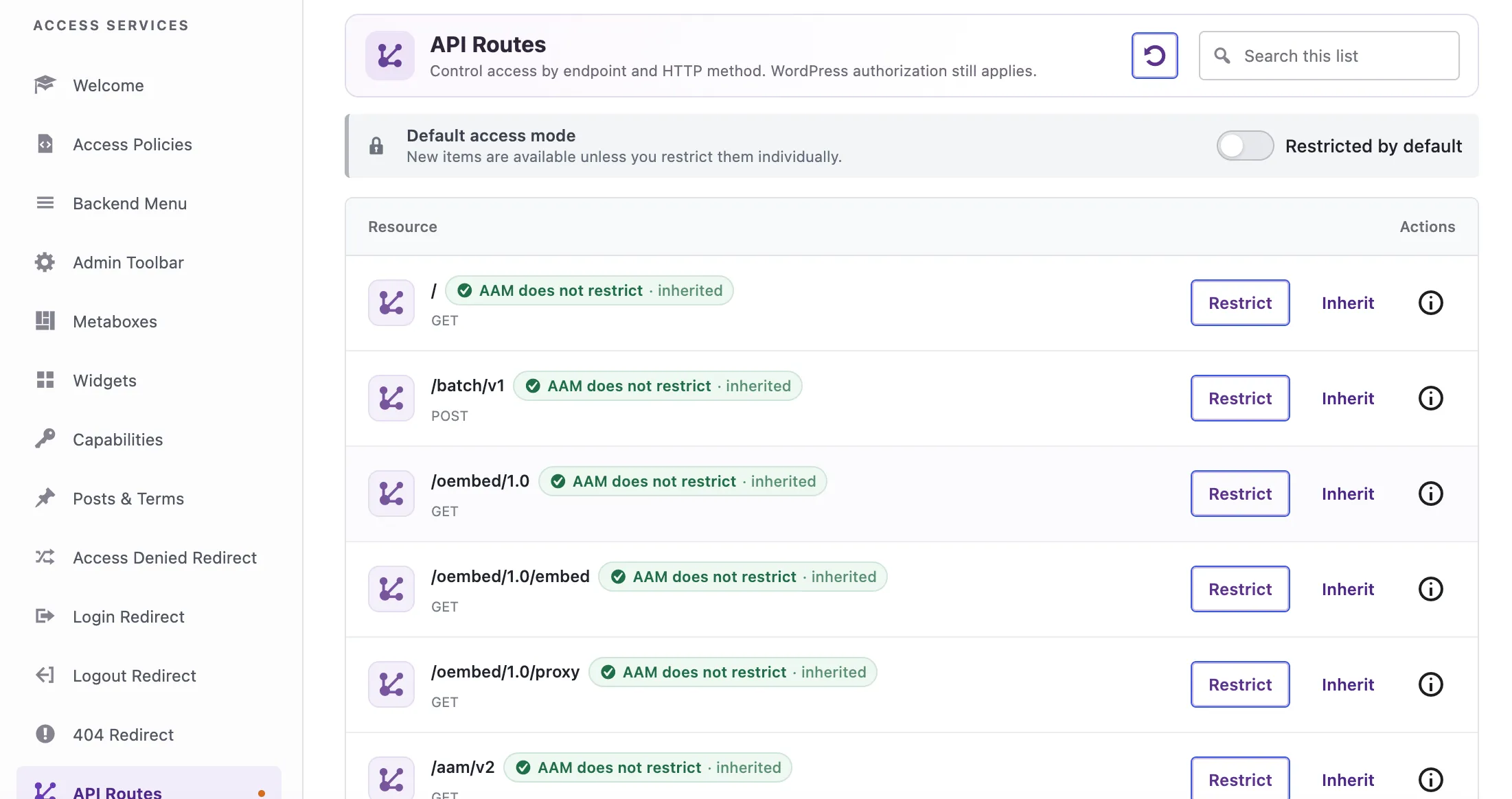
Premium becomes more valuable when the same access rule should apply to an entire post type, taxonomy or resource family. Default rules reduce the need to configure each item manually, then individual exceptions can override the inherited behavior. This is a governance pattern rather than only a convenience feature: define the safe default first, then grant exceptions intentionally.
AAM access policies express authorization rules in JSON and can include conditions. Policies are useful when the same rule needs to be reviewed, versioned or moved between environments. They are also easier to compare than a long list of manual UI changes. Keep policies in version control where appropriate, document the resources they affect, and test them with representative users before applying them to production. A policy can centralize access logic, but it can also centralize a mistake.
AAM 8.0 introduced a new UI, an Abilities and MCP service and a security audit implementation. That reflects a broader access-governance model: modern WordPress authorization can involve API clients, application passwords, automation and AI-connected identities as well as human users. On a site exposing MCP or automation capabilities, review the effective permissions of the identity used by the integration instead of assuming the external tool is limited by its own interface.
AAM is powerful enough to create very fine rules, which makes change management important. Use a separate administrator account that is not subject to the role you are editing, test changes on staging, and verify both the visible UI and direct URLs. Keep a small access matrix describing which roles can manage users, content, APIs and sensitive admin areas. When plugins add new capabilities or endpoints, review whether existing identities inherit access unintentionally.
AAM access controls can be inherited from broader defaults and then overridden at role, user or resource level. That flexibility is useful, but it can make a rule hard to explain if exceptions are added casually. Define the broadest safe rule first, then keep exceptions as narrow as possible. When a user receives unexpected access, trace the effective rule from the default level through the role and any user-specific override instead of changing multiple settings until the symptom disappears.
For business-critical sites, keep policy names and descriptions tied to the reason for the rule. “Restrict finance reports to accounting roles” is easier to audit than an anonymous policy containing only resource IDs. Clear intent matters when the person reviewing access six months later was not the person who created it.
Before applying restrictive rules to administrators, APIs or login flows, maintain an emergency recovery path. Keep a known administrator account outside experimental restrictions, verify hosting or database access, and export or document the current configuration. If a policy blocks the wrong admin screen or API route, the recovery plan should not depend on the same access path that has just been restricted.
Access changes should be tested against background jobs and integrations as well as human logins. WooCommerce, form plugins, automation tools, mobile apps and AI-connected services may use REST routes, application passwords or service accounts that are not visible during a normal dashboard test. Build a short integration checklist and run it after major policy changes. A rule is not successful if it blocks unauthorized access but also silently stops order sync, webhooks or scheduled publishing.
Choose AAM if access control spans roles, individual users, content, admin screens, routes and APIs, or if the site needs a deliberate least-privilege process rather than a one-time role tweak. It fits security-conscious site owners, agencies, membership platforms and API-connected WordPress systems.
Keep it simpler if the only task is renaming roles or changing a few standard capabilities. A narrower role editor is easier to explain and maintain when the wider governance services will never be used.
Pricing checked October 16, 2026. The core AAM plugin is free. AAM Premium currently starts at $99/year for one WordPress website, and the current pricing model lists additional sites at $39 per site per year. Premium includes the advanced access controls, automatic updates and prioritized support.
The current Advanced Access Manager release is 8.0.1, updated October 10, 2026. Version 8 introduced the new interface, Abilities and MCP service and security-audit implementation; 8.0.1 followed with fixes and additional user-activity tracking.
Advanced Access Manager makes sense when WordPress authorization has become a system rather than a checklist of roles. Its strength is the ability to connect identity, content, admin, URL and API controls in one governance layer. Free is already capable and should be the starting point. Premium is easier to justify on business-critical sites that need advanced policies and standardized controls at scale. If the site only needs a conventional role editor, AAM may be more system than necessary.
Yes. The core AAM plugin is free and includes substantial role, capability, content, admin and access-governance functionality.
Premium expands the advanced access-control and policy features, including capabilities intended for larger or more complex governance setups, and includes prioritized support.
Current Starter pricing is $99 per year for one WordPress site, with additional sites listed at $39 per site per year.
Yes. AAM includes REST API access controls. Test the exact endpoints required by WordPress, editors and integrations before enabling restrictive rules.
Yes. URL Access can control frontend, backend and API-style paths. Premium supports broader patterns such as wildcard rules.
It includes role and capability governance, but its scope is broader. If you only need simple role editing, a narrower plugin may be easier to maintain.
Version 8 introduced a redesigned interface, an Abilities and MCP service and a security audit implementation, expanding the product toward broader WordPress access governance.
Quick take WPFront User Role Editor is a focused permissions tool for WordPress roles and capabilities. The free version covers…
Quick take PublishPress Capabilities is a focused WordPress permissions plugin for sites that need more control than the default Administrator,…
Edits WordPress roles and capabilities, supports per-user permissions and multisite, with Pro controls for menus, content and admin access.
Log in or create an account to continue.