Freemium
Filter WordPress and WooCommerce content with AJAX filters, mobile controls, SEO rules, and flexible Free or Pro plans.
Advanced AJAX Product Filters by BeRocket is a WooCommerce filtering plugin for stores that need visitors to narrow large catalogs without full page reloads. The free version covers core filtering, while paid plans add more controls. The Business tier includes custom SEO metadata and filter analytics. I would consider it for stores where category browsing becomes inefficient because product attributes, price ranges, ratings, or stock states need to work together as a faceted search system.
It is not automatically necessary for a small catalog. If a store has twenty products and two categories, native WooCommerce navigation may be easier to maintain. The plugin earns its place when filters meaningfully shorten the path from a broad category to a relevant product set. That should be the buying test, not the number of filter types listed on the sales page.
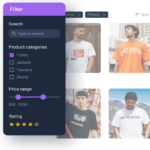
The plugin can power sidebar filters on a large category archive, horizontal filters above products, color and image swatches, price sliders, rating filters, stock filters, and attribute combinations for catalogs with many variants. It is particularly useful in apparel, electronics, parts, furniture, cosmetics, and any store where visitors arrive with several constraints in mind. Good filter architecture should mirror how customers describe products, not how the database happens to store attributes.
| Capability | Free | Paid plans (tier varies) |
|---|---|---|
| Core AJAX product filtering | Yes | Yes |
| Attribute and taxonomy filters | Yes | Yes |
| Price and range filtering | Yes | Yes |
| Checkbox, radio, select and visual styles | Yes | Yes |
| Filter groups | Yes | Yes |
| Responsive display controls | Yes | Yes |
| SEO-friendly filter URLs | Limited | Advanced controls |
| Custom SEO meta and H1 for filter combinations | No | Business |
| Grouped filter values | No | Check paid tier |
| Filter usage statistics | No | Business |
| Advanced include/exclude and catalog controls | Limited | Expanded |
| Premium support and updates | No | Yes |
Free is capable enough to validate the catalog structure. Paid plans add more options, but the Business tier is required for custom SEO meta and H1 controls and filter usage statistics. Check the current tier comparison for grouped values. That means the upgrade decision should follow catalog complexity and acquisition strategy rather than store size alone.
Use Free when the main job is fast attribute, taxonomy, price, rating, or stock filtering and the store does not need advanced filtered-page SEO or analytics. A new store can build the taxonomy, test filter order, and measure customer behavior before paying. This also reduces the risk of designing a complicated filter system before enough products or search data exist to justify it.
A paid plan makes sense for mature catalogs where filtered pages affect SEO, merchandising, or reporting. The Business tier adds custom SEO meta and H1 controls and filter-usage statistics. Check which paid tier includes the grouped-value features you need. Those are operational features, not just presentation extras.
The filter builder starts with a dedicated filter record. Give every filter a name that describes its customer purpose, not only the internal attribute name. “Shoe size” is easier for store teams to maintain than a technical taxonomy label. Create the individual filters first, test each against real products, then combine them into groups after confirming the underlying catalog data is consistent.

Clear internal naming becomes important once a store has several category-specific filters. Use a predictable convention that identifies the catalog area and data source. This makes it easier to identify which filter is attached to a sidebar, template, shortcode, or group. Avoid duplicating nearly identical filters unless their behavior truly differs, because duplicates can become difficult to audit after product attributes change.

The widget or filter type controls how visitors interact with the data. Checkboxes are good for multi-select attributes, radio controls are better for mutually exclusive choices, and ranges suit prices or numeric values. Color or image swatches can make visual attributes faster to scan. The right control is the one that minimizes interpretation effort for the shopper, not the most visually elaborate option.

Filters are only as clean as the product attributes behind them. Before exposing an attribute, audit spelling, capitalization, units, and duplicate values across products. A filter containing “Large,” “L,” and “large” is a catalog-governance problem, not a styling problem. The attribute and value controls let you choose what appears, but the long-term solution is consistent product data.

The style options can change how values are presented without custom coding. Match filter typography, borders, spacing, and controls to the store’s existing design system. Keep selected states obvious and touch targets large enough on mobile. Avoid hiding critical state behind subtle color changes only, especially for color swatches where the selected indication needs to remain visible across light and dark product colors.

Additional settings affect how filters behave when values are unavailable, selected, or combined. These options should be tested with realistic edge cases: empty categories, products missing an attribute, out-of-stock combinations, and filters that return zero results. A good faceted interface prevents dead ends or makes recovery obvious rather than forcing shoppers to manually undo several choices.

Groups let the store assemble multiple filters into one placement. Build groups around customer intent, such as “Refine laptops” or “Choose running shoes,” instead of creating one giant global group for every archive. Category-specific groups reduce irrelevant controls and make mobile filter drawers shorter. Reuse a group only where the same data and customer questions genuinely apply.

General settings control how the plugin targets the product loop and updates results. Theme compatibility matters here because WooCommerce themes do not all render archives identically. After configuration, test category pages, search results, pagination, sorting, and any custom product loop created by a builder. If AJAX updates the wrong container, the filter may appear to work while counts, pagination, or sorting become disconnected.

Filtered URLs can create a large number of combinations, so SEO needs deliberate rules. The premium product includes SEO-friendly URL and metadata controls, but that does not mean every combination should be indexable. Decide which filter combinations represent meaningful search landing pages, keep low-value combinations out of the index, and align canonicals, meta content, and internal linking with the store’s broader faceted-navigation strategy.

Design controls should support the shopping flow rather than turn the filter area into a second interface. On mobile, collapsing filters behind a clear button is often better than showing a long stack before products. Confirm that active filters remain visible, the reset action is easy to reach, and the drawer or panel can be closed without losing scroll position.

Premium grouped values can combine several real catalog values into one customer-facing option. This is useful when the backend needs granular values but shoppers think in broader categories, such as multiple shades grouped under “Green.” Use grouping sparingly and document the mapping. If merchandising teams change attribute values later, the group rules should be reviewed so products do not silently disappear from a customer-facing filter.
Usage statistics can help decide which filters deserve prime placement. A facet that almost nobody uses may be too obscure, too far down the panel, or simply unnecessary. Conversely, heavily used price, size, brand, or compatibility filters can justify dedicated landing experiences. Treat the data as a signal for UX iteration, not proof that every frequently clicked filter should become an indexable SEO page.
AJAX avoids full page reloads, but large catalogs still need careful query and hosting performance. Test common multi-filter combinations against production-like product counts. Monitor slow queries, database load, caching behavior, and response times when several facets are active. The best filter interface still feels broken if each interaction waits several seconds for results.
The plugin can improve discovery, but it cannot fix inconsistent catalog data. Attribute cleanup should happen before filter design. Theme and builder compatibility also deserve staging tests because the plugin needs to identify the correct product container, pagination, and sorting controls. Finally, Premium SEO features require an indexing strategy; turning every filter combination into a crawlable URL can create more SEO problems than it solves.
It fits WooCommerce stores with medium to large catalogs, meaningful product attributes, and shoppers who need to narrow results quickly. It is particularly relevant for stores where price, brand, size, color, rating, stock, compatibility, or technical specifications drive purchasing. Tiny catalogs and stores with weak attribute data should simplify first.
Pricing checked October 27, 2026. The core plugin is free. BeRocket currently lists Premium licensing from $44/year, with the product page showing paid options up to $169/year depending on the license tier. Check the required site count before purchase because the lowest price is not the right license for every deployment.
The current version is 3.3. BeRocket lists WordPress 7.1 testing and WooCommerce 3.6+ as a minimum requirement on the current product page. For stores with custom archives or page-builder product loops, compatibility testing should cover filtering, sorting, pagination, and empty-result states after updates.
Advanced AJAX Product Filters is a practical choice when WooCommerce catalog navigation needs true faceted filtering rather than more category links. Start with the free version to validate the attribute model and customer flow. Upgrade when SEO controls, grouped values, analytics, or deeper merchandising logic solve a real production problem.
Yes. A free version is available for core WooCommerce AJAX filtering.
Pricing checked October 27, 2026. Premium starts at $44/year, with higher license tiers listed up to $169/year.
The current version is 3.3.
Yes. The plugin supports attribute, taxonomy, price, rating, stock, and other WooCommerce filtering workflows.
Premium includes advanced SEO-friendly URL and metadata controls for filtered pages.
Yes. AJAX filtering is a core part of the plugin.
It best fits WooCommerce stores with enough products and attributes that customers benefit from narrowing a catalog with several filters.
Filter WordPress and WooCommerce content with AJAX filters, mobile controls, SEO rules, and flexible Free or Pro plans.
Build advanced WooCommerce and WordPress filters for Elementor, Gutenberg, Bricks, Divi, and dynamic listing providers.
Quick take WP Grid Builder is a paid WordPress plugin for building query-driven grids, custom cards, and faceted filtering systems.…
Log in or create an account to continue.