
Freemium
Build a self-hosted WordPress community with spaces, feeds, profiles, gamification, courses, messaging, media, and migration tools.

Bit Connect is a WordPress community plugin for people who want the discussion forum, customer feedback board and product roadmap to live on their own site. Instead of installing a separate forum tool and another feature-request service, you can organize questions, ideas, announcements and progress updates in one member-facing portal.
I would shortlist Bit Connect for a SaaS product community, a WordPress plugin support community or a member discussion space that also needs feedback voting. It is less compelling when you only need a basic blog comment area or want a fully hosted community with no WordPress maintenance. The main decision is how far you need to go beyond posts, replies and votes.
Best fit: WordPress forums, product communities, feedback boards and public roadmaps.
Free: Posts, threaded discussion, post upvotes, following, profiles, moderation and core SEO.
Pro: Groups, polls, more granular member controls, approval workflows, banners and advanced engagement options.
Platform: Runs on your own WordPress website.
Release reviewed: WordPress.org 1.0.4, checked October 19, 2026. This is a documentation-based review, not a performance benchmark.

You create a community portal on a WordPress page, choose whether it is public or restricted to members, and configure the sections that visitors see. Logged-in members can start a post, select a topic, add tags, attach supported media and join a conversation. You manage the discussion from the Bit Connect dashboard, not from a separate hosted community service.
For a software product, you might create topics named Feature Requests, Bug Reports and General Discussion. A member proposes an improvement; other members discuss and upvote it. The team moves the request through planned, in-progress and completed stages. The post remains the same thread, so the original discussion stays connected to the decision.
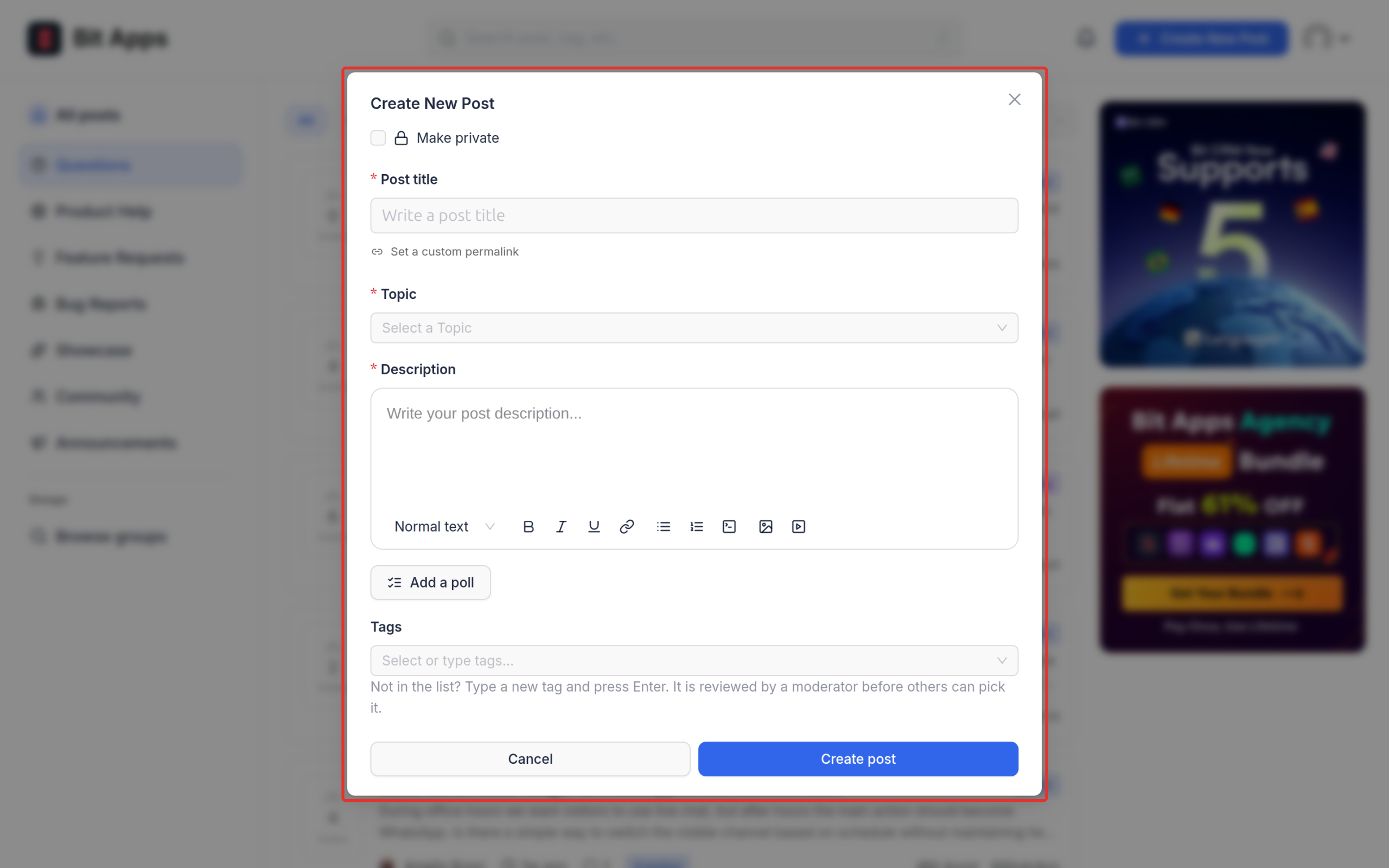
Bit Connect uses posts as the starting point for questions, discussions and ideas. Members can format their content, edit or delete their own posts when permissions allow, and add supported images or files. Conversations continue through nested comments and replies. Mentions help bring another member into a specific discussion without opening a second thread.
This is useful for a support community because a bug report can contain screenshots, follow-up questions and the eventual fix in one place. Administrators can lock a discussion when it should no longer receive replies. Video uploads and supported video embeds are additional Pro capabilities; media availability still depends on site upload rules.
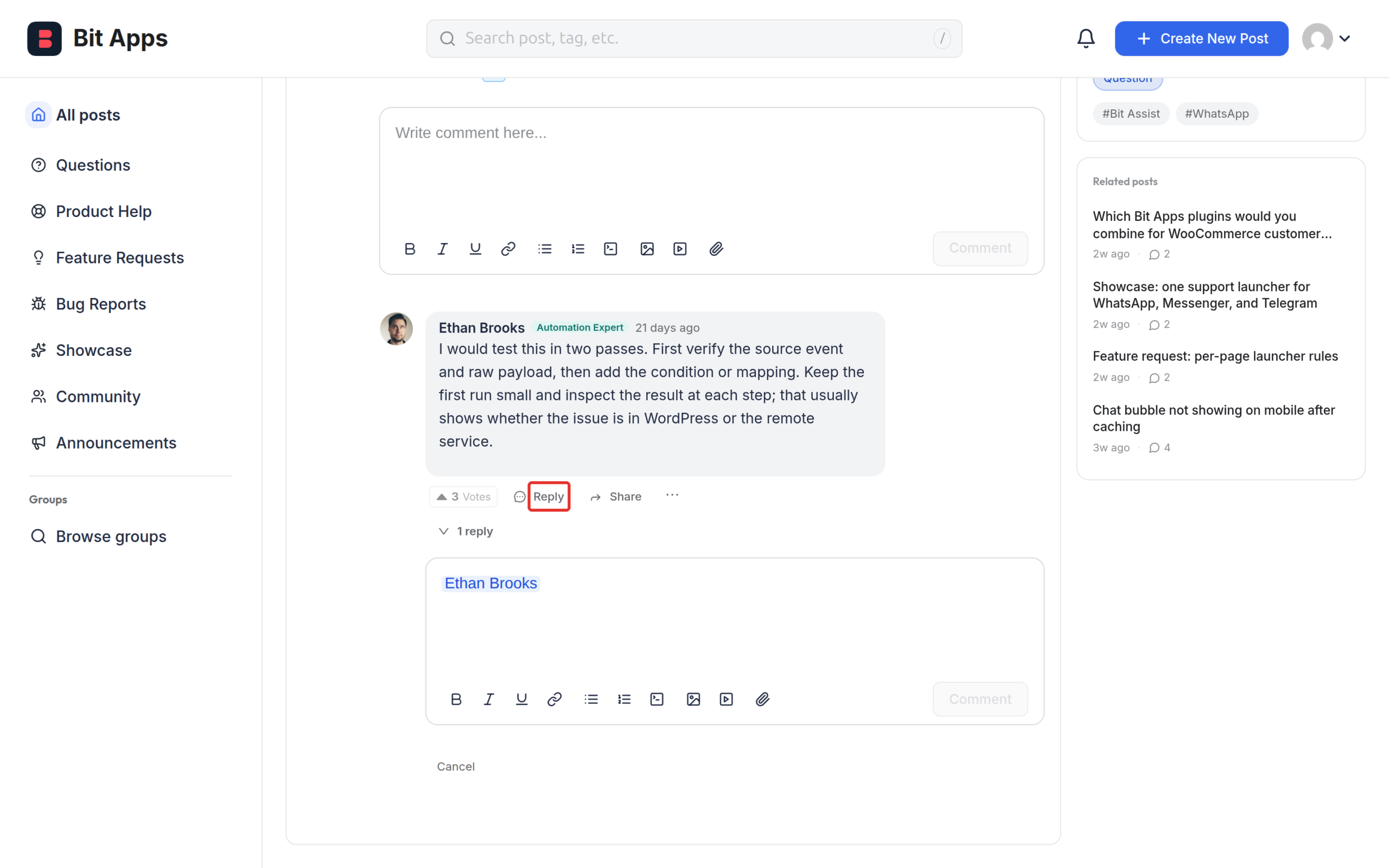
The organizational tools do different jobs. Topics classify the kind of post, such as feature requests or questions. Tags add more specific subjects. Stages describe where a request sits in a workflow, and statuses communicate its current state. Together, these can turn ordinary forum posts into a product-feedback and roadmap system.
A team can separate suggestions for two products using topics or other available organization settings, then move individual ideas from consideration to development and release. The roadmap becomes more useful when stages are maintained consistently; the plugin does not decide which feature the team should build.


Members can upvote community posts to signal which questions or ideas matter to them. The vote count makes a request easier to prioritize, but it is not a substitute for customer research or a product decision. Members can also follow posts, tags or the broader community, then return to their followed discussions from the portal.
The current release supports post upvotes. Do not confuse this with comment upvoting: that feature was removed from the free plugin in version 1.0.1. The release notes also removed automatic hiding after a report threshold, so reporting is a moderation input rather than an automatic removal vote.

A member profile includes identity details such as a display name, profile picture, cover image, bio and supported profile links. Activity areas expose their posts and comments, which can help other members understand who is answering questions or contributing ideas. The feature is more structured than simply showing a WordPress author name beside each comment.
Pro extends profiles with assignable badges. A badge can identify a moderator, product-team member or beta tester, but the underlying WordPress role and permissions should remain the source of access control.

Bit Connect includes in-app and email notifications for supported community activity, such as mentions, replies and changes in followed discussions. Members can manage available notification preferences. Administrators can configure email delivery and test outgoing messages, which matters when members rely on notifications to return to unresolved support threads.
Because email is sent from a WordPress environment, delivery still depends on the site’s mail configuration. On a production community I would test a new registration, mention and reply notification before inviting members.
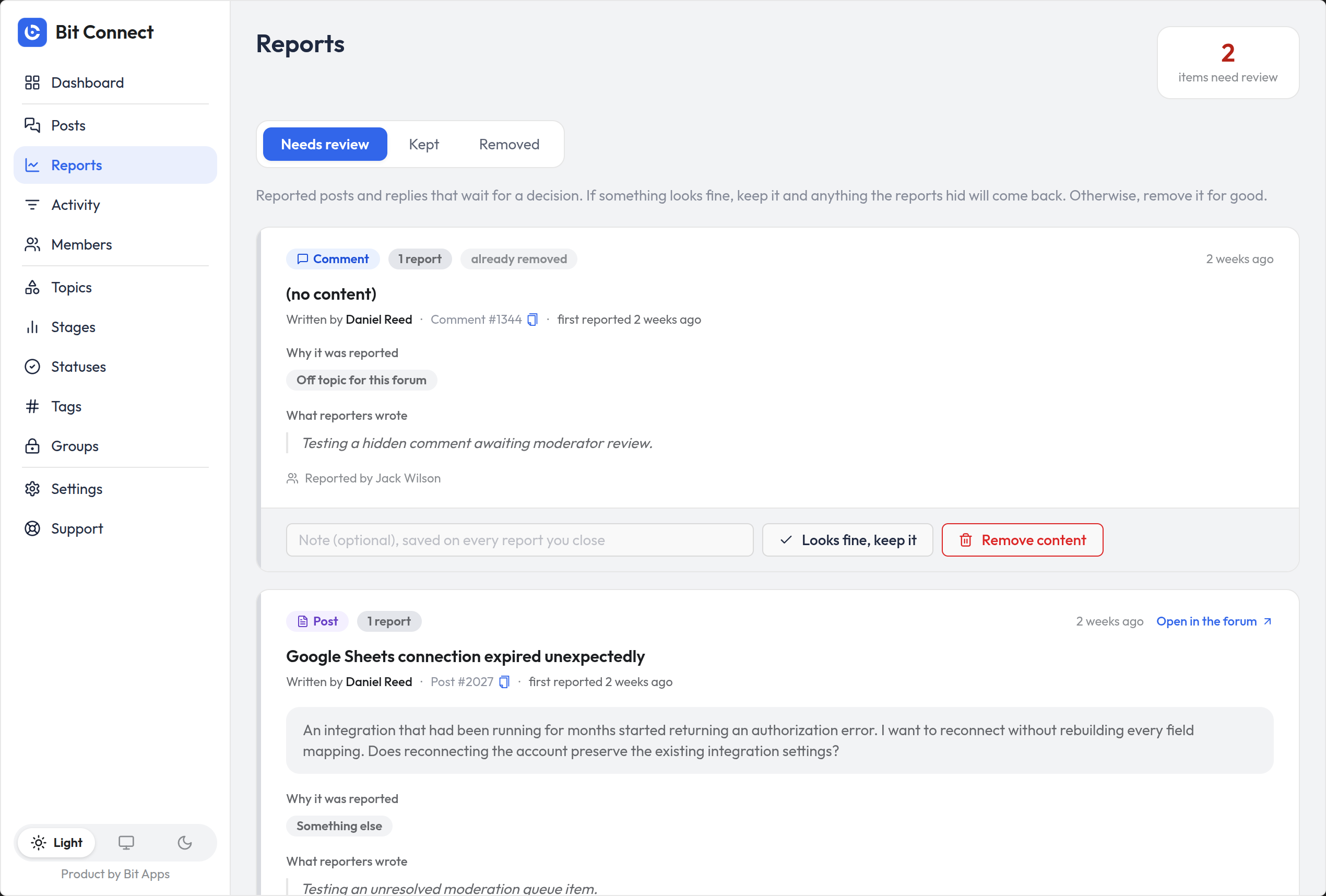
Members can report inappropriate content. Moderators get a review queue, inspect the reports and choose whether to keep or remove the content. Site staff can also lock discussions, manage posts and inspect moderation activity. This is a practical foundation for keeping spam and abuse out of a public forum without allowing a report count alone to decide what disappears.
Pro adds approval options for new posts and more advanced moderation actions, including pinning when the relevant capability is enabled. The current free-plugin changelog specifically removed automatic report-threshold hiding; an older documentation screenshot should not be taken as evidence that the setting still exists.
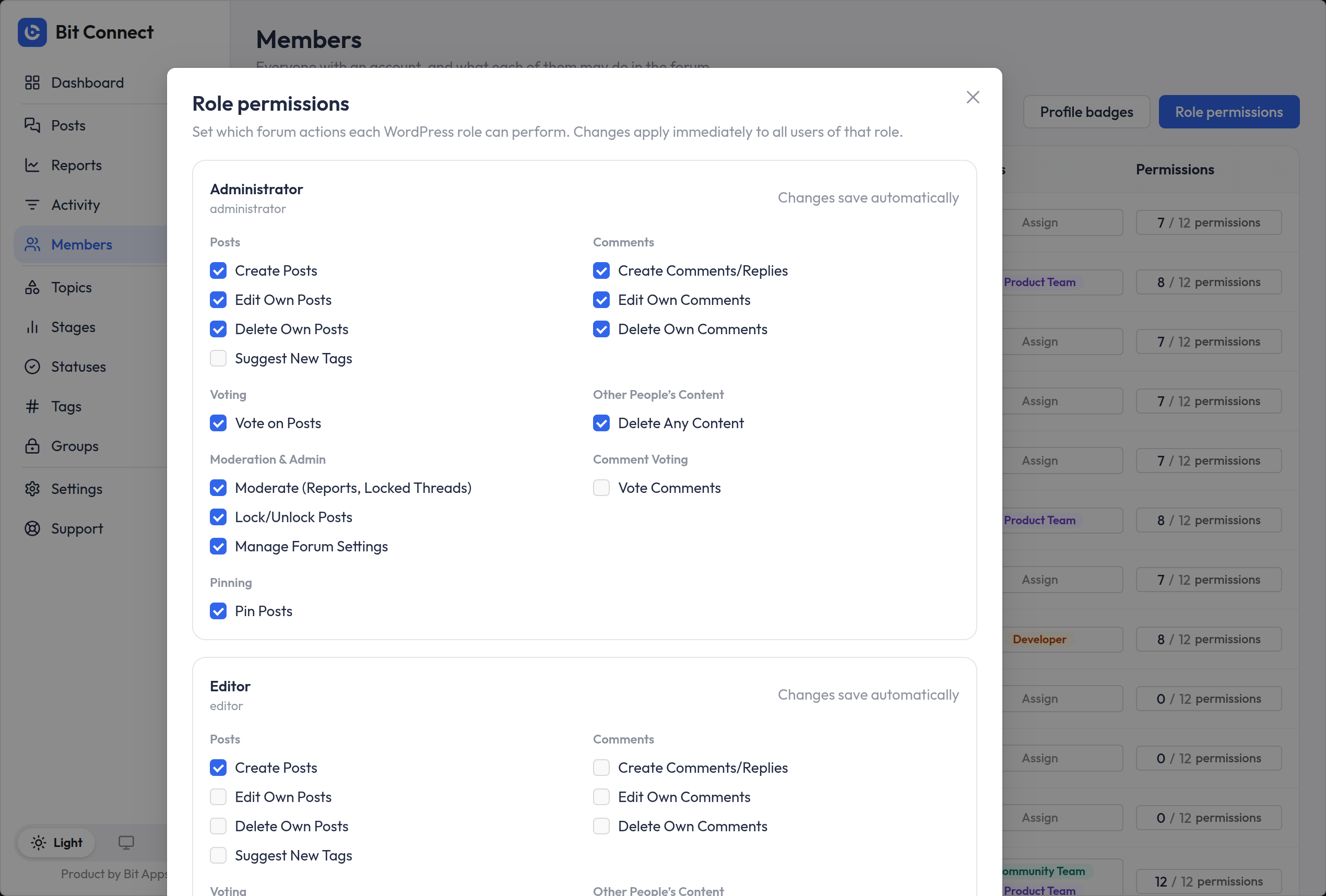
Administrators can decide which WordPress roles may create posts, comment, vote or take moderation actions. That distinction matters for communities with customers, team members, moderators and administrators. A public portal does not have to let every visitor publish content or manage threads.
Pro adds individual member permission overrides. That can suit a subject-matter expert who should moderate a particular area without changing the permission model of every user in the same WordPress role. Access to private content should be tested with a non-admin account, not only with an administrator session.
The portal can be public or limited to signed-in members. Bit Connect includes sign-in and registration options, email verification, password recovery and account settings, while also supporting custom login or registration pages. Registration still follows WordPress’s own rules and default role settings.
For a paid membership or customer-only community, you should confirm the membership plugin’s account flow and access restrictions before launch. Bit Connect provides the community layer; it is not itself a billing or membership-subscription system.

The free plugin can run a real forum and feedback board. Pro is mainly relevant when one shared discussion feed is no longer enough, or when the community needs surveys, protected sections, additional media controls or differentiated permissions. The following are meaningful Pro features rather than a list of cosmetic extras.
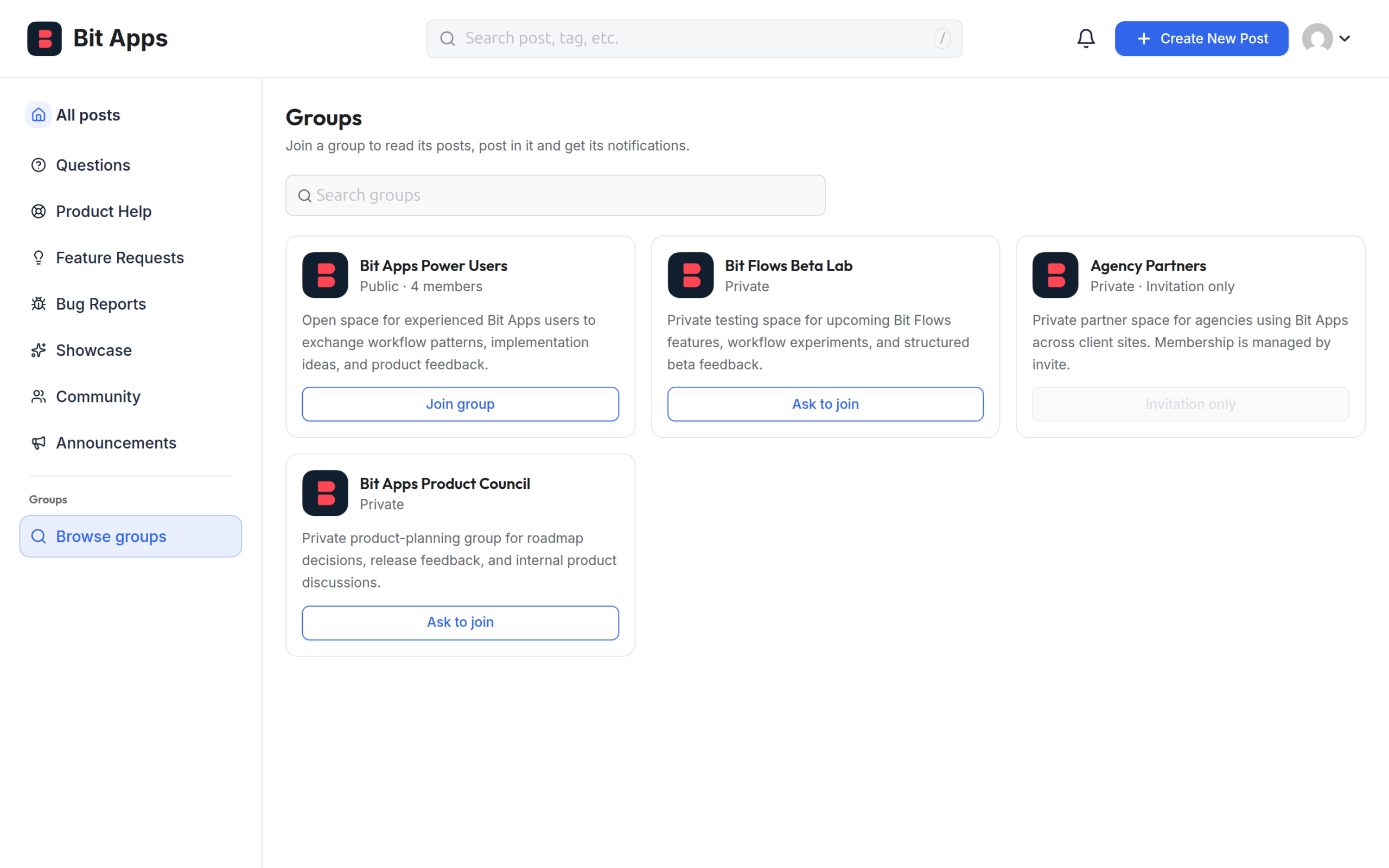
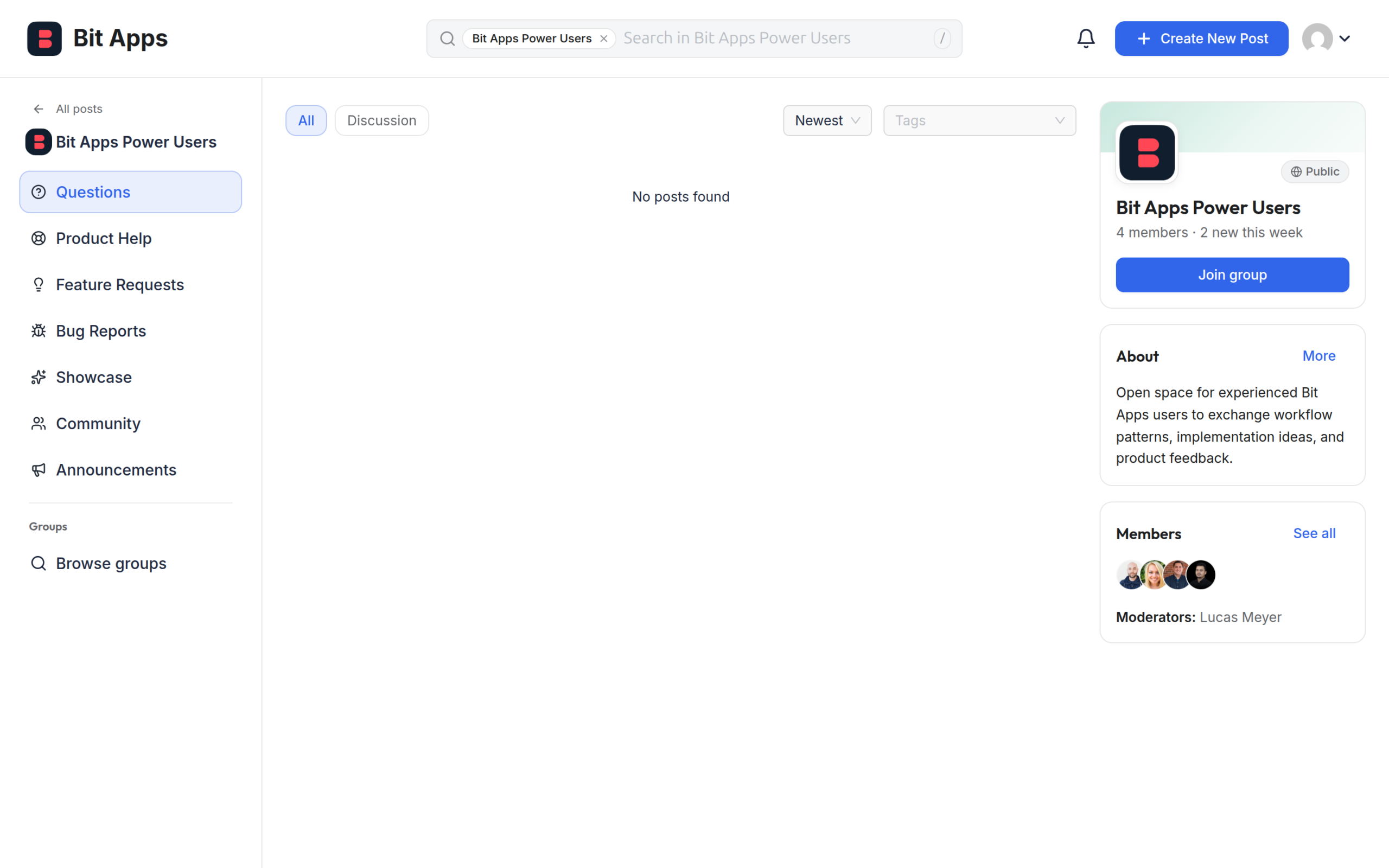
Groups create separate spaces inside the community. An example is a public feature-discussion group for all customers and a private beta group for invited testers. Group owners can manage membership rules, approvals, invites and moderators where supported. Members can browse available groups and participate within their access rights.
Private groups are useful, but access rules need careful testing before confidential feedback is posted. Visibility, joining rules and actual permission to read posts are related settings, not interchangeable ones.
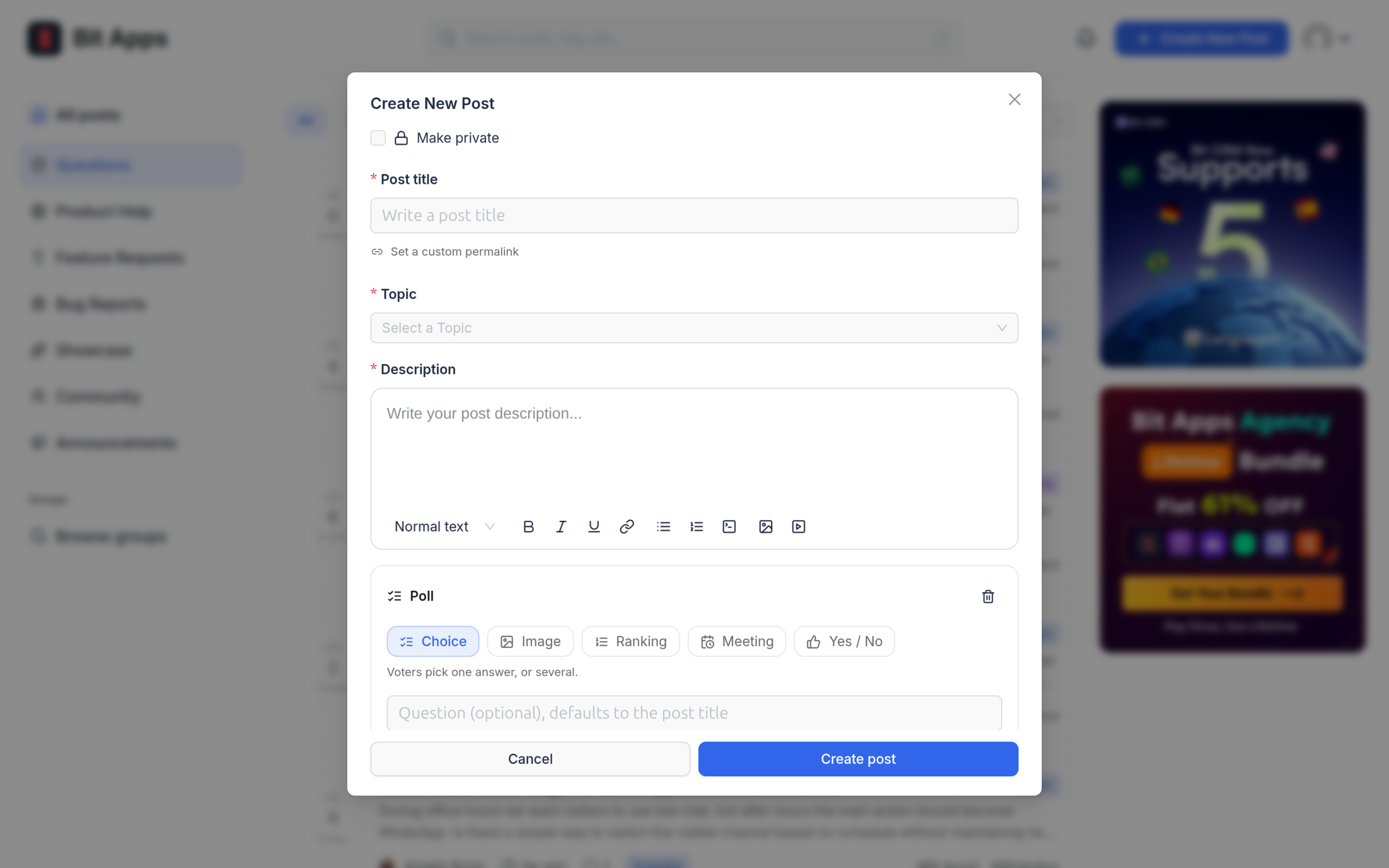
Polls let a community ask a more focused question than an ordinary upvote thread. Depending on configuration, a poll may allow one choice or multiple selections, with settings for whether members can change their votes. Results appear with the associated community post.
A product team could ask users to choose a preferred release priority or meeting time. Upvotes are better for ranking independent requests; polls are better when respondents should choose between a defined set of answers. Polls require an active Pro license.

Pro includes configurable portal banners and expanded posting or upload limits. Banners can highlight a launch notice, support instructions or a current community event. Limits can control posting volume, accepted media types and upload sizes, helping moderators keep the community manageable.
Other Pro options described in the current product materials include profile badges, per-member access, post approval, private posting contexts and video uploads or embeds. Some configurations also support departments and email summaries. Check the actual feature screen and active license for the precise controls available in your installed release.

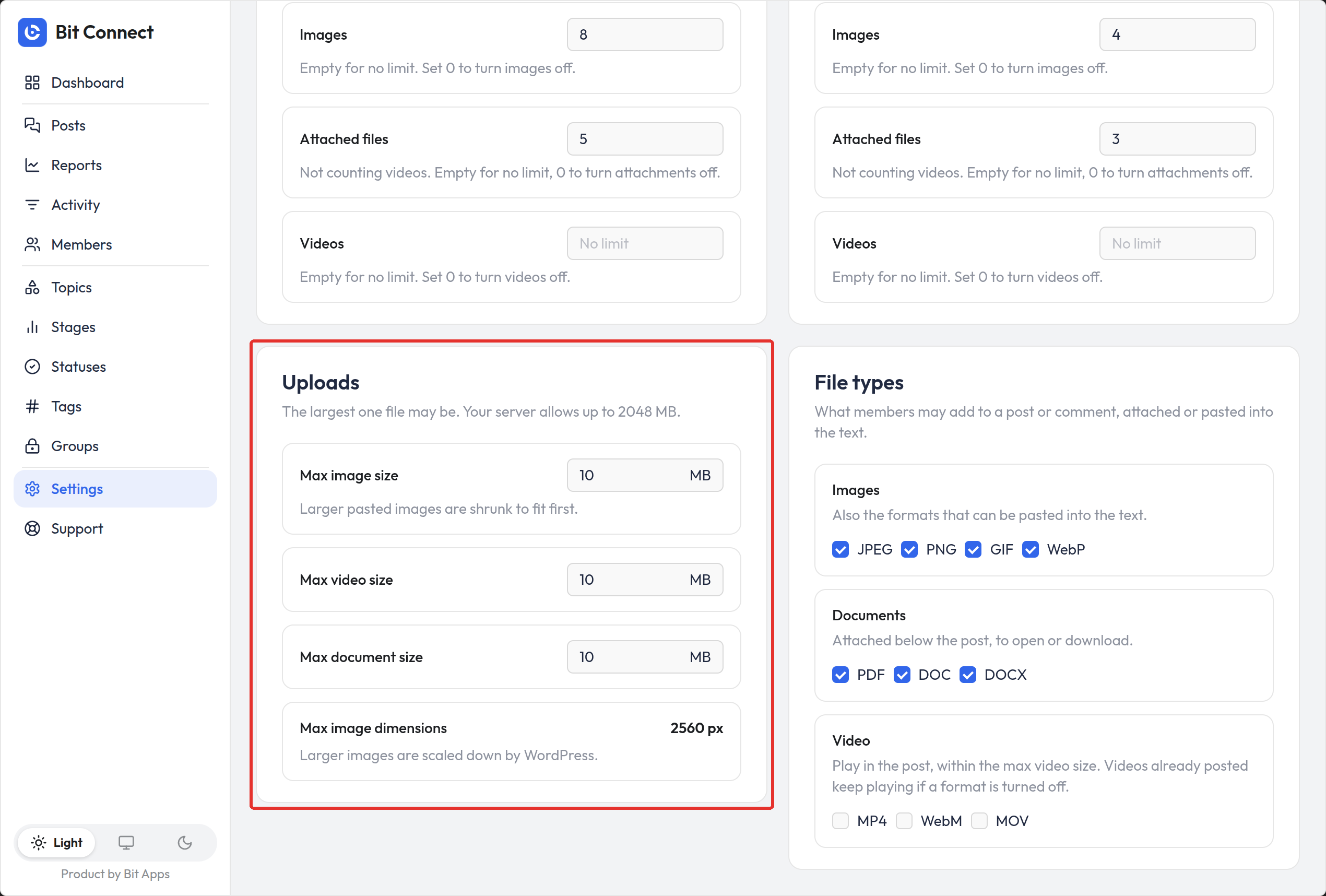
The table focuses on feature availability rather than license prices. It reflects the current WordPress.org feature list and the relevant Pro documentation. A feature appearing in a screenshot from an older release does not override the current changelog.
| Capability | Free | Pro |
|---|---|---|
| Community portal and posts | Yes | Yes |
| Threaded comments and mentions | Yes | Yes |
| Post upvotes and following | Yes | Yes |
| Topics, tags, stages and statuses | Yes | Yes |
| Member profiles and notifications | Yes | Yes |
| Reports, moderator review and role permissions | Yes | Yes |
| Core community SEO and sitemaps | Yes | Yes |
| Public and private groups | No | Yes |
| Poll questions and voting | No | Yes |
| Individual member permission overrides | No | Yes |
| Profile badges | No | Yes |
| Post approval and advanced pinning | No | Yes |
| Portal banners | No | Yes |
| Advanced posting and upload limits | No | Yes |
| Video uploads and embeds | No | Yes |
The upgrade question: If everyone can discuss and vote in a common portal, Free covers much of the core experience. If you need separate teams or member groups, active polling, an approval queue or tighter content limits, Pro becomes more relevant. Comment upvoting and automatic report-threshold hiding are not presented here as available features.
Bit Connect has a free WordPress.org version. Bit Connect Pro costs $99 USD as a one-time lifetime license for unlimited WordPress sites. The Pro tier adds community groups, polls, profile badges, more granular access controls, and other advanced features described in the Free vs Pro table above.
Pricing information updated October 19, 2026. Confirm the current checkout terms and any launch-offer conditions before purchase.
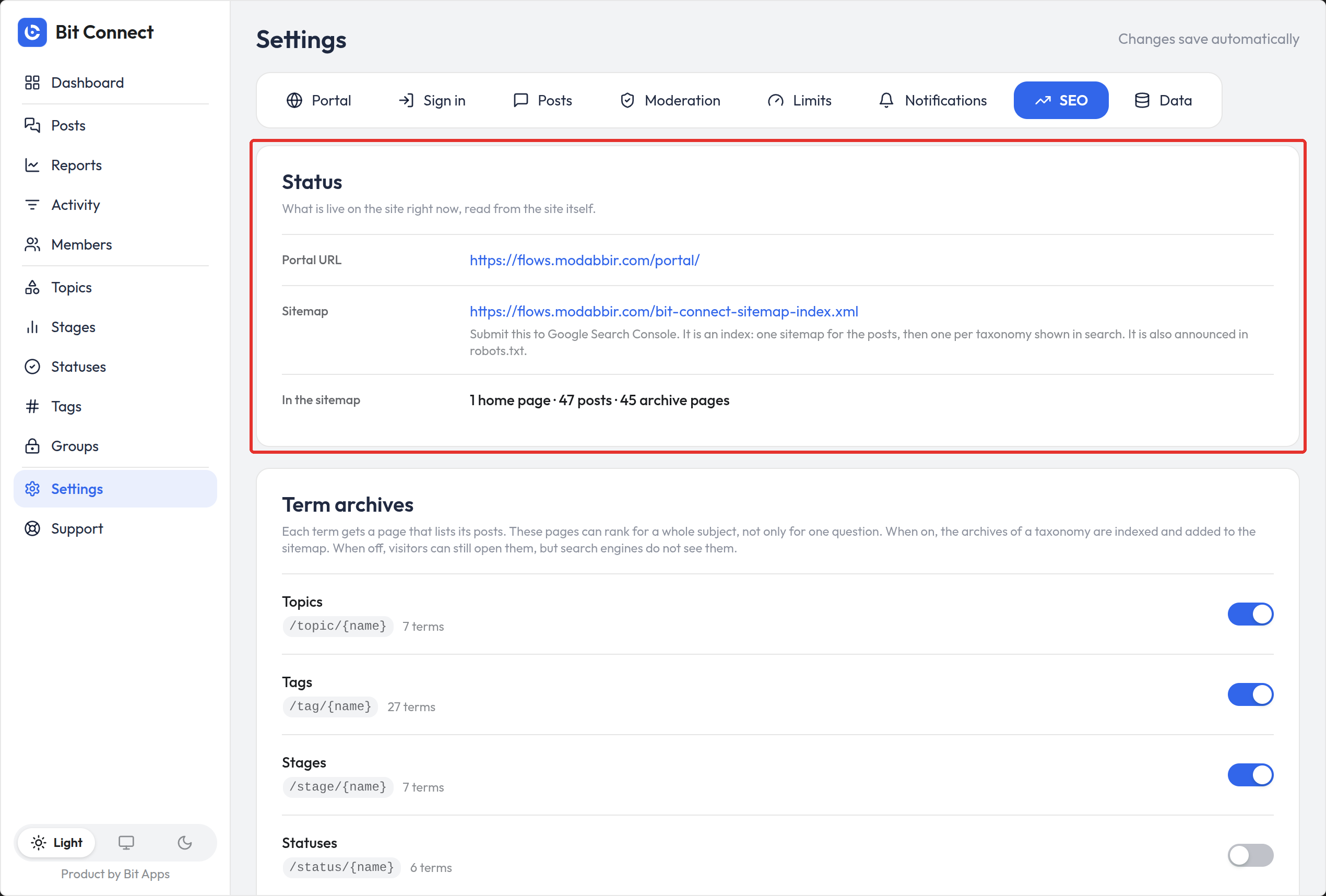
Bit Connect includes server-rendered portal content along with controls for titles, descriptions, canonical URLs, social metadata, structured data, archive visibility and community sitemaps. That matters for a public forum: useful discussions can be accessible to search engines rather than being visible only inside a JavaScript application.
It does not mean every community page should be indexed. Thin tag archives, private conversations, duplicate discussions and low-quality member profiles can create search problems if published without a policy. The documentation includes options for term archives and member-profile indexing, which should be configured to suit the community.
The site owner retains control over WordPress hosting, community data, caching and security settings. That avoids dependence on a separate forum host, but it also means the site owner is responsible for operations and backups.
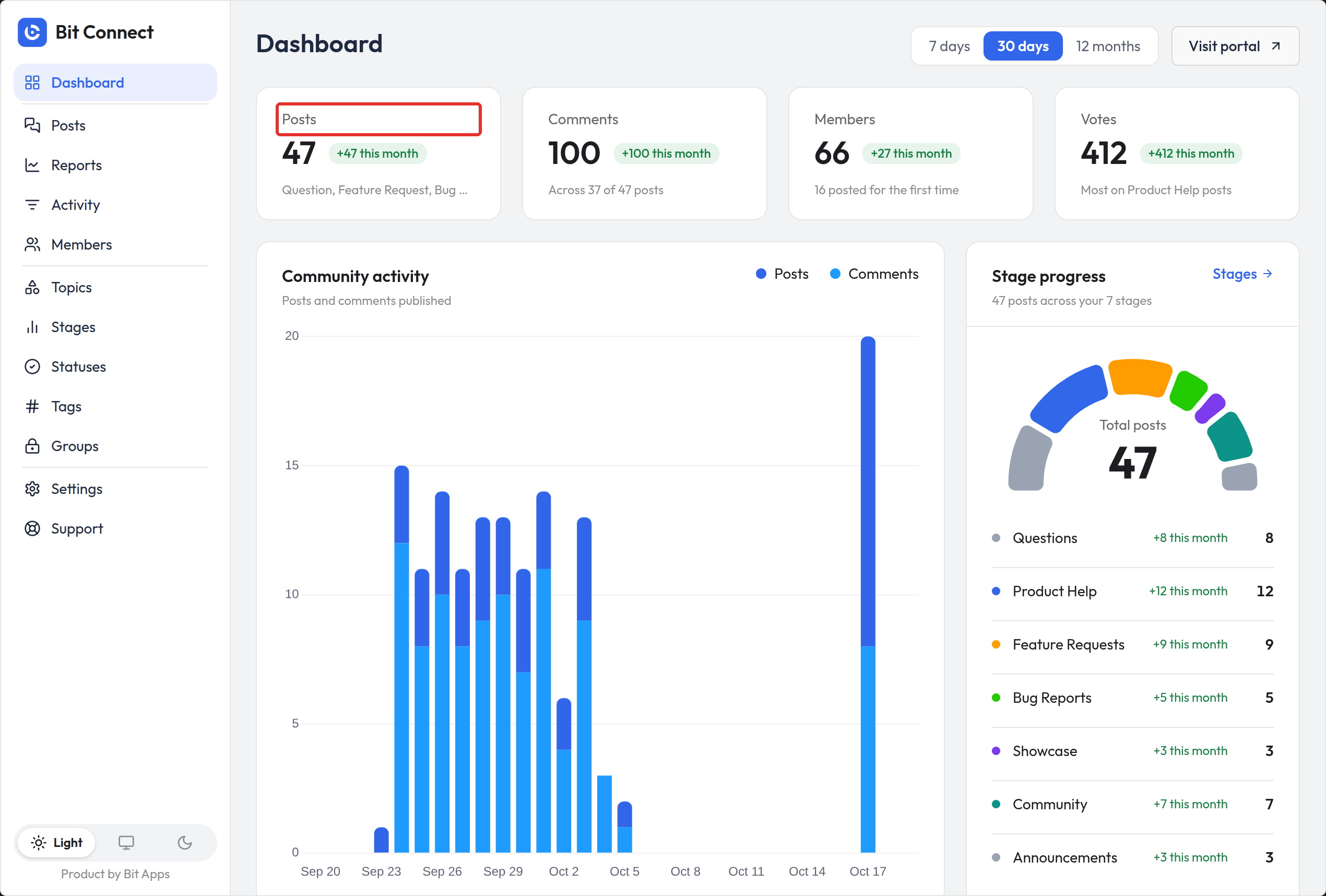
The admin dashboard summarizes discussion activity, member participation, recent posts and items needing attention. It helps a support or product team see whether questions are being answered and where members spend their time. Use it as a management view rather than assuming a high post count means a healthy community.
As the community grows, assign moderator roles, agree on response expectations and review the report queue regularly. A community plugin provides the tools; clear community rules and consistent participation determine the experience.
I would start with a small set of topics and a few real discussion examples before creating many groups or stages. Too many empty categories can make a new community look complicated even when the software supports them.
Bit Connect is worth considering when the goal is to build a community around conversation and product feedback directly in WordPress. Its strongest fit is a team that wants members to discuss ideas, vote on requests, follow progress and find answers without splitting that activity between a forum platform and a separate roadmap tool.
Start with Free when discussions, profiles, post voting and a straightforward feedback workflow are sufficient. Consider Pro for distinct member spaces, structured polls, deeper moderation and more granular control. If the requirement is only a traditional discussion board, compare it with bbPress and wpForo. For a broader community experience, FluentCommunity is another relevant option.
Yes. Bit Connect has a free WordPress.org version that supports a community portal, posts, threaded replies, post upvotes, following, profiles, notifications, role permissions, moderation and roadmap organization. Groups, polls and certain advanced controls need Pro.
Yes. Use posts and comments for discussions, then organize feature requests with topics, tags, stages, statuses and upvotes. One post can carry the original idea, its discussion and later updates.
No. It is a community plugin for WordPress. WooCommerce, a membership plugin or an LMS may be relevant to your site’s wider business, but the community’s core posting and discussion features do not require them.
Groups are a Pro feature. They support public and private visibility with group membership and joining controls. Test permissions with ordinary member accounts before using private groups for sensitive discussions.
Yes, both are Pro features. Polls gather votes on defined answer choices, while badges identify members on their community profiles. These are separate from ordinary post upvotes and WordPress user roles.
It provides server-rendered community pages, metadata, canonicals, structured data, archive options and sitemaps. You still need to decide which discussions, member pages and archives should be public and indexable.
Do not rely on those features in the current free release. The WordPress.org 1.0.1 changelog removed reply upvoting and automatic hiding after a report threshold. Post upvotes and a moderator-reviewed reporting queue remain available.
Build a self-hosted WordPress community with spaces, feeds, profiles, gamification, courses, messaging, media, and migration tools.
Builds a full WordPress forum with multiple layouts, member profiles, permissions, moderation, subscriptions, and optional AI services.
Adds a streamlined, open-source discussion forum to WordPress with forums, topics, replies, subscriptions, search, and extensions.
Log in or create an account to continue.