
Freemium
Builds WordPress popups and opt-in forms for collecting email subscribers, leads, and sales opportunities from site visitors.
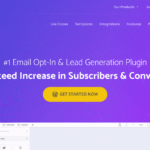
Convert Pro is a self-hosted WordPress lead-generation and popup plugin with a drag-and-drop editor, behavioral triggers, targeting rules, email-service integrations, and built-in testing tools. Its licensing model is particularly different from hosted conversion platforms because both annual and lifetime plans can be used on unlimited websites.
Convert Pro fits agencies and WordPress site owners who want advanced popup targeting without campaign-impression limits or per-site licensing. It is less suitable when the team needs a hosted dashboard that controls campaigns across WordPress and non-WordPress properties.
Best fit: WordPress marketers and agencies managing multiple sites.
Pricing: $89/year current promotional price or $349 lifetime, both for unlimited sites.
Operating model: WordPress plugin with cloud-hosted template downloads.
Convert Pro supports modal popups, slide-ins, info bars, full-screen calls to action, inline and after-post CTAs, on-click popups, yes/no forms, and multi-step experiences. The editor provides separate mobile control so layouts and behavior can be adjusted for smaller screens.
The plugin can trigger campaigns through exit intent, scroll behavior, clicks, inactivity, page context, and other visitor conditions. Targeting can use device, referrer, first-time or returning visitor status, login status, and page-level rules. These controls make Convert Pro closer to a conversion-optimization tool than a simple popup designer.
Convert Pro includes split testing for design and campaign variations, including testing across different CTA styles. Google Analytics integration can be used to analyze campaign behavior alongside broader site analytics.
The product integrates with major email and autoresponder platforms and supports form-data collection for lead-generation workflows. Because campaign execution happens in WordPress, there is no separate hosted campaign-impression allowance to manage.
Pricing checked: September 24, 2026.
The current official pricing page shows an annual plan at $89, discounted from $99, and a lifetime plan at $349, discounted from $399. Both licenses cover unlimited website usage. If an annual license is not renewed, existing installations can continue to run, but updates, cloud templates, and support are no longer included.
Unlimited-site licensing can simplify agency economics, but Convert Pro remains WordPress-specific. A hosted platform can centralize campaigns across several CMSs and may provide a broader SaaS analytics layer. Convert Pro instead places campaign delivery and plugin maintenance inside each WordPress installation.
Convert Pro belongs on the shortlist when unlimited WordPress sites, exit-intent campaigns, targeting, testing, and a lifetime-license option matter more than centralized cloud campaign management. For a mixed-platform marketing stack, a hosted service can still be operationally simpler.
No. The product is sold as a paid WordPress plugin, with a refund period rather than a permanent free tier.
The current official pricing page shows $89/year or $349 lifetime as promotional prices for unlimited websites.
Yes. Exit intent is one of its documented behavioral triggers.
Yes. It supports split testing across designs and campaign variations.
Yes. Its annual and lifetime licenses are offered for unlimited website usage, including client sites.
The plugin can keep running on existing sites, but updates, cloud templates, and support require an active license.
Convert Pro can replace many common hosted popup workflows, but migration is a rebuild rather than a one-click import. Document each campaign type, trigger, audience rule, email destination, success action, tracking event, and mobile variation before recreating it. Preserve screenshots and campaign reports so the new version can be checked against the old one.
For agencies, unlimited-site licensing changes cost planning, but operational responsibility also shifts to WordPress. Updates, caching, consent rules, and conflicts must be tested on each site. A staging rollout is especially useful for exit intent, referrer conditions, and A/B tests because these behaviors can be affected by optimization and consent scripts.
Convert Pro uses a modular approach and downloads templates from its cloud, but the campaign itself runs on the WordPress site. That removes hosted impression allowances while making plugin updates, backups, and compatibility part of normal WordPress maintenance. This trade-off matters more on client portfolios than the headline license price alone.
Convert Pro is particularly relevant to agencies and multi-site WordPress operators because the same license can cover many sites without campaign-impression metering. The trade-off is decentralized maintenance: each site needs its own campaign QA, plugin updates, cache compatibility checks, and consent review. That makes it a cost-efficient architecture for WordPress portfolios, but not automatically a simpler one.
Before rollout, verify consent checkboxes, email-service field mapping, analytics events, responsive layouts, and suppression rules for existing subscribers. These details are easy to miss when rebuilding campaigns manually, and they matter more than matching the visual design alone.
Agencies should also document which client sites depend on premium template access before allowing a license to lapse.
For teams moving from OptinMonster, a short parallel test period is useful so exit-intent timing, mobile behavior, lead delivery, and conversion tracking can be compared before the old campaign code is removed.
Builds WordPress popups and opt-in forms for collecting email subscribers, leads, and sales opportunities from site visitors.
Creates unlimited WordPress popups for forms, builder content, promotions, and conversion messages while keeping data on-site.
Create targeted WordPress opt-in forms, popups, ribbons, and tests with Thrive Leads using a visual builder and conversion reports.
Log in or create an account to continue.