
Premium
Build multilingual WordPress sites with content translation, string translation, translation workflows, WooCommerce support, and AI-assisted translation.
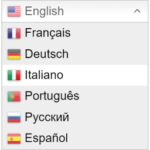
Translate WordPress with GTranslate takes a different approach from most WordPress multilingual plugins. The free plugin adds instant machine translation and a language switcher, while paid GTranslate plans use a cloud Translation Delivery Network to host indexable translated versions of your site. This GTranslate review recommends separating those two use cases before choosing it.
Best fit: Translate WordPress with GTranslate makes the most sense for sites wanting fast automatic translation and, on paid plans, a managed cloud multilingual SEO delivery layer. It is less compelling for teams that require all translated content to be stored and managed as native WordPress translation records.
The free GTranslate plugin provides automatic machine translation and multiple language-switcher layouts. It can translate visible output from posts, pages, menus, widgets, themes, plugins, and WooCommerce because it works on the generated page rather than requiring separate translated posts.
The important SEO limitation is explicit: the free version does not create stored, indexable translated URLs. The URL stays the same and the translations are not stored as separate language pages. For visitor convenience, that can be enough. For multilingual SEO, it is not.
Paid GTranslate moves translation delivery to its cloud Translation Delivery Network. Translated versions can use language-specific subdirectories, subdomains, or supported language domains depending on the plan and setup. Search engines can index those translated versions.
Paid features include editable translations, multilingual SEO, hreflang support, translated metadata and structured data, and other controls. URL slug translation is available on plans that include URL translation.
GTranslate does not require WordPress to store every translated page as a separate post. The paid service proxies translated versions through GTranslate’s network. That can reduce local storage and processing requirements, but it also makes the translation delivery layer dependent on an external service.
This is the key architectural difference in a GTranslate review. If you want translations stored and managed directly inside WordPress, Polylang or TranslatePress may fit your workflow better. If you prefer a managed translation delivery network, GTranslate is more distinctive.
The GTranslate Free vs paid decision is mostly about SEO, editing, and delivery. Free gives visitors an automatic translation widget. Paid creates hosted language versions that can be indexed, lets you edit translations, and adds the multilingual SEO layer.
GTranslate pricing was checked on September 10, 2026. The Custom plan starts at $12/month for a bilingual setup. Startup is $25/month, Business is $35/month, and Enterprise is $50/month. The official plans list unlimited words and pageviews for the paid Translation Delivery Network service.
Feature differences matter more than the plan names. For example, URL translation and language hosting are not included at every tier. Check the current feature matrix against the URL structure you actually need before subscribing.
The free plugin uses automatic machine translation. Paid plans use GTranslate’s current AI/neural translation service and allow translation editing. Machine translation can reduce the amount of manual work, but important marketing, legal, product, and checkout text should still be reviewed for meaning and local context.
The paid service also supports professional translation workflows separately. That is useful when automation is the starting point rather than the final editorial standard.
The biggest benefit of GTranslate is the low-friction cloud model. The corresponding trade-off is dependency on an external translation-delivery service for paid multilingual pages. That is different from owning locally stored translation records in the WordPress database.
Also, do not buy the free plugin expecting multilingual SEO. The official documentation is clear that SEO benefits require a paid version. Decide first whether you need visitor translation, search-indexable translations, or both.
This GTranslate review recommends the free version for quick visitor-facing translation where separate translated URLs are not required. Paid GTranslate is more relevant for sites that want automatic translation plus a managed multilingual SEO delivery layer without building every translation workflow inside WordPress.
If local ownership of translation records and manual content-by-content control are central requirements, compare GTranslate against Polylang and TranslatePress before committing.
Yes. The free WordPress plugin provides automatic translation and language-switcher options.
No. The official plugin information states that multilingual SEO and indexable translated versions require a paid plan.
GTranslate pricing starts at $12 per month for the Custom plan as checked on September 10, 2026. Higher plans are $25, $35, and $50 per month.
Paid versions use GTranslate’s cloud Translation Delivery Network to serve translated mirrors of the original site.
Translation editing is a paid feature. The free version is intended for automatic visitor-facing translation.
Free provides on-page automatic translation without separate indexable language URLs. Paid adds hosted translated versions, editing, and multilingual SEO features.
Build multilingual WordPress sites with content translation, string translation, translation workflows, WooCommerce support, and AI-assisted translation.
Translate WordPress visually from the front end, with a free bilingual setup and Pro multilingual SEO and AI translation tools.
Build a multilingual WordPress site with language-specific content, translations, switchers, and SEO-friendly language URLs.
Log in or create an account to continue.