
RecommendedFreemium
Rank Math SEO review covering Free vs PRO, current pricing, Content AI, schema, redirects, rank tracking, sitemap generation, and version…

Redirection is a free WordPress redirect manager for URL migrations, 404 monitoring, regex rules, query-string handling, redirect groups, logs, and bulk import/export. It is one of the better fits when a site needs a dedicated redirect tool without paying for a full SEO suite.
I would shortlist Redirection for publishers, ecommerce stores, agencies, and SEO teams that regularly change URLs and want editors to manage those changes inside WordPress. The main trade-off is architectural: because Redirection runs in WordPress, the request has to reach WordPress before the rule can execute. Very large stable redirect sets can still belong at the CDN or web-server layer.
Best for: URL migrations, 404 cleanup, permalink changes, content consolidation, and editor-managed redirects.
Price: Free. No Pro tier.
Current version: 5.10.1.
Notable 2026 changes: Expanded import/export, WordPress 7 compatibility, Yoast SEO importer, and _redirects file support.
Last reviewed: October 17, 2026.
| Capability | Included? | Best use |
|---|---|---|
| 301 / 302 / 307 / 308 redirects | Yes | Normal permanent and temporary URL moves |
| Regex matching | Yes | Redirect URL patterns in bulk |
| Query parameter controls | Yes | Preserve, ignore, or match parameters deliberately |
| Conditional matching | Yes | User state, referrer, agent and other advanced rules |
| 404 request logging | Yes | Find legacy URLs still receiving traffic |
| Redirect hit logs | Yes | See whether rules are being used |
| Groups | Yes | Organize large redirect sets |
| Import / export | Yes | Bulk migrations and moving rules between systems |
| Apache / Nginx export | Yes | Move stable rules out of WordPress |
| Paid Pro tier | No | Entire plugin is free |
The main Redirects screen shows the existing rules and includes a form for adding a new redirect. For a standard migration, the minimum information is the old source path and the new destination. The source is usually relative to the current domain, while the target can be relative or absolute.
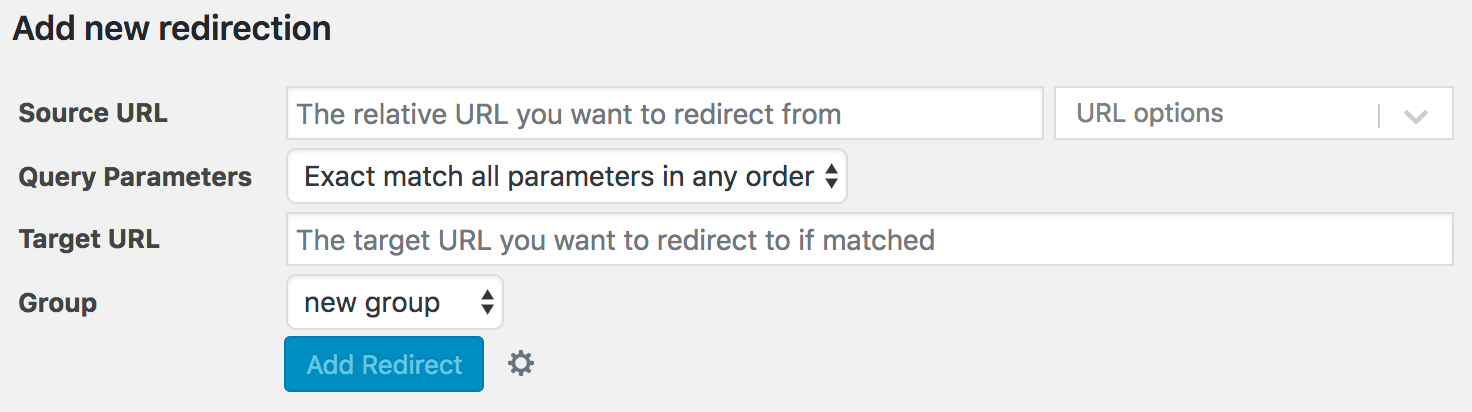
Keep simple migrations simple. Exact source-to-target rules are easier to audit than broad regex patterns. I would start with exact redirects for high-value pages, verify the response codes, and only introduce patterns where the old URL structure is genuinely consistent.
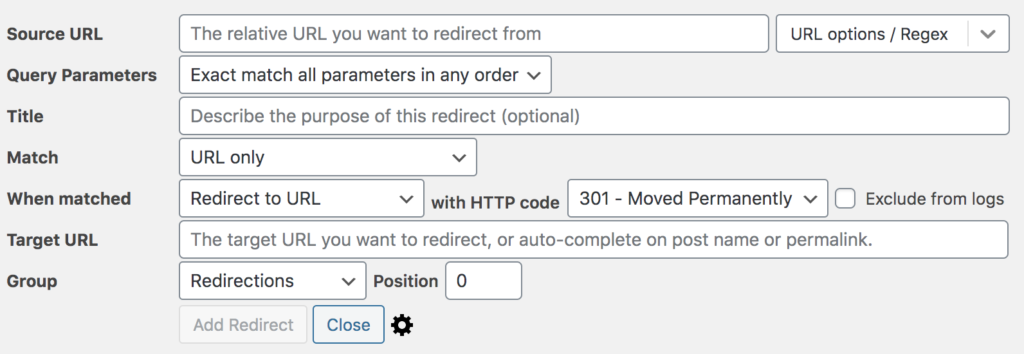
Redirection can match regular expressions and can control how query parameters are handled. This matters when an old site used tracking parameters, faceted URLs, campaign URLs, or a directory structure that maps predictably to a new one. A good rule should preserve only the parameters that still have meaning on the destination.
Advanced matching can go beyond the URL itself. Redirection can use conditions such as login state, user role or capability, referrer, user agent, IP address, 404 state, cookies, server name, headers, browser language, or a custom WordPress filter. Those options are powerful, but they also make a migration harder to debug, so they should be documented carefully.
The 404 log is one of the strongest reasons to use Redirection instead of a minimal redirect-only plugin. It shows which missing URLs visitors and bots are actually requesting. That lets you distinguish a meaningful legacy URL from random bot noise or typo traffic.
Do not turn every 404 into a redirect. Redirect when there is a close replacement or a true moved page. If content has been removed with no useful substitute, a 404 or 410 can be more appropriate than sending every old URL to the homepage.
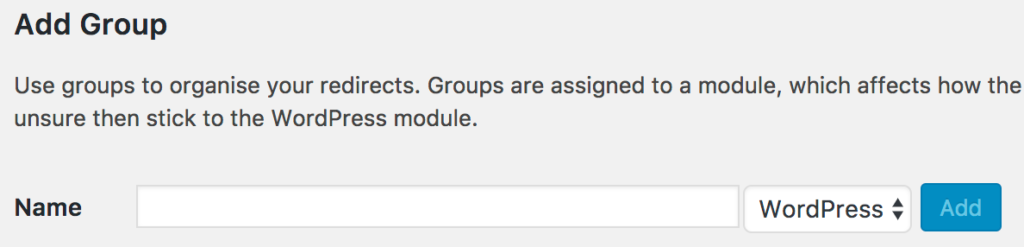
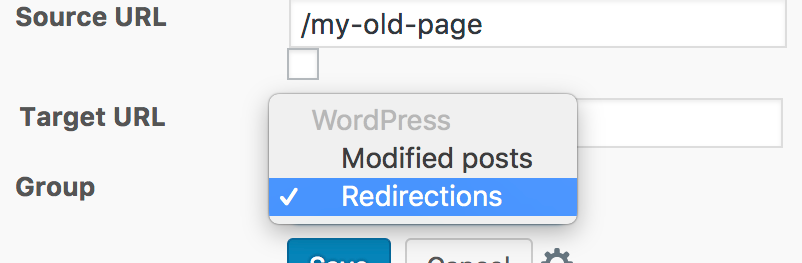
Groups are useful when redirects belong to different projects or migration phases. You can separate a redesign migration from product cleanup, seasonal redirects, or legacy rules. That makes audits and bulk actions easier because a future administrator can see why a group exists.
Redirection 5.9 overhauled the import/export workflow, and 5.10 added more migration support including a Yoast SEO importer and _redirects files used by Netlify and similar hosts. The import screen can accept files, pasted redirect data, and compatible data from other redirect or SEO plugins.
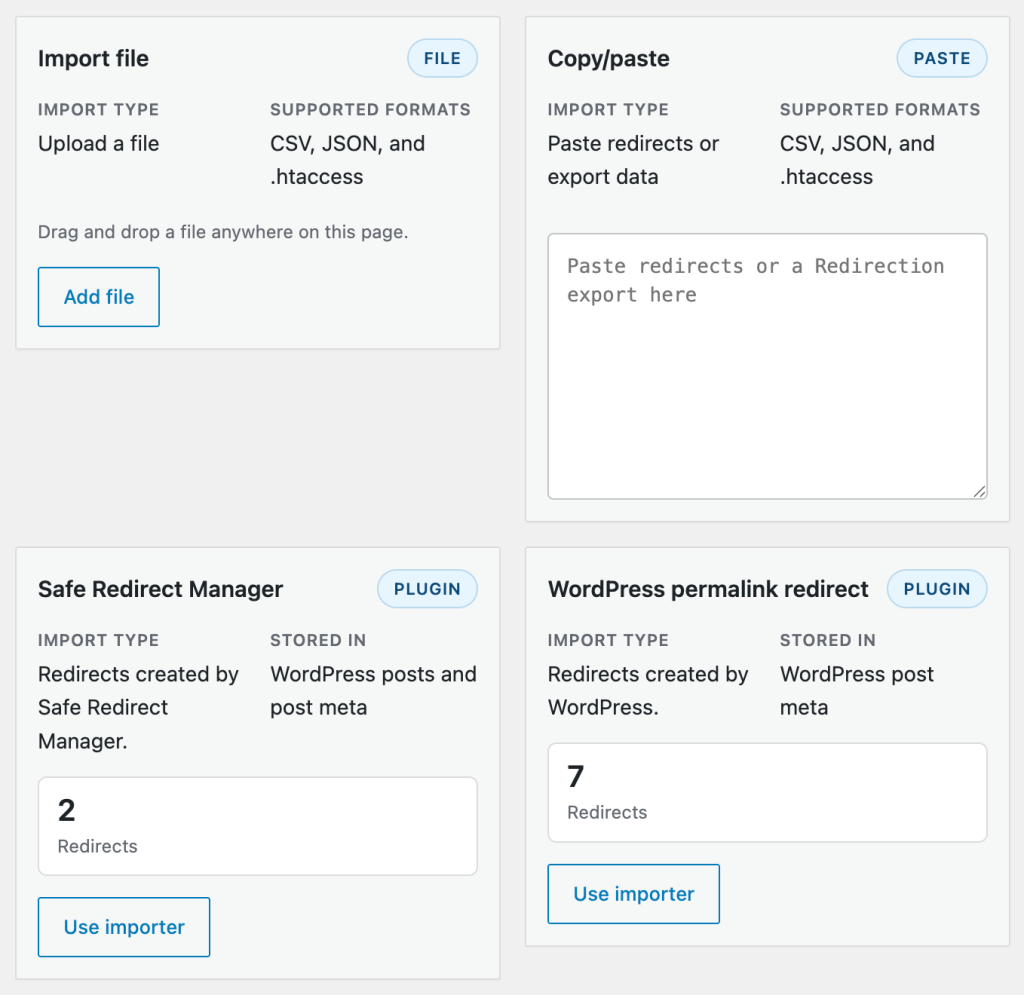
Import previewing matters on a large migration. It lets you review what will be created before the rules go live, including how duplicates are handled and which group the rules will enter. That is safer than uploading a large CSV directly into production and troubleshooting afterward.
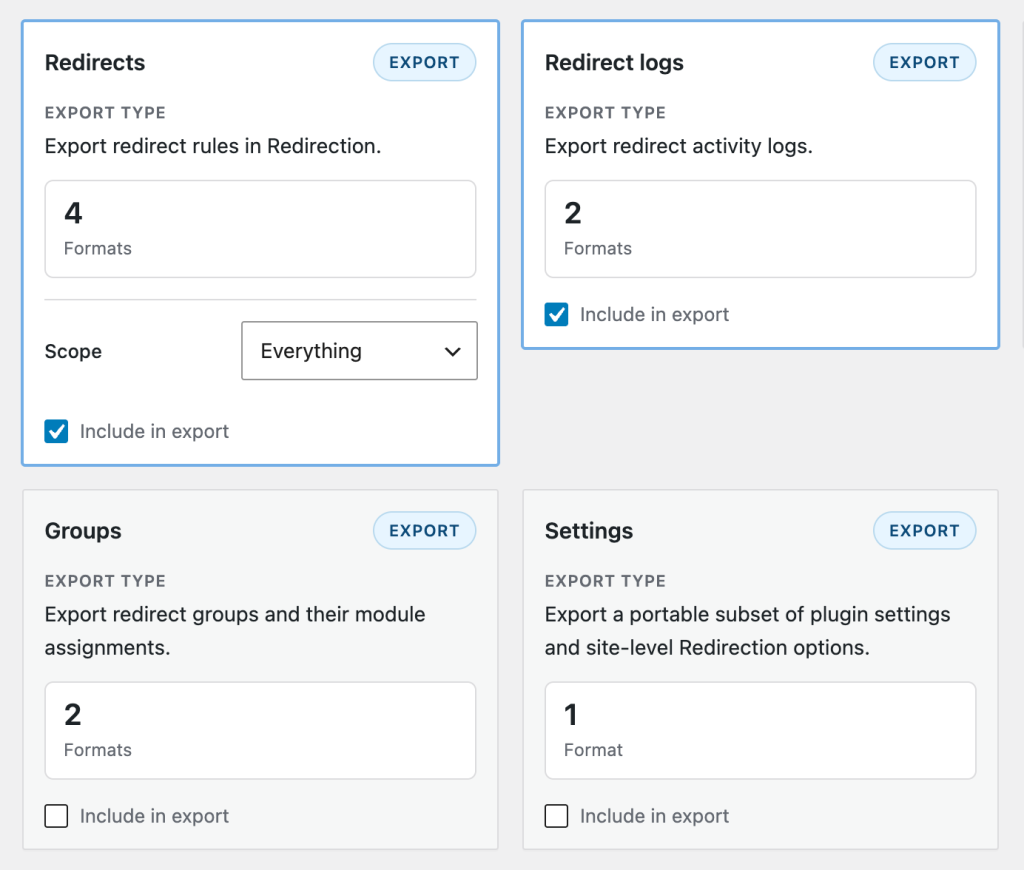
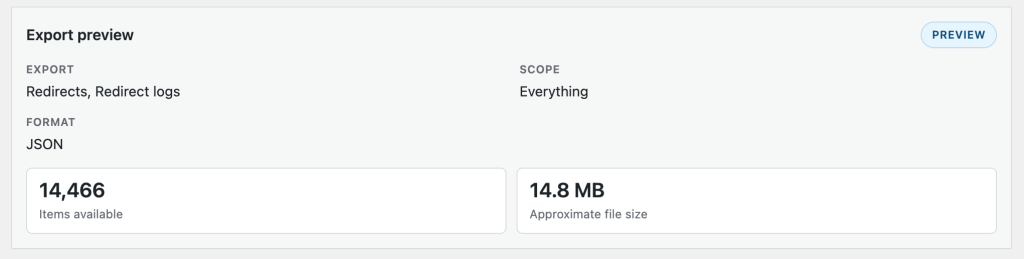
Redirection can export redirects, groups, logs, and settings in supported formats. Redirect data can also be exported for Apache and Nginx. That creates a practical scaling path: build and test the redirect set in WordPress, then move stable high-volume rules to infrastructure when performance or architecture demands it.
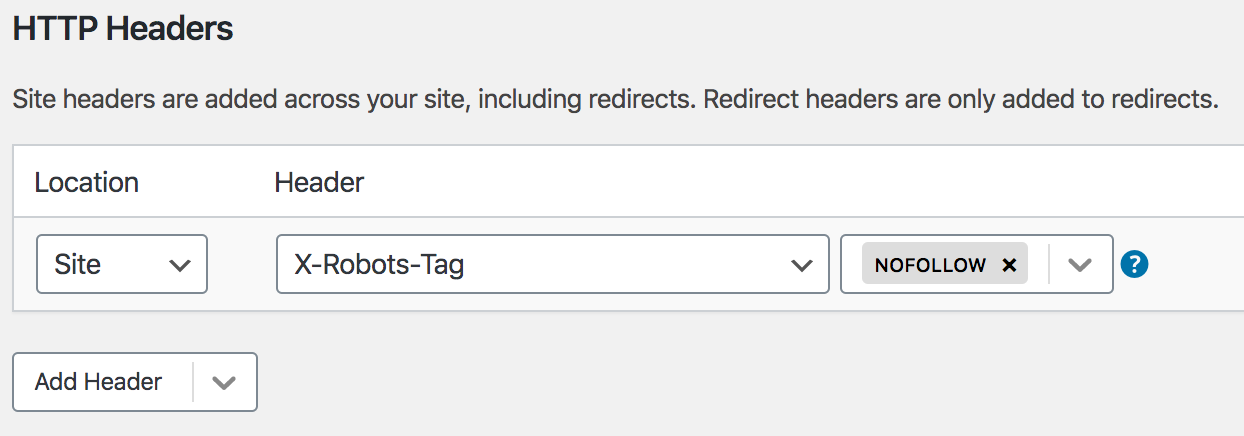
The Site section can handle broader canonicalization tasks such as forcing HTTPS, choosing a preferred www/non-www domain, defining aliases, relocating a site to another domain, and adding HTTP headers. These options are useful, but they should not be enabled casually on a production site because site-wide rules affect every request.

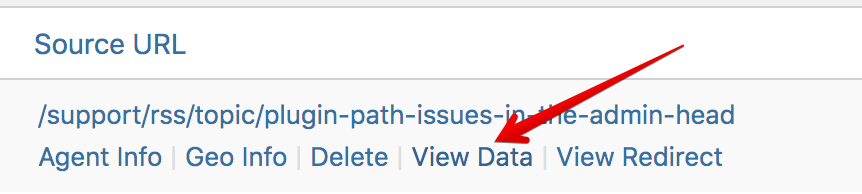
Redirect and 404 logs provide valuable migration feedback, but high-traffic sites should decide how much history they actually need. Logging every request creates database activity and storage growth. Use the logs during migrations and cleanup, set sensible retention, or disable logging if the redirect engine is the only feature you need.
Redirection is free. There is no Pro version or paid feature tier. The project is supported through its documentation and public support channels rather than a commercial premium support plan.
The current WordPress.org release is version 5.10.1, updated September 2026 and tested through WordPress 7.1.3. The 2026 release line modernized the admin interface and import/export system and added additional migration formats.
Redirection remains one of the strongest free choices when redirects are an ongoing SEO and migration task rather than a handful of one-time rules. Its biggest advantage is the combination of execution, 404 discovery, logging, grouping, and import/export. The biggest risk is complexity: regex, conditions, site-wide rules, and logs can become difficult to maintain if nobody documents why they exist.
Yes. Redirection is free and does not currently have a Pro tier.
Yes. Regex rules can match URL patterns and reuse captured values in the destination.
Yes. It can log 404 requests so you can see which missing URLs are actually being requested.
Yes. Redirection supports file and paste imports plus importers for several redirect and SEO plugins when their data is available.
Yes. Supported export formats can move stable redirect rules out of WordPress for infrastructure-level use.
The 5.10 release added a Yoast SEO importer, support for _redirects files, and continued the modernized import/export work introduced in 5.9.
A server rule, CDN, cache, existing file, another plugin, or a request that never reaches WordPress can take priority before Redirection runs.
Rank Math SEO review covering Free vs PRO, current pricing, Content AI, schema, redirects, rank tracking, sitemap generation, and version…
Adds WordPress SEO tools for metadata, schema, XML sitemaps, redirects, Search Console data, and AI SEO optimization features.
Lightweight WordPress SEO plugin for automated metadata, sitemaps, schema, redirects, breadcrumbs, and optional Pro tools.
Log in or create an account to continue.