
Premium
Official WooCommerce extension for appointments, rentals and reservations using bookable products, resources and WooCommerce checkout.

VikRentCar is a dedicated WordPress car-rental system, not a generic appointment calendar. Its data model revolves around vehicles, fleet units, pickup and return locations, duration-based fares, seasonal pricing, extras, availability and rental orders. That makes it a stronger fit when renting vehicles is the business itself rather than a small add-on to a larger WooCommerce store.
Best fit: independent car-rental agencies and fleet operators that want the booking engine and back office inside WordPress. I would choose a simpler booking tool if the site only rents one or two vehicles occasionally.
Current version: PluginSuggest currently tracks VikRentCar 1.4.8.
Free version: VikWP offers a Basic edition without a time limit for evaluating the workflow.
Pro pricing checked October 16, 2026: €129 for one website, with no commission or monthly fee listed by VikWP.
VikRentCar lets the business define the actual fleet instead of creating one generic booking resource. Each vehicle can carry its own information and availability, while multiple units can represent several cars of the same model. That matters when a company owns five identical hatchbacks rather than five separate product pages.


Pickup and return locations are first-class parts of the booking workflow. A company can operate an airport desk, a city branch and a hotel pickup point while keeping those locations connected to rental rules rather than storing them as free text.

Before publishing the search form, I would define the fleet structure and naming convention. If staff create “Airport,” “Airport Terminal” and “Airport Office” as different values for the same place, reporting and pricing rules become harder to maintain.
The pricing model is one of VikRentCar’s main differences from a general booking plugin. The Fares Table stores rental costs by duration and rate type. Daily rates are the baseline, hourly rates can be used for rentals shorter than 24 hours, and extra-hour charges can cover returns that extend beyond the booked duration.

A vehicle needs valid fares for the durations the business intends to sell. If a requested duration has no appropriate rate, the car may not appear as bookable. This makes pricing configuration operationally important rather than cosmetic.
Rate types can represent different insurance or package choices. A business could offer a base rate and a higher rate that includes broader damage protection, then price each duration accordingly. I would keep the customer-facing names clear enough that a renter understands the difference without reading an internal pricing rule.
Rental rates often change around weekends, holidays, tourism seasons and major events. VikRentCar uses Special Prices to increase or decrease normal fares for selected dates or weekdays. Rules can use percentage or fixed adjustments and can target particular vehicles.

This is flexible enough for high-season surcharges and off-season discounts, but overlapping rules need careful testing. Use the built-in rate-calculation tools or run searches for dates that cross two pricing periods. A customer booking seven days should see the same amount staff expect from the rate policy.
I would document who is allowed to change seasonal pricing. If several staff members add overlapping rules without a shared calendar, the booking engine can become technically correct but operationally confusing.
The back office includes availability overviews and rental-order management so staff can see which vehicles are occupied across a date range. This is much closer to a rental desk workflow than reading WooCommerce orders one by one.
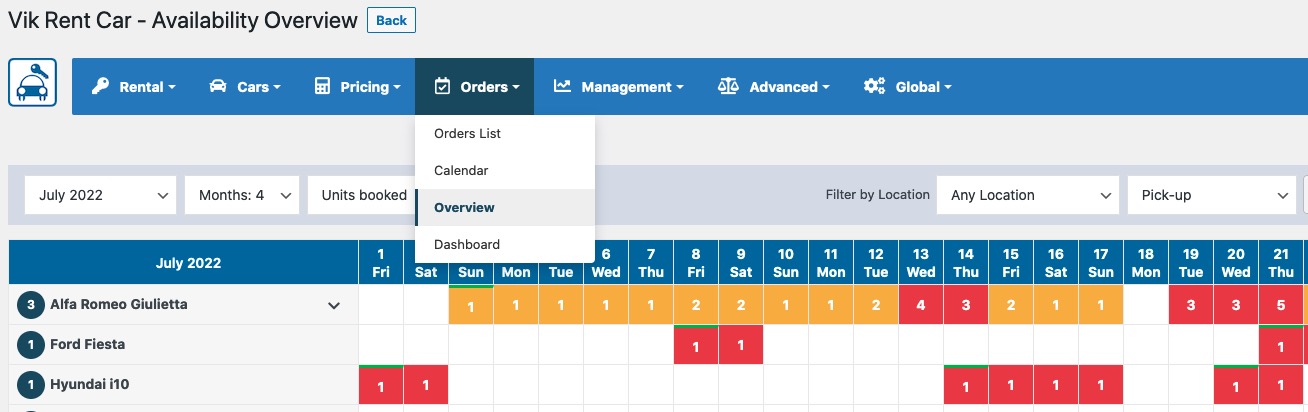
Offline reservations matter too. The calendar can be used to register bookings received by phone or at the counter and to close a vehicle for specific dates. That prevents the website from selling a unit that staff already committed elsewhere.
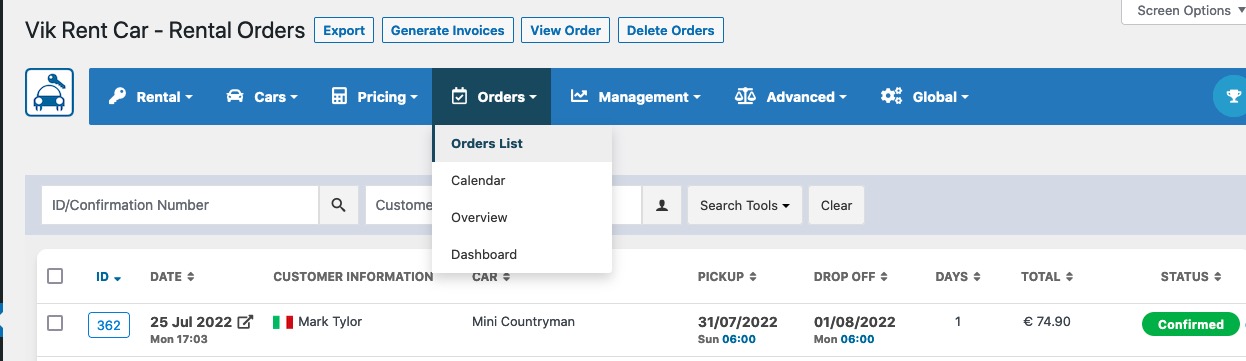
The business should also define turnaround time. If a vehicle returns at 10:00, it may need inspection, cleaning or refueling before the next renter. Availability rules should reflect that operational buffer rather than allowing mathematically adjacent bookings that staff cannot fulfill.
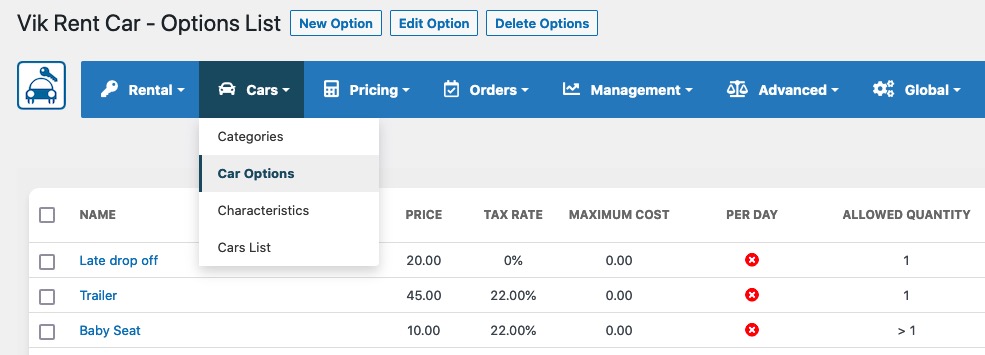
VikRentCar can sell options and extra services alongside the vehicle. Common examples include child seats, GPS units, extra drivers or other rental add-ons. The feature is useful because these extras affect the final booking amount and often need to be prepared before pickup.
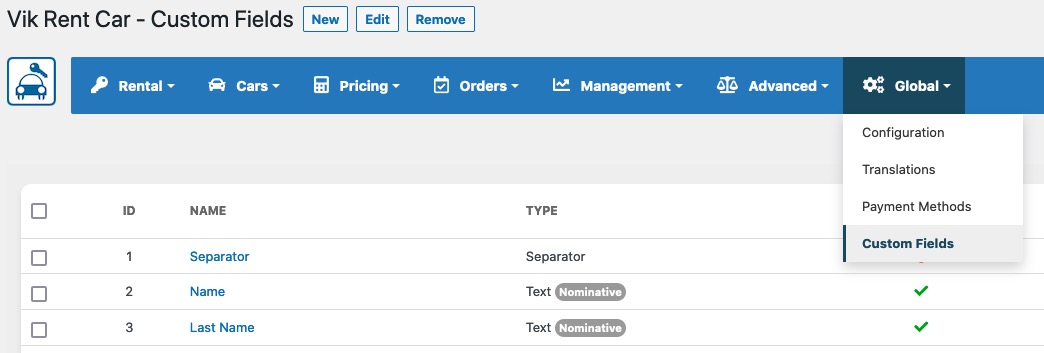
Custom fields collect the information required during booking confirmation. I would keep those fields limited to information the business genuinely needs online. Driver-license numbers, identity documents and insurance information can be sensitive, and local requirements differ. Decide which data belongs in WordPress and which should be verified securely at pickup.
VikRentCar has its own payment framework. The official product page lists built-in options such as bank transfer, PayPal and offline credit-card handling, with a broader gateway ecosystem available. The booking therefore remains a rental order rather than becoming a WooCommerce product order.

This architecture is an advantage for a rental-only company because the back office stays centered on vehicles and reservations. It may be less convenient when the business already depends on WooCommerce for accounting, subscriptions, taxes and fulfillment integrations. Decide which system should own the commercial transaction before entering a large fleet.
I would test deposit payments, full payments, failed transactions, cancellations and any pay-at-counter process. A green “payment method enabled” setting is not enough to prove the full booking lifecycle works.
VikRentCar includes coupon management for discounts. Coupons can use fixed or percentage values and can be constrained by validity rules. That gives a rental company a direct-booking incentive without sending every promotion through an external ecommerce system.

Use promotions carefully alongside Special Prices. A high-season rate adjustment and a coupon can both affect the final amount. Test the combined result before advertising a campaign so the discount shown to customers matches the intended margin.
VikRentCar provides iCal synchronization so booking calendars can be exposed to or synchronized with compatible calendar software. This can help teams that need reservation visibility outside WordPress.
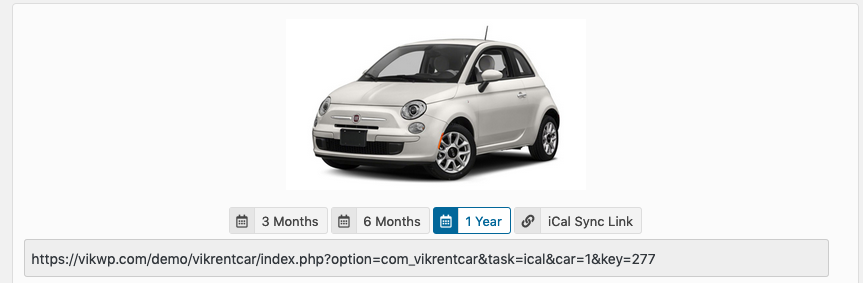
Calendar sync is not the same as a real-time fleet-management integration. iCal consumers may poll on an interval. If another system is the authoritative source of vehicle availability, confirm the delay and conflict behavior before depending on calendar sync to prevent double bookings.
VikWP offers a Basic edition without a time limit and a Pro edition for commercial use. The official product page positions Pro at €129 for one website and highlights the complete pricing, availability, order, payment and fleet-management capabilities of the product.
I would use the Basic edition to learn the terminology and validate the data model with a few representative cars. Before paying, list the functions the business actually needs, especially payment gateways, rate rules, availability views, extras and operational reporting, then confirm those requirements against the current VikWP feature matrix.
Pricing checked October 16, 2026. VikWP lists VikRentCar Pro at €129 for one website and states that there are no commissions or monthly fees. The free Basic edition is available for evaluation. License and update terms can change, so check the purchase page before renewal.
The plugin fee is only part of deployment cost. A professional rental site may also need payment-gateway fees, maps, email delivery, translation, a theme, custom integrations and staff training. Those costs are usually more important than a small difference in plugin price.
Build a small fleet first and run realistic scenarios: one-day rentals, hourly rentals, long rentals, pickup and return at different locations, a seasonal price boundary, overlapping requests, an offline reservation, a coupon, an extra and a failed payment. Then test cancellation and vehicle closure.
Also check the customer-facing email and any invoice or PDF workflow. The renter should receive the correct dates, vehicle, location, rate type, extras and payment status. Staff should see the same facts in the back office.
If the company uses several people at the rental desk, document who can change fares, close vehicles and edit confirmed orders. Operational permissions matter because a single accidental availability change can affect future bookings.
A car-rental site can look polished while still creating extra work behind the desk. Before launch, ask staff to process a realistic day of reservations using only the back office: register a walk-in booking, move a vehicle out of service, extend a return, apply a coupon, record a payment and identify what is due back that day. Any step that requires a spreadsheet or a separate note should be documented as part of the operating procedure.
Backups and update testing also deserve attention because availability and confirmed orders are business-critical data. Keep regular database backups and test major WordPress, PHP or VikRentCar updates on staging when possible. A visual layout problem is inconvenient; a booking or availability regression can create double bookings and direct customer impact.
Useful rental reporting includes vehicle utilization, unavailable days, booking sources, seasonal demand and the performance of rate changes. Even when the plugin supplies statistics, decide which measures the business will actually review. A small set of consistent fleet metrics is more useful than collecting reports nobody uses.
I would shortlist it for a rental company that wants a purpose-built booking engine and is comfortable keeping rental operations inside WordPress. It is particularly relevant when duration pricing, multiple locations and fleet availability need to work together.
A WooCommerce booking extension may be easier when vehicle rental is only one product category inside a larger WooCommerce operation. VikRentCar is more specialized, which is both its strength and the architectural decision you need to accept.
VikRentCar has the operational depth expected from a real car-rental system: fleet units, locations, duration-based fares, seasonal adjustments, extras, orders, payments and calendar tools. It is a better fit than a generic booking calendar when the rental desk needs WordPress to act as the working system.
The most important implementation step is testing the rate and availability model before launch. If staff trust the inventory and totals, the booking frontend becomes useful. If they do not, the team will fall back to manual checks and the value of online booking disappears.
No. VikRentCar has its own rental-order, pricing, availability and payment workflow inside WordPress.
PluginSuggest currently tracks VikRentCar version 1.4.8.
Yes. The fleet model can represent multiple units so availability reflects how many vehicles remain free.
Yes. Special Prices can increase or decrease base fares for dates, seasons or weekdays.
Yes. Locations are part of the rental workflow and can be connected to fees and booking rules.
Pricing checked October 16, 2026: VikWP lists Pro at €129 for one website, with no commission or monthly fee.
Test availability conflicts, seasonal rates, locations, extras, payments, offline reservations, cancellations and the full pickup-to-return workflow using representative vehicles.
Official WooCommerce extension for appointments, rentals and reservations using bookable products, resources and WooCommerce checkout.
WordPress appointment scheduling with a free core and paid staff, payment, reminder, recurring and multi-location tools.
Accept WordPress appointments with services, customers, staff scheduling, notifications, payments, calendar sync, and a large add-on ecosystem.
Log in or create an account to continue.