



A school website becomes an operations system when staff need to manage admissions, classes, attendance, exams, fees, students, teachers and parent access. That is a different job from selling online courses. WordPress school management plugins act more like lightweight ERP systems, keeping administrative records and portals inside WordPress. This roundup intentionally excludes LMS plugins.
TL;DR
WPSchoolPress is the best free-first all-around school administration plugin. The School Management is the most feature-heavy ERP-style option in this group, with multi-school, fees, roles and front-end portals. Educare is strongest when results, marksheets, attendance and student records are the center of the workflow. Institute Management fits coaching centers and training institutes that revolve around courses, batches, enquiries, registrations and fee installments.
Quick Comparison
| Plugin | Best for | Pricing |
|---|---|---|
| WPSchoolPress | Free-first school administration for classes, students, teachers and parents | Free + paid add-ons |
| The School Management | Feature-heavy school ERP and multi-school administration | Free/commercial ecosystem |
| Educare | Student results, marks, grading and attendance workflows | Free + Pro |
| Institute Management | Coaching centers and institutes managing batches, registrations and fees | Free + premium ecosystem |
How I Chose These WordPress school management plugins
I only included plugins that manage administrative school or institute records. Course delivery, quizzes and lesson builders alone were not enough because PluginSuggest already has an LMS roundup. I compared student/teacher records, attendance, fees, classes, exams/results, role-based portals, multi-school support and how clearly each plugin separates free and premium features.
1. WPSchoolPress — Best for Free-first school administration for classes, students, teachers and parents
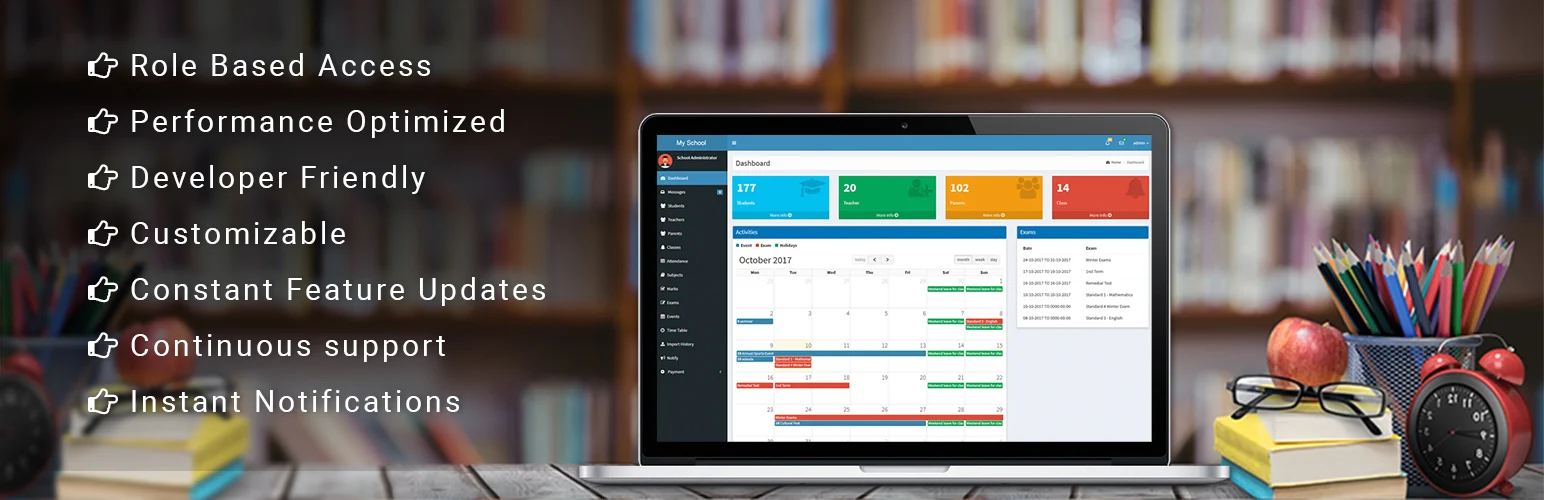
WPSchoolPress — WPSchoolPress is the most approachable all-around option for schools that want a broad administration layer without starting with a paid license. The vendor positions the core as permanently free and sells add-ons for expanded features.
Best For
Free-first school administration for classes, students, teachers and parents.
Key Features
- Student and teacher management
- Classes and sections
- Attendance and reports
- Exams and results
- Parent and student records
- Timetables and notices
- Fee structures and invoices
- Paid add-ons for additional capabilities
Pros
Broad school-management scope and a free core that can be evaluated before buying add-ons.
Cons
Schools with complex finance, transport, hostel or multi-campus requirements should verify the exact add-ons before migrating records.
Pricing
WPSchoolPress is free to use. There is no separate Pro plan for the core plugin.
2. The School Management — Best for Feature-heavy school ERP and multi-school administration

The School Management — The School Management by Weblizar is closer to an ERP than a simple student database. It covers classes, sections, admissions, attendance, homework, exams, accounting, library, hostels, transportation and communication, with role and portal features.
Best For
Feature-heavy school ERP and multi-school administration.
Key Features
- Multi-school management
- Classes, sections and subjects
- Student admission and promotion
- Attendance, exams and grading
- Fee invoices and Stripe collection
- Custom roles and permissions
- Staff management
- Front-end inquiry, account and fee shortcodes
Pros
The broadest operational feature list here for schools trying to centralize many administrative functions.
Cons
A system this wide requires careful permission, backup and security testing. Its 2026 changelog also includes a patched authenticated SQL-injection issue, so keeping it updated is essential.
Pricing
The School Management by Weblizar is a paid plugin. The vendor currently lists a single-domain license at $49 per year.
3. Educare — Best for Student results, marks, grading and attendance workflows

Educare — Educare is more focused than a full ERP. It is especially strong for schools and institutes that need to publish results, manage marks, grading rules, attendance, student records and printable result cards.
Best For
Student results, marks, grading and attendance workflows.
Key Features
- Student and teacher management
- Class, exam and academic-year management
- Results and report cards
- Custom grading rules
- Bulk CSV import and promotion
- Attendance and marks entry
- Certificate system and dashboards in Pro
- Multi-school management in Pro
Pros
Detailed results and grading functionality, with workflows that fit schools where academic records are the priority.
Cons
Several role, dashboard, attendance and multi-school features are Pro, so confirm the free/paid boundary against your requirements.
Pricing
Educare has a free plan. Premium costs $42.99 per year for 1 site, while Premium Plus is $150 for a lifetime license; Agency pricing is custom.
4. Institute Management — Best for Coaching centers and institutes managing batches, registrations and fees
Institute Management — Institute Management is better suited to coaching centers, academies and training institutes than a K-12 school ERP. Its workflow revolves around courses, batches, enquiries, registrations, students, staff and fee installments.
Best For
Coaching centers and institutes managing batches, registrations and fees.
Key Features
- Course management
- Batch management
- Front-end enquiry forms
- Student registrations
- Student and staff records
- Fee management
- Installment-based fee collection
- Shortcodes for institute workflows
Pros
A clearer fit for institutes where admissions, batches and fees matter more than parent portals or school-wide logistics.
Cons
Because courses are part of its administration model, it can sound like an LMS, but it is not a full lesson-delivery platform; use a real LMS if content delivery is the main goal.
Pricing
Institute Management Pro is currently $19 for a regular CodeCanyon license, including future updates and 6 months of support.
How to Choose the Right WordPress school management plugins
Map the school process before choosing software. If you need a broad free core, test WPSchoolPress. If you need a larger ERP-style feature set, evaluate The School Management carefully on staging. Choose Educare when results and academic records are the main problem. Institute Management fits coaching centers and academies with batch and fee workflows. For every option, verify backups, exports, role permissions and data ownership before importing real student records.
This roundup is about administration, not online course delivery. For lessons, quizzes and course sales, see our best WordPress LMS plugins. If parents or students need broader member-only areas, compare the membership plugin roundup.
School Management Data Needs More Care Than a Normal Plugin
Student records, attendance, grades, parent details and payment information can be sensitive. A school should treat a WordPress management plugin as an operational database, not just another website feature. Limit administrator access, enforce strong authentication, keep plugins updated, schedule backups and make sure you understand where files and database records are stored.
Role design is especially important. A teacher should not automatically see finance or system settings. A parent should only see records for the relevant student. Before entering real data, create test accounts for every role and verify what each account can view, edit and export.
ERP, SIS and LMS Are Different Problems
An LMS delivers learning content. A school information or ERP-style system manages people, classes, attendance, results, fees and operations. Some plugins mix pieces of both, but trying to make an LMS handle admissions or a school ERP deliver a full online course usually creates a weak system. It is reasonable to use separate tools if each has a clear source of truth and the integrations are understood.
Migration and Operational Checklist
- Test CSV import with a small sample before uploading the full student list.
- Confirm how academic years, classes and promotions preserve historical records.
- Review fee/payment handling and whether accounting exports are available.
- Create teacher, parent and student test accounts to audit permissions.
- Document backup and restore procedures before the system goes live.
- Confirm the vendor has a practical export path in case you later move to another SIS or ERP.
When WordPress Is a Good Fit for School Administration
WordPress can work well for a small school, coaching center or institute that already uses WordPress and needs a manageable student portal without buying a large enterprise system. It is especially practical when public website content and administrative forms need to live on the same platform. The trade-off is that the school becomes responsible for WordPress updates, hosting, security and backups.
For a large school district or institution with formal compliance, HR, payroll, accounting, transport, library and government-reporting requirements, a dedicated SIS or ERP may be safer. WordPress plugins can cover many features, but integration and support become more important as the number of departments grows. Do not choose a system only because the feature checklist is long.
Run a pilot with one class or one academic term before importing everything. Ask a teacher to enter attendance, a staff member to record fees, a parent to view a student account, and an administrator to export reports. Those tests reveal permission and workflow problems faster than reading documentation.
Finally, plan the exit path. Schools keep records for years. Make sure you can export students, results and financial records in a usable format and understand what happens if a paid add-on expires. Data portability is part of the buying decision, not an afterthought.
Conclusion
The best WordPress school management plugins depend on the workflow you are trying to simplify, not the longest feature list. Use the comparison above to narrow the field, verify the current vendor documentation, and test the most important workflow on staging before making it part of a production site.
Frequently Asked Questions
Is a school management plugin the same as an LMS?
No. A school management system handles administration such as students, teachers, classes, attendance, fees and results. An LMS focuses on delivering lessons, quizzes and online courses.
Can WordPress store student records safely?
It can, but schools should treat this as sensitive operational data. Use strong roles, backups, updates, HTTPS, limited admin access and any legal/privacy controls required in your region.
Can these plugins manage fees?
Several can. The School Management includes fee invoices and payment workflows, while WPSchoolPress and Institute Management also cover fee-related administration.
Should I use WordPress for a large school ERP?
For a small or medium institution, WordPress can be practical. Large organizations should evaluate reporting, permissions, integrations, data export, audit requirements and support before replacing a dedicated SIS/ERP.
Practical Setup Checklist
- Back up the site before installing a plugin that changes content or media behavior.
- Test the core workflow on staging with real content, not only demo data.
- Check mobile behavior and keyboard accessibility on the public front end.
- Review plugin update history, support activity and export options before committing.
- Document any paid add-ons or external services the workflow depends on.

