



Email verification in WordPress can mean two different jobs: proving that a person controls an inbox, or checking whether an email address is likely valid and deliverable before you accept it. WooCommerce stores often need the first. Lead-generation sites may care more about the second. Choosing the wrong type of plugin can add friction without solving the actual problem.
TL;DR
Customer Email Verification for WooCommerce by WPFactory has 8,000+ active installations and offers the deepest WooCommerce account-verification controls in this list. Customer Email Verification for WooCommerce by Zorem has 2,000+ active installs and uses an OTP-first signup flow. miniOrange OTP Login, Verification and SMS Notifications has 5,000+ installs and works across broader login, form, phone, and OTP use cases. Clearout Email Validator has 500+ installs and is the specialist choice for real-time email-quality validation rather than inbox ownership.
Quick comparison
| Plugin | Active installs | Main job | WooCommerce | Forms | External validation service |
|---|---|---|---|---|---|
| WPFactory Customer Email Verification | 8,000+ | Account ownership verification | Yes | Limited outside WooCommerce | No for normal link verification |
| Zorem Customer Email Verification | 2,000+ | OTP verification before account creation | Yes | WooCommerce-focused | No external validation API required |
| miniOrange OTP Verification | 5,000+ | Email, phone, SMS and WhatsApp OTP | Yes | 30+ form/login integrations | May depend on OTP channel/service |
| Clearout Email Validator | 500+ | Deliverability and risk validation | Yes | Yes | Yes, Clearout API |
How I evaluated these plugins
I checked each plugin’s current WordPress.org listing, adoption, maintenance, and the verification model it actually uses. I also compared when verification happens, whether unverified users can log in, WooCommerce support, form coverage, disposable-email controls, external API dependencies, and the amount of friction added to registration.
Clearout is the smallest product here at 500+ active installations, which is the minimum adoption level I normally accept for a roundup. I kept it because it solves a distinct problem that the other three do not: real-time mailbox-quality and disposable-address screening.
Verification and validation are not the same
Ownership verification sends a link or one-time code and proves that the visitor can access that inbox. It is useful for customer accounts, memberships, and registrations. Email validation analyzes the address itself for syntax, disposable domains, risk signals, and likely deliverability. It is useful for lead forms and list hygiene. Some sites need both, but they should not be treated as interchangeable.
1. Customer Email Verification for WooCommerce by WPFactory

Best for: WooCommerce stores that want granular control over verified and unverified customer accounts.
WPFactory’s Customer Email Verification for WooCommerce has 8,000+ active installations. The free version can require verification for new users, block unverified logins, verify guest billing emails, skip selected roles, show verification status in My Account, resend activation emails, and manually or automatically clean up unverified users.
Why it stands out
- Verification for new and existing customers.
- Role-based exceptions.
- Guest checkout verification support.
- Admin tools for resend, verify, unverify, and cleanup.
- Free and Pro paths with extensive WooCommerce controls.
Limitation: it is a WooCommerce account-verification tool, not a general deliverability checker for every contact form. Some advanced blocking, expiry, REST, and customization options require Pro.
2. Customer Email Verification for WooCommerce by Zorem
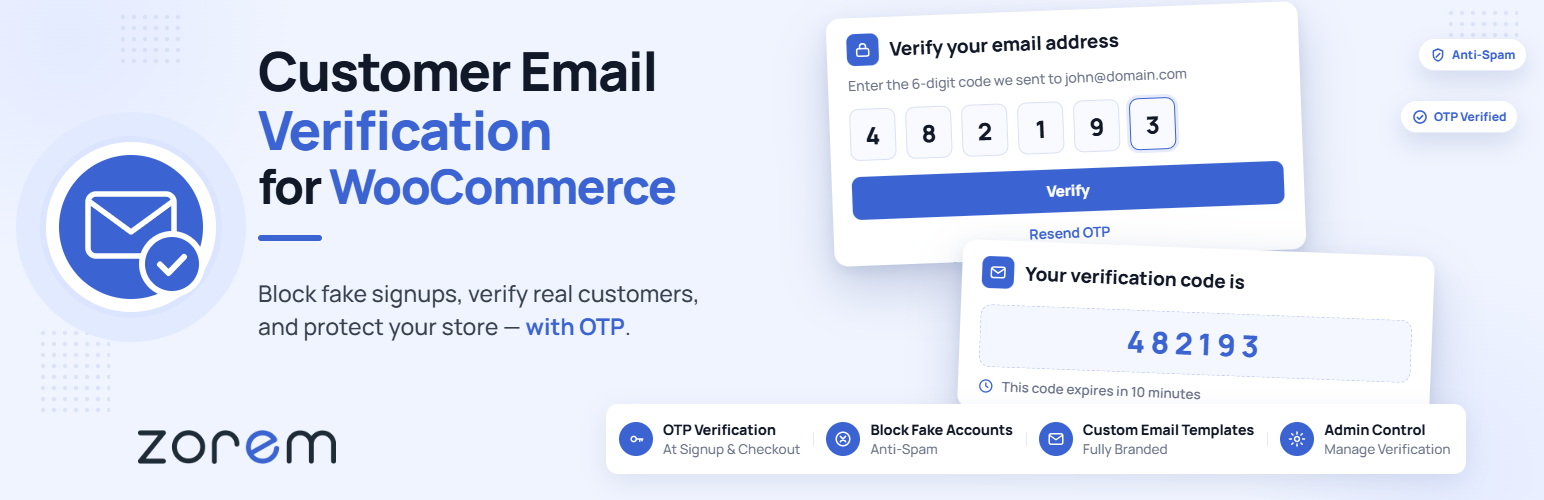
Best for: WooCommerce stores that want email ownership confirmed before the account is created.
Zorem’s Customer Email Verification for WooCommerce has 2,000+ active installations. Its current signup flow sends an OTP after the customer submits the registration form and creates the account only after successful verification. That helps prevent unverified accounts from entering the customer list in the first place.
- OTP-based email verification.
- Verification during WooCommerce registration.
- My Account workflow integration.
- Role exclusions and email customization options.
- HPOS compatibility noted by the developer.
Limitation: the focus is specifically WooCommerce registration. If your main issue is checking lead quality across many form plugins, a validator is a better fit.
3. miniOrange OTP Login, Verification and SMS Notifications

Best for: sites that need email verification together with phone, SMS, WhatsApp, login, or form OTP workflows.
miniOrange OTP Login, Verification and SMS Notifications has 5,000+ active installations and supports WooCommerce plus more than 30 registration, membership, and form integrations. It can verify email IDs and mobile numbers during registration, login, checkout, or form submission.
- Email and mobile-number OTP verification.
- WooCommerce classic and block checkout support.
- Contact Form 7, WPForms, Gravity Forms, Elementor Pro, BuddyPress, and other integrations.
- Passwordless and phone-login use cases.
- SMS and WhatsApp options for broader identity workflows.
Limitation: this is a broader authentication stack than many sites need. SMS and WhatsApp workflows can add service costs and setup complexity compared with a simple email confirmation link.
4. Clearout Email Validator

Best for: forms and checkout fields where the goal is to reject disposable, risky, or likely undeliverable addresses before submission.
Clearout Email Validator has 500+ active installations and connects WordPress forms to Clearout’s real-time validation service. The service checks factors such as disposable addresses, catch-all status, blacklist signals, gibberish, and other deliverability indicators.
- Real-time email validation.
- Disposable and risky-address checks.
- WooCommerce signup support.
- Popular form integrations.
- Rules for business-only or safe-to-send addresses.
Limitation: validation is API-based, so submitted email addresses are checked by an external service. Review your privacy requirements, consent language, service limits, and pricing before using it on sensitive forms.
Which approach should you choose?
- WooCommerce account ownership: start with WPFactory or Zorem.
- OTP across multiple forms and login flows: miniOrange is the more flexible option.
- Lead quality and bounce prevention: Clearout addresses the validation problem directly.
- High-risk orders: use email verification as one signal, not as a substitute for payment and fraud controls.
If fake accounts are the main issue, also review your WordPress user registration setup. WooCommerce stores dealing with suspicious orders should pair verification with appropriate fraud-prevention controls. And if verification emails are not reaching users reliably, fix the delivery layer with a WordPress SMTP plugin before adding more verification steps.
Final take
WPFactory and Zorem are the strongest choices when the problem is unverified WooCommerce accounts. miniOrange is better when verification is part of a broader OTP and authentication workflow. Clearout is different: choose it when you need to judge email quality before accepting a form submission. The correct tool depends on whether you are proving ownership or screening the address itself.
FAQs
What is the difference between email verification and email validation?
Verification proves that a user can access an inbox, usually through a link or OTP. Validation checks whether an address appears valid, disposable, risky, or deliverable.
Can email verification stop fake WooCommerce orders?
It can reduce orders tied to inaccessible or fake email accounts, but it does not replace payment verification, fraud scoring, phone checks, or manual order review.
Does WooCommerce verify customer emails by default?
No. WooCommerce can send account emails, but it does not provide a dedicated ownership-verification gate for every new customer account by default.
Do email-validation plugins send data to a third party?
API-based validators generally send the submitted address to their validation service. Check the provider’s privacy terms and your own disclosure requirements before enabling validation.