



Fake registrations and mistyped addresses create different problems, so “email verification” can mean two things in WordPress: proving that a user controls an inbox, or validating whether an address is likely deliverable before accepting it. The best plugin depends on which problem you are trying to solve.
TL;DR
Customer Email Verification for WooCommerce is a mature choice for WooCommerce account verification. Bulk Email Checker and EmailVerify.io focus more on real-time address validation across forms. VerifyMate is a simpler WooCommerce activation flow that runs locally for its core verification feature.
Quick comparison
| Plugin | Best for | Approach |
|---|---|---|
| Customer Email Verification for WooCommerce | WooCommerce account verification | Email/OTP activation |
| Bulk Email Checker | Form-wide address validation | API + local checks |
| EmailVerify.io | Real-time deliverability checks | Verification API |
| VerifyMate | WooCommerce registration activation | Local email verification |
How these email verification plugins were evaluated
I separated inbox-ownership verification from deliverability validation because they solve different problems. The comparison considers where verification happens, WooCommerce or form integrations, disposable-email controls, external API requirements, privacy implications, and whether an account is created before or only after successful verification.
Verification and validation are not the same
A confirmation link or OTP proves access to an inbox. A validation API tries to determine whether an address is syntactically valid, disposable, risky, or deliverable. Ecommerce sites may need the first; lead-generation sites often care more about the second.
1. Customer Email Verification for WooCommerce
Best for: WooCommerce stores that want customers to verify their email during signup.
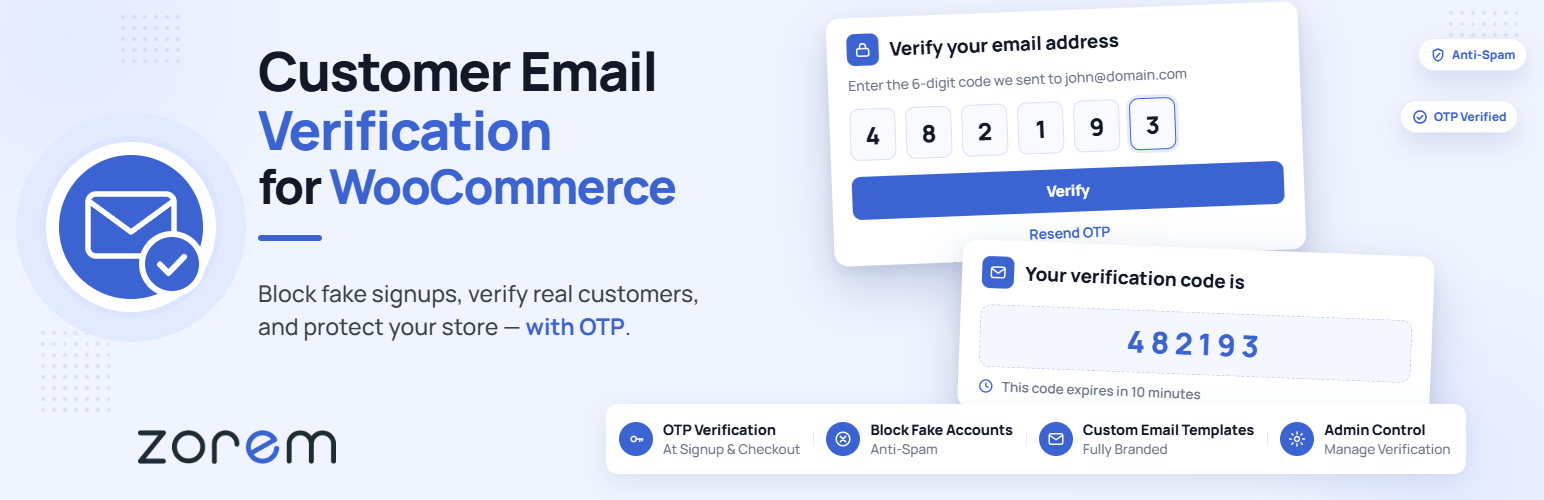
Zorem’s plugin is built specifically around WooCommerce customer verification. Its recent versions use a signup flow where account creation is tied to successful email verification, and the plugin supports OTP-style verification and WooCommerce account workflows.
Key features
- WooCommerce customer email verification
- Signup verification flow
- OTP verification support
- WooCommerce My Account integration
- HPOS compatibility noted by the developer
Limitations: Its focus is WooCommerce customer accounts rather than broad mailbox-quality validation across every form on a site.
Pricing: Free version on WordPress.org, with commercial upgrades offered by the developer.
2. Bulk Email Checker

Best for: sites that need real-time email validation across many forms and registration systems.
Bulk Email Checker combines local checks with an optional external verification service. Without an API key it can handle syntax rules, allow/block lists, and cached results; the API adds mailbox-level verification and bulk checks. The plugin lists integrations with WooCommerce, Contact Form 7, WPForms, Gravity Forms, Fluent Forms, and many other systems.
Key features
- Real-time email validation
- Many form and registration integrations
- Local syntax and allow/block checks
- Mailbox-level verification through API
- Bulk verification of existing users
Limitations: Mailbox verification sends the address to an external service and consumes service credits, so review privacy requirements and pricing.
Pricing: Plugin is available on WordPress.org; API verification uses the provider’s service plan.
3. EmailVerify.io

Best for: forms and stores that want API-based detection of invalid, disposable, and risky addresses.
EmailVerify.io checks addresses during form submission and supports common WordPress form builders plus WooCommerce checkout and registration. The service can classify invalid, temporary, catch-all, inbox-full, and other address states through its external API.
Key features
- Real-time verification API
- Disposable and temporary email detection
- WooCommerce checkout support
- Integrations with major form plugins
- Configurable verification modes
Limitations: The plugin depends on the EmailVerify.io external service, so availability, privacy, latency, and API usage limits matter.
Pricing: WordPress plugin is free to install; verification service pricing is managed by EmailVerify.io.
4. VerifyMate Email Verification for WooCommerce

Best for: WooCommerce stores wanting a straightforward email activation flow with local core functionality.
VerifyMate sends a verification email after WooCommerce registration and activates the account after the customer follows the verification link. Its WordPress.org documentation says the core verification runs locally, while temporary-domain and spam prevention are part of the Pro version.
Key features
- WooCommerce registration verification
- Email activation link workflow
- Local core verification
- No coding required for setup
- Optional Pro disposable-domain blocking
Limitations: It is primarily a WooCommerce registration tool, not a general deliverability API for arbitrary forms.
Pricing: Free version on WordPress.org; Pro adds spam and temporary-domain controls.
How to choose
Use inbox ownership verification for customer accounts, memberships, or stores where the user must prove access to the address. Use real-time validation when your main goal is reducing fake leads, bounces, disposable addresses, or poor-quality form submissions.
If fake registrations are the main problem, review verification together with your WordPress registration workflow. WooCommerce stores dealing with broader order risk should also treat email verification as one signal rather than a replacement for fraud prevention controls.
Final Take
For WooCommerce account activation, start with a purpose-built verification plugin. For broader form protection, an API validator gives more signal about address quality but adds an external service dependency.
FAQs
What is the difference between email verification and validation?
Verification usually proves that a user can access an inbox through a link or OTP. Validation checks whether an address appears valid or deliverable.
Can email verification stop fake WooCommerce orders?
It can reduce orders using inaccessible email addresses, but it does not replace payment, fraud, phone, or order-risk controls.
Do validation plugins send email addresses to third parties?
API-based validators generally send the address to their verification service. Local confirmation-link plugins may not need an external validation API.
Can I verify emails in contact forms?
Yes, several validation services integrate with popular form plugins. Account-verification plugins may be limited to WordPress or WooCommerce registration.

