
Freemium
Quick take ACPT is a WordPress data-modeling framework for building custom post types, taxonomies and custom fields without assembling several…

JetEngine is a dynamic-content framework for WordPress sites that need more than ordinary posts and pages. It can create custom post types, taxonomies, meta fields, custom content types, relations, listings, queries, profiles, dynamic tables, maps, and other data-driven interfaces. I would choose it when the project needs a coherent data model and visual output layer, especially with Elementor, Gutenberg, Bricks, or Divi. I would not buy it merely to add a few custom fields.
The value of JetEngine is the connection between data modeling and front-end output. You can define structured content, store custom values, relate records, query that data, and render it through reusable listing templates. That makes it suitable for directories, property sites, job boards, catalogs, member dashboards, resource databases, and other sites where content relationships are the core of the product.
JetEngine combines custom post types, taxonomies, meta boxes, custom content types, relations, Query Builder, Listing Grid, dynamic widgets and blocks, data stores, profile functionality, maps, dynamic tables and charts, REST API tools, and conditional output. Recent releases continue to improve query and content-model workflows rather than positioning the plugin as a simple field editor.
JetEngine can power property directories, vehicle listings, job boards, team directories, course catalogs, event databases, vendor-style catalogs, user profile systems, comparison resources, booking data structures, and searchable knowledge collections. The best fit is a site where the content has repeatable fields and meaningful relationships.
A practical property example might use Properties as a custom post type, Locations as a taxonomy, fields for price and bedrooms, a relation to Agents, a Listing template for cards, and Query Builder rules for featured or filtered results. JetEngine gives those pieces one connected workflow instead of requiring several unrelated plugins.
JetEngine is a paid product. The standalone custom subscription currently starts at $75 per year for one project, with an unlimited-project option at $169 per year. Crocoblock also sells broader bundles that include JetEngine with the other JetPlugins, plus a lifetime bundle for unlimited sites.
| Option | Sites / projects | What you get | Price |
|---|---|---|---|
| JetEngine Custom Subscription | 1 project | JetEngine, updates, support, AI-native builder access | $75/year |
| JetEngine Unlimited | Unlimited projects | Standalone JetEngine licensing for multiple projects | $169/year |
| All-Inclusive | 1 site | JetEngine plus the JetPlugins suite | $199/year |
| All-Inclusive Plus | 1 site | Full suite with expanded bundle benefits | $249/year |
| Lifetime | Unlimited sites | Full suite with lifetime updates and support | $999 once |
The standalone license is usually the rational choice when JetEngine is the only Crocoblock product you need. The bundle becomes more attractive when the same project also needs JetSmartFilters, JetBooking, JetWooBuilder, JetSearch, or several other JetPlugins. Pricing checked October 16, 2026.
Choose the one-project standalone plan when your site needs JetEngine’s data modeling, queries, and listing system but does not rely on several other Crocoblock plugins. This is often enough for a custom directory, resource library, profile site, or structured content project where filtering, booking, or specialized WooCommerce tooling is handled elsewhere.
Move to a bundle when JetEngine is only one part of a larger Crocoblock stack. A property directory may use JetEngine for the content model, JetSmartFilters for faceted filtering, JetSearch for discovery, and JetFormBuilder for submissions. Buying the bundle can make more operational sense than managing several independent licenses.
A strong JetEngine implementation begins by deciding what the records are, which fields belong to them, and how those records relate. Building the front end first often leads to duplicated fields and awkward queries later. Define post types or custom content types, taxonomies, required meta fields, and ownership rules before designing cards and archive layouts.
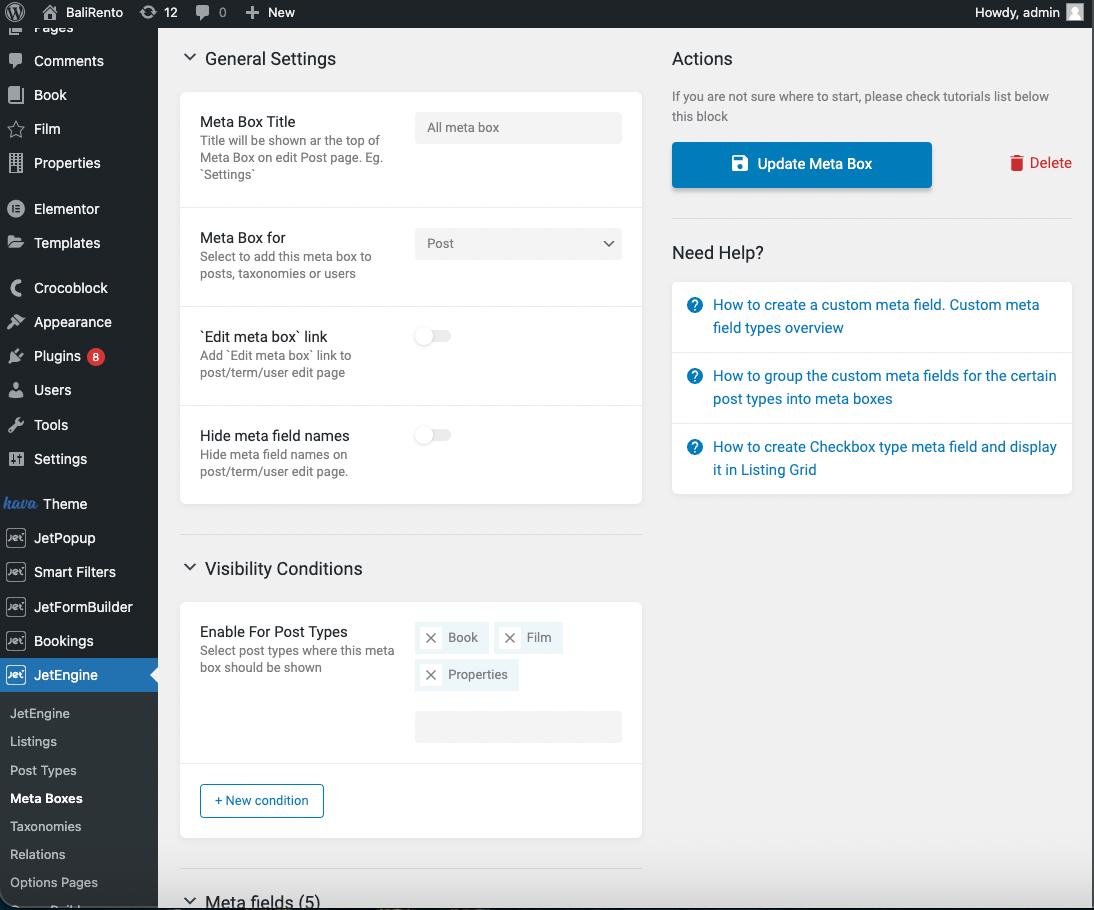
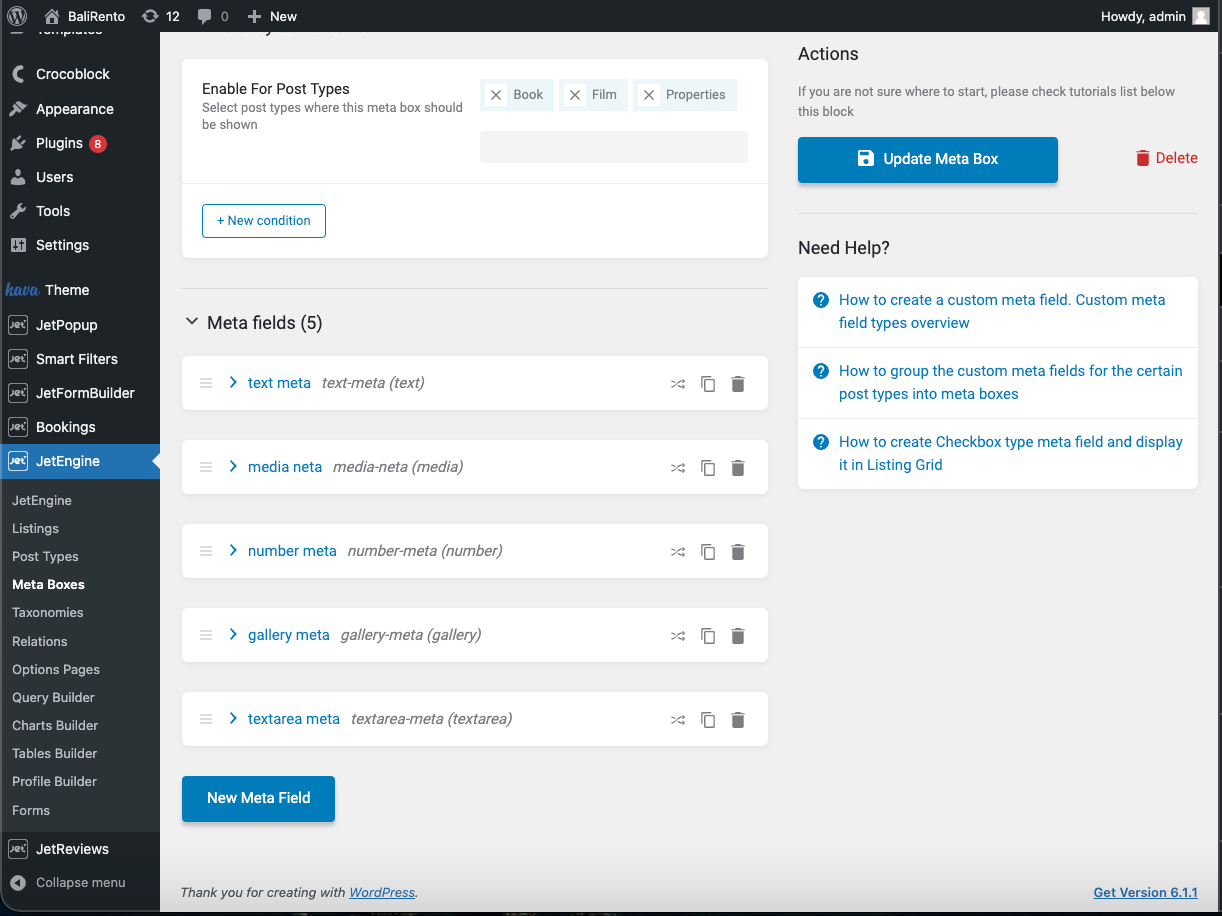
Meta boxes attach structured fields to posts, users, terms, or other supported objects. Field naming deserves care because those keys become part of queries, dynamic output, imports, integrations, and future maintenance. Use descriptive machine-friendly names and avoid creating multiple fields that represent the same concept under slightly different labels.
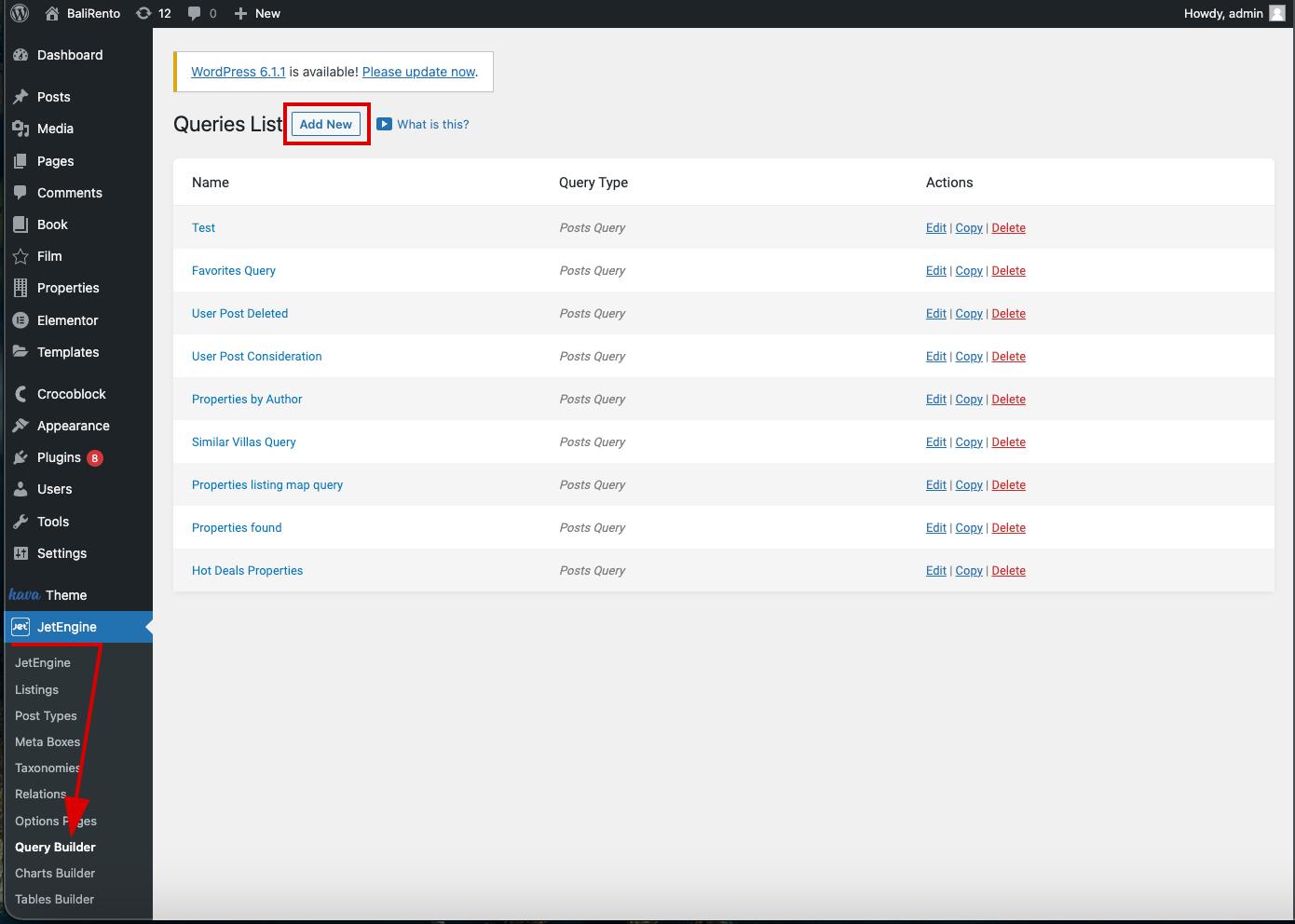
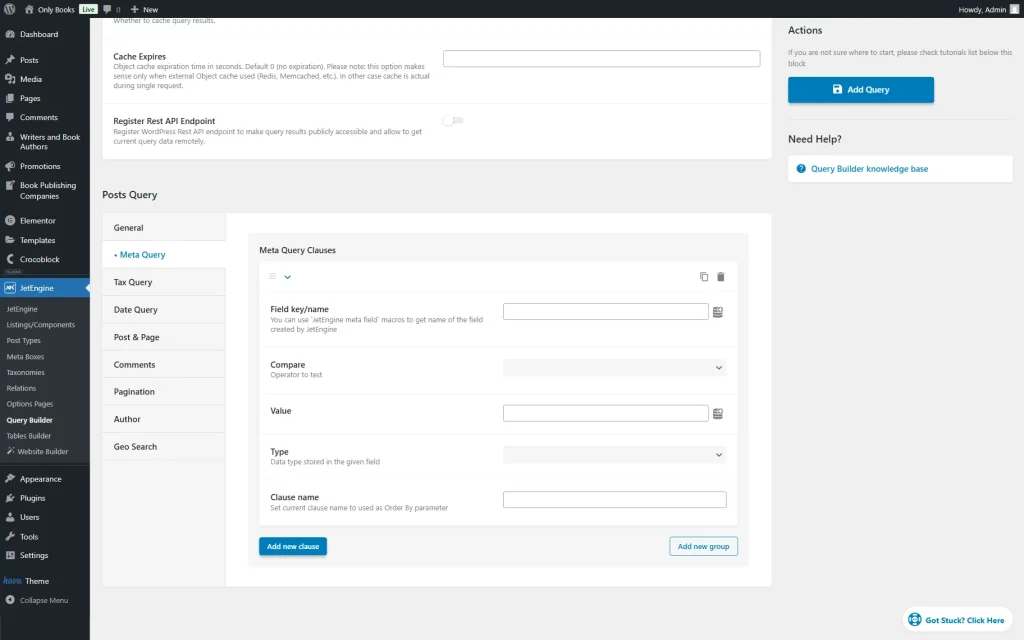
Query Builder is where JetEngine becomes much more than a custom-fields plugin. It can query posts, terms, users, comments, custom content types, SQL data, WooCommerce products, and other sources. The Posts Query type supports post status, author, meta conditions, taxonomy conditions, date rules, pagination, and other controls.
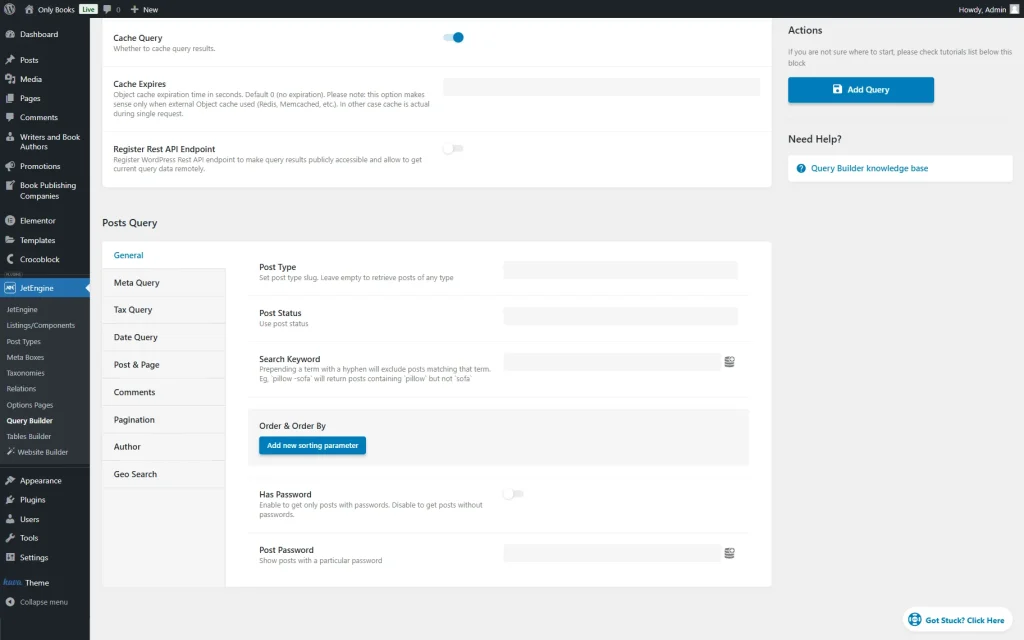
Meta queries are useful for featured records, price ranges, availability flags, or membership states. The more clauses you add, the more important it becomes to understand how the data is stored and indexed. Complex WordPress meta queries can become expensive on large datasets, so model high-volume data deliberately.
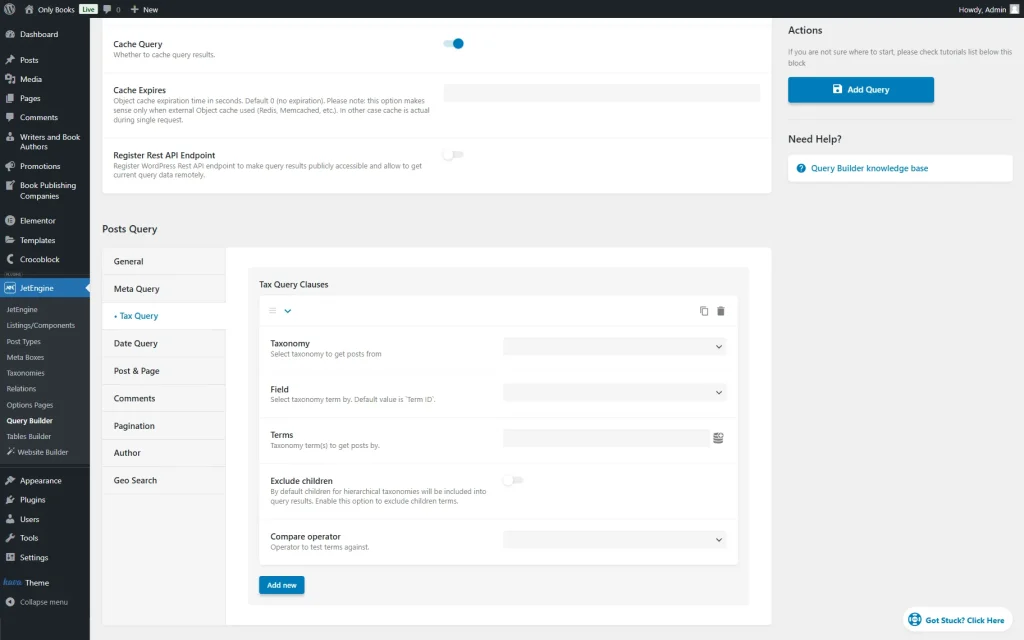
Taxonomies are often better than free-form meta fields for reusable classifications such as property type, job category, destination, vehicle brand, or topic. JetEngine can use taxonomy conditions inside Query Builder so a listing only shows records from the terms that matter to that view.
Relations let you connect posts, users, taxonomies, and custom content types in parent-child or more flexible structures. This is useful for Agent to Properties, Course to Instructors, Company to Jobs, or Destination to Tours. Query Builder can retrieve records based on those relationships instead of copying the same data into multiple posts.
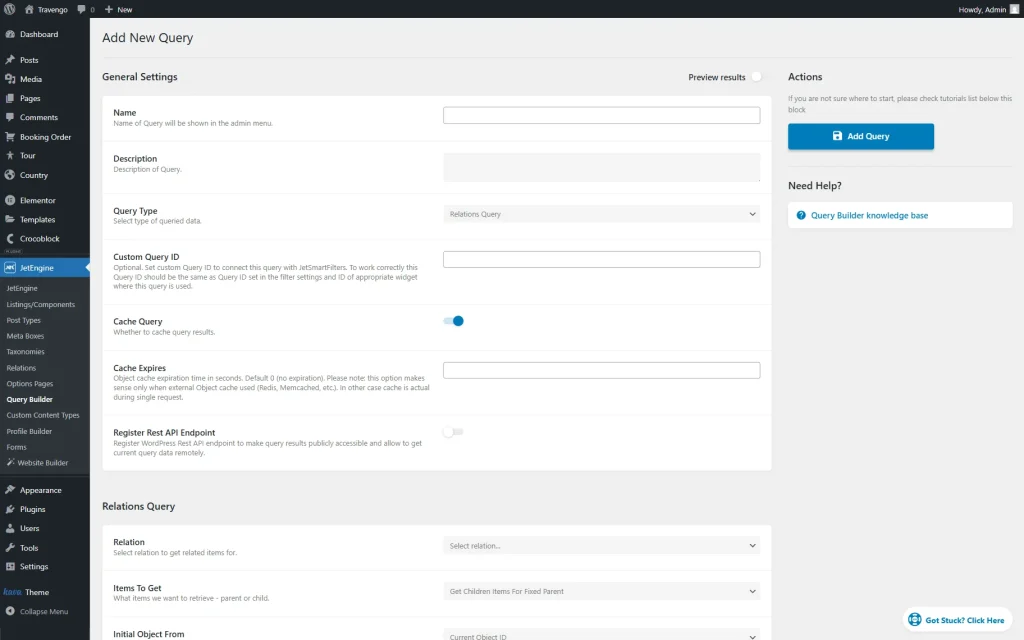
Relations are powerful, but they should represent real domain relationships. Do not create a relation merely because two pieces of content appear on the same page. If a taxonomy or simple field can represent the concept cleanly, it will usually be easier to maintain.
A Listing template defines how one record is displayed. Once a listing item is designed, the Listing Grid repeats it for the query results. This creates a reusable presentation layer for cards, archive lists, search results, profiles, and related-content sections.
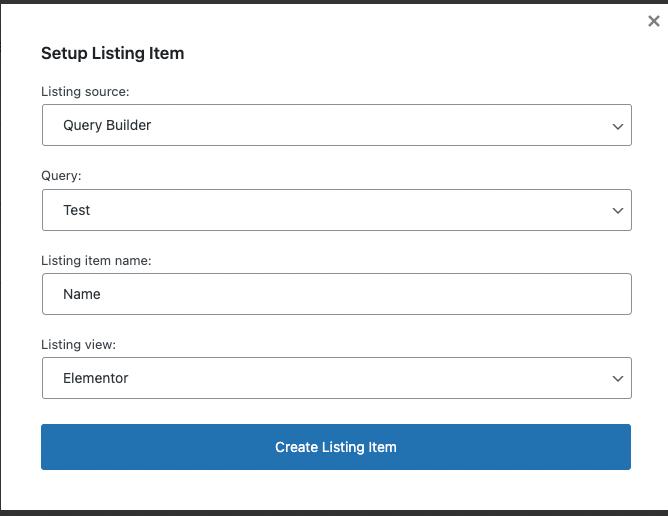
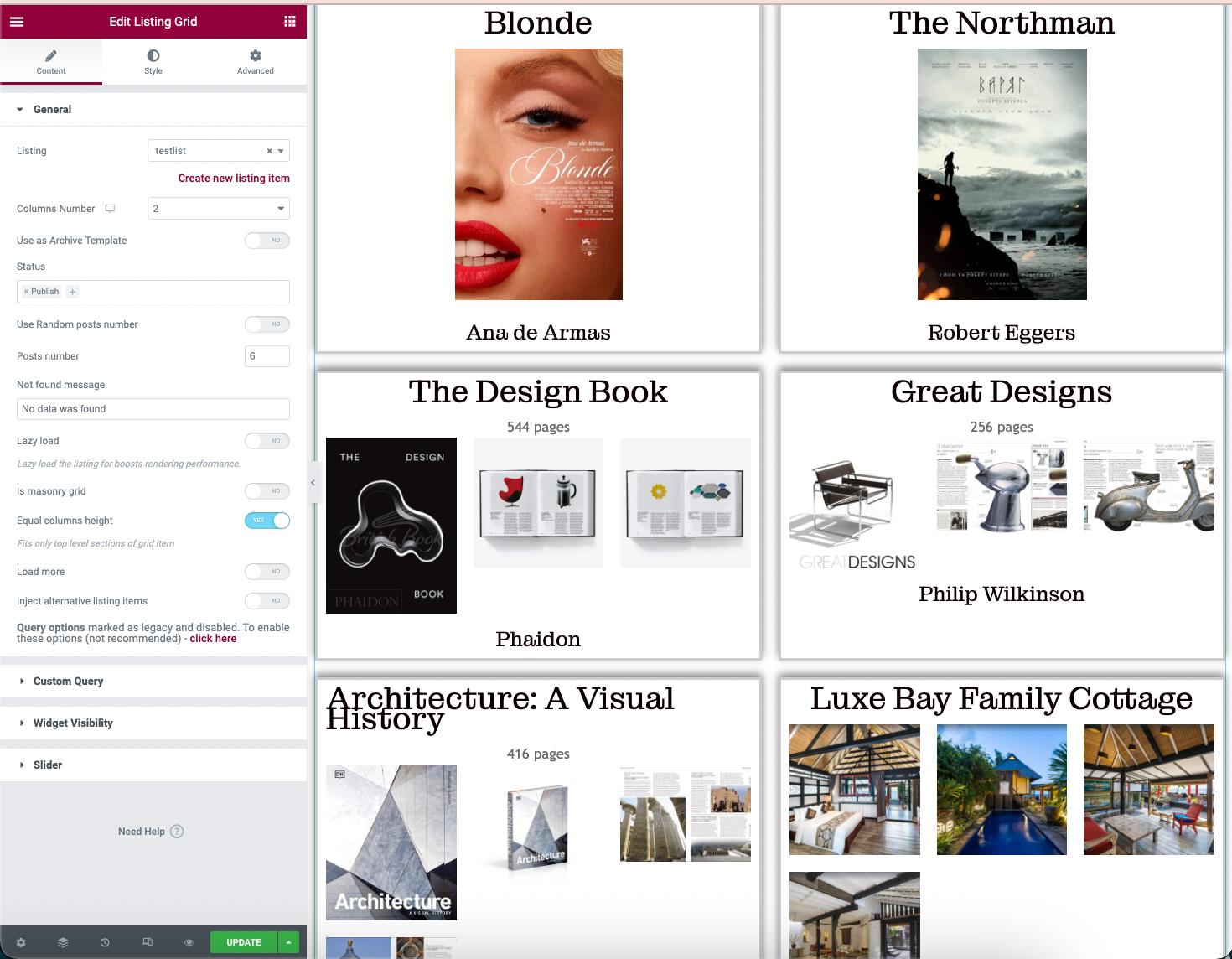
The final grid can look simple even when the data model behind it is sophisticated. That is why the editor experience and visitor experience should be evaluated separately. Editors need understandable field names and predictable relationships; visitors need fast, relevant lists with clear filters and links.
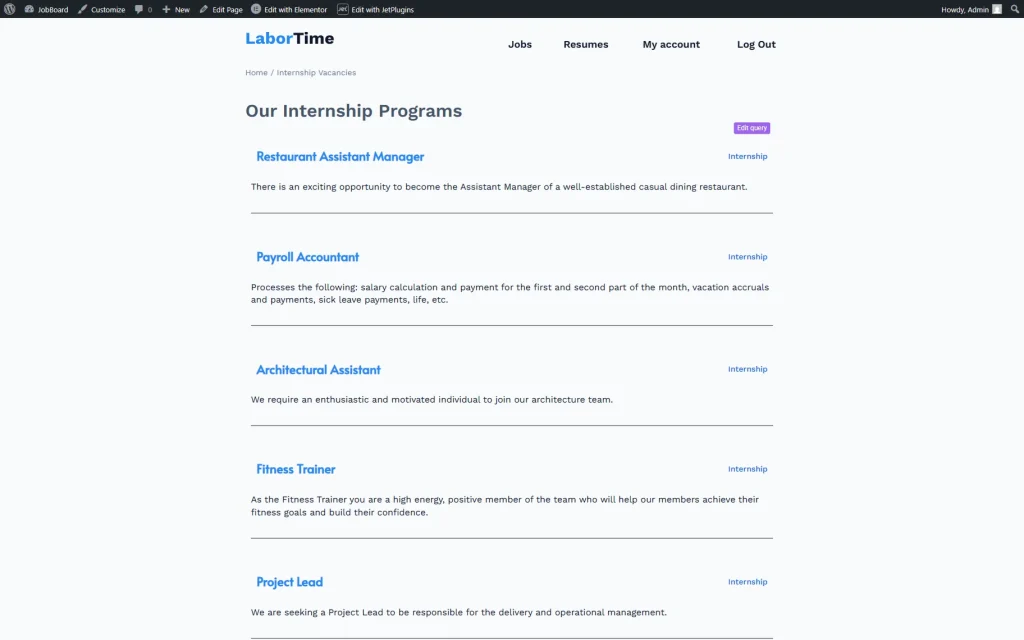
JetEngine Custom Content Types can store structured records outside the normal posts table model. That can be useful when a project has large volumes of data that do not need the full behavior of WordPress posts. CCT is not automatically faster for every project, however. Choose it because the data model fits, not because it sounds more advanced.
JetEngine supports dynamic output across Elementor, Gutenberg, Bricks, and Divi workflows, which reduces presentation lock-in compared with a single-editor-only data layer. Still, the listing template belongs to the chosen presentation system, so teams should document which builder owns each template and where queries are reused.
For client handoff, create a short data dictionary: post types, taxonomies, important field keys, relations, saved queries, and the pages that consume them. This documentation is more useful than a generic feature list when somebody has to troubleshoot the site months later.
Dynamic sites need performance rules before the database becomes large. Avoid building separate saved queries that perform the same job with tiny variations, and review any query that combines several meta clauses, relations, and sorting rules. Cache where the output allows it, paginate long listings, and test the slowest real archive rather than an empty staging database.
The content schema also needs ownership. When a field is renamed, a relation is replaced, or a custom content type changes shape, record the migration path before editors continue entering data. A small schema document with field keys, data types, relation direction, and query dependencies can prevent expensive cleanup later. JetEngine gives you the tools to model an application, but it does not decide what a maintainable application architecture looks like.
JetEngine can consolidate several dynamic-content tasks, but it also creates architectural responsibility. Poorly planned fields, deeply nested queries, duplicated relations, and unnecessary dynamic widgets can make a site difficult to debug. It is also a paid-only product, and some common requirements such as advanced filtering or booking are handled by other Crocoblock plugins rather than JetEngine alone.
I would shortlist JetEngine for agencies, no-code developers, directory builders, marketplace-style projects, membership portals, property sites, and other structured WordPress applications where custom data drives the interface. For a brochure site that needs five custom fields, ACF, Meta Box, Pods, or another narrower tool may be simpler.
JetEngine currently starts at $75 per year for one project, with an unlimited-project standalone option at $169 per year. Crocoblock All-Inclusive is $199 per year for one site, All-Inclusive Plus is $249 per year, and the unlimited-site Lifetime bundle is $999 once. Pricing checked October 16, 2026.
The current JetEngine release is version 3.8.16, released September 30, 2026. Production sites should test updates against their builder, saved queries, custom content types, relations, custom code, and filtering integrations because those layers often depend on one another.
JetEngine is one of the more complete visual data-modeling systems for WordPress. Its strongest use case is not adding a field; it is connecting structured data, queries, relations, and reusable front-end listings. If that architecture is central to the site, the $75 standalone license can be strong value. If the project is simple, the same breadth can become unnecessary complexity.
No. JetEngine is a paid Crocoblock plugin. The current standalone one-project subscription is $75 per year.
The current release is JetEngine 3.8.16, released September 30, 2026.
It can create custom post types, taxonomies, meta fields, custom content types, relations, queries, listing templates, dynamic tables, profiles, maps, and other data-driven WordPress interfaces.
Yes. JetEngine supports dynamic workflows with Gutenberg and also works with builders including Bricks and Divi, in addition to Elementor.
The current standalone unlimited-project option is $169 per year. Crocoblock also offers a $999 lifetime bundle for unlimited sites with the full JetPlugins suite.
No. Both can manage custom fields, but JetEngine goes much further with relations, Query Builder, listings, custom content types, profiles, tables, maps, and other dynamic-site features.
Not always. JetEngine can power the data model and dynamic listings by itself. Add other JetPlugins only when the project specifically needs features such as advanced filters, booking, search, or WooCommerce design tools.
Quick take ACPT is a WordPress data-modeling framework for building custom post types, taxonomies and custom fields without assembling several…
Adds structured custom fields, custom post types, taxonomies, and developer APIs for building tailored WordPress editing and data models.
Build structured WordPress content with custom post types, fields, relationships, taxonomies, settings pages, and templates.
Log in or create an account to continue.