



The default WordPress Posts, Pages, Users, and Media screens hide a surprising amount of useful information. Editors end up opening individual records just to check a slug, featured image, custom field, SEO value, stock number, or status. Admin column plugins turn those list tables into working dashboards.
I separated broad column-management tools from specialist plugins in this roundup. That way you can choose a full admin-table system when you need sorting and inline editing, or install a tiny plugin when you only need one extra column.
Quick Answer: Best WordPress Admin Column Plugins
- Admin Columns: best overall for configurable list tables, with Pro sorting, filtering, inline editing, bulk editing, and integrations.
- WP Adminify: best when admin columns are part of a larger client-dashboard and admin customization project.
- ACF Quick Edit Fields: best free specialist for exposing and editing ACF fields in list tables.
- Admin Slug Column: best tiny plugin for seeing URL paths directly in post lists.
- Slug Search and Admin Columns: best lightweight SEO/editorial helper for slug search, IDs, modified dates, word counts, and thumbnails.
Admin Column Plugin Comparison
| Plugin | Best for | Quick/inline editing | Special integrations | Pricing |
|---|---|---|---|---|
| Admin Columns | Full list-table management | PRO | ACF, WooCommerce, Rank Math, more | Free; Pro from $79/year |
| WP Adminify | Broader admin customization | Admin tooling varies by plan | Admin suite | Free; Pro $79/year |
| ACF Quick Edit Fields | ACF metadata | Yes for supported ACF fields | ACF | Free |
| Admin Slug Column | URL paths | No | All post types | Free |
| Slug Search and Admin Columns | Editorial/SEO visibility | No | General post types | Free |
What Admin Columns Actually Save You
The benefit is not cosmetic. On a site with hundreds or thousands of records, a useful list table reduces clicks, makes bulk QA possible, and exposes inconsistent data before it becomes a frontend problem. This is especially valuable when your content architecture uses custom fields or custom post types.
1. Admin Columns — Best Overall WordPress Admin Column Plugin
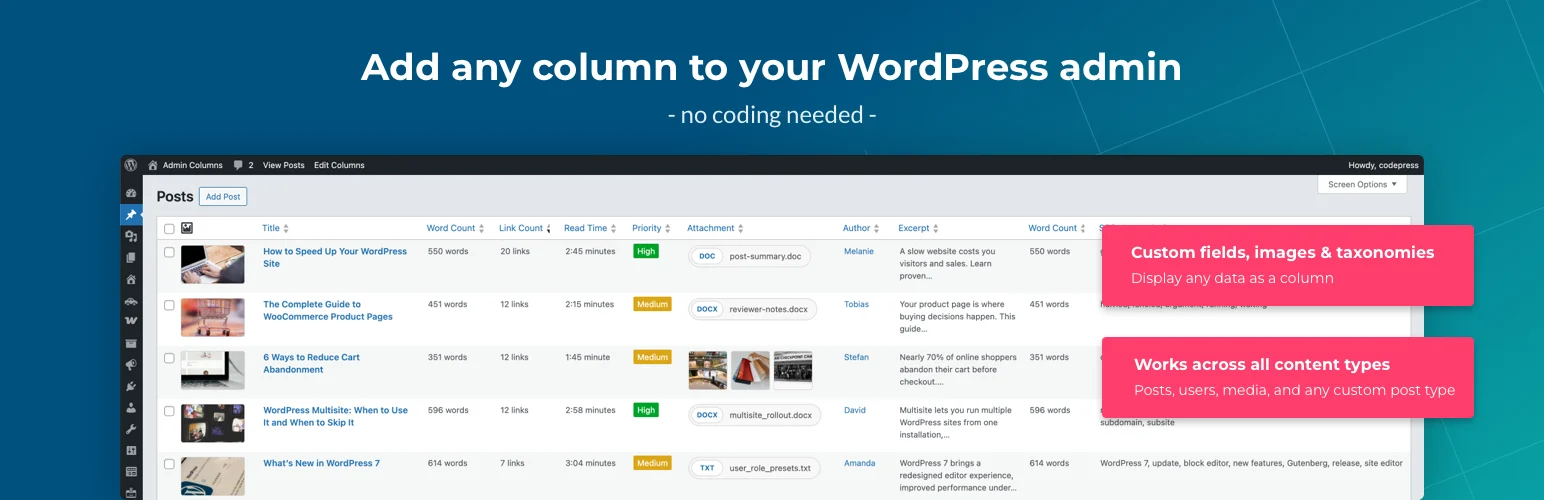
Admin Columns is the strongest general-purpose option. The free plugin can add, remove, reorder, and resize columns across posts, pages, users, comments, media, taxonomies, and custom post types, with a large library of column types.
Admin Columns Pro turns those tables into operational interfaces with smart filtering, sorting, inline editing, bulk editing, CSV export, conditional formatting, column sets, and integrations for tools such as ACF, WooCommerce, Meta Box, Pods, Rank Math, and SEOPress.
List-table features
- Drag-and-drop column configuration
- 200+ free column types and broader Pro library
- Custom fields, taxonomies, media, users, and CPT support
- PRO smart filtering and sorting
- PRO inline/bulk edit and CSV export
- PRO integrations with ACF, WooCommerce, Rank Math, Meta Box, Pods, and more
Pros: Most complete admin-table workflow and excellent integration ecosystem.
Cons: The features that make it a true data-management interface are mostly in Pro.
Pricing: Free core; Pro single-site license starts at $79/year on the current pricing page.
Best for: Editorial teams, WooCommerce stores, directories, and structured content sites with large datasets.
2. WP Adminify — Best for a Complete Admin Customization Suite
WP Adminify is broader than an admin column plugin. It combines admin menu editing, white labeling, dashboard widgets, login customization, media organization, dark mode, security tweaks, and an admin columns editor under one product.
I would choose it when the real project is a client-ready WordPress backend and columns are one requirement among many. If columns are the only goal, Admin Columns is more focused.
Admin-suite features
- Admin columns editor
- Admin menu editor and menu search
- White labeling and client dashboard tools
- Custom dashboard widgets
- Media/admin productivity modules
- Multisite support on paid plans
Pros: Can replace several separate backend-enhancement plugins in client projects.
Cons: Broader product means more settings and surface area than a dedicated columns plugin.
Pricing: Free version available; Pro Personal starts at $79/year for one website.
Best for: Agencies building branded, simplified WordPress dashboards for clients.
3. ACF Quick Edit Fields — Best Free Tool for ACF Columns and Quick Edit

ACF Quick Edit Fields is a specialist plugin for sites built around Advanced Custom Fields. It can expose ACF values as columns and add supported fields to Quick Edit or Bulk Edit workflows.
That can save a huge amount of time on directories, product catalogs, editorial databases, or any CPT where staff repeatedly updates the same ACF metadata. I would test your specific field types carefully because complex repeaters and relationship-style data are not as simple as text or select fields.
ACF workflow features
- Display ACF fields in WordPress list tables
- Quick Edit support for compatible fields
- Bulk Edit support for compatible fields
- Column filtering options
- Works with post-type admin screens
- Useful for ACF-heavy content operations
Pros: Free and tightly focused on a real ACF workflow problem.
Cons: Dependent on ACF and not as broad or polished as a full admin-table suite; test complex field types.
Pricing: Free.
Best for: ACF sites where editors frequently update field values from list screens.
4. Admin Slug Column — Best Tiny Plugin for URL Paths
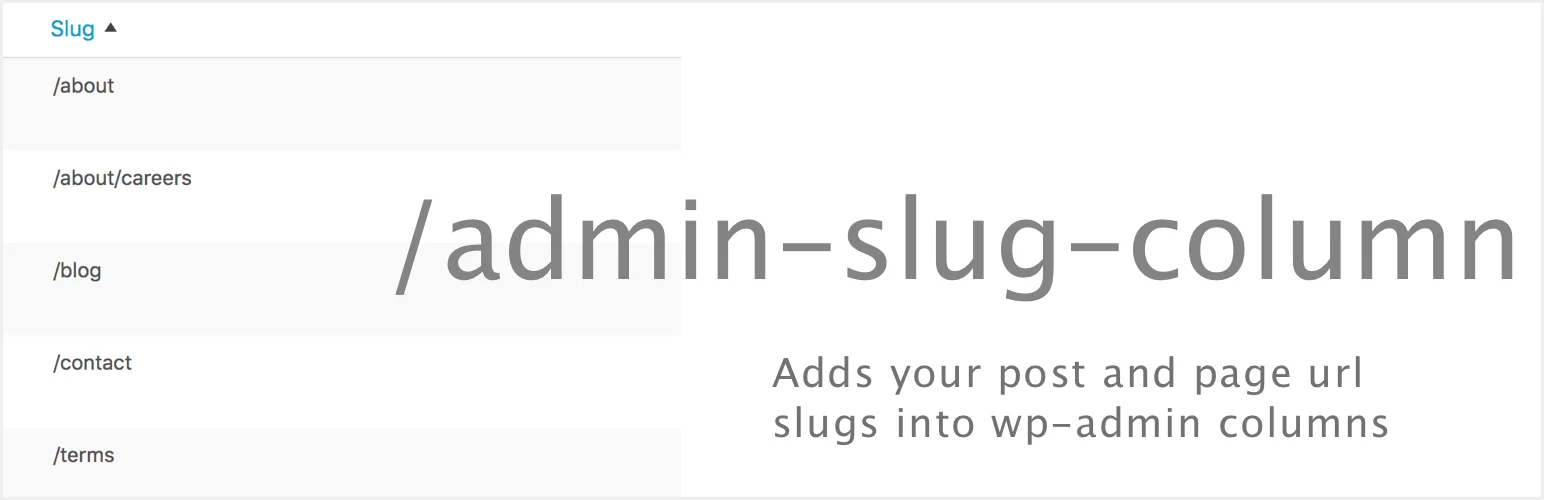
Admin Slug Column does one job: it adds the URL path to post-type list screens. Child pages can show their nested path, and drafts or scheduled content are visually distinguished.
That sounds minor until you manage hundreds of similarly named landing pages or need to spot duplicate/incorrect slugs quickly. The plugin was refreshed in 2026 and supports posts, pages, custom post types, and WooCommerce products.
Slug-column features
- Adds URL path/slug column to admin lists
- Supports posts, pages, CPTs, and WooCommerce products
- Shows nested paths for child pages
- Supports multibyte characters
- Can be shown or hidden through Screen Options
- Updated for modern WordPress/PHP compatibility
Pros: Very small, focused, and useful for SEO/editorial QA.
Cons: Only solves the slug/path visibility problem; no broad custom column builder or inline editing.
Pricing: Free.
Best for: SEO teams and editors managing large page libraries where URLs matter as much as titles.
5. Slug Search and Admin Columns — Best Lightweight Editorial Column Pack

Slug Search and Admin Columns adds a practical bundle of list-table improvements: slug search plus columns for ID, slug, last modified date, word count, and featured image.
I like it for editorial and SEO teams that need more visibility than WordPress provides by default but do not need a full drag-and-drop column framework. Being able to search by slug is particularly handy on sites with templated or similar page titles.
Editorial features
- Search posts, pages, and CPTs by slug
- ID column
- Slug column with copy-to-clipboard workflow
- Last modified date column
- Word count column
- Featured image/thumbnail column
Pros: Useful editorial defaults with minimal setup and no premium dependency.
Cons: Fixed feature set compared with a configurable system such as Admin Columns.
Pricing: Free.
Best for: Content and SEO teams that want common admin columns and slug search without a large admin suite.
For Editors vs Developers
Editors usually benefit most from inline edit, filters, clear metadata, slugs, thumbnails, and modified dates. Developers care more about CPT support, custom field integrations, extensibility, and whether column configuration can be migrated between sites. Choose based on who spends the most time in the list table.
If you need to move the underlying data—not just see it—pair your admin workflow with a reliable WordPress import/export plugin.
Conclusion
Admin Columns is the most capable general solution, WP Adminify makes sense for a broader client-dashboard project, and the three specialist plugins are excellent when your need is narrow. Do not install a huge backend suite just to display a slug—but do not settle for a tiny helper if your editors really need filtering, inline editing, and structured data at scale.
Frequently Asked Questions
What is the best WordPress admin columns plugin?
Admin Columns is the strongest overall option because it supports many content types and becomes a full filtering, editing, and export interface with Pro.
Can WordPress admin columns show custom fields?
Yes. Admin Columns and specialist tools such as ACF Quick Edit Fields can expose metadata directly in list tables. Support depends on the field plugin and field type.
Can I edit content directly from an admin column?
Some plugins support inline or quick editing. Admin Columns Pro provides extensive inline and bulk editing, while ACF Quick Edit Fields targets compatible ACF data.
Do admin column plugins affect the frontend?
Most admin-column plugins work only in wp-admin and do not change the public content layout. They can still add backend queries, so keep the configuration sensible on very large datasets.
Are admin column plugins useful for SEO?
Yes. Showing slugs, modified dates, SEO metadata, word counts, and custom fields in list tables makes large-scale content QA much faster.

