



A custom post type is the right tool when a piece of content deserves its own lifecycle, admin screen, archive, permissions, URL rules, and taxonomy structure. Events, properties, team members, case studies, courses, jobs, reviews, and directories are common examples.
You can register a CPT in PHP, but a good WordPress custom post type plugin makes the structure easier to create, document, export, and hand off. The four tools below cover everything from lightweight registration to complete dynamic-site building.
TL;DR: Custom Post Type Plugins for WordPress
- Custom Post Type UI: best dedicated no-code CPT and taxonomy registrar.
- Pods: best free all-in-one option for CPTs, fields, relationships, and templates.
- Meta Box: best modular framework when CPTs need sophisticated custom data too.
- Toolset: best paid no-code package for CPTs plus frontend templates, searches, forms, and relationships.
CPT vs Custom Field vs Taxonomy
Use a custom post type when the content should exist as its own record—for example, a property or event. Use a custom field for attributes of that record, such as price or event date. Use a taxonomy to group records, such as property type or event category.
Those three pieces often work together. That is why several CPT plugins also include field or taxonomy tools. If fields are the bigger part of your project, read our custom field plugin comparison alongside this guide.
Quick Comparison Table
| Plugin | CPTs | Taxonomies | Fields | Pricing |
|---|---|---|---|---|
| Custom Post Type UI | Yes | Yes | No in free core | Free; Pro available |
| Pods | Yes | Yes | Yes | Free |
| Meta Box | Yes | Yes | Yes | Free core; bundles from $49/year |
| Toolset | Yes | Yes | Yes | From €69 |
1. Custom Post Type UI (CPTUI) — Best Dedicated CPT Plugin
Custom Post Type UI is the cleanest choice when your main goal is simply to register custom post types and taxonomies without writing register_post_type() and register_taxonomy() code by hand.
It has more than a million active installations and keeps the responsibility clear: define labels, slugs, capabilities, archive behavior, REST settings, supports, and taxonomy relationships through a UI. The newer CPT UI Pro extends the workflow into display blocks and admin-table tooling, but the free plugin remains an excellent registrar.
Registration features
- Visual custom post type registration
- Custom taxonomy registration
- Detailed labels and advanced registration settings
- Import/export tools for CPTUI configuration
- REST API and rewrite settings
- CPT UI Pro adds display and admin list-table tools
Pros: Focused, mature, widely supported, and easy to hand off.
Cons: The free plugin registers structure but does not become your complete field/template system.
Pricing: Free core; CPT UI Pro is a separate paid upgrade.
Best for: Sites that want clean CPT/taxonomy registration while choosing separate field and display tools.
2. Pods — Best Free All-in-One Structured Content Tool
Pods can create custom post types and custom taxonomies, but it also adds custom fields, relationships, settings pages, templates, blocks, and even Advanced Content Types with their own custom tables.
That breadth makes Pods useful when your CPT is only the beginning of the data model. You can build a “Property” type, add fields and relationships, connect agents or locations, and output the data without adding a separate field framework.
Content modeling features
- Create custom post types and taxonomies
- Extend existing WordPress content types
- Custom fields and conditional logic
- Content relationships
- Blocks, shortcodes, and Pods templates
- Advanced Content Types with custom tables
Pros: Huge free feature set and strong relationship/data modeling tools.
Cons: Heavier learning curve than a dedicated CPT registrar.
Pricing: Free.
Best for: Directories, listings, and structured content sites that want one free framework.
3. Meta Box — Best Modular CPT + Field Framework
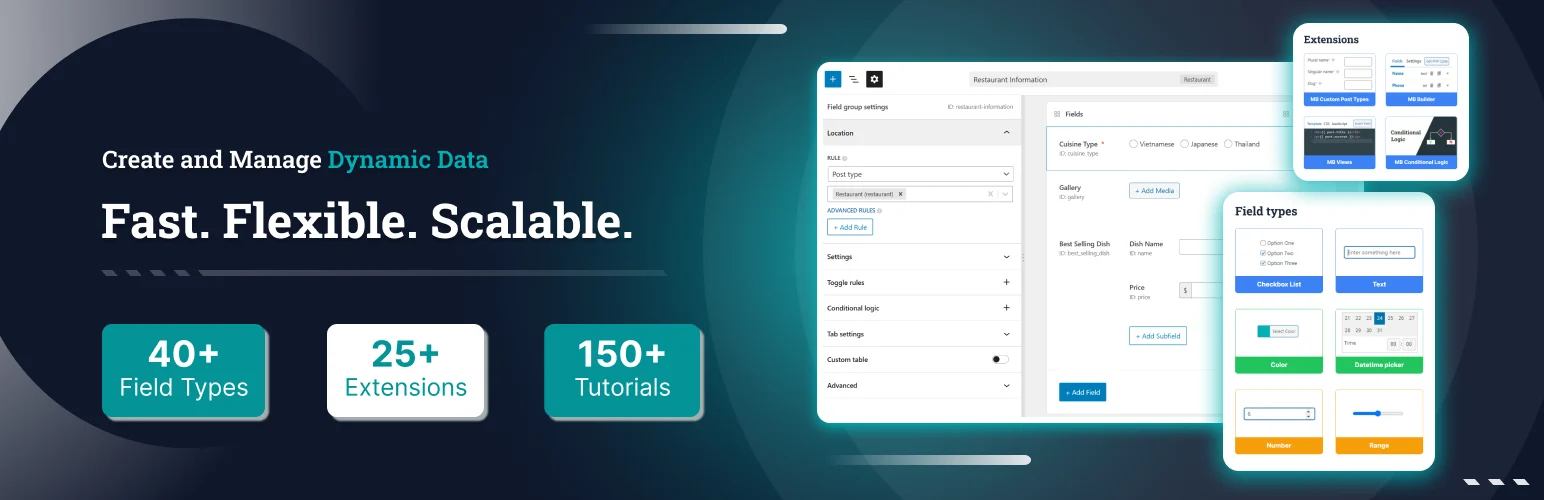
Meta Box now covers far more than metaboxes. With its visual tooling and extensions, you can register custom post types and taxonomies, attach advanced fields, create relationships, use custom tables, build settings pages, and connect the data to modern WordPress blocks.
The modular design is attractive for developers who want the site architecture under one ecosystem but still prefer native WordPress storage and a framework that can scale from code-driven to visual configuration.
Structured content features
- Custom post type and taxonomy tooling
- 40+ custom field types
- Relationships and custom tables
- Settings pages and frontend submission extensions
- Block Bindings and builder integrations
- Modular free and paid extension model
Pros: Strong balance between developer control, data modeling, and UI tooling.
Cons: A complete implementation may require paid bundles/extensions beyond the free core.
Pricing: Free core; Basic Bundle starts at $49/year for one site.
Best for: Professional sites that want CPTs and advanced metadata under one modular framework.
4. Toolset — Best for No-Code CPT Sites from Database to Frontend
Toolset is the most complete “build the entire structured site” option in this list. It combines custom post types, fields, taxonomies, relationships, templates, archives, searches, maps, forms, and access controls.
That makes sense for a site owner who does not want to register a CPT in one plugin, fields in another, and frontend templates in a third. The tradeoff is a larger paid platform and more lock-in to its workflow.
No-code site-building features
- Custom post types, taxonomies, and fields
- Post relationships
- Block-based templates and archives
- Custom search and filtering
- Frontend forms and maps
- Access control tools
Pros: End-to-end no-code architecture for complex content sites.
Cons: Paid and broader than necessary for simple CPT registration.
Pricing: Paid plans start from €69.
Best for: Non-coders building directories, listing sites, membership content, or complex structured frontends.
When I Would Register a CPT in Code Instead
If a custom post type belongs to a product plugin or a custom theme/plugin that will be deployed across many sites, registering it in version-controlled PHP can be cleaner. A plugin UI is better when non-developers need to adjust the structure or when the CPT is site-specific configuration.
Whatever method you choose, plan migration early. CPTs frequently carry custom fields and taxonomies, so a reliable WordPress import/export workflow matters when content moves between environments.
Conclusion
Use CPTUI when you want a focused registrar, Pods when you want the strongest free all-in-one framework, Meta Box for modular professional builds, and Toolset for an integrated no-code frontend workflow. The best choice is the one that matches how much of the site architecture you want one plugin to own.
Frequently Asked Questions
What is the best WordPress custom post type plugin?
Custom Post Type UI is the best dedicated registrar. Pods is my preferred free all-in-one option when you also need fields and relationships.
Do custom post types slow down WordPress?
A well-registered CPT is not inherently slow. Performance depends more on queries, metadata volume, relationships, templates, and the plugins that operate on the content.
Can I create a CPT without a plugin?
Yes. Developers can register custom post types with WordPress functions in a theme or, preferably for portable functionality, a custom plugin.
Should a CPT be created in a theme or plugin?
If the content type should survive a theme change, registration in a plugin is usually the safer architecture.
Can I move a CPT to another plugin later?
Usually yes if you preserve the same post type key and metadata/taxonomy structure, but always test on staging because templates and plugin-specific settings may not migrate automatically.

