
RecommendedEditors Choice
Fix WordPress email delivery with authenticated SMTP or API mailers, guided setup, testing, and optional Pro logging, routing, failover, alerts,…

FluentSMTP is a free WordPress SMTP and transactional-email routing plugin from WPManageNinja. It replaces the default WordPress mail path with a configured email provider and adds the operational tools most sites need to understand whether messages were sent successfully: email logs, multiple connections, conditional routing, fallback, alerts, connection health checks, resend tools, and test email.
I would shortlist FluentSMTP for WooCommerce stores, membership sites, form-heavy websites, LMS platforms, SaaS products, and any WordPress site where password resets, order emails, form notifications, invoices, or account messages are business-critical. The plugin itself is free. The main cost and deliverability decisions come from the external email service you connect.
Best for: WordPress sites that want a free SMTP layer with logs, multiple providers, fallback, routing, alerts, health checks, and provider API support.
Price: Free. There is no FluentSMTP Pro edition.
Current release reviewed: 2.4.1, released September 27, 2026.
WordPress requirement: WordPress 6.5+ and PHP 7.4+.
Important: FluentSMTP is the mail-routing layer. Your connected provider still controls sending limits, account approval, reputation, and provider charges.
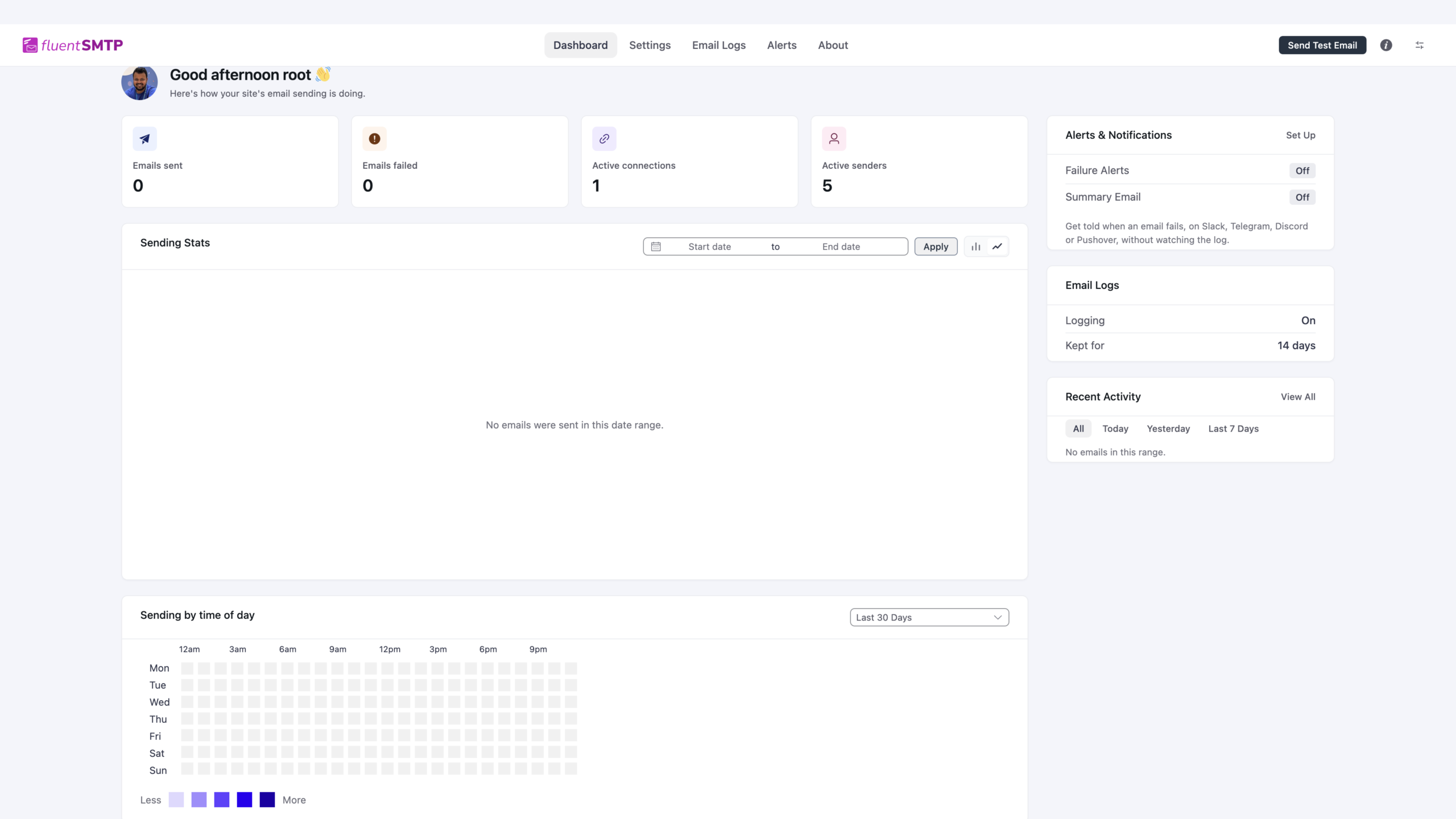
| Area | What FluentSMTP can do | Cost |
|---|---|---|
| Email sending | Route WordPress mail through supported provider APIs or standard SMTP | Free plugin |
| Email logs | Store outgoing email records, inspect failures, filter messages, review server responses, and resend | Free |
| Multiple connections | Configure more than one provider or sender instead of relying on one mail route | Free |
| Conditional routing | Send different WordPress emails through different connections based on sender rules | Free |
| Fallback | Use a secondary connection when the primary route fails | Free |
| Alerts | Send failure notifications through supported channels such as Slack, Discord, Telegram, Pushover, and email summaries | Free |
| Connection health | Run daily health checks and surface connection problems in the dashboard | Free |
| Test email | Send a controlled test through a selected connection before relying on production notifications | Free |
| WP-CLI | Run test email, connection health, stats, and log-pruning commands from the command line | Free |
| Email simulation | Test WordPress mail flows without actually delivering every message | Free |
The most important thing to understand about FluentSMTP is what it does not sell. It does not operate a bundled email-delivery network and it does not charge you for a Pro feature tier. Instead, it connects WordPress to an external provider and gives you the routing, logging, fallback, testing, and monitoring layer inside WordPress.
That means the actual sending limits and costs depend on the provider. A site can use a low-cost transactional service, a free allowance, a Google or Microsoft mailbox, Amazon SES, or another supported option. For a serious ecommerce or membership site, I would choose the provider based on deliverability, volume, region, compliance requirements, and support rather than simply picking the cheapest SMTP credentials available.
Current FluentSMTP connections include Gmail and Google Workspace, Amazon SES, Outlook and Office 365, SendGrid, Mailgun, Postmark, Brevo, SMTP2GO, SparkPost, Cloudflare Email Sending, toSend, Zoho, Elastic Email, and standard SMTP connections. Provider-specific API connections are useful when you want to avoid relying on a basic username/password SMTP setup.
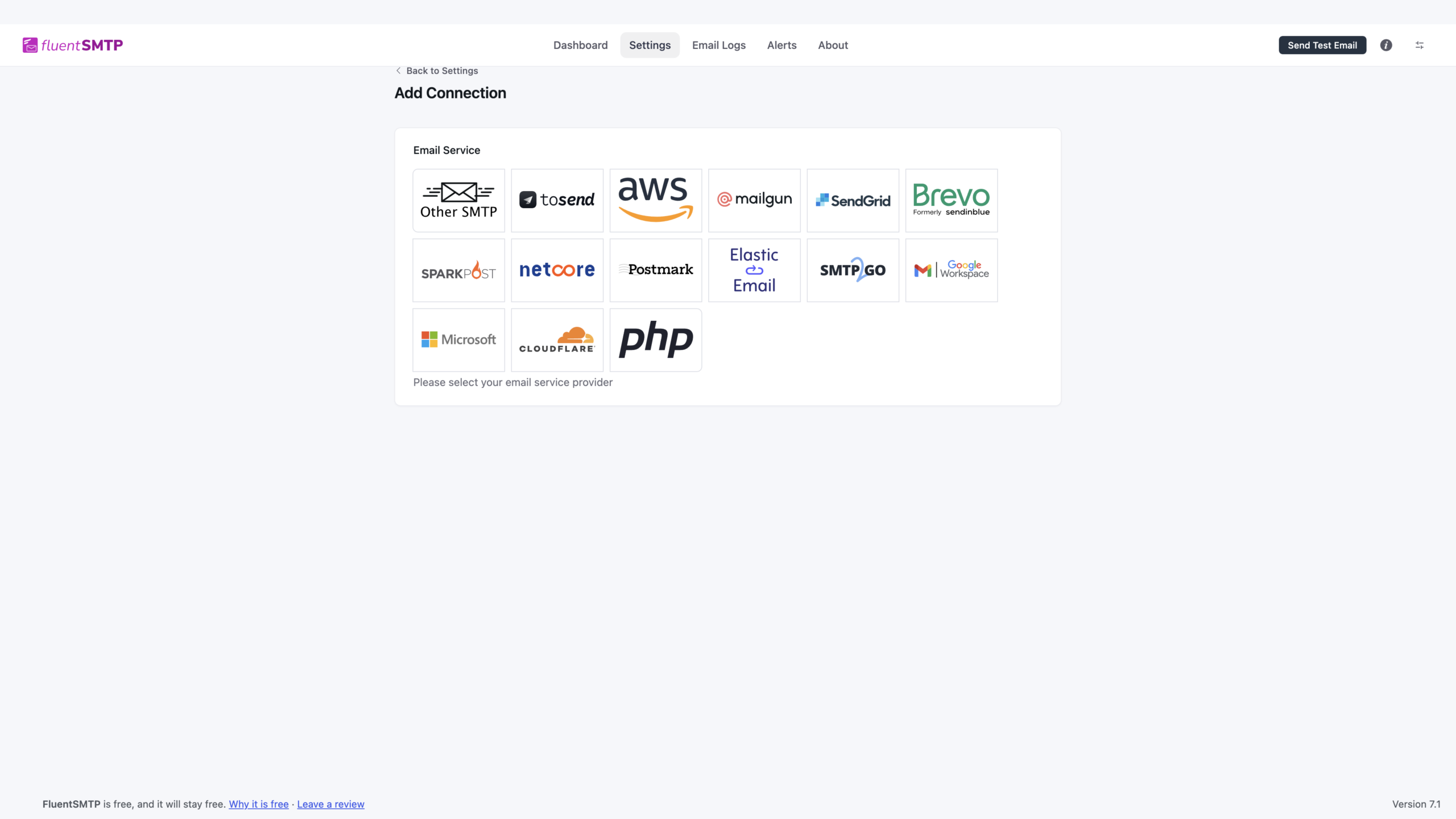
Version 2.3 added Cloudflare Email Sending, while 2.4.1 expanded Amazon SES region support and fixed connection-specific issues affecting Outlook, Postmark, Mailgun, SMTP2GO, and SparkPost. If you use a provider with OAuth or API credentials, keep the plugin updated because authentication behavior can change independently of WordPress itself.
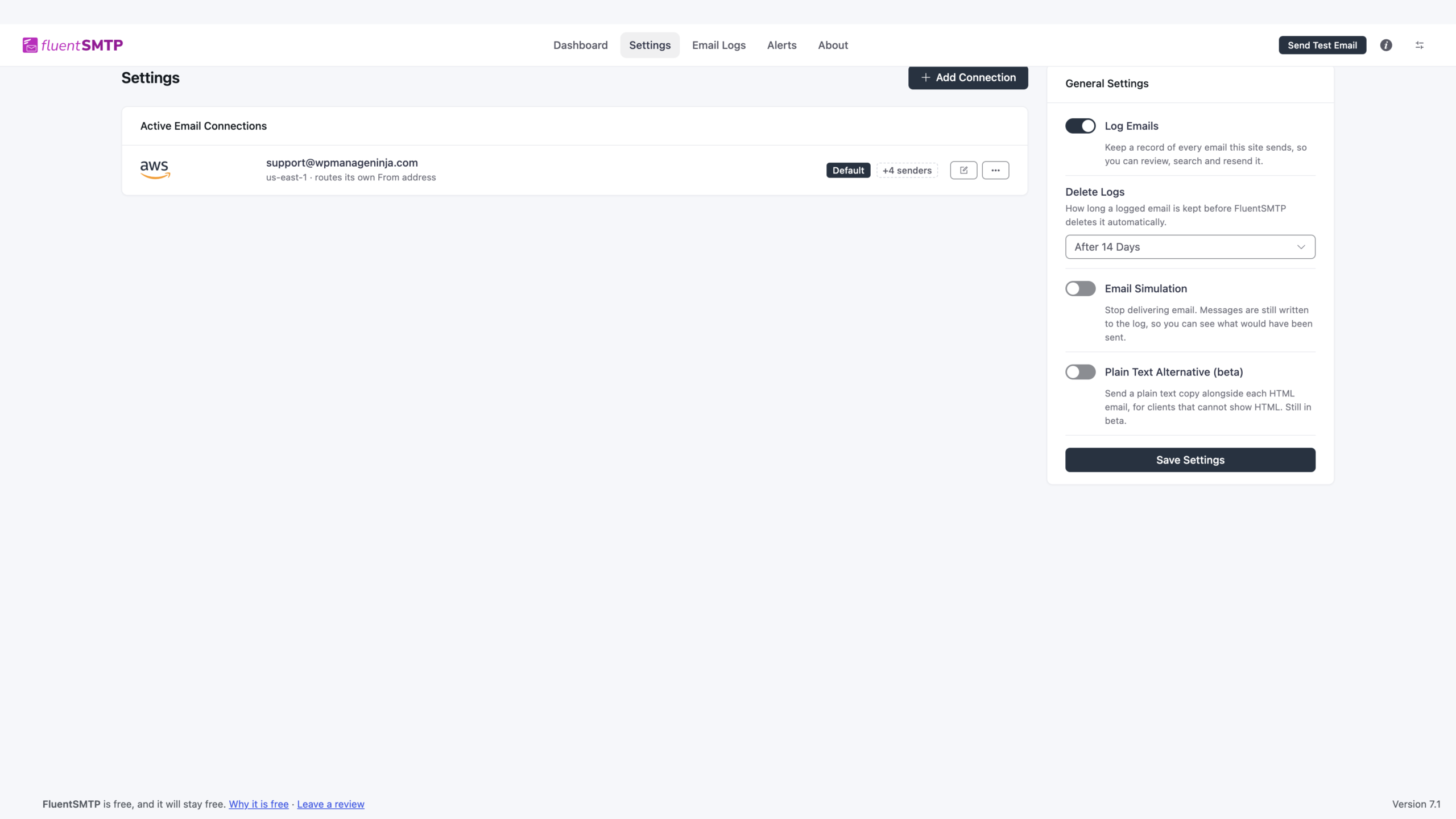
A basic SMTP plugin can connect one provider and stop there. FluentSMTP can maintain multiple connections, which matters when a site sends different kinds of mail or when one provider should not be a single point of failure.
For example, a store could use one verified sender for order and account messages while another sender handles internal notifications. Conditional routing can direct email by sender, and a fallback connection can be used when the primary provider fails. That does not guarantee delivery, but it gives the WordPress site another path instead of failing every message through the same broken connection.
When a customer says an order email or password-reset message never arrived, the useful first question is whether WordPress attempted to send it. FluentSMTP’s logs provide that local evidence. You can inspect message details, recipients, response information, sending time, and failure status, then retry or resend when appropriate.
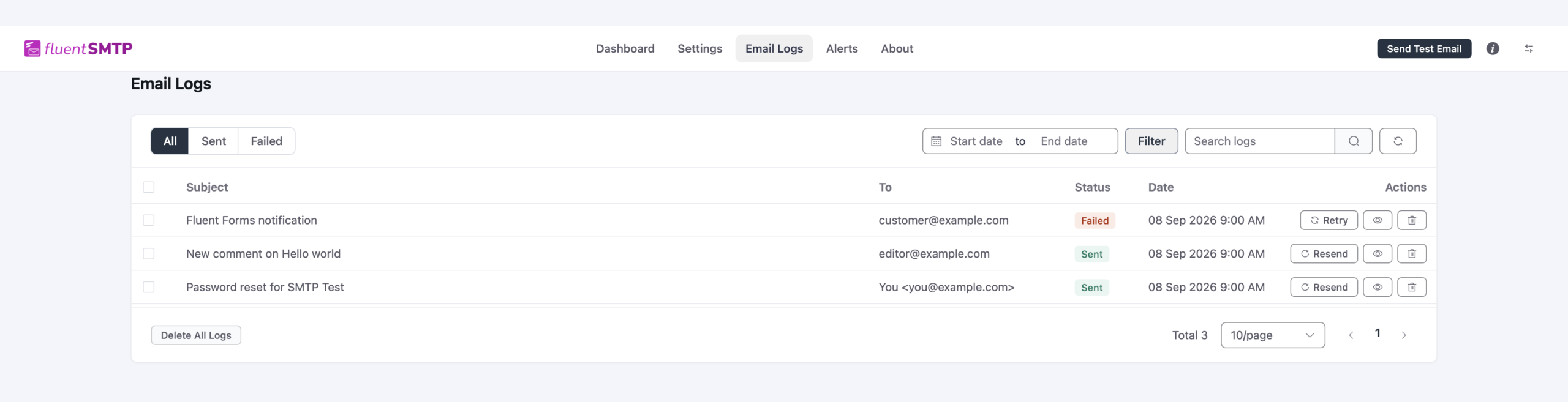
Version 2.3 added recipient picking and resend history, send-time tracking, and performance improvements for large log tables. Version 2.4.1 fixed several resend edge cases, including lost Cc, Bcc, and Reply-To values when multiple addresses were present. Those fixes are especially relevant on business sites because a resend needs to reproduce the original message accurately, not merely deliver a simplified copy.
FluentSMTP can notify administrators when sending fails instead of requiring someone to open the log screen manually. Supported alert workflows include channels such as Slack, Discord, Telegram, Pushover, and email summaries. Version 2.3 also introduced daily connection health checks and dashboard alerts.
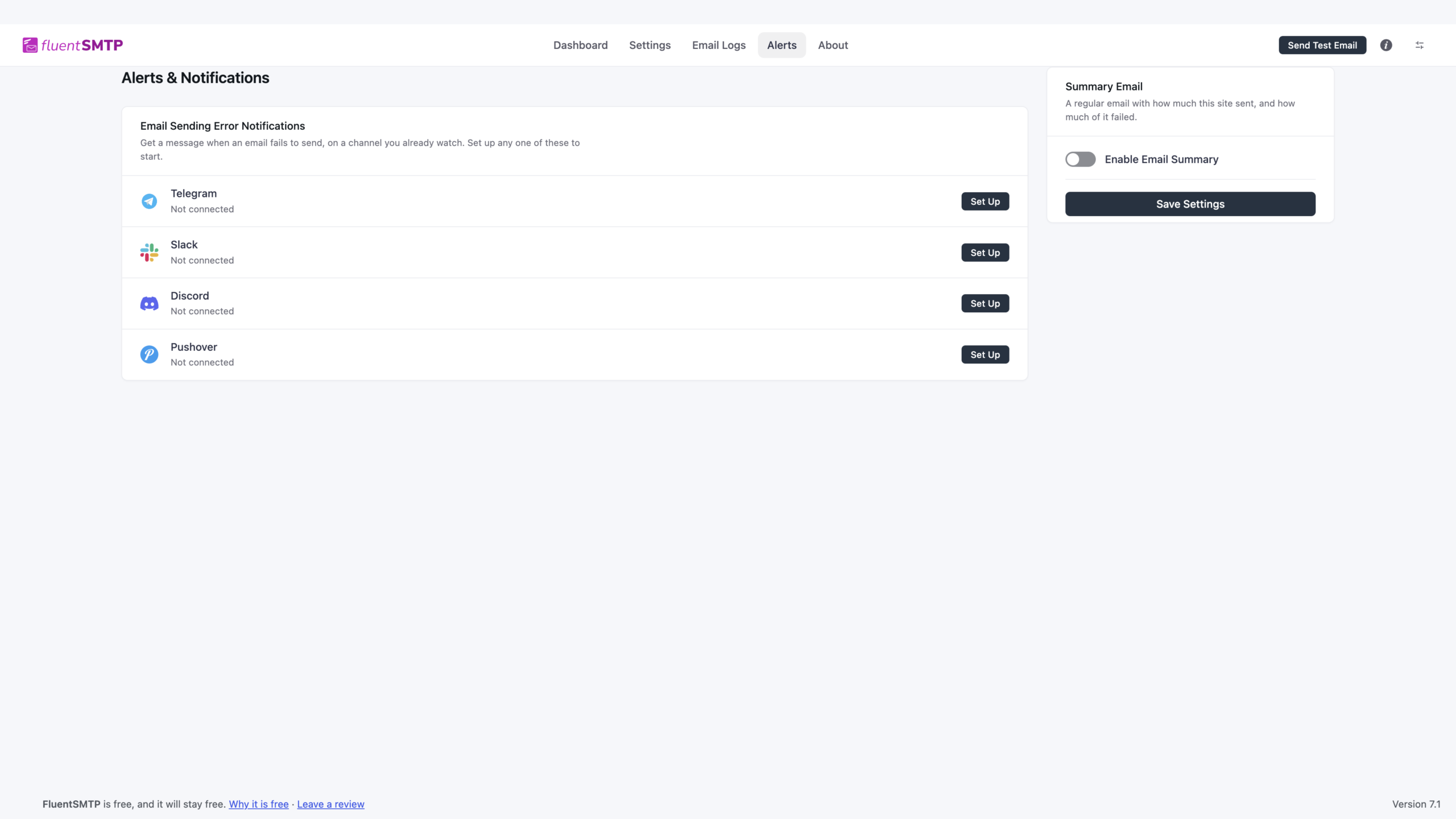
This is one of the features I would enable on a store or membership site. A broken API token or provider account can affect password resets, order notifications, account invites, and form responses at the same time. Getting a failure notification quickly is more useful than discovering the problem from a customer complaint hours later.
The built-in test-email screen lets you validate a configured connection before trusting it with production traffic. Send to more than one mailbox provider if the site is important. A message reaching one Gmail inbox does not prove that the domain, authentication, content, or reputation will behave the same way everywhere.
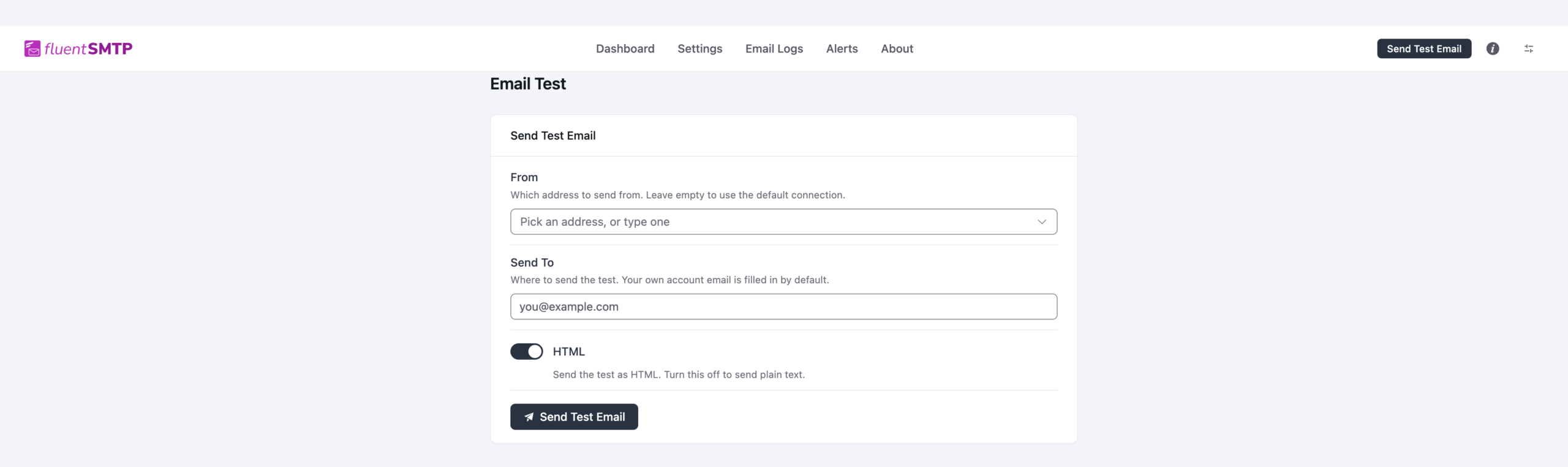
I would test at least the actual business flows after the connection test: WooCommerce order email, password reset, contact-form notification, user registration, invoice, and any automation-generated message. A connection can be healthy while a plugin-specific email still has a template, recipient, or workflow problem.
There is no FluentSMTP Pro tier. The plugin’s main features are available free, including provider connections, email logs, multiple connections, routing, fallback, alerts, health checks, test email, and WP-CLI tooling.
| Capability | FluentSMTP Free | Paid FluentSMTP tier |
|---|---|---|
| SMTP and provider API connections | Yes | None |
| Email logs and resend | Yes | None |
| Multiple connections | Yes | None |
| Conditional routing | Yes | None |
| Fallback connection | Yes | None |
| Failure alerts | Yes | None |
| Connection health checks | Yes | None |
| WP-CLI tools | Yes | None |
| Plugin license fee | $0 | Not applicable |
Pricing checked October 15, 2026. FluentSMTP itself is free. There is no paid Pro license and no plugin-level per-email charge. Your total cost is determined by the email service you connect and by the infrastructure needed to operate that service.
This pricing model is one of FluentSMTP’s biggest advantages. A site can change providers without also changing the SMTP plugin license model. It also means comparisons with WP Mail SMTP, Easy WP SMTP, and Post SMTP should separate plugin cost from email-provider cost rather than treating them as the same expense.
FluentSMTP 2.4.1 was released September 27, 2026. It fixed Outlook and Office 365 authorization failures caused by unexpected Microsoft responses, corrected resend behavior for multiple Cc/Bcc/Reply-To recipients, improved multi-recipient log display, fixed plain-text log rendering, corrected plain-text sending through SparkPost, improved recipient-name handling across several providers, and added more Amazon SES regions.
The previous 2.4.0 release rebuilt the admin interface on the shared Fluent design system, added dark mode, simplified navigation, improved the dashboard and log interface, fixed Office 365 Bcc delivery, and raised the minimum WordPress requirement to 6.5.
FluentSMTP is one of the strongest value choices in the WordPress SMTP category because the operational features are not hidden behind a Pro tier. Email logs, multiple connections, fallback, routing, alerts, health checks, provider APIs, and testing cover most of what a serious WordPress site needs from the plugin layer.
I would use it when I am comfortable choosing the sending provider and managing DNS, authentication, and provider billing separately. I would pay for another SMTP plugin mainly when the commercial support or setup service is itself part of the requirement.
Yes. FluentSMTP has no Pro tier. Core features such as provider connections, logs, multiple connections, routing, fallback, alerts, health checks, and test email are available in the free plugin.
The current WordPress.org release reviewed is FluentSMTP 2.4.1, released September 27, 2026.
No. FluentSMTP connects WordPress to an external sending provider. Provider pricing, quotas, reputation, account approval, and delivery infrastructure remain separate.
Yes. You can configure multiple connections, route senders through different connections, and define a fallback connection for failures.
Yes. The plugin can log outgoing messages, show sending status and server responses, filter records, and resend or retry supported messages.
Current options include Gmail and Google Workspace, Amazon SES, Outlook and Office 365, SendGrid, Mailgun, Postmark, Brevo, SMTP2GO, SparkPost, Cloudflare Email Sending, toSend, Zoho, Elastic Email, and standard SMTP connections.
FluentSMTP 2.4.x requires WordPress 6.5 or newer and PHP 7.4 or newer.
Fix WordPress email delivery with authenticated SMTP or API mailers, guided setup, testing, and optional Pro logging, routing, failover, alerts,…
Routes WordPress mail through SMTP or services like Gmail, Outlook, Brevo, SendGrid, Mailgun, and SendLayer for better delivery.
Routes WordPress email through Gmail, Microsoft 365, Brevo, SendGrid, Mailgun, Zoho, Amazon SES, or SMTP for reliable delivery.
Log in or create an account to continue.