
RecommendedBest Value
Adds share and follow buttons for major social and messaging services, letting visitors quickly share WordPress posts and pages.

I would use Bit Social when WordPress is the main source of the content you want to distribute and the repetitive part is publishing that content across social accounts. It can auto-share new posts, schedule content, re-share older posts, and manage multiple connected accounts without moving the publishing workflow out of WordPress.
Best fit: Bit Social makes the most sense for WordPress publishers, marketers, and WooCommerce stores that want automatic or scheduled social distribution from WordPress. I would choose a different option for teams that need a full social media suite with a unified inbox, social listening, ad management, or campaign workflows that do not start in WordPress.
I would not treat it as a replacement for a full social media management suite. If your team needs a unified social inbox, ad management, deep listening, or campaign collaboration that starts outside WordPress, Bit Social solves a narrower problem: getting WordPress content published to social channels with less manual work.
Publishing a WordPress post is only the first step in promotion. The repetitive work usually starts afterward: opening each social network, preparing a message, adding the link or media, choosing an account, and remembering when the post should go out.
Bit Social moves that distribution layer into WordPress. A post, page, custom post type, media item, or WooCommerce product can become the source for an automatic share or scheduled social post. Filters and templates then control which content is sent and how it is presented.
A typical workflow is simple: connect the social accounts you want to use, create a template with post data such as the title, link, featured image, category, tags, or product details, then decide whether content should publish immediately or on a schedule. Filters can narrow the automation to specific categories, tags, post IDs, or publishing times.
That makes Bit Social more useful than a basic sharing-button plugin when the goal is outbound publishing. A plugin such as AddToAny Share Buttons helps visitors share content themselves. Bit Social is for the site owner who wants WordPress to publish or schedule that content automatically.
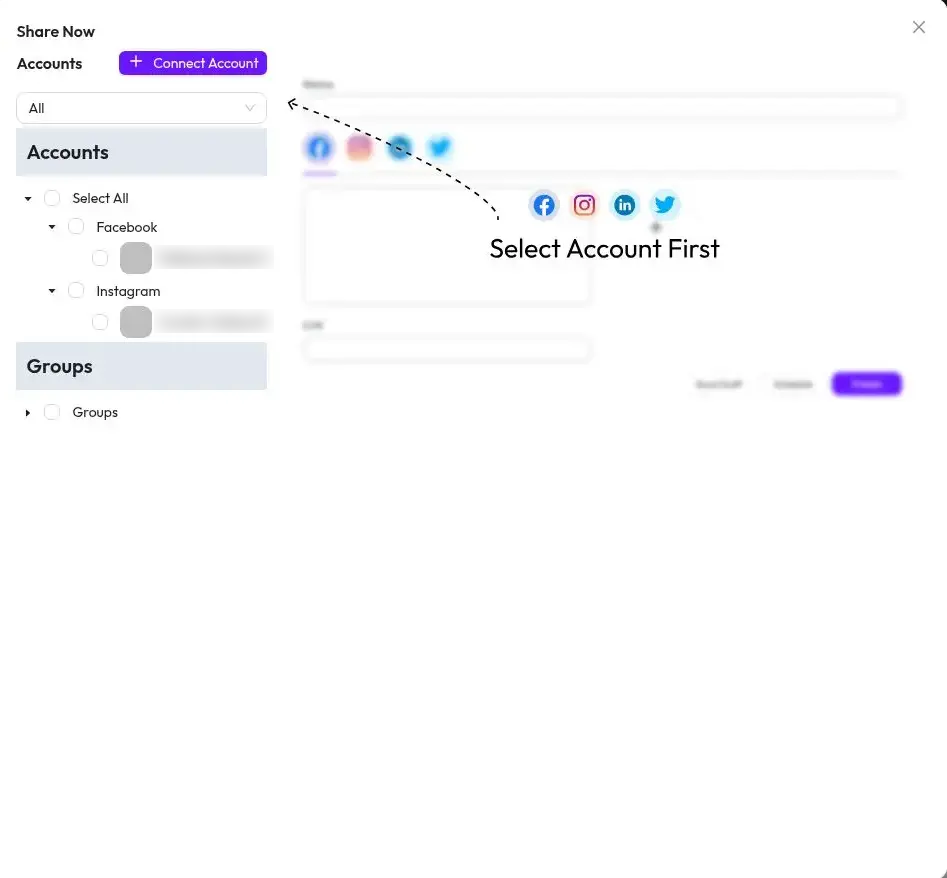
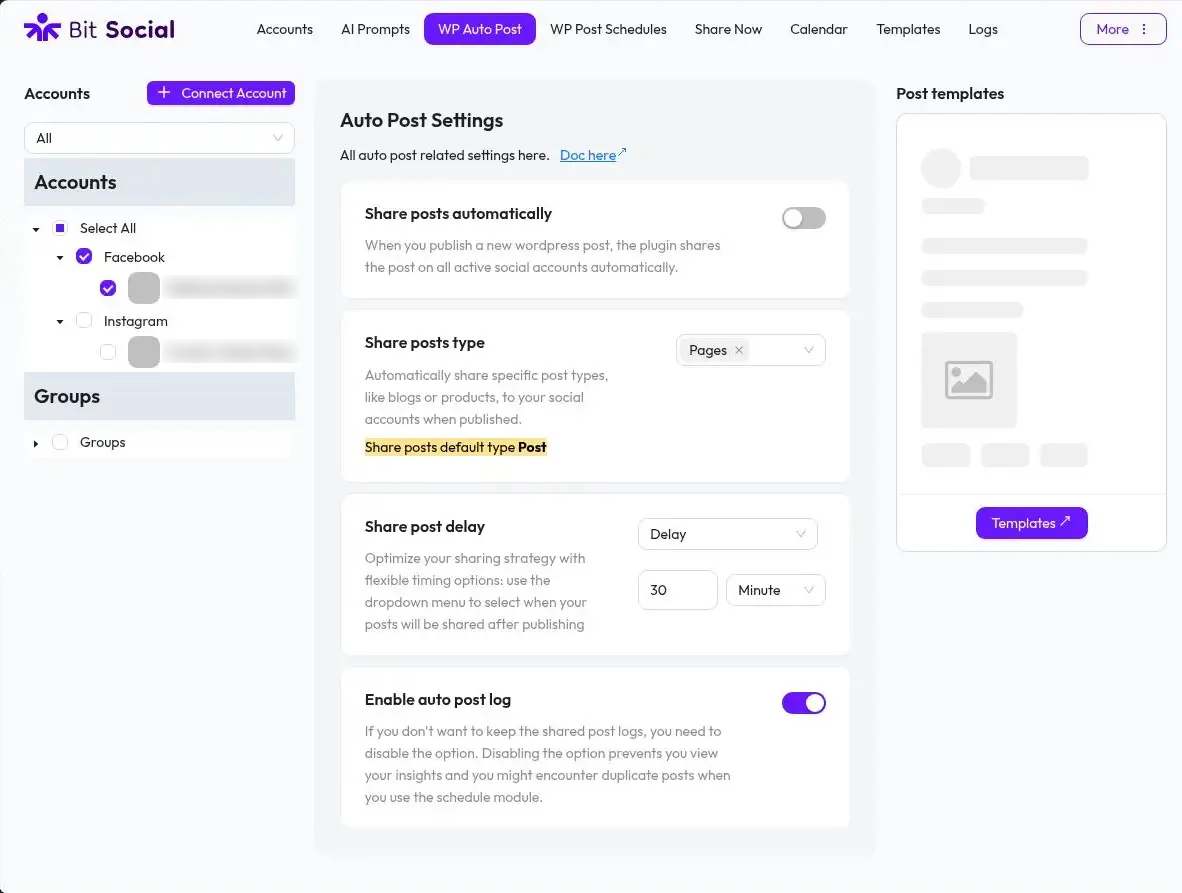
Bit Social can automatically share content when it is published. Templates and Smart Tags let you pull WordPress data into the outgoing message, while filters control which posts enter the automation. This matters when a site publishes several content types but only some of them belong on social media.
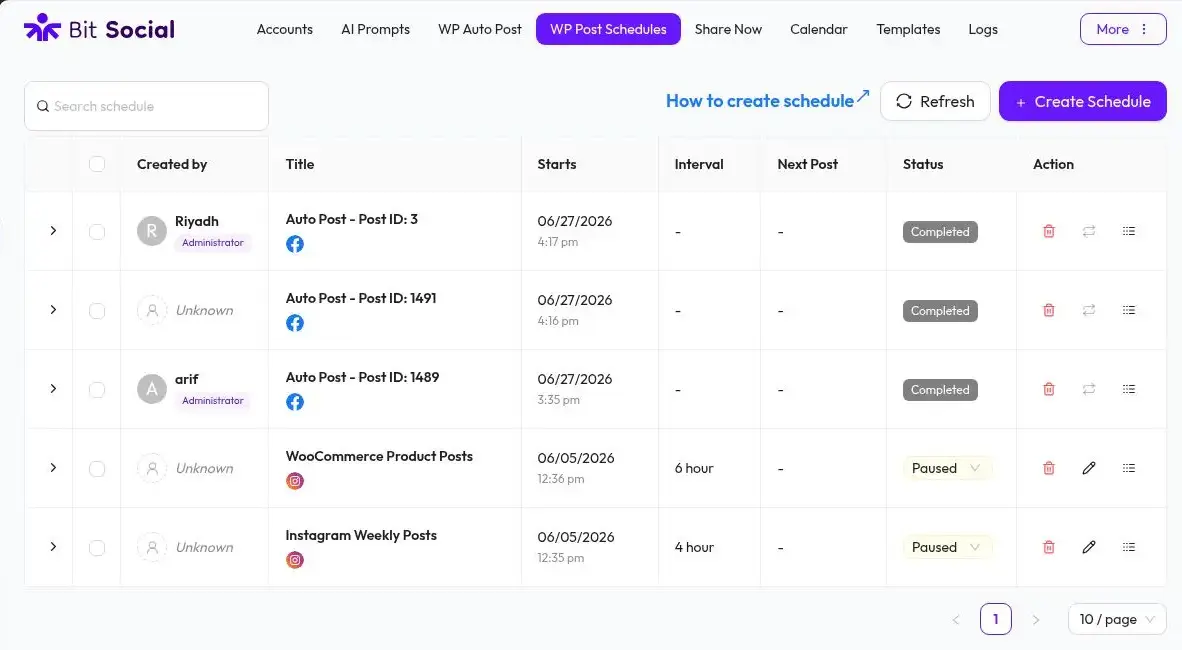
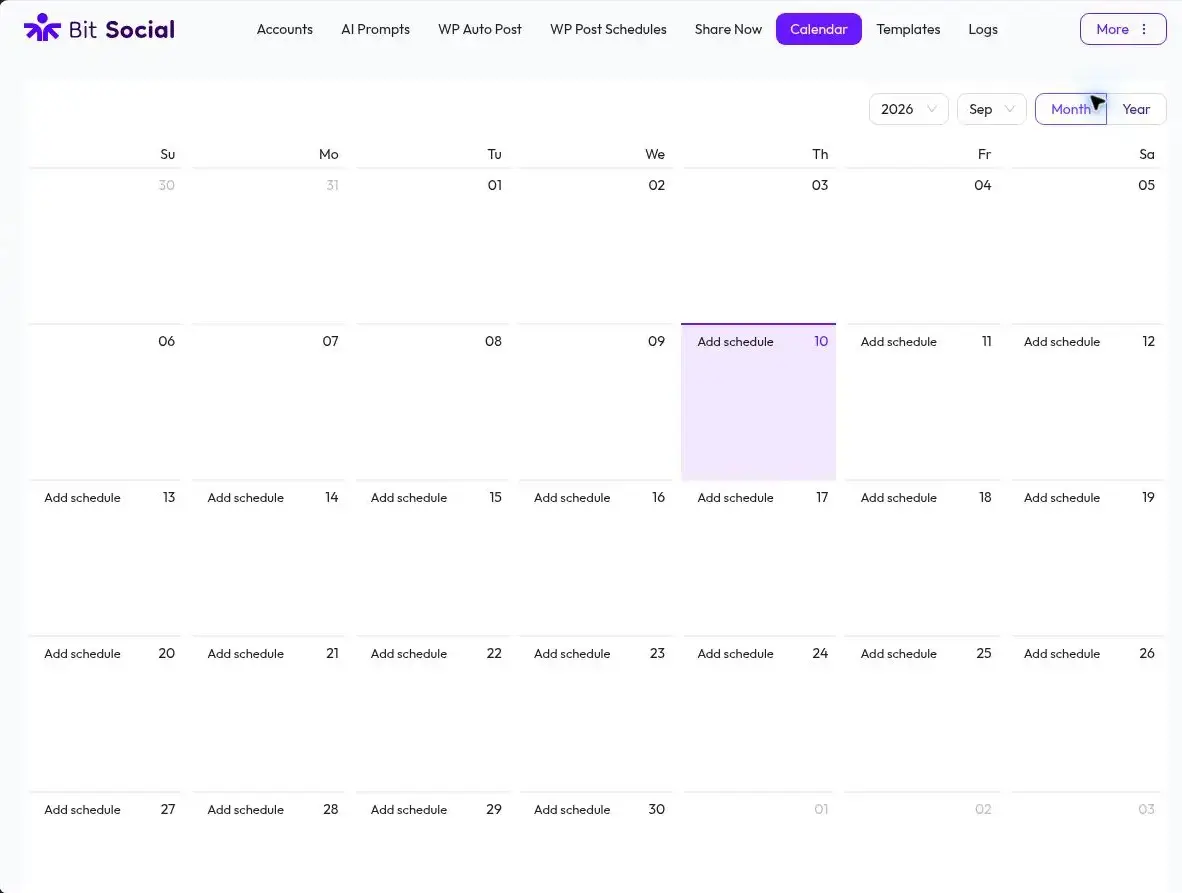
The scheduler handles future publishing and recurring distribution. Older content can also be re-shared, which is useful for evergreen libraries that should not disappear after one social post. Pro adds the visual social calendar and more advanced scheduling controls.
The free version supports Facebook and LinkedIn Profile. Pro expands coverage to LinkedIn Pages, Instagram, Google Business Profile, X, Tumblr, Pinterest, TikTok, Bluesky, Discord, Line, Telegram, and Threads. Both free and paid versions currently allow unlimited connected social accounts, unlimited auto-posting, and unlimited scheduling within the platforms available to that version.
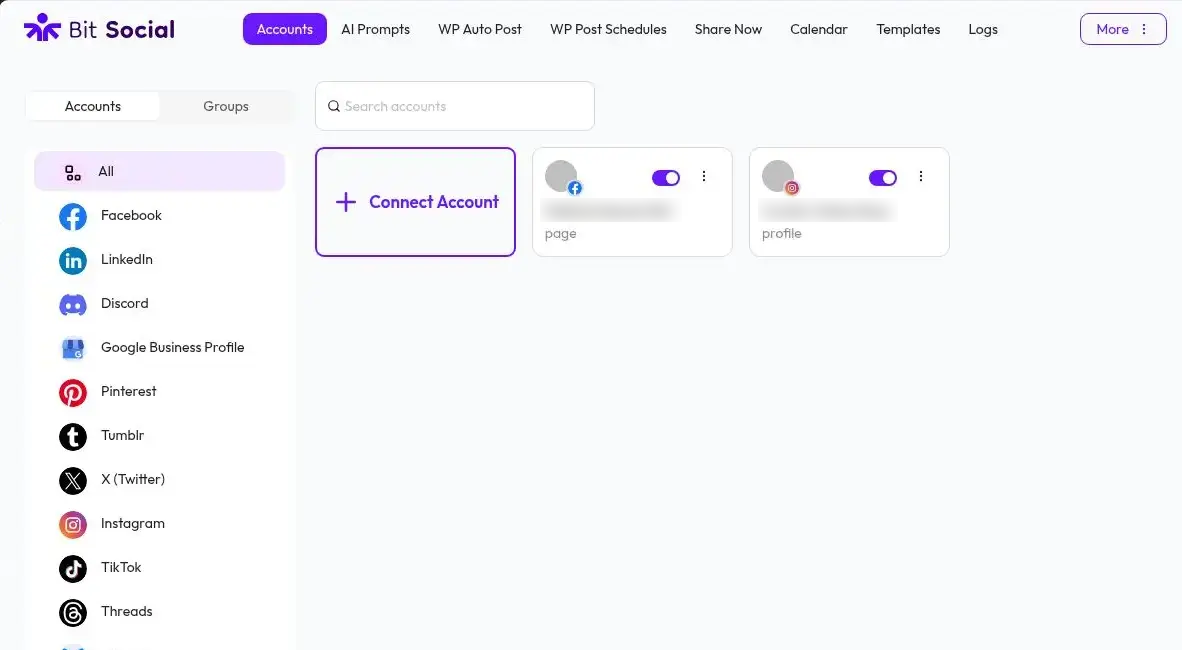
Pro can publish WooCommerce products and supports pages and custom post types as social content sources. Product-aware Smart Tags can insert details such as product name, price, stock information, images, and links into templates, which is more useful than treating a store item like a generic blog post.
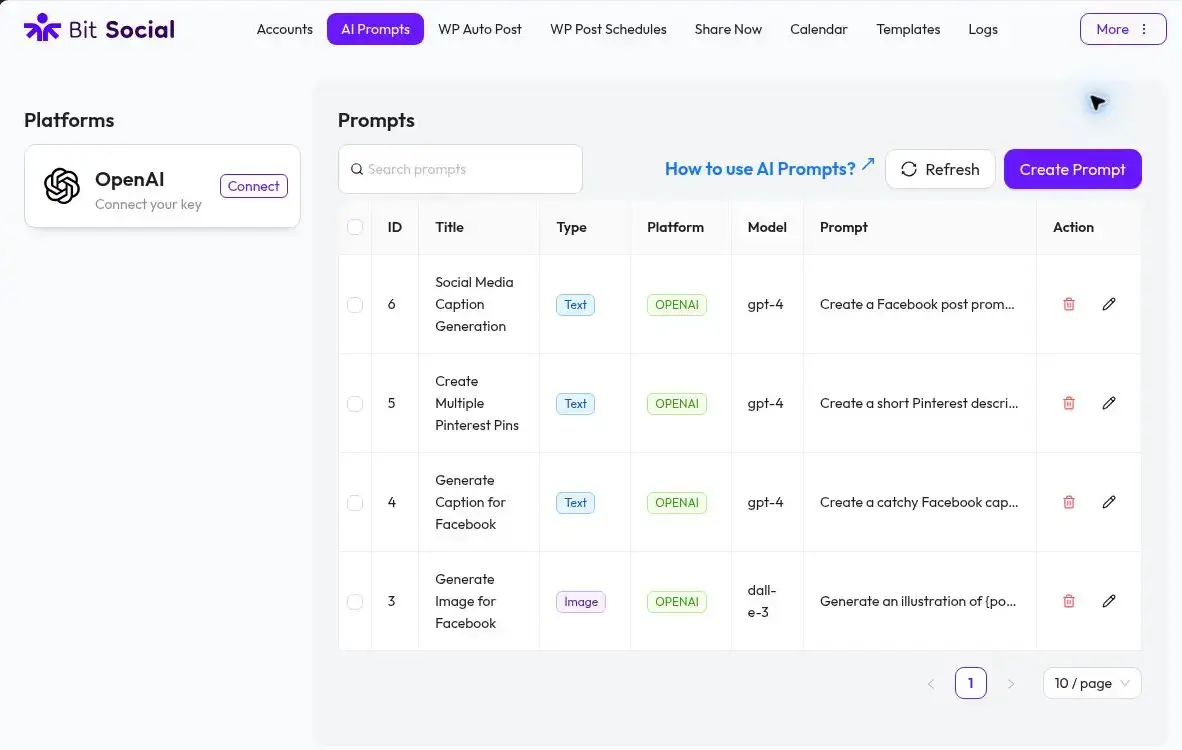
Bit Social Pro includes reusable AI Prompts for generating captions, summaries, hashtags, and images from WordPress content. The current setup connects to OpenAI with your own API key. A recent release also moved its image generation implementation to OpenAI’s newer image-generation model, so I would avoid planning a workflow around an older model name shown in legacy examples.
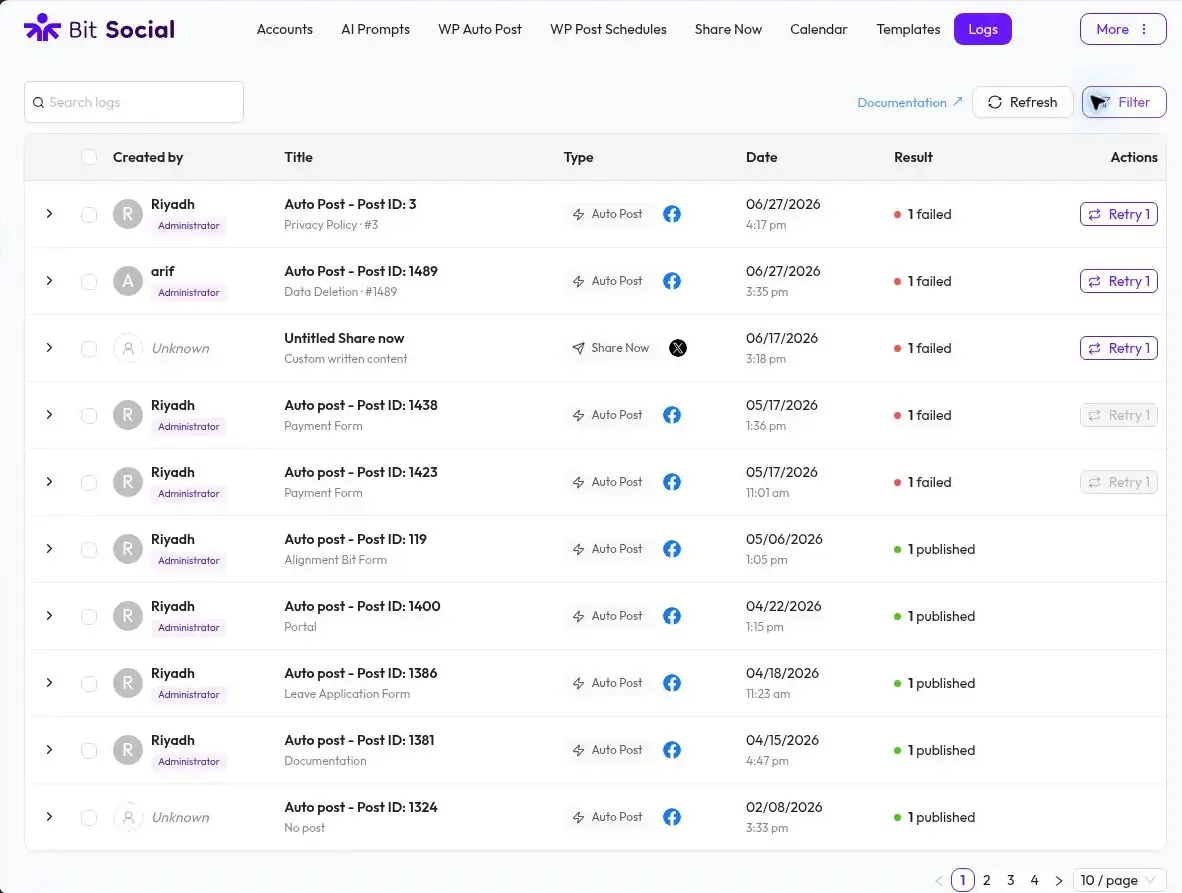
Social automation needs failure visibility because account authorization, platform APIs, and scheduled tasks can all interrupt publishing. Version 1.18.0 rebuilt the logging flow, records missed posts, supports retrying missed runs, and adds cron-status warnings. Pro also supports external cron for sites that want scheduled jobs to run independently of normal site traffic.
The free version is more useful than a limited trial if Facebook and LinkedIn Profile are the only destinations you need. It includes unlimited accounts, unlimited auto-posting, unlimited scheduling, activity logs, Share Now, basic templates, Smart Tags, filters, and essential scheduling.
Pro becomes the practical choice when you need the wider social network list, LinkedIn Pages, Instagram, X, Pinterest, TikTok, Google Business Profile, the calendar, WooCommerce product publishing, custom post type support, AI Prompts, external cron, advanced scheduling, or account grouping.
The biggest limitation in the free version is platform coverage. Facebook and LinkedIn Profile may be enough for a small publishing workflow, but most teams considering Instagram, X, Pinterest, TikTok, Google Business Profile, or LinkedIn Pages will need Pro.
Automation also depends on systems outside the plugin. Social networks can require reauthorization or change API behavior, and WordPress scheduling still depends on cron running reliably. Bit Social now gives better logs, retry tools, reconnect warnings, and cron-status information, but I would still monitor a new automation before assuming every platform is publishing exactly as planned.
AI is another separate dependency. Bit Social does not provide an unlimited pool of AI usage with the plugin license. The AI Prompt workflow connects to your OpenAI account, so API availability and usage cost belong to that provider.
Pricing checked September 9, 2026. Bit Social has a free version on WordPress.org. The current Starter annual plan is $49 per year for one site. Starter Lifetime is $89 one-time for one site. Agency Annual is $99 per year for unlimited sites, and Agency Lifetime is $159 one-time for unlimited sites.
Bit Social’s paid tiers expose the same core publishing feature set, with the practical differences centered on how many sites the license covers and whether you choose annual or lifetime access. The pricing page also lists a 14-day money-back guarantee.
Bit Social makes the most sense when WordPress already holds the content and social publishing is the repetitive step you want to remove. Its strongest point is not one individual network. It is the combination of auto-posting, scheduling, templates, filters, re-sharing, account management, and logs in the same place where the content is published.
I would shortlist it for bloggers, content teams, and WooCommerce stores that want WordPress-led social automation. I would choose a broader social management platform instead if the real requirement is inbox management, social listening, advertising, or campaign work that does not begin in WordPress.
Yes. Bit Social has a free WordPress.org version. It supports Facebook and LinkedIn Profile and includes unlimited connected accounts, auto-posting, scheduling, filters, Share Now, activity logs, templates, and essential scheduling.
Bit Social currently lists 13 supported social networks. The free version covers Facebook and LinkedIn Profile. Pro adds LinkedIn Pages, Instagram, Google Business Profile, X, Tumblr, Pinterest, TikTok, Bluesky, Discord, Line, Telegram, and Threads.
No per-post scheduling limit is currently listed. Both Free and Pro include unlimited auto-posting and unlimited scheduling, although the networks available depend on the version you use.
Yes, WooCommerce product auto-posting is available in Pro. Product Smart Tags can also bring product information into the social template.
Yes, Pro includes AI Prompts for captions, summaries, hashtags, and images. It connects to OpenAI with your own API key, so OpenAI usage and billing are separate from the Bit Social license.
As checked September 9, 2026, paid pricing starts at $49 per year for one site. A one-site lifetime license is currently $89 one-time, while unlimited-site plans are $99 per year or $159 one-time.
Adds share and follow buttons for major social and messaging services, letting visitors quickly share WordPress posts and pages.
Adds optimized sharing buttons for 100+ social and messaging services, giving users more ways to share WordPress content online.
Displays customizable, responsive Instagram feeds from one or more accounts and supports Instagram oEmbeds in WordPress pages.
Log in or create an account to continue.