
RecommendedEditors Choice
Automates workflows across WordPress plugins and external apps without code, with AI agent and AI-assisted building features.

I would not use Bit Flows for every WordPress automation. If the job is only “a form is submitted, then add the data to Google Sheets,” a simpler connector is easier to manage. Bit Flows starts to make sense when the workflow has several steps, branches, waits, loops, API calls, AI decisions, or an approval in the middle.
Best fit: Bit Flows makes the most sense for multi-step WordPress automation with branching, AI, webhooks, APIs, loops, delays, or human approvals. A different tool will usually make more sense for simple one-trigger, one-action connections where a lightweight connector is easier to manage.
That is the important distinction. Bit Flows is a visual workflow builder that runs inside WordPress and can coordinate WordPress plugins, SaaS apps, webhooks, APIs, and AI tools from the same flow.
WordPress automation becomes harder as soon as one event needs to do more than one thing. A new lead may need to be checked, routed, added to a CRM, logged in a spreadsheet, passed through AI, and sent to a team member for review. Building each step as a separate automation makes the process harder to follow.
Bit Flows brings those steps onto one visual canvas. A single trigger can move through actions, conditions, routers, delays, repeaters, iterators, parsers, and external services as one connected process.
A lead workflow can start with a supported form submission, map the fields, check a condition, update a CRM, add data to a spreadsheet, call an AI model, notify a team member, and pause for approval before continuing. WooCommerce, LMS, booking, CRM, email, and other WordPress events can be used in the same way when the required trigger or action is available.
This is where the visual builder matters: you can see the order of the steps, where data is going, and what happens when a condition changes the path.
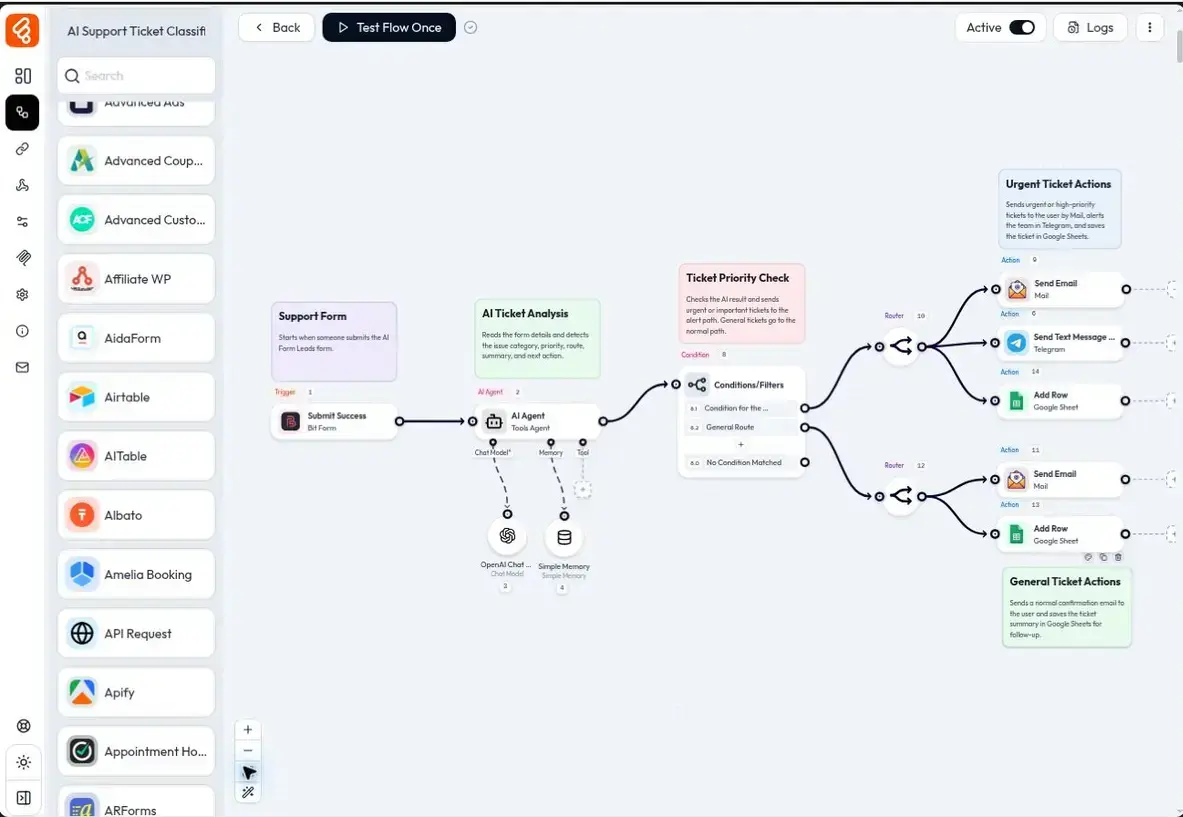
Bit Flows uses a drag-and-drop canvas for connecting triggers, actions, and control steps. One event can continue through several systems instead of ending after the first action.
Router and conditional logic can send data down different paths. Repeater and Iterator handle repeated items. Delay and scheduling control timing. Date Time, JSON/XML/CSV parsing, text formatting, variables, and array functions help prepare data before the next step uses it.
The AI Agent can use supported AI models to analyze information and make decisions inside a workflow. The MCP Client can expose tools from compatible MCP servers to the agent, while Human in the Loop can pause a flow until a real person approves or declines the next step. Current releases also include MCP server support so compatible AI clients can work with Bit Flows itself.
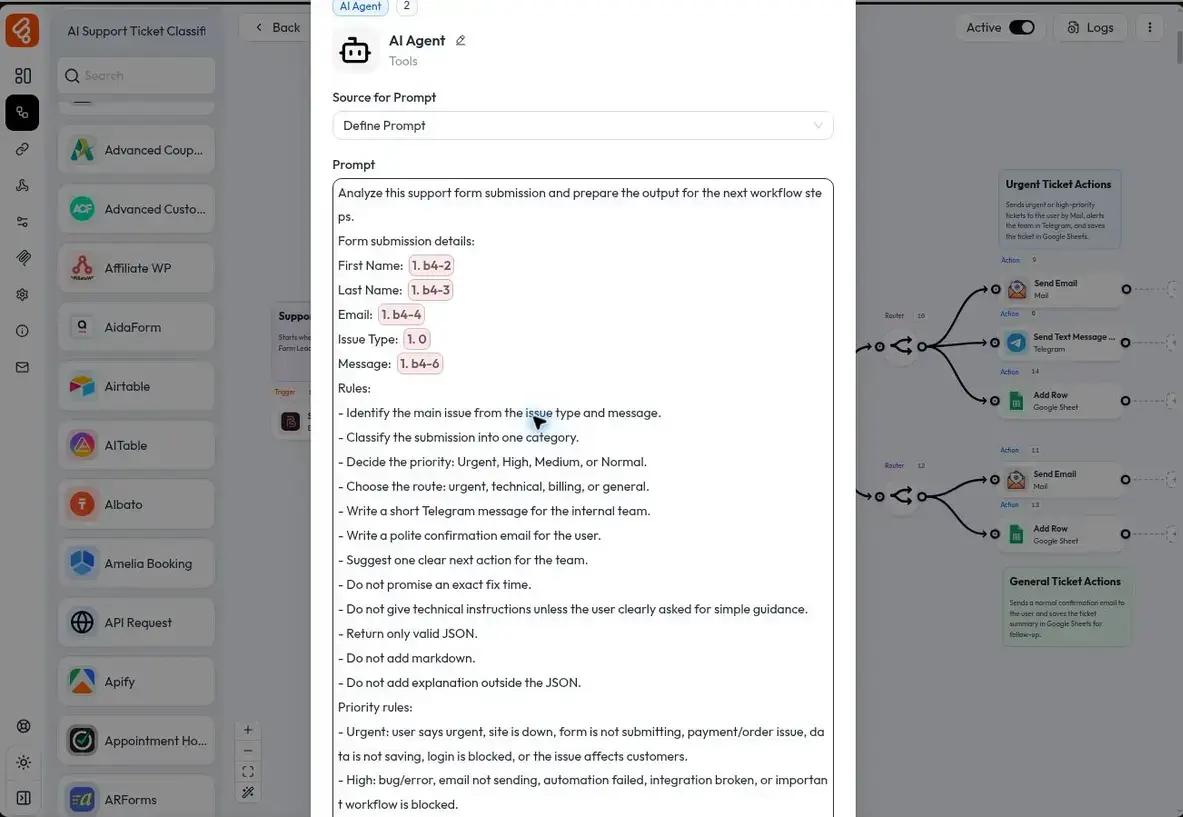
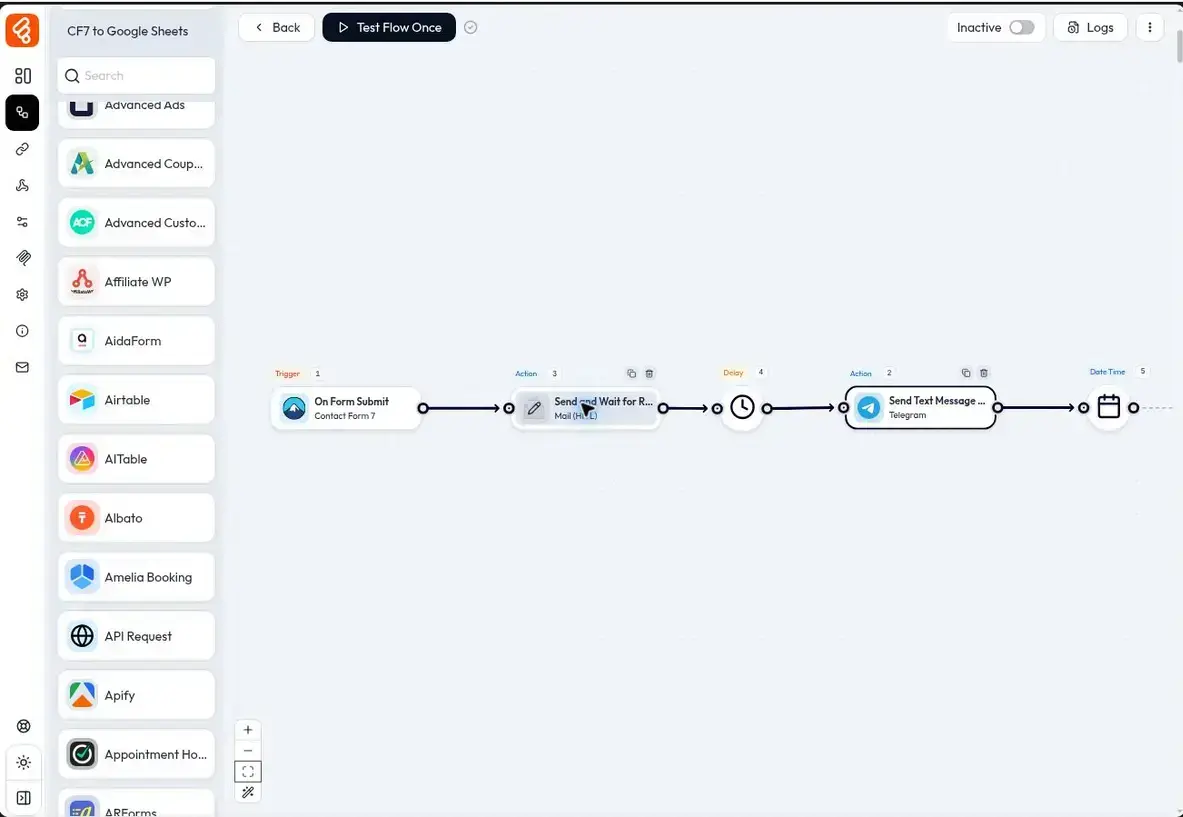
The integration library covers hundreds of WordPress plugins and SaaS apps across forms, CRM, eCommerce, LMS, email, spreadsheets, messaging, AI, and other categories. The exact triggers and actions differ by integration, so the useful question is not only whether an app is listed, but whether the event your workflow needs is supported.
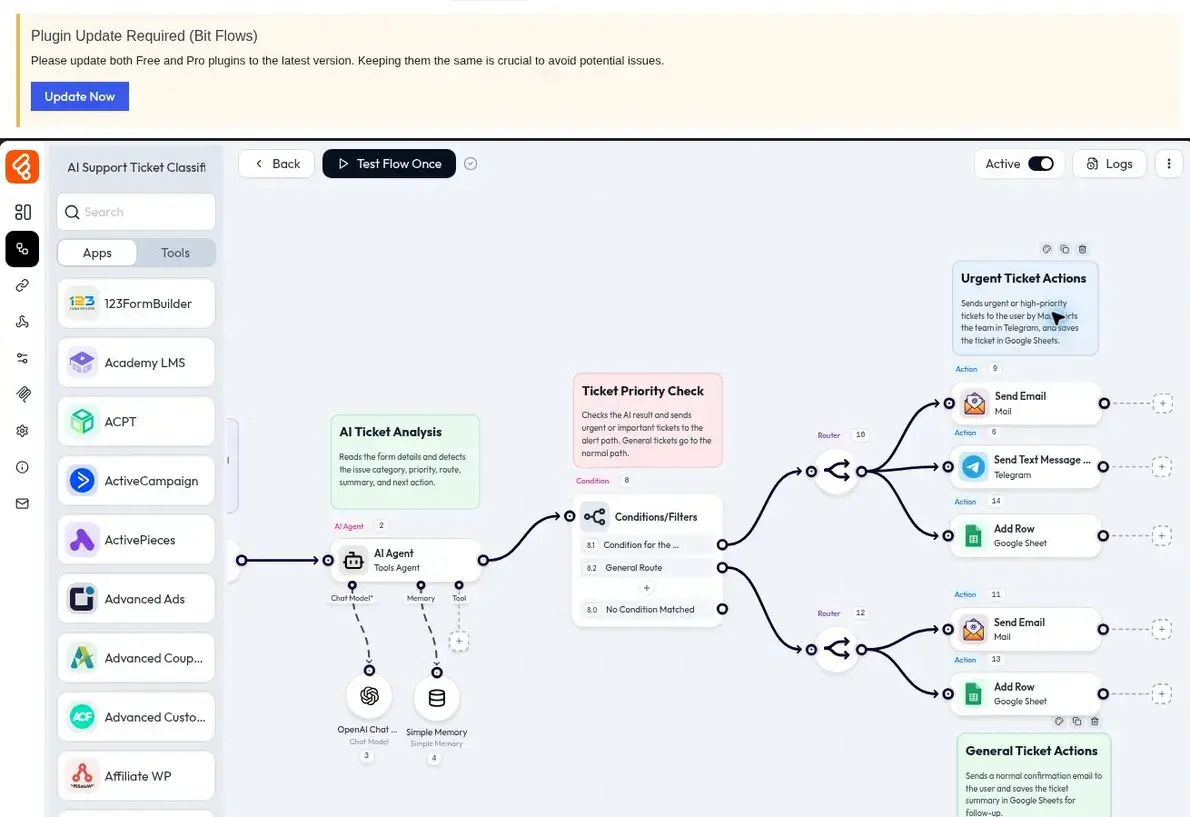
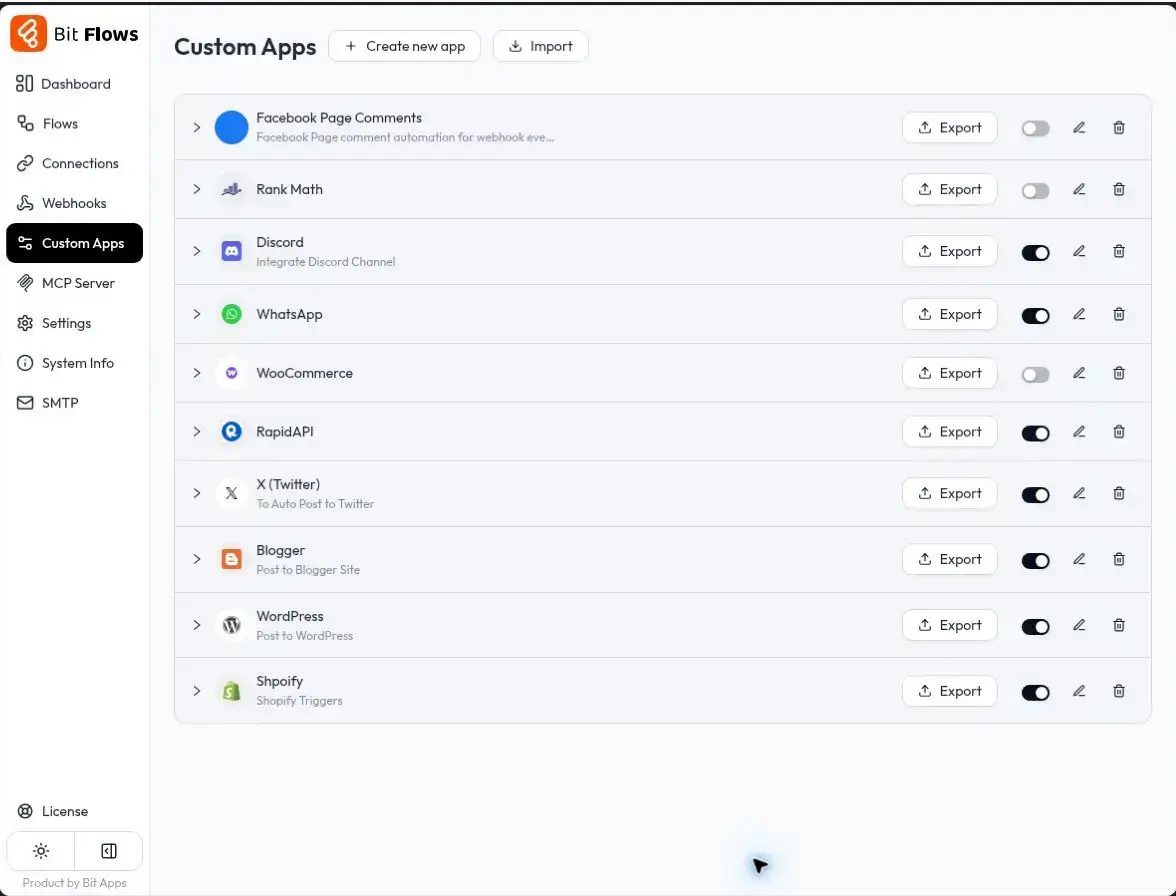
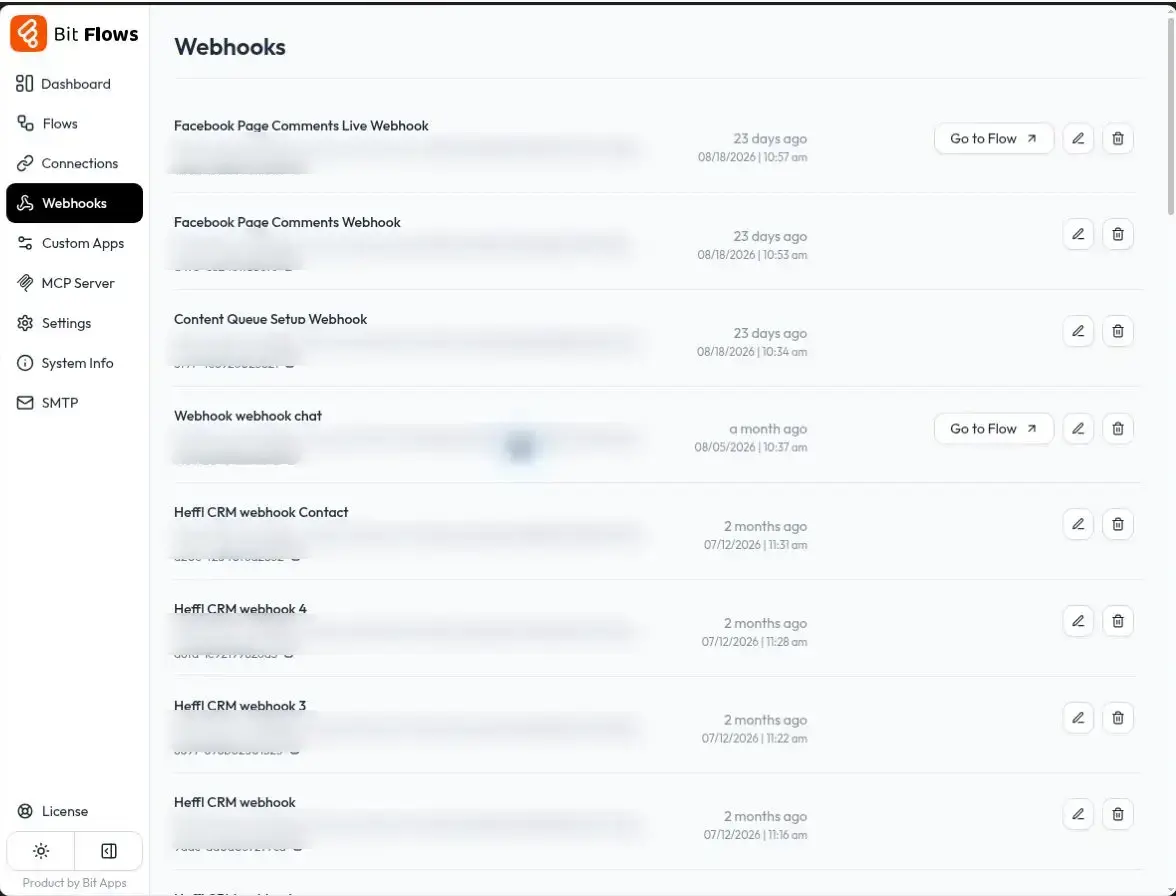
Incoming and outgoing webhooks can start flows from external systems or send data out of WordPress. API and HTTP request tools cover custom endpoints, while the Custom App Builder gives you a route when a service has no native integration. The current release also includes a Respond to Webhook tool for returning a custom response from a flow.
Bit Flows keeps execution history, supports re-executing workflows, provides failed-task notifications, and includes queue-based processing and Cloud Cron support. These are important once automation becomes part of an operational workflow rather than an occasional convenience.
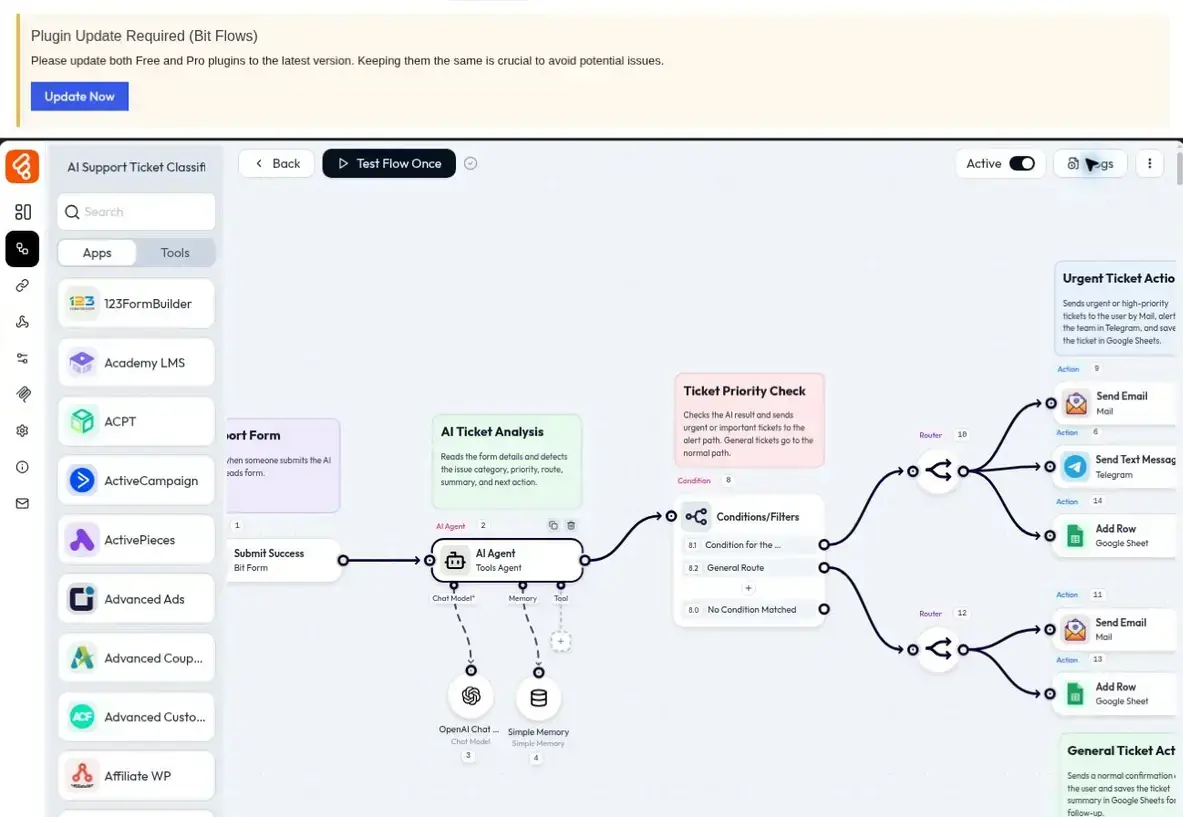
I see Bit Flows fitting best where automation is becoming part of the business process: lead routing, WooCommerce operations, CRM updates, internal approvals, content workflows, reporting, customer support, or data synchronization across several systems.
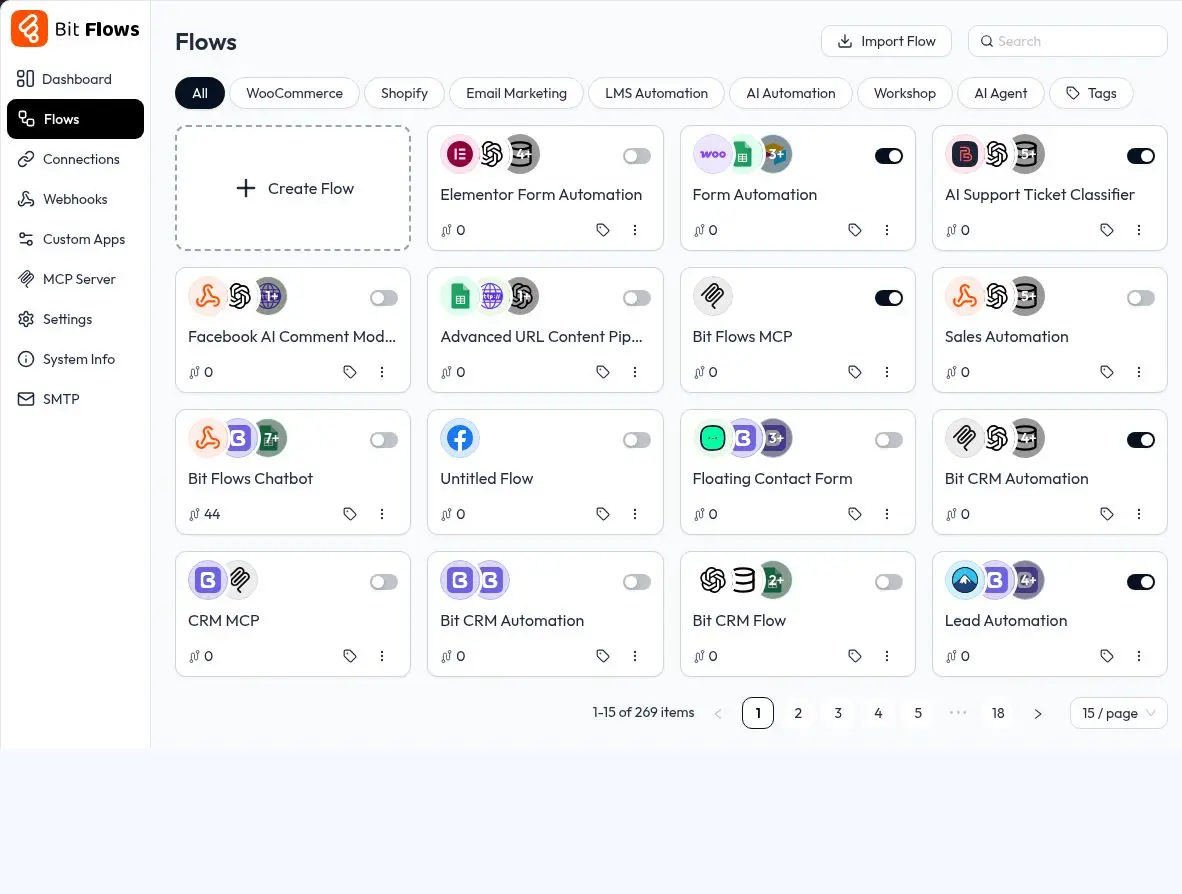
It also makes sense for users who want the workflow builder and execution layer inside WordPress instead of moving the full automation to a separate SaaS platform.
This is an important choice because both plugins come from Bit Apps but solve different levels of automation. Bit Integrations is easier when the job is essentially “when X happens, do Y.” Bit Flows is the better option when one trigger needs several actions, routing, timing controls, AI, API work, or approval steps.
Sending a Bit Form submission directly to one destination does not require a visual workflow engine. But if that submission needs qualification, routing, a Bit CRM update, an AI step, a notification, and a review decision, Bit Flows is designed for that sequence.
The free version is useful for more than testing the interface. It includes the visual workflow builder, multi-step workflows, core workflow tools, and a set of free triggers and actions. If the integrations and events you need are available in the free tier, you can build real workflows without upgrading just because the automation has several steps.
Pro mainly matters when your workflow depends on broader trigger, action, and integration coverage. My rule would be simple: decide based on the exact event your workflow needs, not the number of steps in the workflow. If a required trigger or action is Pro-only, that is when the paid license becomes relevant.
The flexibility comes with more setup than a single-step connector. A flow with several branches, external APIs, field mappings, and AI steps still needs to be planned and tested carefully.
Bit Flows is self-hosted, so workflows use the resources of your WordPress environment. That helps explain the unlimited-task model, but hosting capacity and workflow design matter more as automation volume and complexity increase.
AI steps can also have a separate usage cost. Bit Flows does not add an extra AI usage charge, but an LLM such as OpenAI, Gemini, Groq, or OpenRouter uses the API quota and billing rules of the provider you connect.
Free and Pro integration coverage differs, and individual apps expose different triggers and actions. If one event is critical, confirm that exact trigger or action before designing the rest of the workflow around it.
Pricing checked September 9, 2026. Bit Flows has a free version on WordPress.org. Current annual pricing starts at $59 per year for one site, $99 per year for five sites, and $129 per year for unlimited sites. Lifetime pricing starts at $159 for one site, $299 for five sites, and $499 for unlimited sites.
Current paid plans provide the paid feature set and mainly differ by site count. Bit Flows does not charge by workflow task execution.
Bit Flows makes the strongest case when a WordPress automation has become a process rather than a single connection. It gives you one place to coordinate several systems, control the path data takes, introduce AI or human decisions, and inspect what happened when a flow runs.
I would shortlist it for multi-step or AI-assisted WordPress automation. For a simple trigger-to-action connection, I would use the lighter tool and avoid introducing a workflow engine that the job does not need.
Yes. Bit Flows has a free version on WordPress.org. It includes the visual workflow builder, multi-step workflows, core workflow tools, and a set of free triggers and actions.
The free version can be enough when the triggers, actions, and integrations your workflow needs are included there. Pro becomes relevant when a required event or integration is part of the paid coverage, so check the exact workflow requirements before upgrading.
No. Bit Flows does not use per-task billing for workflow execution. Current plans include unlimited workflows, tasks, and connections, although connected third-party services can still have their own usage limits or charges.
Bit Flows does not add an extra AI usage fee. When you connect an LLM provider such as OpenAI, Gemini, Groq, or OpenRouter, the AI calls use that provider’s API quota and pricing.
Bit Integrations is designed for straightforward trigger-to-action connections. Bit Flows uses a visual canvas for multi-step workflows and adds routing, loops, delays, parsers, AI Agent, MCP, Human in the Loop, and other workflow controls for more complex automation.
Yes. Bit Flows is a self-hosted WordPress plugin. The workflow builder and workflow execution run in the WordPress environment, while individual steps can connect to external apps and services.
Automates workflows across WordPress plugins and external apps without code, with AI agent and AI-assisted building features.
Connects WordPress plugins, sites, and external apps with no-code automations, trigger-action workflows, webhooks, and AI tools.
Connects WordPress forms and plugins with Sheets, Mailchimp, Brevo, webhooks, CRMs, LMS tools, and hundreds of external platforms.
Log in or create an account to continue.