
Freemium
Adds a self-hosted WordPress CRM, email broadcasts, funnels, and marketing automation with flat-rate plans instead of contact-count pricing.

FluentCRM is a self-hosted email marketing CRM for WordPress. It stores contacts, tags, lists, campaign history, automation data, and customer activity inside your WordPress database instead of charging for access to a separate hosted CRM. The free plugin is capable enough to run real campaigns and basic automation, while Pro expands sequences, advanced automation, premium integrations, messaging, reporting, and customer-facing tools.
I would shortlist FluentCRM when WordPress already holds the business data you want to market from, such as WooCommerce orders, form submissions, LMS progress, memberships, community activity, or FluentCart purchases. I would choose a hosted CRM instead when the team wants the CRM, email infrastructure, and marketing database operated outside WordPress or needs a broader enterprise sales platform.
Best for: WordPress businesses that want email marketing, contact management, segmentation, and automation connected directly to site activity.
Free version: Yes. Core CRM, campaigns, segmentation, reporting, and useful automation are available without a paid license.
Paid pricing: Current first-year promotion starts at $103/year for 1 site, with a regular price of $129/year.
Current release reviewed: 3.2.6, released October 12, 2026.
Contact pricing: FluentCRM licensing is based on site count rather than the number of contacts stored.
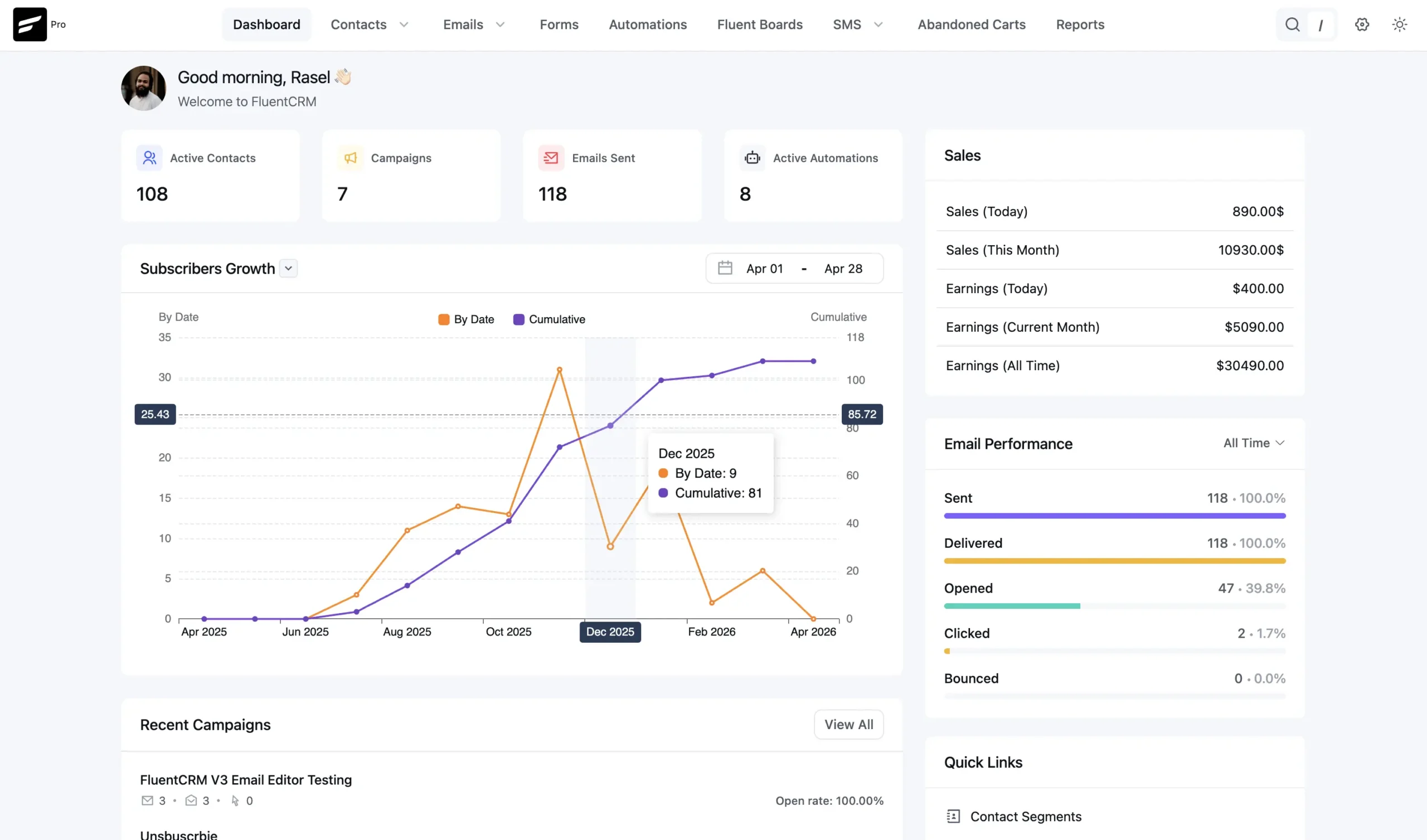
| Area | What FluentCRM can do | Availability |
|---|---|---|
| Contact CRM | Store contacts, lists, tags, custom fields, companies, notes, email history, purchase data, and connected WordPress activity | Core features Free; some advanced actions Pro |
| Email campaigns | Create broadcasts with Gutenberg, Visual Builder, Classic Editor, or Raw HTML; personalize with SmartCodes; schedule and track campaigns | Free |
| Email sequences | Build scheduled drip sequences with delays, time windows, subscriber management, and performance tracking | Pro |
| Automation | Trigger workflows from contact and WordPress events, then send email, wait, tag, branch, update records, and react to goals | Basic automation Free; advanced triggers, actions, conditions, and integrations Pro |
| Segmentation | Use lists, tags, filters, custom fields, email engagement, ecommerce data, LMS activity, and dynamic segments | Core segmentation Free; advanced integration-driven segments expand in Pro |
| Reports | Track contact growth, email delivery, opens, clicks, bounces, campaigns, revenue, and connected ecommerce or LMS activity | Core reports Free; advanced reporting expands in Pro |
| AI | Generate or refine email content and summarize contact activity with OpenAI, Claude, or Gemini using your own API key | Available in the current v3 AI configuration |
| SMS and WhatsApp | Run campaigns, automation messages, and two-way conversations through supported messaging providers | Pro; provider costs separate |
| MCP | Connect compatible AI clients to supported CRM tools through FluentHub and WordPress Application Password authentication | Free and Pro; some Pro tools require FluentCampaign Pro |
| Frontend Portal | Give subscribers a frontend area for profile and preference management | Pro add-on |
FluentCRM is not a traditional sales pipeline CRM. Its center of gravity is contacts, email marketing, segmentation, and lifecycle automation. That makes it especially useful when the important customer events already happen inside WordPress.
A WooCommerce order can change a contact’s tags or automation path. A form submission can add a lead to a list. A course enrollment or completed lesson can become a segmentation condition. Membership status, community activity, purchases, and other supported plugin data can become part of the contact record instead of being copied into another SaaS system first.
This is the architectural reason to choose FluentCRM. The value is not simply that the CRM menu appears inside wp-admin. The useful part is that WordPress data can directly influence who receives a campaign, which automation starts, and how a contact is segmented.
Each FluentCRM contact can carry standard profile data, custom fields, lists, tags, company information, notes, email activity, and integration-specific history. Depending on the connected plugins, the profile can also surface purchases, form submissions, course activity, subscriptions, or other relevant customer events.

FluentCRM v3 also adds AI contact summaries when an AI provider is configured. The summary can condense engagement, purchases, course activity, and support history into a shorter view. I would use that as a convenience layer rather than a replacement for the underlying activity timeline when making an account-specific decision.
FluentCRM 3 introduced a Gutenberg-native email builder with device preview and reusable email patterns. Campaigns can also use the Visual Builder, Classic Editor, or Raw HTML, so teams are not forced into one authoring interface.
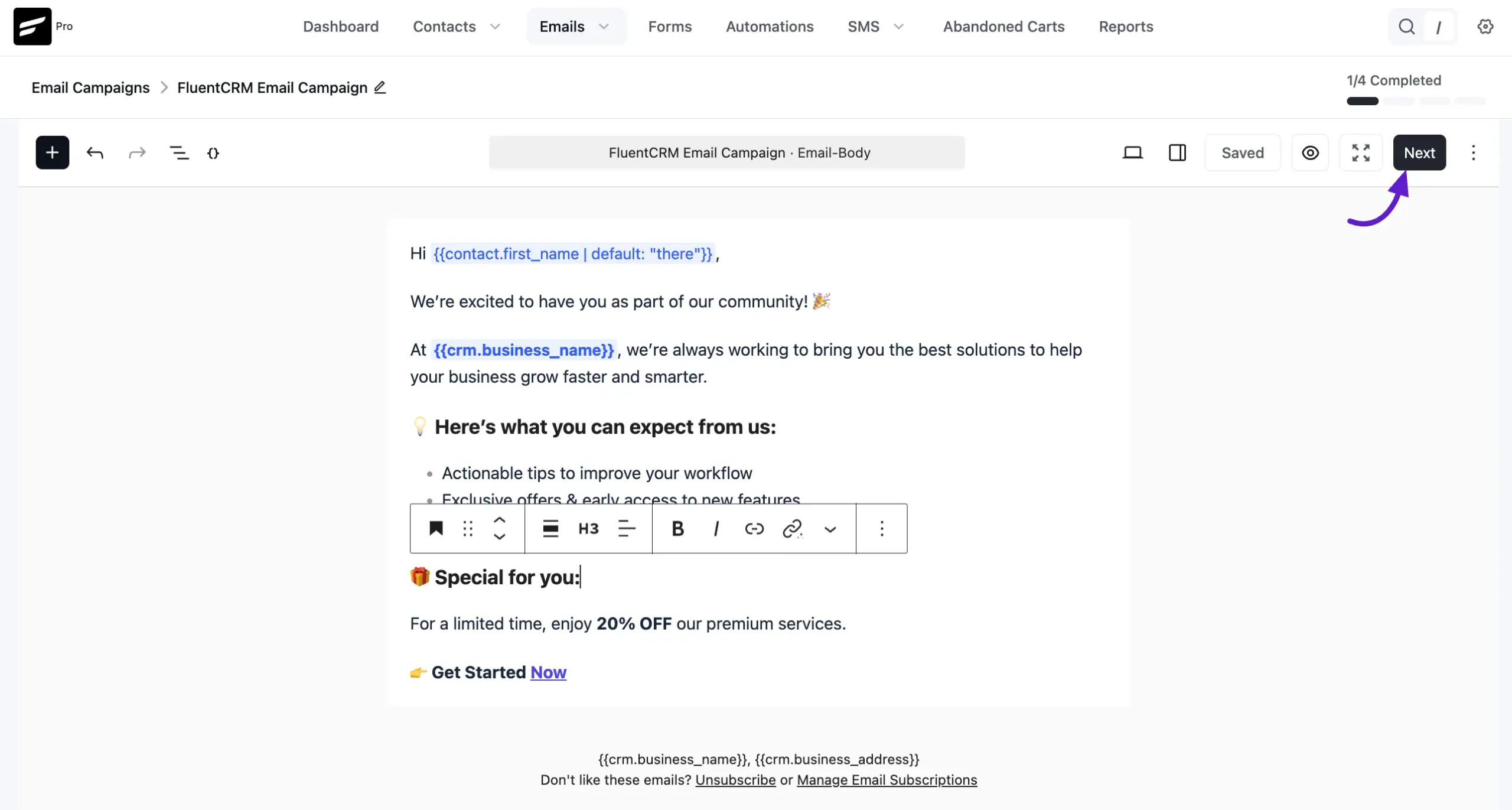
Campaigns support personalization through SmartCodes, scheduling, test emails, audience inclusion and exclusion, UTM parameters, link tracking, and performance reporting. Current v3 releases also show revenue badges for campaigns where supported commerce integrations can attribute revenue.
AI Writing can generate a full email from a prompt or refine selected copy with actions such as rewrite, shorten, expand, and grammar correction. You connect your own OpenAI, Anthropic Claude, or Google Gemini API key, so provider usage is separate from the FluentCRM license.
FluentCRM automations are trigger-and-action workflows. A contact event starts the funnel, then the workflow can send email, wait, add or remove tags or lists, react to goals, and perform other supported actions. This already makes the free plugin more capable than a newsletter-only tool.
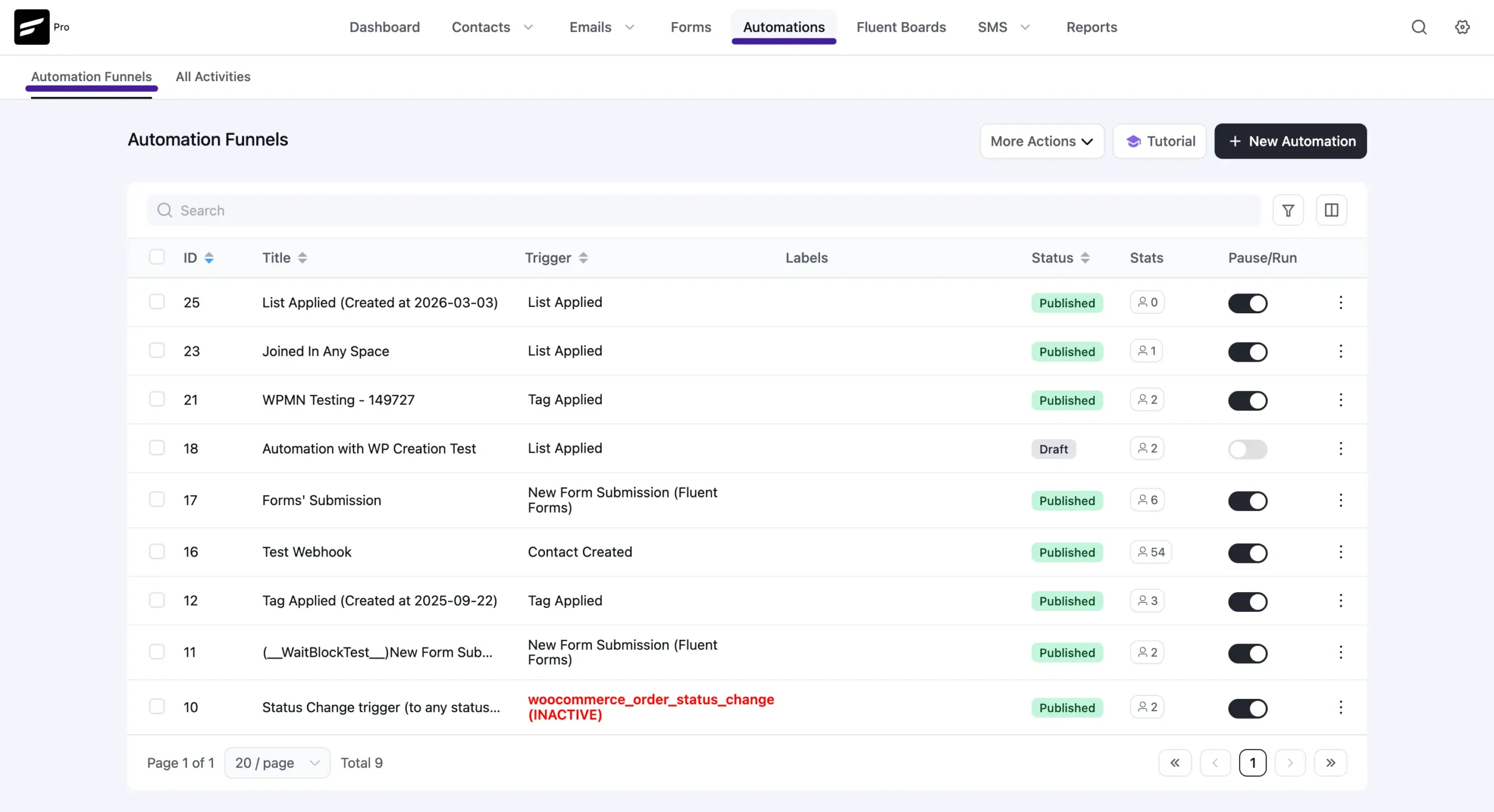
Pro adds more of the automation building blocks that matter for complex lifecycle marketing: broader triggers, more actions, conditional branches, premium integration events, sequences, and additional goals or benchmark logic. Integration coverage is particularly important. A store, course, membership, or community business should verify the exact trigger and condition it needs rather than assuming every connected plugin exposes the same automation depth.
Sequences are scheduled drip series rather than one large branching automation. Each email can have its own delay, permitted sending days, and delivery time window. Subscriber status and performance can be reviewed at the sequence level, and an automation can enroll or remove a contact when the workflow reaches the appropriate point.
I would use sequences for predictable onboarding, course nurture, trial education, or a structured follow-up series. I would use an automation when the path needs to respond to purchases, tags, form activity, engagement, or other changing conditions.
FluentCRM Pro now has a shared Messaging module for SMS and WhatsApp. Both channels can be used for campaigns, automation messages, and two-way conversations that return to a shared inbox and the contact activity record.
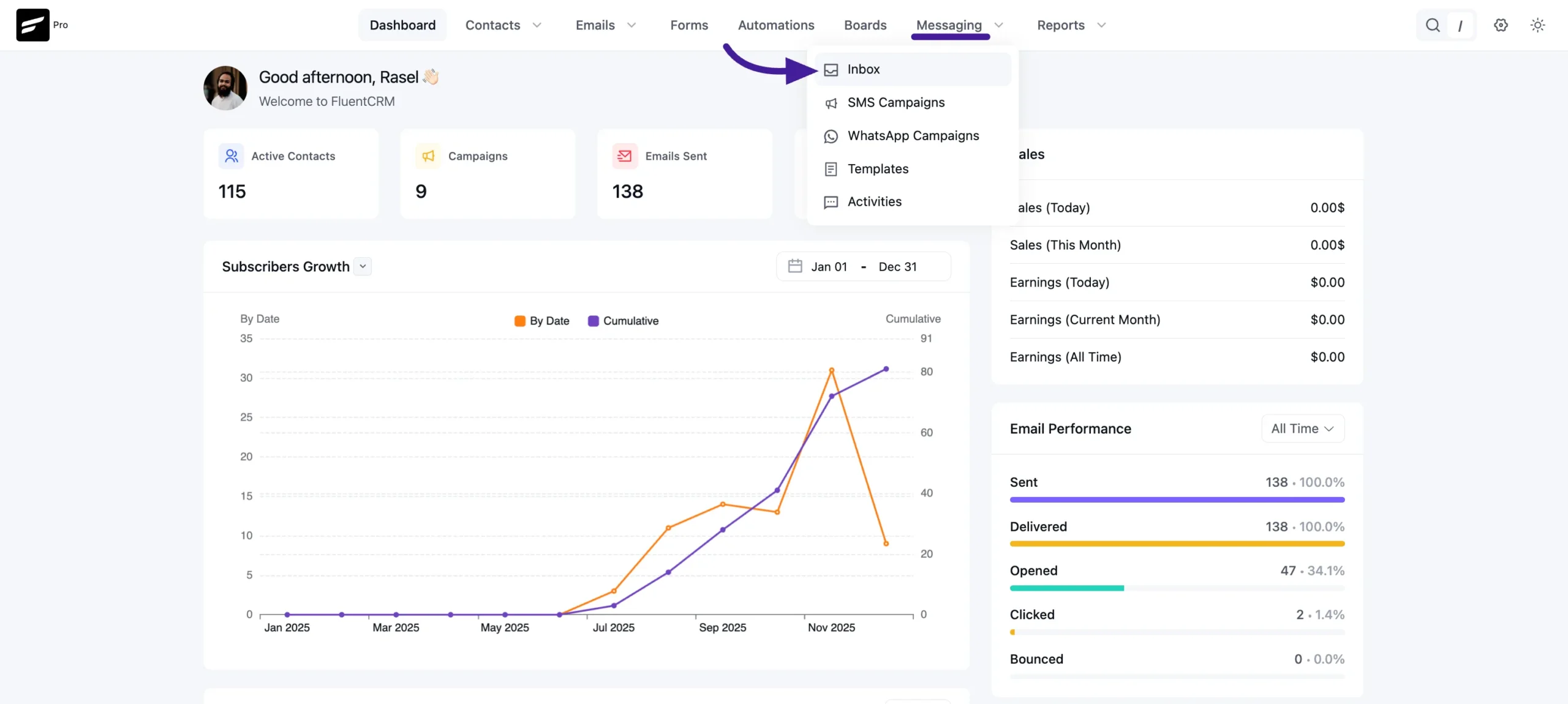
The messaging license does not include carrier or provider usage. SMS requires a supported provider such as Twilio or Amazon End User Messaging, while WhatsApp can use Meta Cloud API or Twilio. Provider approval, templates, phone numbers, consent rules, and message charges remain part of the real operating cost.
FluentCRM includes an MCP Server for connecting compatible AI clients such as Claude Desktop, Claude Code, Cursor, and OpenAI Codex. The connection uses FluentHub plus WordPress Application Password authentication, and access can be revoked from WordPress.
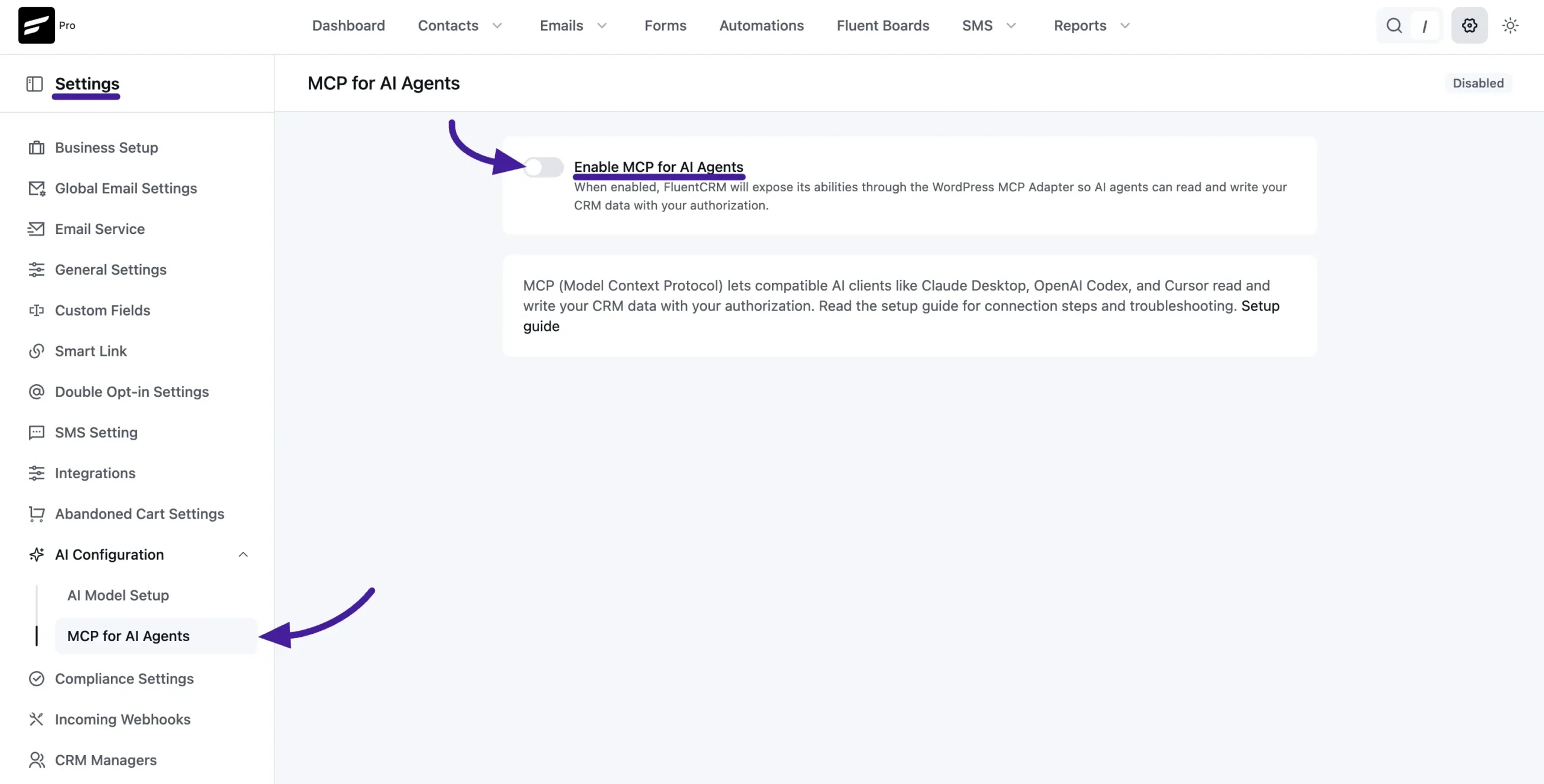
Core MCP access is available in both Free and Pro. Pro adds some additional tools tied to FluentCampaign Pro features. Current MCP actions can work with contacts, tags, lists, reports, automations, and sequences depending on what the connected installation exposes.
This can be useful for operational queries such as finding contacts in an automation or enrolling a group into a sequence. The same permission rule applies as with any AI integration: connect the lowest WordPress access level that can do the job and revoke credentials that are no longer needed.
| Capability | Free | Pro |
|---|---|---|
| Contact database, lists, tags, custom fields | Yes | Yes |
| Unlimited contacts model | Yes | Yes |
| Email campaigns | Yes | Yes |
| Gutenberg email editor and core reporting | Yes | Yes |
| Basic marketing automation | Yes | Yes |
| Email sequences | No | Yes |
| Advanced automation conditions, actions, and triggers | Limited | Yes |
| Premium WordPress integrations | Limited | Yes |
| Advanced reports and additional segmentation tools | Limited | Yes |
| SMS and WhatsApp messaging | No | Yes, provider costs separate |
| Frontend Portal add-on | No | Yes |
| Incoming webhooks | No | Yes |
| MCP for AI Agents | Yes | Yes, with extra Pro tools where applicable |
The free version makes sense for a small or growing WordPress business that needs contacts, campaigns, segmentation, reporting, and straightforward automations. Pro becomes much easier to justify once email sequences, advanced branching, premium integration triggers, deeper reporting, SMS or WhatsApp, or customer preference tools become part of the marketing operation.
FluentCRM creates and schedules campaigns, but it does not replace the email delivery provider. WordPress still needs a reliable sending layer such as Amazon SES, Postmark, Mailgun, SendGrid, Brevo, or another suitable provider configured through SMTP or an email API plugin.
This distinction matters when comparing FluentCRM with hosted email platforms. FluentCRM’s contact-count economics can be much better, but sending costs, bounce handling, domain authentication, server cron, database growth, and WordPress maintenance remain part of the operating model.
FluentCRM does not charge you more because the contact database grows, but a database with many contacts, campaign logs, automation events, ecommerce history, and messaging activity still consumes real resources. Good hosting, scheduled tasks, backups, database maintenance, and sensible data retention become more important as volume grows.
The current 3.2.x releases include several improvements around campaign sending, queue recovery, parallel workers, cleanup, database compatibility, and security. Version 3.2.6 specifically focused on stronger permission handling, safer smartcodes, campaign scheduling and queue fixes, bounce handling, contact workflows, and interface consistency.
Pricing checked October 15, 2026. FluentCRM Pro currently has a 20% first-year promotion. Solo/Blogger is $103 for the first year and $129/year at regular pricing for 1 site. Small Business is $199 for the first year and $249/year regular for 5 sites. Agency is $399 for the first year and $499/year regular for 50 sites.
All paid plans include the Pro feature set, one year of updates, and one year of priority support. The main licensing difference is how many WordPress sites the license covers. FluentCRM does not require a larger software license when the contact list grows.
Groundhogg also focuses heavily on WordPress-native marketing automation. Bit CRM is more sales-oriented, with leads, deals, invoicing, and a client portal as central workflows. MailPoet is easier to understand as a newsletter and email-marketing product with a different sending model.
FluentCRM’s strongest fit is the middle ground between a newsletter plugin and a traditional sales CRM. It is designed for contact-level marketing, segmentation, lifecycle campaigns, and automation tied directly to WordPress behavior.
FluentCRM is one of the more coherent choices for businesses that want WordPress itself to be the marketing CRM. The free version is substantial, v3 has modernized the campaign and reporting experience, and Pro can grow into sequences, advanced automation, SMS, WhatsApp, premium integrations, and customer-facing preference tools without introducing contact-count software pricing.
I would shortlist it for WooCommerce stores, course businesses, memberships, communities, agencies, and SaaS products whose customer events already happen inside WordPress. I would choose a hosted CRM when the operational simplicity of outsourcing the database, infrastructure, and marketing platform matters more than keeping the stack self-hosted.
Yes. FluentCRM Free includes the core contact CRM, email campaigns, lists and tags, reporting, and useful marketing automation. Pro adds sequences, advanced automation, premium integrations, messaging, and other commercial features.
No. FluentCRM licensing is based on the number of WordPress sites covered by the license rather than the size of the contact database.
As checked October 15, 2026, the current first-year promotion starts at $103 for one site, compared with the regular $129/year price. Five-site and 50-site licenses are also available.
No. FluentCRM manages contacts, campaigns, and automations, while WordPress sends through the mail service you configure. Serious marketing use should be paired with a suitable SMTP or email API provider.
No. The Messaging module for SMS and WhatsApp requires FluentCRM Pro. You also need a supported messaging provider, and provider message charges are separate from the plugin license.
Yes. MCP for AI Agents is available in both Free and Pro through FluentHub. Pro installations expose additional tools where those actions depend on FluentCampaign Pro features.
FluentCRM is primarily a marketing CRM focused on contacts, segmentation, campaigns, sequences, and automation. If leads, deal stages, proposals, and invoicing are the core requirement, a sales-oriented CRM such as Bit CRM may be a better fit.
Adds a self-hosted WordPress CRM, email broadcasts, funnels, and marketing automation with flat-rate plans instead of contact-count pricing.
Self-hosted WordPress CRM for leads, contacts, companies, deals, invoices, activities, automation, client portals, commerce sync, AI, and MCP.
Runs newsletters from WordPress with signup forms, subscriber lists, WooCommerce emails, and automated new-post notifications.
Log in or create an account to continue.