



A community plugin goes beyond comments and forums. It gives members identities, profiles, activity, spaces or groups, and a reason to return to the site. The best choice depends on whether you are building a social network, a paid membership community, a course community, or a searchable member directory.
I compared profiles, activity feeds, groups or spaces, messaging, moderation, access control, course and membership integration, performance, migration options, and how much customization is possible without replacing your whole WordPress stack. You may also want our membership plugin and forum plugin guides.
TL;DR
- BuddyPress: best open-source social-network foundation.
- FluentCommunity: best modern, fast community with spaces and courses.
- BuddyBoss Platform: best premium option for polished membership and learning communities.
- Ultimate Member: best for profile-driven communities and directories.
- UsersWP: best lightweight option for profiles, registration, and member directories.
Quick Comparison
| Plugin | Best for | Pricing |
|---|---|---|
| BuddyPress | Open social network | Free |
| FluentCommunity | Modern spaces and courses | Free core + Pro |
| BuddyBoss | Premium communities | Commercial |
| Ultimate Member | Profiles and directories | Free core + extensions |
| UsersWP | Lightweight member profiles | Free core + add-ons |
How I Chose These Community Plugins
I favored tools that give members a clear front-end experience instead of only changing the WordPress user screen. I also looked for active development, moderation controls, mobile usability, and integrations that make it realistic to combine the community with memberships, courses, ecommerce, or email automation.
What to Check Before Choosing a Community Plugin
Community plugins become difficult to replace after members create profiles, groups, messages, and course activity, so portability matters. Check whether you can export user data, migrate from another platform, control access by role or membership, and keep the front end usable on mobile.
- Engagement model: Choose between feeds, groups, forums, directories, courses, or a mix.
- Access control: Confirm how paid memberships, private spaces, and user roles are handled.
- Integrations: Review LMS, CRM, email, ecommerce, and automation support before committing.
- Performance: Community pages are dynamic, so test logged-in speed and hosting requirements early.
1. BuddyPress – Best Open-Source Community Foundation

BuddyPress is the long-running open-source social networking layer for WordPress. It adds extended profiles, activity streams, groups, notifications, private messaging, and friend-style connections while remaining highly extensible.
I would choose BuddyPress when you want maximum flexibility and are comfortable styling or extending the experience. It is less opinionated than a turnkey community product, which is both its biggest strength and its main trade-off.
Key features
- Extended member profiles
- Activity streams
- User groups
- Private messaging
- Notifications
- Large extension and theme ecosystem
Pros: Open source, flexible, and supported by a large WordPress ecosystem.
Cons: The default design is utilitarian, and polished commercial-community UX often needs a compatible theme or extensions.
Pricing: Free and open source.
2. FluentCommunity – Best Modern Community Experience

FluentCommunity is a newer WordPress-native community platform focused on speed and an app-like member experience. It supports feeds, spaces, profiles, private messages, courses, gamification, and migration tools for BuddyPress and BuddyBoss.
It is especially interesting if you already use FluentCRM, Fluent Forms, Fluent Support, or other Fluent products. The community can sit in the same WordPress ecosystem without feeling like a traditional forum bolted onto a site.
Key features
- Community feeds and spaces
- Member profiles and directories
- Private messaging
- Built-in course/LMS features
- Gamification and leaderboards
- Migration from BuddyPress and BuddyBoss
Pros: Modern UX, strong performance focus, and close integration with the Fluent ecosystem.
Cons: It is younger than BuddyPress, so the third-party extension ecosystem is still developing.
Pricing: Free core plugin with Pro features available.
3. BuddyBoss Platform – Best Premium Community
BuddyBoss is built for polished social communities, memberships, and online learning. It combines profiles, activity, groups, messaging, notifications, and deep LMS integrations with a commercial theme and mobile-app ecosystem.
I would use BuddyBoss when the member experience is central to the business and you prefer a more integrated commercial stack over assembling a community from separate free plugins.
Key features
- Profiles and social activity
- Groups and private messaging
- Member connections
- LMS integrations
- Notifications and moderation
- Commercial theme and mobile app ecosystem
Pros: Polished member experience and strong support for course and membership businesses.
Cons: A full BuddyBoss setup can become expensive and is more opinionated than modular open-source options.
Pricing: Commercial platform; cost depends on the products and licenses you need.
4. Ultimate Member – Best for Profiles and Member Directories
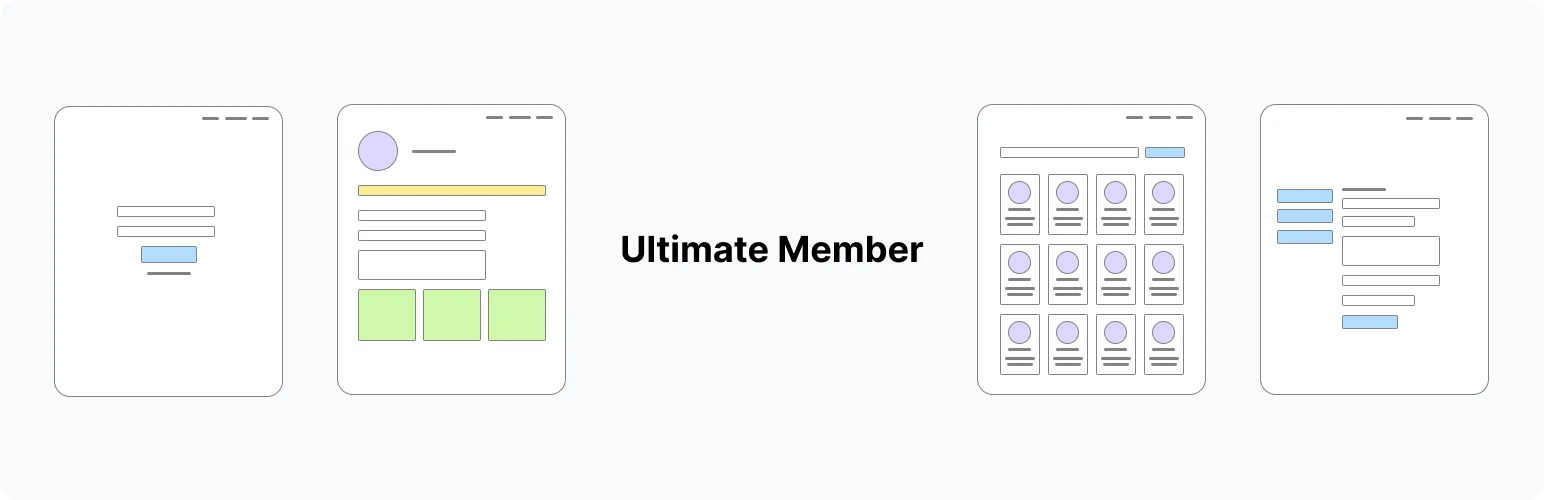
Ultimate Member is strongest when the community revolves around registration, front-end profiles, member directories, roles, and content restriction. It is less feed-centric than BuddyPress but easier to use for profile-heavy membership sites.
Key features
- Front-end registration and login
- Custom member profiles
- Member directories
- User roles
- Content restriction
- Extensions for additional social features
Pros: Very good profile and directory tools with a large active install base.
Cons: Building a full social network may require several extensions, and the settings can become complex.
Pricing: Free core plugin with paid extensions and bundles.
5. UsersWP – Best Lightweight Member Community
UsersWP is a lightweight member-profile plugin for sites that need front-end registration, login, profiles, directories, and account management without a large social-network framework.
It fits directory-style communities, local sites, associations, and account-focused membership projects where an activity feed is not the main feature.
Key features
- Front-end registration and login
- Member profiles
- Member directories
- Account pages
- Developer hooks and extensions
- Integrations with directory and membership tools
Pros: Lightweight and practical for directory-style or account-centric communities.
Cons: It is not a full social feed platform out of the box.
Pricing: Free core plugin with paid add-ons.
Which WordPress Community Plugin Should You Choose?
Choose BuddyPress if you want the most open and extensible foundation. FluentCommunity is my pick for a modern, fast community with spaces and courses. BuddyBoss is the premium choice when polish and integrated learning matter, Ultimate Member excels at profiles and directories, and UsersWP is a lean option for simpler member communities.
Conclusion
Community software is hard to change after members create profiles, groups, messages, and content. Test the member experience, moderation tools, and migration path before committing to the platform you plan to grow.
Frequently Asked Questions
What is the best community plugin for WordPress?
FluentCommunity is a strong modern choice for an app-like community, while BuddyPress remains the most open and established foundation.
Can I build a private paid community with WordPress?
Yes. Pair a community plugin with membership or ecommerce access control, or use a platform that integrates directly with paid membership workflows.
What is the difference between BuddyPress and a forum plugin?
BuddyPress focuses on profiles, activity, groups, and social connections. A forum plugin focuses on structured threaded discussions.
Can I migrate from BuddyPress or BuddyBoss?
Some platforms, including FluentCommunity, provide migration tools. Always test a large migration on staging first.
Do I need a special WordPress theme for a community site?
Not always, but compatibility matters. Test your theme with member profiles, feeds, mobile layouts, and login flows before launch.

