



Duplicating a WordPress page sounds basic, but it saves a surprising amount of production time. Landing pages, service pages, product layouts, campaign templates, and repeatable content structures are much faster to build when you can copy an existing setup instead of rebuilding it block by block.
The useful part is not only copying the title and body. A good duplicate plugin should preserve the featured image, custom fields, taxonomies, page-builder data, templates, and other metadata when needed. It should also make it obvious that the copy is a draft so you do not accidentally publish duplicate content.
These five plugins cover simple cloning, bulk duplication, rewrite workflows, and custom post types. If you are cloning content as part of a migration, compare our WordPress migration plugins. For safer code-level customizations, see our WordPress code snippet plugins.
TL;DR
- Yoast Duplicate Post: best overall for reliable cloning, bulk duplication, and Rewrite & Republish workflows.
- Duplicate Page: best for users who want a very simple duplicate-page action with minimal setup.
- Post Duplicator: best lightweight option for cloning posts, pages, and custom post types with their metadata.
- Duplicate Page and Post: best for straightforward one-click copies from normal WordPress content screens.
- Duplicate Post, Page and Any Custom Post: best when custom post types are a major part of the site.
Quick Comparison
| Plugin | Best for | Custom post types | Pricing |
|---|---|---|---|
| Yoast Duplicate Post | Cloning and Rewrite & Republish | Yes | Free |
| Duplicate Page | Simple page duplication | Common post types | Free with Pro option |
| Post Duplicator | Lightweight cloning | Yes | Free |
| Duplicate Page and Post | Basic one-click copies | Yes | Free |
| Duplicate Post, Page and Any Custom Post | CPT-heavy sites | Yes | Free core |
How I Chose These Plugins
I focused on current maintenance, how clearly the duplicate action is presented, metadata preservation, custom post type support, bulk workflows, and whether the plugin adds useful controls without turning a simple task into a larger content-management system.
1. Yoast Duplicate Post – Best Overall
Yoast Duplicate Post is the most complete free option in this list. You can clone posts and pages, create a new draft from an existing item, duplicate multiple items through Bulk Actions, and use Rewrite & Republish when you want to revise live content without editing the public version directly.
That last workflow is why I prefer it for editorial sites. Instead of copying a published article and manually replacing it later, Rewrite & Republish gives you a safer revision process. Yoast also confirms that featured images, metadata, and supported SEO fields are copied with the duplicate.
Key features
- One-click Clone and New Draft actions
- Bulk duplication
- Rewrite & Republish workflow
- Copies featured images and metadata
- Role and visibility controls
- Works with pages, posts, and supported custom post types
Pros: Mature, free, actively maintained, and better than basic cloning plugins for editorial revision workflows.
Cons: The settings are more detailed than users need if they only want a single Duplicate button.
Best for: Blogs, agencies, content teams, and sites that regularly revise published pages.
Pricing: Free. Yoast Duplicate Post has no paid tier of its own.
2. Duplicate Page – Best for Simple One-Click Copies
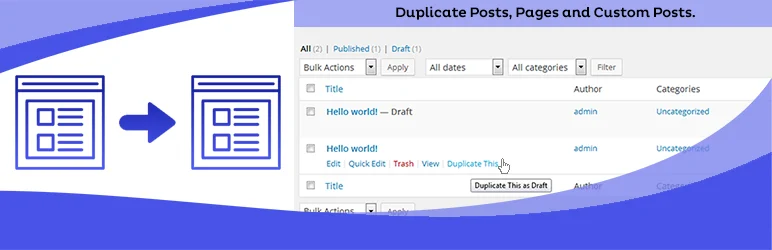
Duplicate Page is designed for the most common version of this task: create a copy, choose whether the new item should be a draft, pending, private, or published entry, and continue editing.
I would choose it when the team does not need a rewrite workflow or a lot of duplication settings. The value is speed and a small mental footprint inside wp-admin.
Key features
- Duplicate posts and pages
- Choose duplicate post status
- Simple action link in wp-admin
- Redirect options after duplication
- Basic metadata copying
- Commercial upgrade available for additional controls
Pros: Very easy to understand and fast for routine landing-page or service-page cloning.
Cons: Less sophisticated than Yoast Duplicate Post for revisions and bulk editorial workflows.
Best for: Small business sites and page-builder users who mostly need straightforward copies.
Pricing: Free version available, with a commercial Pro upgrade.
3. Post Duplicator – Best Lightweight Custom Post Type Cloner

Post Duplicator focuses on copying WordPress content with its associated metadata and taxonomy data. It works well when a custom post type behaves like a repeatable template and you want a duplicate without extra editorial features.
I like this model for structured sites. If you have portfolio entries, listings, case studies, or another CPT with several custom fields, preserving those fields is more important than having a large interface.
Key features
- Clone posts and pages
- Custom post type support
- Copies post metadata
- Copies taxonomy terms
- Lightweight admin workflow
- Configurable duplicate status
Pros: Focused, free, and useful for structured content with custom fields and taxonomies.
Cons: Does not provide the full rewrite-and-republish workflow of Yoast Duplicate Post.
Best for: CPT-heavy sites, portfolios, directories, and structured content workflows.
Pricing: Free.
4. Duplicate Page and Post – Best for Basic WordPress Duplication
Duplicate Page and Post keeps the feature set narrow. It adds duplication controls directly to WordPress content lists and is suitable for users who do not need scheduling, revision comparison, or other editorial layers.
For a small marketing site, that can be enough. I would still test page-builder and custom-field data on a staging site before assuming every third-party field is copied exactly as expected.
Key features
- Duplicate pages and posts
- One-click admin action
- Custom post type support
- Copies standard content and metadata
- Minimal configuration
- Useful for repetitive content layouts
Pros: Simple, lightweight, and easy for non-technical editors.
Cons: Fewer workflow controls than Yoast Duplicate Post.
Best for: Basic blogs and business sites that only need quick clones.
Pricing: Free.
5. Duplicate Post, Page and Any Custom Post – Best for CPT-Heavy Sites

Duplicate Post, Page and Any Custom Post is aimed directly at sites that use more than standard posts and pages. Its main value is making duplication available for custom post types so editors can repeat structured entries without recreating fields and content manually.
I would consider it for listing, event, portfolio, or knowledge-base setups where content types are custom but still need a simple clone-and-edit workflow.
Key features
- Duplicate posts and pages
- Broad custom post type support
- Copies standard metadata
- Simple admin duplication actions
- Useful for repeatable structured content
- Free core workflow
Pros: Clear custom post type focus and a straightforward editor workflow.
Cons: Smaller ecosystem and fewer advanced editorial controls than Yoast Duplicate Post.
Best for: Sites where custom post types are duplicated more often than normal blog posts.
Pricing: Free core plugin.
Which One Should You Choose?
For most sites, I would start with Yoast Duplicate Post because it covers both normal cloning and safer content revisions. Duplicate Page is easier if you only want a simple copy action. Post Duplicator and the custom-post-focused options make more sense when structured content is the main reason you are cloning.
Whatever plugin you use, keep duplicated content as Draft until the title, slug, canonical intent, internal links, and SEO metadata are unique. A cloning plugin saves production time, but it does not prevent accidental duplicate content if the editor publishes the copy unchanged.
Conclusion
A duplicate-post plugin is a small tool that can remove a lot of repetitive WordPress work. Yoast Duplicate Post is my first choice for most sites because it combines reliable cloning with a useful revision workflow. The lighter alternatives are better when you only need one-click copies or a focused custom-post-type workflow.
Frequently Asked Questions
What is the best WordPress duplicate post plugin?
Yoast Duplicate Post is the best all-round option because it supports cloning, bulk actions, and a Rewrite & Republish workflow while remaining free.
Does duplicating a WordPress post copy the featured image and metadata?
Most dedicated duplication plugins copy the featured image and post metadata, but third-party custom fields can vary. Test the exact content type before relying on it in production.
Can I duplicate Elementor or Gutenberg pages?
Yes. Duplication plugins normally copy the saved post content and metadata, which includes Gutenberg block markup and commonly used page-builder data.
Does duplicating a page hurt SEO?
Not while the duplicate stays unpublished. Problems can arise if near-identical copies are published and indexed without a clear reason, unique content, or appropriate canonical handling.
Can I duplicate custom post types in WordPress?
Yes. Yoast Duplicate Post, Post Duplicator, and several other plugins in this list support custom post types.

