


Choosing a WordPress form builder is easy when you only need a name, email, and message field. It gets harder when the same site later needs conditional logic, multi-step forms, payments, calculations, file uploads, user registration, CRM connections, or reliable entry management.
For this 2026 comparison, I reviewed six established WordPress form plugins using the same practical checklist: building a basic contact form, working with conditional fields, checking how longer forms are structured, reviewing entry handling, comparing payment options, looking at integrations, and checking what is actually included at each price level. I also rechecked current product and pricing pages before updating this article.
I do not think one form builder is the right choice for every WordPress site. The useful question is which plugin fits the forms you expect to build, the integrations you need, and the amount you want to spend over the next few years.
TL;DR
- WPForms: a polished choice for beginners and teams that value templates, guided setup, and a large integration ecosystem.
- Bit Form: a strong fit when you want advanced form controls, annual and lifetime licensing, and a relatively low entry price.
- Fluent Forms: useful for sites that want a capable free version and a broad feature set before upgrading.
- Gravity Forms: built for production workflows, agencies, developers, and sites that depend heavily on add-ons and integrations.
- Formidable Forms: especially relevant for calculators, front-end data displays, directories, and application-style forms.
- Forminator: a practical free option for forms, polls, quizzes, calculations, and payment forms.
WordPress Form Builder Comparison
| Plugin | Good fit for | Free version | Paid pricing checked Sept. 22, 2026 |
|---|---|---|---|
| WPForms | Beginners, templates, marketing integrations | Yes | From $39.60/year introductory; regular Basic price $99/year |
| Bit Form | Advanced controls, value, lifetime licensing | Yes | From $25/year promo; $99 lifetime promo for 1 site |
| Fluent Forms | Feature-rich free forms and business workflows | Yes | From $79/year for 1 site; lifetime option available |
| Gravity Forms | Agencies, developers, complex workflows | No | From $59/year for 1 site |
| Formidable Forms | Calculators, Views, data-driven forms | Yes | From $39.50/year introductory; regular Basic price $79/year |
| Forminator | Free forms, polls, quizzes, calculations | Yes | Core Forminator plugin is free |
Pricing can change. Promotional prices are separated from regular prices where the vendor clearly publishes both. Always check the official pricing page before buying or renewing.
How I Evaluated These WordPress Form Plugins
I focused on the parts that become important after the first form is published. A form builder can feel simple in a demo but become expensive or restrictive once you add logic, payments, integrations, calculations, or several client sites.
- Builder experience: how clearly fields, settings, confirmations, and notifications are organized.
- Free-version limits: whether the free plugin is useful on a real site or mainly works as a trial for the paid version.
- Entry management: whether submissions can be reviewed and managed inside WordPress.
- Conditional logic: whether forms can change based on a visitor’s answers.
- Long-form tools: multi-step forms, repeaters, save/resume features, conversational layouts, and progress indicators where available.
- Payments: supported payment workflows, gateway availability, and plan restrictions.
- Automation and integrations: CRM, email marketing, webhooks, APIs, and third-party connections.
- Advanced use cases: calculations, registrations, front-end submissions, quizzes, surveys, directories, and application-style forms.
- Cost: first-year price, renewal price where published, site limits, and lifetime options.
1. WPForms – Polished for Beginners and Marketing Sites
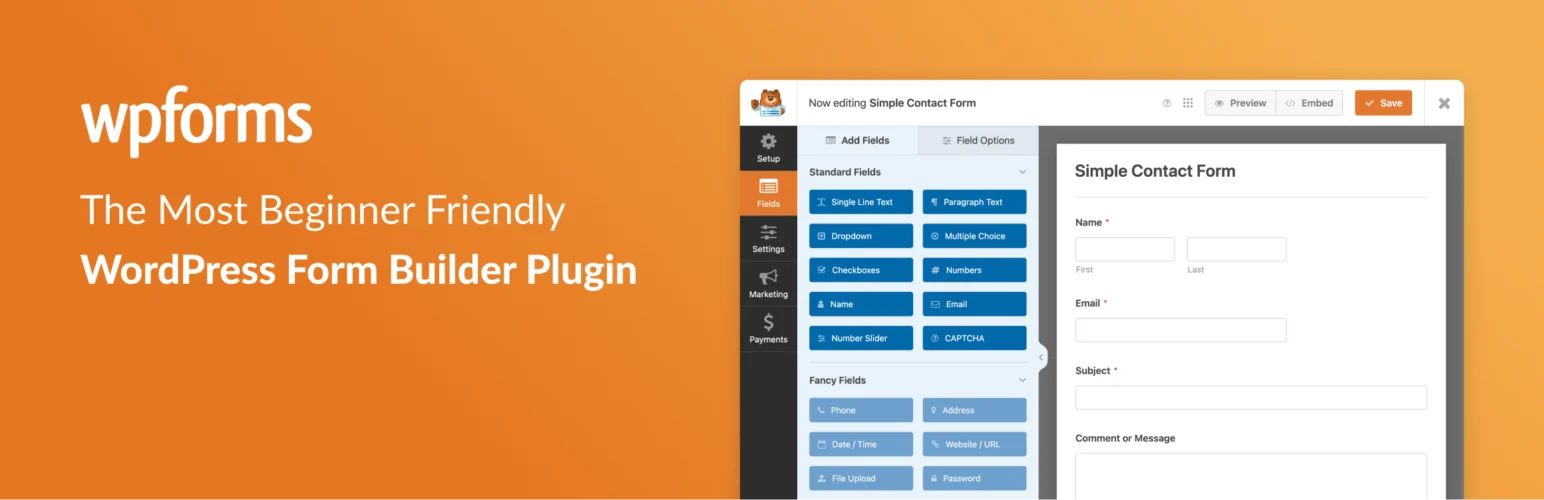
WPForms puts a lot of effort into making the first form feel approachable. I like the way the builder keeps the field list, field settings, notifications, and confirmations understandable for someone who does not work with WordPress forms every day.
For a simple contact or lead form, the workflow is straightforward. Where WPForms becomes more interesting is its paid ecosystem: multi-page forms, conditional logic, advanced fields, surveys, calculations, marketing connections, payment workflows, webhooks, and a very large template library.
The trade-off is the free-to-paid gap. WPForms Lite can build standard forms and send entries by email, but complete entry management inside WordPress and smart conditional logic are paid features. That matters if you expect the form to become part of a sales or operations workflow.
What I like about WPForms
- The builder is easy to understand without documentation open beside it.
- Templates make it fast to start common forms instead of building every layout from zero.
- The paid product covers a wide range of business use cases without making the basic builder feel developer-focused.
- Its ecosystem is useful if you depend on mainstream CRM, email marketing, payment, and automation tools.
Where I would be careful
I would check the exact license tier before buying. Some of the features that make WPForms attractive for business sites sit above the free version, and introductory pricing is much lower than the published regular renewal price.
WPForms pricing
WPForms Lite is free. At the time of this update, the official WPForms pricing page shows Basic at $39.60 for the first year, with a regular price of $99/year. Plus is $79.60 introductory, Pro $159.60, and Elite $239.60. WPForms states that introductory discounts apply to the first year and renewals use the full price.
Use WPForms when: you value a guided builder, templates, mainstream integrations, and a product that non-technical clients can usually understand quickly.
2. Bit Form – Advanced Controls With Low-Cost Annual and Lifetime Plans
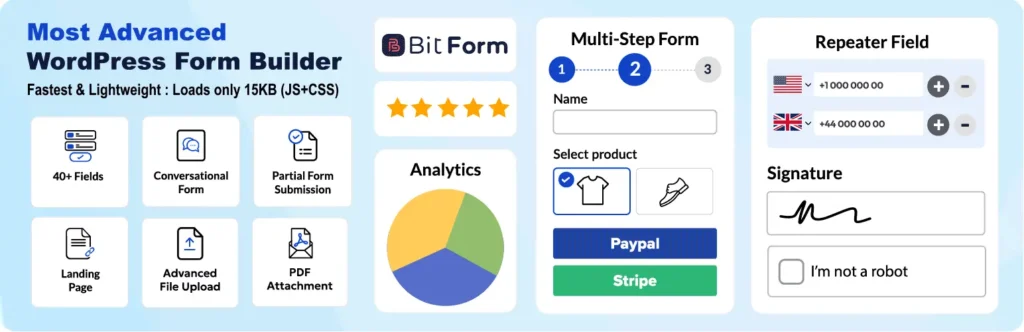
Bit Form takes a different approach from beginner-first form plugins. The interface still uses a visual builder, but the feature list goes much deeper into advanced form behavior: calculations, conditional logic, multi-step forms, front-end CRUD, user registration, repeat fields, file uploads, payment integrations, APIs, custom JavaScript, form-to-PDF workflows, and more.
I like Bit Form most when the form itself needs to do real work rather than only send an email. Features such as advanced calculations and front-end CRUD are useful for quote forms, application systems, directories, account workflows, and other cases where submitted data needs to remain useful after submission.
The pricing structure is also easy to understand because the paid plans advertise full feature access rather than splitting core features across many add-ons. That can make budgeting simpler if you already know you need advanced features.
What I like about Bit Form
- Advanced features are available in one product instead of requiring a long list of separate add-ons.
- The feature set covers both normal business forms and more technical workflows.
- Annual and lifetime licenses give buyers two different cost models.
- The unlimited-site agency option is worth comparing if you maintain many WordPress sites.
Where I would be careful
Bit Form has a smaller third-party ecosystem and less market recognition than WPForms or Gravity Forms. However, Bit Form works with Bit Integrations, which extends it to hundreds of integrations across CRM, email marketing, automation, spreadsheets, webhooks, and other business tools. If your workflow depends on a very specific niche service, I would still verify whether it is available natively in Bit Form or through Bit Integrations before committing.
Bit Form pricing
Bit Form has a free version. Its official pricing page currently advertises a Starter Annual plan at $25/year for one site, discounted from $39, and a Starter Lifetime plan at $99 one time, discounted from $132. The Agency Annual plan is currently $79/year for unlimited sites, and the Agency Lifetime offer is $199 one time. These are promotional prices and can change.
Use Bit Form when: you need advanced fields and form logic, want annual or lifetime licensing, or expect to build forms that involve calculations, registrations, PDFs, front-end editing, or automation.
3. Fluent Forms – A Capable Free Core With Broad Business Features
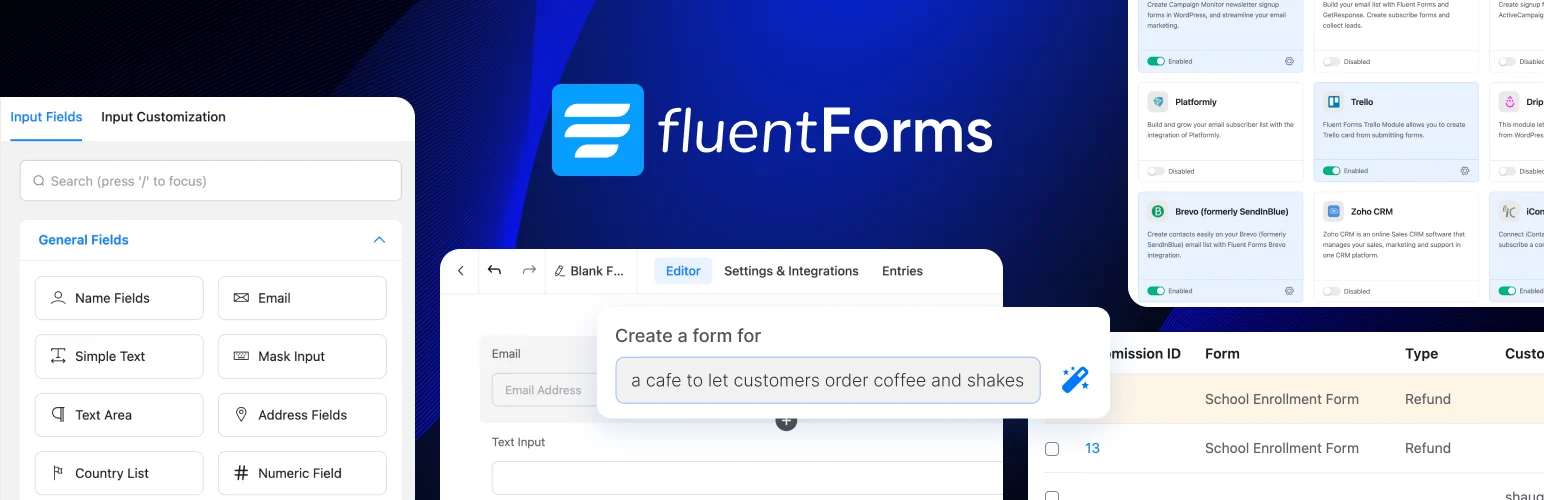
Fluent Forms is attractive when you want to get meaningful work done before paying. Its free version includes entry management and useful form-building features, while Pro expands the plugin with more advanced fields, integrations, payments, quizzes, surveys, conversational forms, user-generated content, and business workflows.
I like the balance here. The interface does not feel stripped down just because a free version exists, and the paid product is broad enough to cover many marketing and operations use cases without changing form builders later.
What I like about Fluent Forms
- The free core is useful for more than a basic contact page.
- Entry management is part of the workflow, which is important for business forms.
- The paid plans include all Pro features and mainly scale by site count.
- Annual and lifetime licensing are both available.
Where I would be careful
Some of the more advanced field types, integrations, and workflow features still require Pro. I would compare the exact free-versus-Pro feature you need instead of assuming every feature shown on the main product site is included for free.
Fluent Forms pricing
Fluent Forms has a free WordPress.org version. The official Fluent Forms pricing page lists the single-site annual license at $79/year. It also publishes lifetime licenses, with the single-site lifetime plan currently shown at $279 during the displayed promotion, compared with a $349 standard price.
Use Fluent Forms when: you want a capable free starting point, built-in entry management, and a paid upgrade path that covers a wide range of business forms.
4. Gravity Forms – Mature for Agencies and Complex Workflows
Gravity Forms is premium-only and has long been used on sites where forms are part of a larger workflow. I see its strongest use case in agency, developer, membership, registration, payment, and integration-heavy projects where extensibility matters as much as the visual builder.
The core builder handles conditional logic, multi-page forms, notifications, confirmations, and entry management, while the add-on ecosystem extends it into CRMs, email platforms, payment services, user registration, surveys, signatures, webhooks, and other workflows.
I like Gravity Forms when the site has a clear technical roadmap. It is not trying to win with a free version or the lowest first-year price. The value is in its mature ecosystem, predictable data handling, developer hooks, and long-standing compatibility with third-party WordPress tools.
What I like about Gravity Forms
- Mature ecosystem for professional WordPress work.
- Strong developer and automation options.
- Clear license structure based on site count and included add-ons.
- Good fit for forms that connect to larger operational workflows.
Where I would be careful
There is no free WordPress.org edition. Also, add-on access changes by license tier, so a workflow that needs Stripe, webhooks, user registration, or another specific integration may require Pro or Elite rather than Basic.
Gravity Forms pricing
The official Gravity Forms pricing page currently lists Basic at $59/year for one site, Pro at $159/year for three sites, and Elite at $259/year for unlimited sites. The add-ons included with each tier differ.
Use Gravity Forms when: you are building production forms for client sites or complex workflows and want a mature WordPress form ecosystem with extensive developer support.
5. Formidable Forms – Built for Calculators and Data-Driven Applications
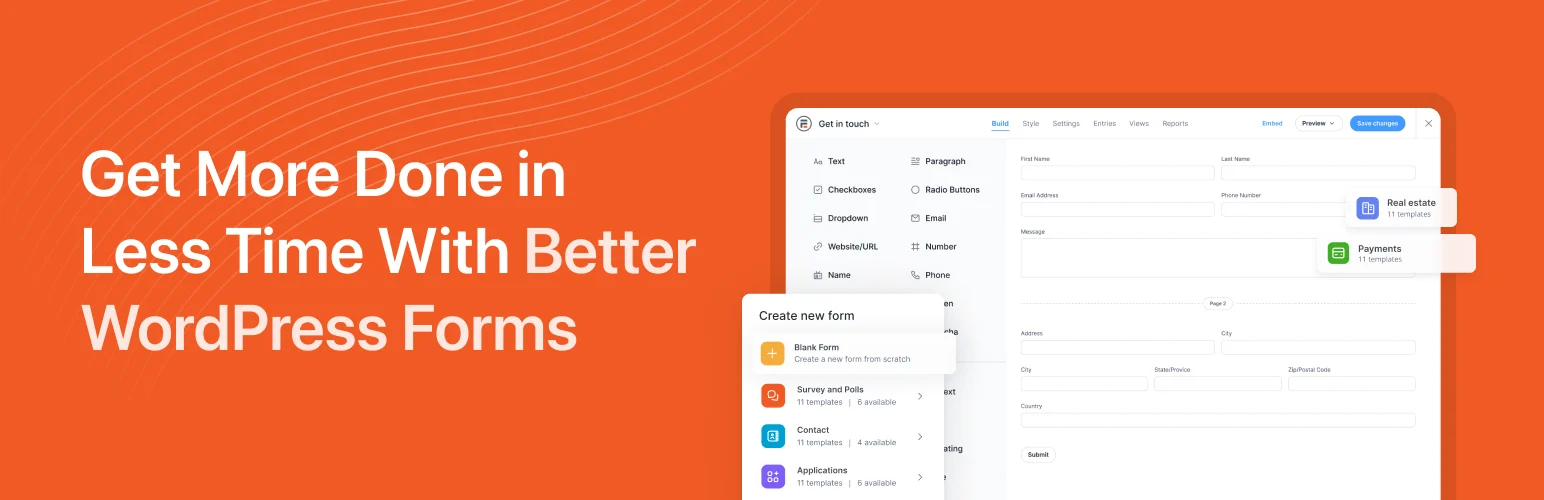
Formidable Forms becomes especially interesting when form submissions need to turn into something visible or interactive on the front end. Its Views system can display submitted data in grids, tables, calendars, timelines, directories, and other layouts, while higher plans add calculators, registrations, surveys, payments, PDFs, signatures, and application-building features.
I like Formidable Forms for projects where a form is the input layer for a small application. A mortgage calculator, quote estimator, member directory, job board submission flow, real-estate listing form, or searchable database is closer to its strengths than a plain contact form.
What I like about Formidable Forms
- Calculations are a major part of the product rather than a minor extra.
- Views make submitted data reusable on the front end.
- It can support application-style WordPress projects without immediately requiring custom development.
- Repeater fields, conditional logic, and multi-page forms are available in paid plans.
Where I would be careful
The feature depth can be unnecessary if you only need a newsletter signup or contact form. Also check renewal pricing: the pricing page clearly labels the displayed discounts as introductory and says renewals are at full price.
Formidable Forms pricing
Formidable Forms Lite is free. The official Formidable Forms pricing page currently shows Basic at $39.50 for the first year with a regular price of $79/year. Plus is $99.50 introductory, Business $199.50, and Elite $299.50. Renewals are at the full published price.
Use Formidable Forms when: calculations, front-end data displays, directories, listings, or app-like form workflows are central to the project.
6. Forminator – Free Forms, Polls, Quizzes, and Payments
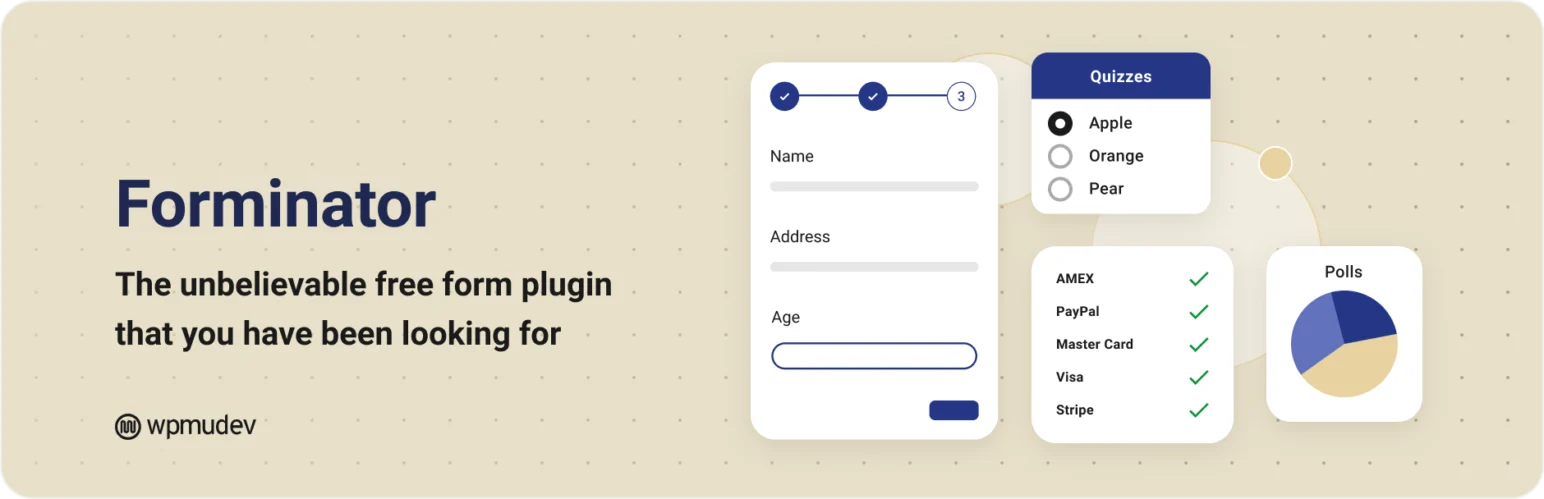
Forminator from WPMU DEV combines forms, polls, quizzes, calculations, and payment functionality in one free WordPress plugin. That mix is useful for site owners who want interactive content without buying several separate plugins.
I like Forminator when the requirement is broader than “build a contact form” but the budget is still close to zero. Polls and quizzes are first-class parts of the plugin, and the form builder also supports conditional logic, calculations, multi-step forms, entry handling, and integrations.
What I like about Forminator
- Core form-building functionality is free.
- Polls and quizzes are included instead of sold as separate form add-ons.
- Calculations and payment use cases make it useful beyond contact forms.
- It is a practical option for small sites, educational projects, and experiments.
Where I would be careful
The interface has more moving parts than very minimal contact-form plugins, and the surrounding add-on ecosystem is not as large as Gravity Forms or WPForms. If you need a niche CRM or workflow integration, verify it first.
Forminator pricing
The core Forminator plugin is free. WPMU DEV sells separate hosting, site-management, and membership services, but you do not need a paid Forminator license simply to use the core plugin.
Use Forminator when: you want free forms plus polls, quizzes, calculations, and payment-capable workflows in one plugin.
Which WordPress Form Builder Fits Which Use Case?
| If you need… | Plugins to evaluate first |
|---|---|
| A simple builder for non-technical users | WPForms, Fluent Forms |
| Advanced controls with annual or lifetime pricing | Bit Form, Fluent Forms |
| A mature agency/developer ecosystem | Gravity Forms, WPForms |
| Calculators and front-end data displays | Formidable Forms, Bit Form |
| A strong free starting point | Fluent Forms, Forminator, Bit Form |
| Polls and quizzes without buying a separate plugin | Forminator |
| Lifetime licensing | Bit Form, Fluent Forms |
| Complex integrations and custom development | Gravity Forms, Bit Form, Fluent Forms |
What to Check Before Choosing a WordPress Form Plugin
1. Where are entries stored?
Email notifications are not the same as entry management. If a lead, booking request, application, or payment record matters to the business, I prefer having a searchable copy inside WordPress or a connected CRM rather than relying only on email delivery.
2. Is conditional logic included in your plan?
Conditional logic is one of the first advanced features many sites need. It can show or hide fields, route notifications, change confirmations, or adjust payment behavior based on answers. Check whether it is free, paid, or limited to a higher plan.
3. What happens when the form grows?
A short contact form can become a quote request, onboarding form, application, order form, survey, or registration flow. Multi-step layouts, repeaters, file uploads, save/resume, calculations, and conditional sections matter much more once forms become longer.
4. Does it connect to the tools you already use?
Check your actual stack: CRM, email marketing platform, help desk, spreadsheet, payment gateway, automation plugin, webhook endpoint, or custom API. A plugin with 100 integrations is not useful if the one integration you need is missing.
5. Compare renewal cost, not only the sale price
This is easy to miss. WPForms and Formidable Forms currently display introductory discounts alongside higher regular renewal prices. Bit Form and Fluent Forms also advertise promotional or lifetime offers. Calculate the cost over two or three years if the form will stay on the site long term.
My Take After Comparing Them
The six plugins solve overlapping problems, but they approach WordPress forms differently. WPForms puts usability and templates first. Bit Form packs advanced controls into a lower-cost annual/lifetime model. Fluent Forms gives free users a lot of room before an upgrade. Gravity Forms is built around a mature professional ecosystem. Formidable Forms goes deeper into calculations and reusable submitted data. Forminator combines several interactive form types in a free package.
I would shortlist two or three based on the exact workflow, then build the most complicated form you expect to need before buying a license. That test usually reveals more than comparing feature counts.
If forms are part of a larger lead or automation stack, you may also want our comparisons of WordPress lead generation plugins and WordPress automation plugins.
Frequently Asked Questions
What is a WordPress form builder plugin?
A WordPress form builder plugin lets you create and publish forms without manually coding the HTML, validation, submission handling, notifications, and entry storage. Depending on the plugin, you can build contact forms, lead forms, registrations, payment forms, surveys, quizzes, calculators, application forms, and more.
Which WordPress form plugins have free versions?
WPForms, Bit Form, Fluent Forms, Formidable Forms, and Forminator all have free WordPress plugins. Gravity Forms is premium-only.
Which form plugins offer lifetime licenses?
Bit Form and Fluent Forms currently advertise lifetime license options. Prices and promotions can change, so check the official pricing pages before purchasing.
Which WordPress form builder is suitable for calculations?
Formidable Forms is heavily focused on calculators and data-driven applications. Bit Form also includes advanced calculation features, while other plugins in this comparison support calculation use cases at specific plan levels.
Can WordPress form plugins accept payments?
Yes. The plugins in this comparison support payment workflows in some form, but supported gateways, transaction conditions, and license requirements differ. Verify the gateway and plan you need before building a production payment form.
Do I need a paid form plugin for a basic contact form?
No. A basic contact form can be built with the free versions of WPForms, Bit Form, Fluent Forms, Formidable Forms, or Forminator. Paid plans become more important when you need entry management, advanced logic, integrations, payments, calculations, registrations, or other workflow features.
Should form submissions be stored in WordPress?
For important business forms, local entry storage or a reliable CRM connection is useful because email notifications can fail or be overlooked. The right approach depends on privacy requirements, retention policies, and where your team manages leads or records.
What should I test before buying a form builder?
Build the most complex form you expect to need. Test conditional logic, notifications, confirmations, mobile layout, file uploads, payments, integrations, entry management, and any calculation or registration workflow. Also check the renewal price, not only the introductory price.


