



Spreadsheets work for employee records until leave requests, attendance, departments, documents and onboarding start living in separate files. At that point, even a small team can lose track of who approved what and which record is current. These WordPress HR plugins focus on employee administration inside WordPress—not project management, LMS features or a public staff directory.
TL;DR
WP ERP is the most established choice and makes sense when HR needs to sit beside CRM or accounting. Crew HRM is stronger for employee records, leave and recruitment workflows. HR Management Lite offers a traditional WordPress HR dashboard, HR Press Lite is a clean attendance-first option for smaller teams, and Clockinator Lite is worth considering when time and attendance are the main requirement.
Quick Comparison
| Plugin | Best for | Pricing |
|---|---|---|
| WP ERP | broader business management with HR | Free core + paid modules |
| Crew HRM | employee, leave and recruitment workflows | Free + commercial ecosystem |
| HR Management Lite | traditional WordPress HR administration | Free Lite + Pro |
| HR Press Lite | attendance and team structure for small businesses | Free |
| Clockinator Lite | employee time and attendance tracking | Free Lite + possible paid upgrade |
How I Evaluated WordPress HR Management Plugins
I prioritized actual HR operations: employee records, departments, attendance or leave, recruitment/onboarding and employee self-service where available. I checked current WordPress.org maintenance and excluded team-member display plugins, project managers and LMS tools. Adoption in this category is uneven, so I give more weight to update activity and exact workflow fit than to feature-count claims.
1. WP ERP — Best for broader business management with HR

WP ERP is the most established option in this group, with 5,000+ active installs when checked. Its HR module sits inside a broader self-hosted ERP that can also cover CRM, accounting and recruitment. That breadth is useful for a small business that wants WordPress to become an internal operations hub, but it can be more system than a team needs if attendance is the only requirement.
Key features
- Employee and HR records inside WordPress
- Department and designation structure
- Leave and HR administration workflows
- Recruitment capability in the wider ERP stack
- CRM and accounting modules available
- Self-hosted business data
- Actively maintained WordPress plugin
What I like
It has the strongest adoption and the broadest business context. Companies already using WordPress for internal operations can avoid adding another SaaS dashboard.
Limitations
The ERP scope adds complexity. Advanced HR, accounting or recruitment functions may require paid extensions, and it is not the lightest choice for simple attendance.
Pricing
The core ERP plugin is free; commercial modules and bundles add advanced capabilities. Check the current official listing before purchase or deployment.
2. Crew HRM — Best for employee, leave and recruitment workflows
Crew HRM focuses on the employee lifecycle rather than accounting. Its current listing covers employee information, leave requests, recruitment, career pages and onboarding. That makes it a better fit than WP ERP when HR and hiring are the main jobs and you do not need a larger ERP suite.
Key features
- Employee information management
- Leave request workflows
- Recruitment and job listings
- Career-page functionality
- Onboarding-oriented tools
- WordPress-based HR administration
- Actively maintained current release
What I like
The recruitment plus employee-management combination gives it a clear use case for growing small teams.
Limitations
Its active install base is still small. Evaluate permissions, employee privacy, notification flows and data export before moving sensitive HR records into it.
Pricing
A free WordPress.org plugin is available; check the vendor for current paid HR features or extensions. Check the current official listing before purchase or deployment.
3. HR Management Lite — Best for traditional WordPress HR administration
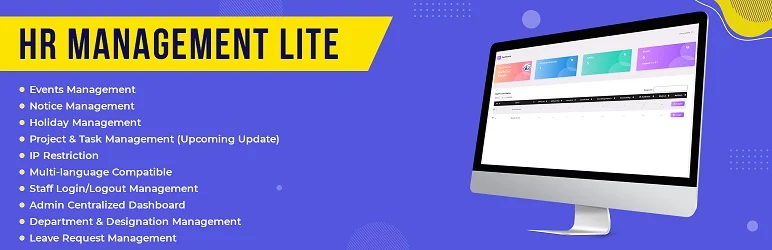
HR Management Lite provides a more conventional HR-management interface and was updated in September 2026 when checked. Its changelog shows ongoing fixes around reports, holidays and data tables. It is suitable for teams that want HR records and administrative functions without adopting a full ERP.
Key features
- Employee/HR administration in WordPress
- Project and organizational management features
- Holiday management
- Reporting capabilities
- Admin data tables and records
- Current 2026 maintenance
- Upgrade path to a fuller edition
What I like
The recent maintenance is encouraging in a category where several older HR plugins have gone quiet.
Limitations
Its install base and review history are modest. Test the exact employee self-service and attendance features you need rather than assuming the Pro edition covers them.
Pricing
The Lite edition is free; the developer offers a commercial upgrade. Check the current official listing before purchase or deployment.
4. HR Press Lite — Best for attendance and team structure for small businesses
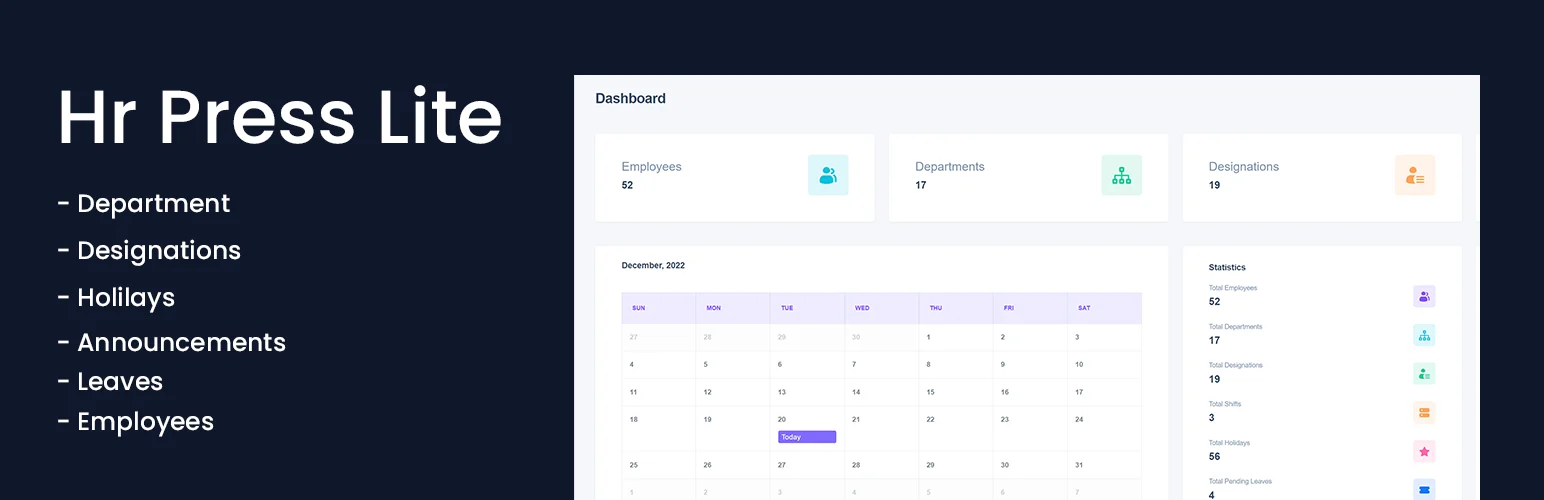
HR Press Lite is a newer lightweight HR plugin centered on daily attendance. It tracks employee check-in/check-out, breaks, departments, designations and announcements. That narrower scope can be a benefit for a small business that wants basic workforce administration without CRM or accounting modules.
Key features
- Employee check-in and check-out
- Daily attendance records
- Break logs
- Departments and designations
- Company announcements
- Employee email notifications
- WordPress-native HR dashboard
What I like
The feature set is easy to understand and closely matches the daily needs of a small office. There is no need to deploy a full ERP just to track attendance and structure.
Limitations
It is new and has a small install base. Sensitive employee data deserves careful permission, backup and privacy testing before production use.
Pricing
The current Lite plugin is free on WordPress.org. Check the current official listing before purchase or deployment.
5. Clockinator Lite — Best for employee time and attendance tracking
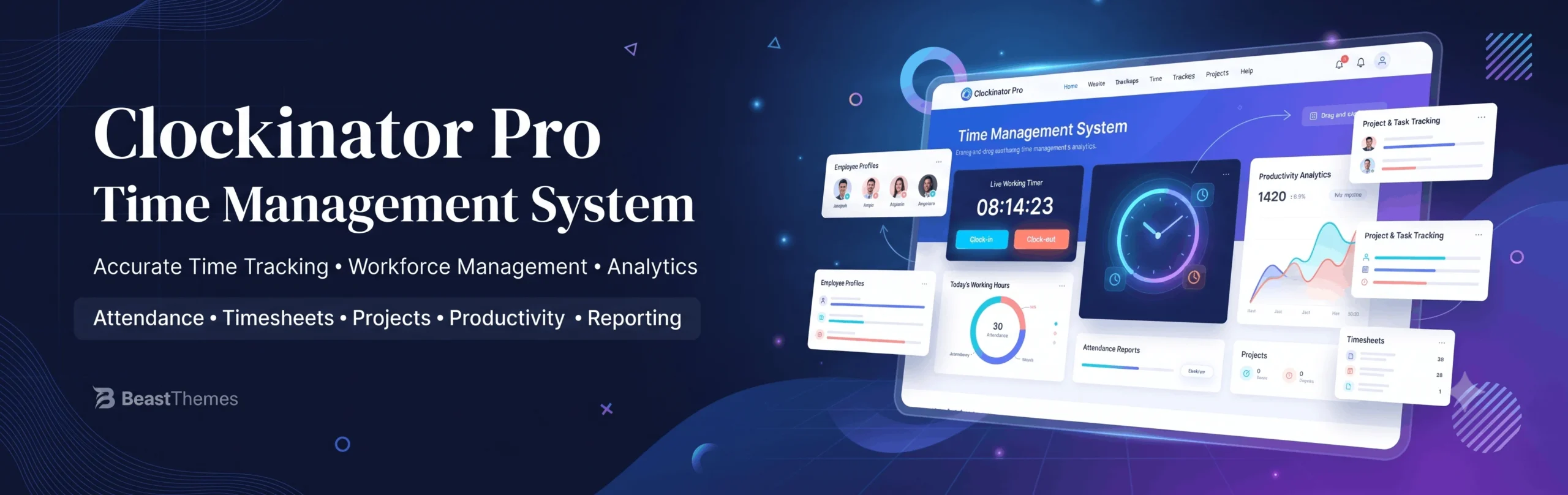
Clockinator Lite is an attendance-oriented plugin rather than a complete HR suite. It makes the shortlist because many small businesses searching for WordPress HR software primarily need clock-in, attendance and time records. If that is your bottleneck, a focused tool can be easier to maintain than an ERP.
Key features
- Employee attendance management
- Time/clock-oriented employee workflow
- WordPress admin management
- Employee-focused records
- Lightweight scope for smaller teams
- Current WordPress.org availability
What I like
Its narrow scope reduces setup when attendance is the actual requirement.
Limitations
It should not be treated as a replacement for recruiting, payroll, performance reviews or a full HRIS. Its adoption is also small, so test carefully.
Pricing
The Lite edition is free; verify any current commercial edition with the developer if you need advanced features. Check the current official listing before purchase or deployment.
HR Plugin vs ERP: Start With the Work You Need to Control
The biggest mistake is choosing an HR plugin because it has the longest feature list. Start with the workflow that is currently breaking: employee records, attendance, leave, departments, onboarding, documents, recruitment or time tracking. WP ERP makes sense when HR is one part of a wider business-management stack. Crew HRM is more focused on employee and recruitment workflows. HR Management Lite and HR Press Lite are better suited to smaller teams that mainly need attendance, staff records and leave-related administration. Clockinator is the narrowest option here and fits teams where time and attendance are the main problem.
Employee data is more sensitive than normal WordPress content. Before rollout, test user roles, who can view salary or personal data, whether staff can edit their own records, how exports work, and what is retained when a user account is deleted. Use strong access controls and avoid giving broad wp-admin permissions simply because the HR plugin lives inside WordPress.
Also be careful with payroll expectations. Most WordPress HR plugins are not full payroll systems for every country. They may track attendance, leave, salary fields or reports without handling local tax, statutory deductions or compliant payroll filing. If payroll is business-critical, confirm the exact supported workflow before treating an HR plugin as a replacement for dedicated payroll software.
How to Choose a WordPress Employee Management Plugin
Start with the records and approvals you need every month: employee profiles, leave, attendance, documents, recruitment or announcements. Then decide who can see each type of information. HR data is sensitive, so role permissions, backups, exports and deletion workflows matter as much as the dashboard design.
If payroll or legal compliance is central, do not assume a WordPress HR plugin replaces a country-specific payroll platform. It may be better to use WordPress for employee operations and keep payroll in a specialized system.
A Practical Shortlist by Team Size
For a small company that mainly wants attendance, departments and leave tracking, HR Press Lite or HR Management Lite can cover the basics without introducing a full ERP. Crew HRM is more attractive when recruitment, employee records and leave workflows need more structure. WP ERP is the better starting point when HR needs to coexist with CRM, accounting or broader business operations inside WordPress. Clockinator is best treated as a focused time-and-attendance tool rather than a complete HR suite.
As the team grows, reporting and permissions become more important than the employee list itself. Managers may need visibility into their department without seeing every employee record. Finance may need attendance data but not recruitment notes. Employees may need self-service leave requests without access to admin settings. Check those role boundaries before importing real staff data.
Also plan for offboarding. Test what happens when an employee leaves, a WordPress user is deleted or a manager changes departments. Good HR administration is not only about adding people; it is also about preserving records and changing access without losing historical data.
Conclusion
WP ERP is the strongest general choice when you want a broader business system. Smaller teams should choose a focused HR or attendance plugin only if its workflow matches their actual process and its permissions have been tested with real employee roles.
Frequently Asked Questions
Can WordPress be used as an HR system?
Yes for employee records, leave, attendance, recruitment and internal workflows, but requirements vary widely by company and country.
Do WordPress HR plugins handle payroll?
Some ecosystems may offer accounting or payroll-related integrations, but payroll compliance is country-specific. Verify it separately.
Is employee data safe in WordPress?
It can be, but you need strong access controls, backups, updates and a clear privacy policy. HR records should never be broadly accessible to ordinary site users.
Should I use an HR plugin or an ERP?
Use an ERP when HR needs to connect with accounting, CRM or wider operations. Use a focused HR plugin when employee administration is the main job.
For work planning rather than employee administration, see our WordPress project management plugins.

