


A WordPress page builder can save hours when you need custom layouts without writing every template by hand. But builders differ a lot in workflow, code output, theme-building depth, WooCommerce support, pricing, and how easy they are to maintain after a site grows.
For this 2026 comparison, I looked at the seven builders from the perspective of actually building and maintaining WordPress sites: how quickly I can create a layout, how much control I get over responsive design, whether global styles are practical, how the builder handles dynamic content, what happens when a client edits the site, and how much the license really costs.
TL;DR
- Elementor: a familiar choice for users who want a large ecosystem, templates, and broad third-party support.
- WPBakery: still relevant for existing sites, bundled themes, and users who prefer its front-end/back-end editor workflow.
- Beaver Builder: a stable option for agencies and site owners who value predictable editing and maintainable client sites.
- Divi: useful when you want an all-in-one theme and visual builder with unlimited-site licensing.
- Thrive Architect: built around landing pages, lead generation, and conversion-focused marketing workflows.
- Oxygen: aimed at technically confident users who want deeper control over structure, styling, and code output.
- Breakdance: a modern visual builder with strong theme building, forms, popups, dynamic data, and WooCommerce tools in one interface.
WordPress Page Builder Comparison
| Builder | Good fit for | Free version | Current paid pricing |
|---|---|---|---|
| Elementor | General-purpose sites and large ecosystem | Yes | Annual plans; pricing varies by plan and current offer |
| WPBakery | Existing WPBakery sites and bundled-theme workflows | No standalone free version | €69 lifetime for 1 site |
| Beaver Builder | Agencies and maintainable client sites | Yes | $89/year for 1 site |
| Divi | Unlimited-site users and all-in-one design stack | No | Annual and lifetime plans |
| Thrive Architect | Landing pages and conversion-focused sites | No | $199/year introductory for 1 site; renews at $399/year |
| Oxygen | Developers and technical builders | No | From $129 lifetime |
| Breakdance | Modern full-site visual building | Yes | $99.99/year for 1 site; $199.99/year unlimited |
Pricing checked in September 2026. Promotions, regional pricing, taxes, and renewal rates can change, so verify the checkout price before buying.
How I Evaluated These Page Builders
I do not judge a page builder only by how many widgets it advertises. In real projects, the important questions are whether the builder stays manageable after 20, 50, or 100 pages, whether responsive changes are easy to control, whether global design choices can be updated centrally, and whether another person can understand the site later.
- Editing workflow: how quickly I can build and revise real layouts.
- Responsive control: desktop, tablet, and mobile behavior without fighting the interface.
- Theme building: headers, footers, archives, single templates, dynamic content, and custom post types.
- Performance: how much unnecessary output the builder adds and how much optimization work is normally required.
- Client handoff: whether non-technical editors can safely change content.
- Ecosystem: templates, add-ons, integrations, documentation, and community support.
- Pricing: real license cost, site limits, renewals, and lifetime options where available.
1. Elementor

Elementor remains one of the easiest builders to recommend when compatibility and ecosystem matter. I see it used across small business sites, WooCommerce stores, landing pages, blogs, and agency builds, largely because so many themes, plugins, template kits, and freelancers already understand its workflow.
When I work in Elementor, the biggest advantage is familiarity. The editor is visual, the widget panel is easy to understand, responsive controls are straightforward, and Pro adds theme building, dynamic content, forms, popups, custom CSS, and WooCommerce widgets depending on plan.
What I like
- Very large template, theme, and add-on ecosystem.
- Strong visual editing experience for non-developers.
- Theme Builder for headers, footers, archives, and dynamic templates.
- Good WooCommerce design coverage on supported Pro plans.
- Large community, documentation base, and freelancer availability.
Where I would be careful
Elementor can become heavy if a site uses many nested containers, third-party widget packs, animations, and overlapping optimization plugins. I would not call Elementor inherently slow, but I have seen poorly structured Elementor sites become much harder to optimize than the original design required.
Pricing: Elementor has a free plugin and several annual paid plans. Its pricing structure now includes different Editor Pro tiers and Elementor One options, so I would check the official Elementor pricing page for the exact current checkout amount and renewal rate.
Use it when: you want a mainstream visual builder with broad compatibility and you expect to rely on templates, add-ons, or outside freelancers.
2. WPBakery Page Builder
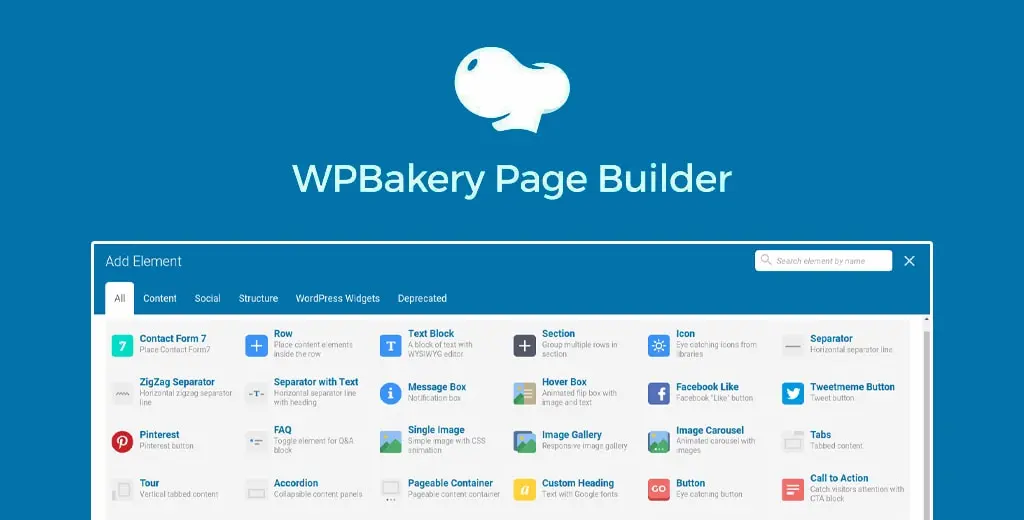
WPBakery has been part of the WordPress ecosystem for years, and that history matters because many commercial themes still ship with layouts built around it. I would look at WPBakery differently from newer builders: its strongest case is often maintaining an existing site or working with a theme that already depends on it.
I like that it still offers both front-end and back-end editing. For users who prefer seeing a structural representation of rows and elements in wp-admin, the back-end editor can be more predictable than a fully visual canvas.
What I like
- Front-end and back-end editing modes.
- Long history and broad compatibility with older premium themes.
- Lifetime license model for the core product.
- Template library and WPBakery AI while eligible support access is active.
Where I would be careful
For a brand-new project, I find its workflow less modern than newer visual builders. I would also check how dependent a theme is on bundled WPBakery elements before migrating away, because old pages can be tightly coupled to the builder or theme-specific shortcodes.
Pricing: WPBakery currently lists €69 lifetime for 1 site, €256 lifetime for 5 sites, and €499 lifetime for 10 sites. The license includes free product updates, while some support/cloud benefits are tied to the support period.
Use it when: you already maintain a WPBakery site, use a theme built around it, or specifically prefer its back-end editing model.
3. Beaver Builder

Beaver Builder has a less flashy interface than some competitors, but I see that as part of its appeal. It is stable, straightforward, and particularly practical when a site will eventually be handed to a client or maintained by several people.
In use, Beaver Builder feels deliberate. The editing model is easy to understand, and the current paid plans bundle the page builder, Beaver Builder Theme, and Beaver Themer. That makes the package more complete than looking at the editor alone might suggest.
What I like
- Stable visual editing workflow.
- Beaver Themer for full-site and dynamic template work.
- Good fit for client maintenance and agency processes.
- Free Lite version available for testing basic editing.
- Higher plans support larger site portfolios and multisite workflows.
Where I would be careful
The interface can feel conservative if you are coming from builders with more visual effects and design controls. The current pricing also rises quickly for larger site counts, so agencies should compare total annual cost rather than assuming Beaver Builder is inexpensive because it has a Lite version.
Use it when: reliability, client handoff, and a predictable long-term editing workflow matter more than having the flashiest interface.
4. Divi
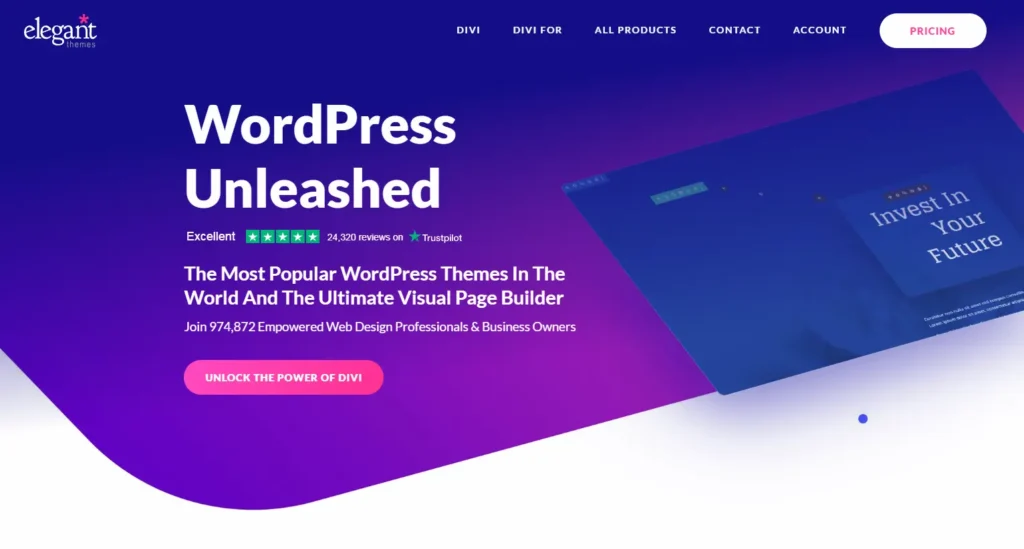
Divi is both a theme ecosystem and a visual page-building system. I like it most when a user wants one vendor to cover the visual builder, theme framework, design library, and site-management ecosystem instead of assembling several separate tools.
The visual editor gives deep control over spacing, typography, effects, responsive behavior, reusable designs, and full-site templates. Elegant Themes also offers Divi Dash plus optional services such as Divi AI, Divi Cloud, and VIP support.
What I like
- Unlimited website usage on core Divi memberships.
- Large library of layouts and design resources.
- Theme Builder for full-site templates.
- Strong global design and reusable-element workflow.
- Lifetime licensing remains available.
Where I would be careful
Divi gives you a lot of controls, which also means the interface can feel dense. On large sites I would set global design rules early; otherwise individual module-level styling can make later redesigns unnecessarily slow.
Pricing: Divi offers annual and lifetime membership options for unlimited websites. Current promotional pricing changes, so check the official Divi pricing page. At the time of this review, Elegant Themes was also advertising a lifetime package that included Divi and Divi Dash with optional recurring Pro services.
Use it when: you want one visual ecosystem for many sites and value unlimited-site licensing or lifetime access.
5. Thrive Architect

Thrive Architect is easiest to understand when you treat it as a marketing-focused visual builder rather than just another general page editor. Its templates and elements are heavily oriented toward landing pages, opt-ins, calls to action, testimonials, pricing sections, and conversion-oriented page structures.
I like Thrive Architect when the site has a clear marketing job. If I am building a lead-generation page, webinar page, course funnel, or product landing page, its ecosystem makes more sense than it does for a simple brochure site.
What I like
- Conversion-focused elements and landing page templates.
- Tight connection with other Thrive marketing plugins.
- Strong editing controls for calls to action and lead-generation pages.
- Optional Thrive Optimize integration for landing-page A/B testing.
Where I would be careful
If you only need a general-purpose site builder, the Thrive ecosystem may be more marketing-oriented than necessary. I would also pay attention to renewal pricing, because the discounted first-year amount is not the ongoing annual cost.
Pricing: Thrive Architect is currently advertised at $199 for the first year for 1 site, renewing at $399/year. Thrive Suite is also available for users who want the wider marketing plugin ecosystem.
Use it when: landing pages, lead generation, testing, and conversion workflows are central to the site.
6. Oxygen Builder
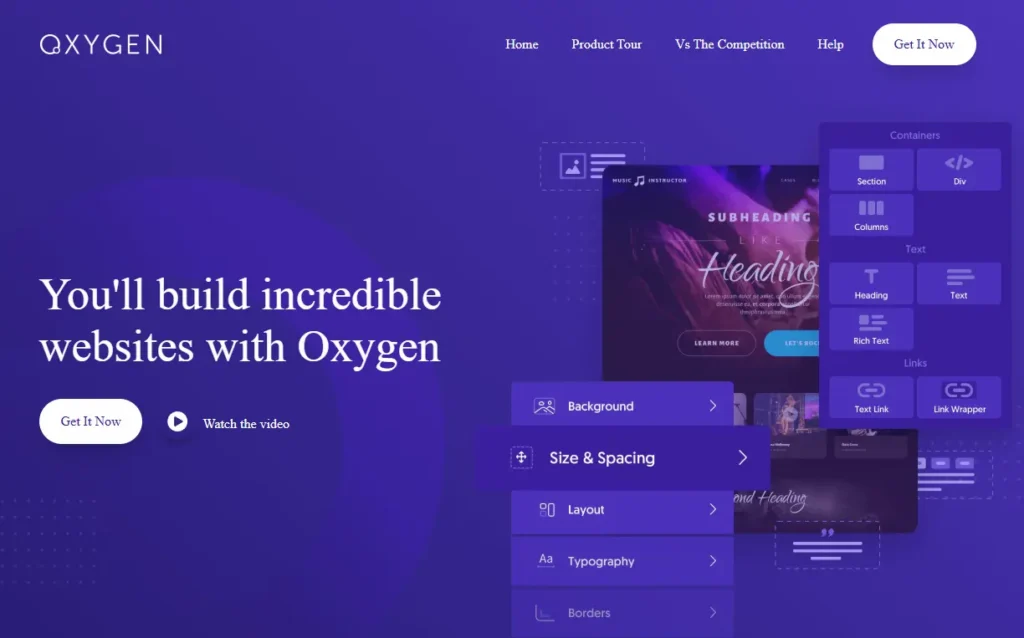
Oxygen is aimed more at technically confident WordPress builders than casual users. I like the amount of structural and styling control it gives, especially when I want to think in terms of HTML structure, classes, reusable design systems, dynamic data, and cleaner front-end output instead of only stacking visual widgets.
Oxygen is also in an important transition period. Oxygen 6 is the newer generation, while Oxygen Classic remains supported. That makes it important to check exactly which version and package you are buying rather than relying on an older review.
What I like
- Deep structural and CSS control.
- Strong dynamic data and custom-field workflows.
- Unlimited-site lifetime licensing.
- Useful for developers who care about output and reusable class systems.
- Oxygen Classic continues to be supported while Oxygen 6 develops.
Where I would be careful
I would not hand Oxygen to a complete beginner and expect the same learning curve as Elementor. The extra control is valuable, but users need to understand layout structure, responsive behavior, and CSS concepts to get the most from it.
Pricing: Oxygen currently lists Basic at $129 lifetime, WooCommerce at $149 lifetime, Ultimate at $179 lifetime, and a promotional Lifetime Bundle at $199.50. These are unlimited-site licenses, and Oxygen has announced that pricing is expected to change.
Use it when: you are comfortable with web structure and want deeper control than a beginner-first visual builder normally provides.
7. Breakdance
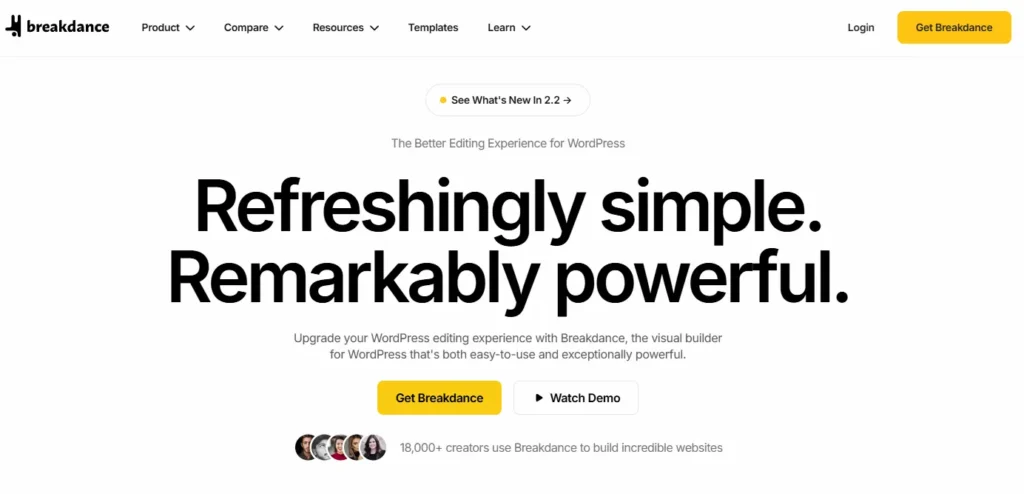
Breakdance is built by the team behind Oxygen, not WPBakery. In my experience, its biggest appeal is how much of a complete WordPress site-building workflow it puts inside one modern editor: pages, headers, footers, archive templates, dynamic data, forms, popups, WooCommerce layouts, conditions, global styles, and reusable components.
I like Breakdance when I want the depth of a full-site builder but do not want the editor to feel as developer-oriented as Oxygen. The interface is easier to approach, while still giving advanced users CSS classes, dynamic content, conditions, and code-oriented controls when needed.
What I like
- Full theme-building workflow in the same editor.
- Built-in form, popup, and WooCommerce capabilities.
- Strong dynamic data and conditional display options.
- Global classes and reusable design controls.
- Free version supports unlimited websites with feature limits.
Where I would be careful
Breakdance has a smaller third-party ecosystem than Elementor, so I would check any niche add-on or integration requirement before standardizing an agency workflow around it. I also recommend testing a free build first because switching page builders later is never a trivial migration.
Pricing: the free plan supports unlimited websites. Pro is currently $99.99/year for 1 website or $199.99/year for unlimited websites. Breakdance states that the price you subscribe at is locked for renewals, although new-customer pricing can increase later.
Use it when: you want a modern visual builder that covers both page design and full-site building without assembling many separate plugins.
Which WordPress Page Builder Fits Which Type of Site?
| Scenario | Builders I would evaluate first |
|---|---|
| Beginner business website | Elementor, Breakdance, Beaver Builder |
| Agency maintaining many client sites | Beaver Builder, Breakdance, Divi |
| Landing pages and funnels | Thrive Architect, Elementor |
| Developer-focused custom builds | Oxygen, Breakdance |
| Existing premium theme using bundled builder | WPBakery |
| Unlimited-site lifetime licensing | Divi or Oxygen |
| Large third-party add-on ecosystem | Elementor |
Do Page Builders Hurt WordPress SEO?
A page builder does not automatically hurt SEO. Search engines care about the final page: whether it loads well, works on mobile, exposes crawlable content, uses sensible headings, and provides a good user experience.
The SEO problem usually appears when the design becomes unnecessarily complex. Too many widgets, huge background videos, oversized images, excessive DOM depth, multiple animation libraries, and third-party add-ons can increase page weight regardless of which builder you use. I focus more on the quality of the build than on simplistic claims that one builder is always “SEO-friendly” and another is not.
What Happens If You Stop Using a Page Builder?
This is one of the questions I think site owners should ask before choosing a builder. Most visual builders store some part of the page structure in builder-specific data. If you deactivate the builder, the design normally will not remain intact. Some builders leave cleaner underlying content than others, but moving a complex site from one page builder to another usually requires rebuilding templates and layouts.
For that reason, I treat the builder as a long-term platform decision rather than a plugin I expect to swap casually next year.
What I Would Check Before Choosing
- Can it build your header, footer, blog templates, archives, and custom post types if you need those?
- Does the license cover the number of client or personal sites you expect to maintain?
- Are WooCommerce, forms, popups, dynamic data, or custom fields included or dependent on another plugin?
- Can clients edit content without accidentally destroying the layout?
- What is the renewal cost after any introductory discount?
- How difficult would migration be if your requirements change?
Final Take
I would not choose a WordPress page builder from a demo screenshot or a list of 100 widgets. The important decision is how the builder fits the way you actually create and maintain sites.
Elementor has the broadest ecosystem in this list. Beaver Builder emphasizes stability and maintainability. Divi has a strong all-in-one and unlimited-site model. Thrive Architect focuses heavily on conversion workflows. Oxygen gives technical users deep control. Breakdance combines a modern visual workflow with full-site features. WPBakery still makes sense where an existing site or commercial theme already depends on it.
Frequently Asked Questions
What is a WordPress page builder?
A WordPress page builder is a visual design tool that lets you create layouts with elements such as sections, text, images, buttons, forms, and dynamic content without manually coding every template.
Which WordPress page builder is easiest for beginners?
Elementor, Beaver Builder, and Breakdance all have approachable visual editors. The easier choice depends on whether you prioritize ecosystem size, simplicity, or built-in full-site features.
Which WordPress page builders have free versions?
Elementor, Beaver Builder Lite, and Breakdance offer free versions. Their free feature limits differ, so check whether you need theme building, dynamic data, forms, popups, or WooCommerce features before deciding.
Do page builders slow down WordPress?
They can add extra markup, CSS, and JavaScript, but the final performance depends heavily on how the site is built. Large images, excessive animations, third-party widget packs, and deeply nested layouts often matter more than the builder name alone.
Can a page builder replace a WordPress theme?
Some builders include theme-building features that let you design headers, footers, archives, and single templates. WordPress still requires an active theme technically, but builders such as Elementor Pro, Beaver Themer, Divi, Oxygen, and Breakdance can control much of the site’s visual template system.
Is Elementor better than Breakdance?
They focus on slightly different strengths. Elementor has a much larger third-party ecosystem and community. Breakdance includes a broad set of full-site, form, popup, dynamic, and WooCommerce tools in a more unified builder. The better fit depends on your workflow and integration needs.
Is Oxygen or Breakdance better for developers?
Oxygen generally exposes a more developer-oriented workflow and deeper structural mindset, while Breakdance is easier to approach visually while still supporting classes, dynamic data, conditions, and advanced controls.
Can I switch from one page builder to another?
Yes, but complex sites usually require rebuilding layouts and templates. Page builders store design structure differently, so switching is rarely a one-click migration.
Which page builder is good for WooCommerce?
Elementor, Divi, Oxygen, Beaver Builder, and Breakdance all support WooCommerce design workflows at different license levels. Compare product templates, shop archives, cart and checkout controls, and dynamic WooCommerce elements before choosing.
Should I choose a lifetime page builder license?
A lifetime license can reduce long-term cost if you expect to use the builder for years, but it should not be the only factor. Product direction, support, ecosystem, workflow, and migration cost are more important than avoiding an annual fee.


