



A podcast plugin should do more than drop an audio player into a post. The real job includes episode publishing, podcast RSS, imports, show notes, multiple shows, analytics and reliable distribution to podcast apps. The best WordPress podcast plugins make WordPress a practical publishing hub without forcing you to rebuild your entire content workflow.
TL;DR
Seriously Simple Podcasting is my best overall choice for a WordPress-native podcast workflow. PowerPress is a mature option for podcasters who want strong RSS and directory controls. Podlove Podcast Publisher is the most technical and flexible choice for publishers who want deep metadata and analytics options. Podcast Player is better when your main goal is presenting an existing podcast beautifully on a WordPress site.
Quick Comparison
| Plugin | Best for | Pricing model |
|---|---|---|
| Seriously Simple Podcasting | WordPress-native publishing | Free plugin; optional Castos hosting and services |
| PowerPress | Established RSS and directory workflows | Free plugin; optional Blubrry services |
| Podlove Podcast Publisher | Advanced publishing and metadata | Free/open-source plugin with optional ecosystem services |
| Podcast Player | Displaying an existing podcast | Free version with premium upgrade |
How I Chose These Podcast Plugins
I looked at podcast RSS generation, episode management, importing, multiple-show support, player quality, analytics options, hosting flexibility and how well the plugin fits a normal WordPress publishing workflow. This topic is intentionally separate from a general audio-player roundup because podcast publishing requires feeds and distribution metadata. For adjacent tools, see our WordPress analytics plugins and newsletter plugins.
1. Seriously Simple Podcasting — Best Overall WordPress Podcast Plugin

Seriously Simple Podcasting keeps podcast publishing close to the normal WordPress editing experience. You can manage episodes inside WordPress, generate compliant podcast feeds, import an existing show and connect optional Castos hosting if you want managed media delivery and deeper analytics.
Key features
- Podcast RSS feeds
- Episode post type and publishing workflow
- Import tools for existing podcasts
- Multiple podcast support
- Built-in podcast player
- Optional Castos hosting and analytics integration
Pros
- WordPress-native workflow
- Good free feature set
- Hosting remains optional
Cons
- Advanced hosted analytics depend on external services
- Large audio files still need sensible media hosting
Pricing
The plugin is free. Castos podcast hosting and related services are optional paid products. Check current hosting plans if you need managed media delivery.
2. PowerPress — Best for Mature RSS and Directory Workflows
PowerPress from Blubrry has been around for years and remains useful for publishers who want granular podcast feed settings, directory compatibility and a mature ecosystem. It works with your existing media hosting or Blubrry services.
Key features
- Podcast RSS feed controls
- Apple Podcasts and directory metadata
- Multiple podcast channels
- Audio and video podcast support
- Migration tools
- Optional Blubrry hosting and statistics
Pros
- Mature podcast ecosystem
- Detailed feed controls
- Hosting provider is optional
Cons
- Settings can feel dense for beginners
- Some advanced statistics depend on Blubrry services
Pricing
PowerPress itself is free. Blubrry hosting and advanced statistics are separate paid services.
3. Podlove Podcast Publisher — Best for Advanced Publishing and Metadata

Podlove is the option I would consider when podcast metadata, episode assets and publishing control matter more than a beginner-friendly setup. It is built around a structured podcast model and gives technical publishers substantial control over feeds and episode information.
Key features
- Structured episode management
- Configurable podcast feeds
- Multiple media assets and formats
- Web player integration
- Chapter and contributor metadata
- Analytics ecosystem support
Pros
- Deep publishing control
- Open-source approach
- Strong metadata model
Cons
- Steeper learning curve
- More configuration than most casual podcasters need
Pricing
Podlove Podcast Publisher is free and open source. Optional services in the wider Podlove ecosystem may have separate terms.
4. Podcast Player — Best for Displaying an Existing Podcast
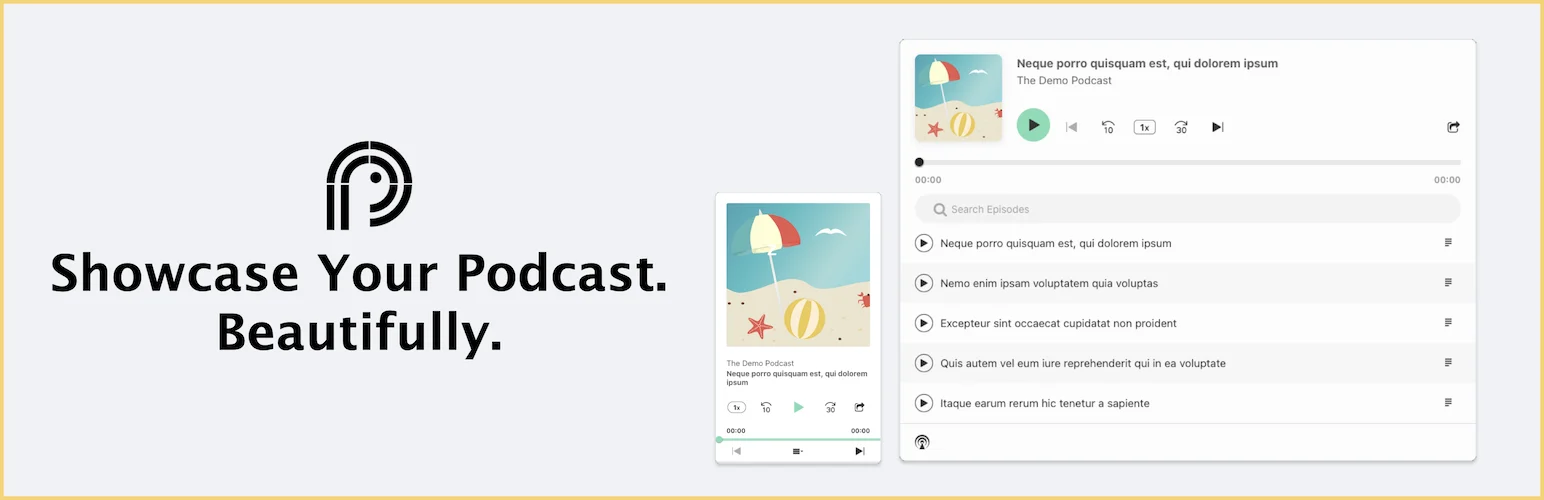
Podcast Player is different from the first three choices. It is most useful when your podcast is already hosted and distributed elsewhere and you mainly want a searchable, attractive episode experience on your WordPress site.
Key features
- Podcast feed display
- Episode lists and search
- Responsive audio player
- Grid and list layouts
- Feed-based episode import/display
- Customization options
Pros
- Easy way to showcase an existing feed
- Good front-end listening experience
- Free version available
Cons
- Not as complete for originating and managing podcast feeds
- Advanced layouts may require Pro
Pricing
A free version is available with a premium upgrade for additional presentation and control options.
How to Choose the Right WordPress Podcast Plugin
If WordPress will be your primary publishing hub, start with Seriously Simple Podcasting or PowerPress. Choose Podlove when you want deeper technical control. If the podcast already lives on another host and your site mainly needs a strong front-end player, Podcast Player is the simpler fit. Keep large audio files on podcast-optimized hosting or a suitable media service rather than relying blindly on ordinary shared hosting.
Conclusion
Seriously Simple Podcasting offers the cleanest balance for most WordPress publishers. PowerPress remains strong for mature feed management, Podlove is the power-user option, and Podcast Player is best when display matters more than feed creation.
Frequently Asked Questions
Can WordPress host a podcast?
Yes. WordPress can manage episode posts and podcast RSS feeds, but large audio files are usually better served from podcast-optimized hosting or another suitable media host.
Which WordPress podcast plugin is best for beginners?
Seriously Simple Podcasting has the most approachable WordPress-native workflow in this list.
Can I import an existing podcast into WordPress?
Yes. Several podcast plugins offer import or migration tools so you can connect an existing feed and move episode data into WordPress.
Do I still need podcast hosting?
You can self-host media, but dedicated podcast hosting is often easier for bandwidth, analytics and reliable delivery. The WordPress plugin and media host can be separate.

