Freemium
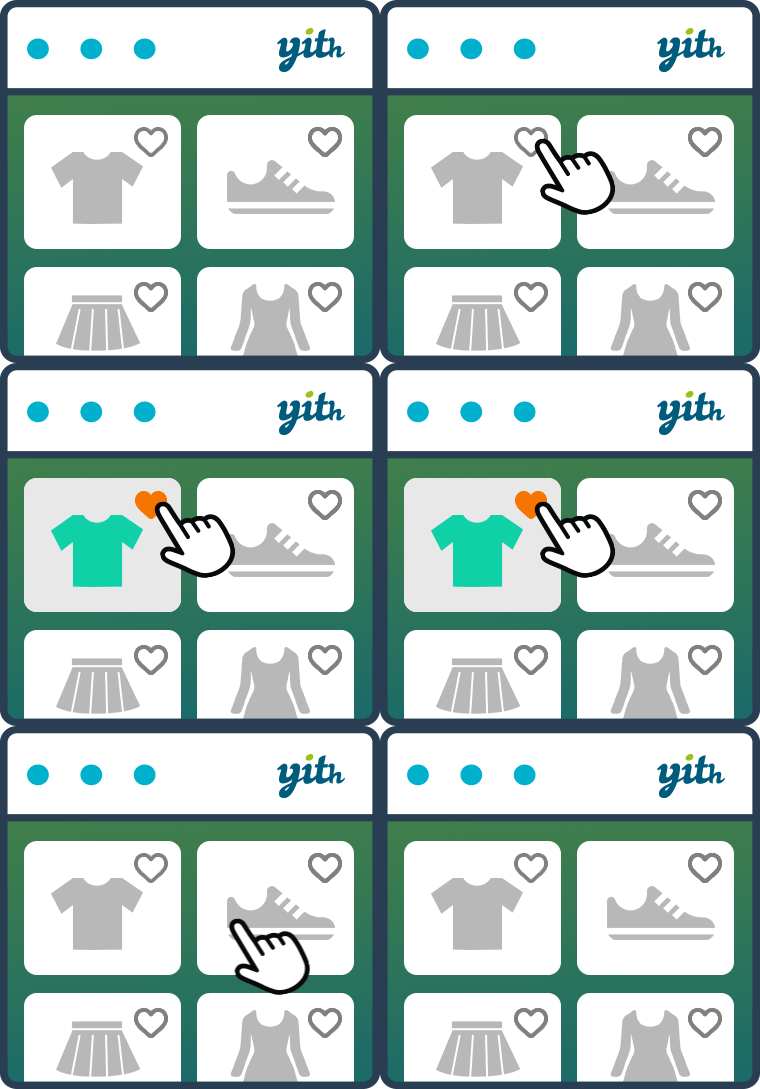
YITH WooCommerce Wishlist lets shoppers save products, preserve selected variations, and revisit or share favorite items later.

TI WooCommerce Wishlist adds customer wishlists to WooCommerce with a substantial free feature set and a Premium tier for multiple lists, analytics, promotional emails and deeper controls.
TI WooCommerce Wishlist fits WooCommerce stores that want a mature free wishlist with an upgrade path for multiple lists, analytics and promotional workflows. The main reason to consider it is the free version already covers a usable wishlist workflow while Premium adds stronger retention and marketing tools. It is less suitable when the store only needs a minimal single wishlist and wants the smallest possible extension footprint.
Customers can save products, revisit them later, share lists and move saved products toward purchase. Store owners can control button placement, table layout, icons, sharing and account integration. Premium adds multiple wishlists, privacy controls, analytics, promotional emails, quantities and richer list management.
The practical workflow centers on guest and logged-in wishlists, AJAX add and remove actions, social sharing, REST API, WooCommerce My Account integration, multiple wishlists in Premium, wishlist analytics in Premium, promotional emails in Premium. These capabilities affect setup, customer or administrator experience, and the amount of ongoing maintenance required after launch.
The plugin treats the wishlist as both a customer convenience and a marketing data source. Compatibility work covers many WooCommerce extensions, cache plugins and builders, which matters because wishlist actions often interact with AJAX and dynamic page caching.
The free plugin is available on WordPress.org. TemplateInvaders currently lists the Premium plugin at $79 with a 14-day money-back guarantee. TI licensing should be evaluated against whether the store will use Premium-only multi-list, analytics and campaign tools rather than only the basic save-for-later interaction.
Store owners should configure the wishlist page, button positions, guest behavior, sharing, table columns and caching exclusions where needed. After setup, test variable products so the saved variation matches what the shopper actually selected.
Test TI on the actual theme with guest and logged-in sessions, variable products and cache enabled so the wishlist remains tied to the correct shopper. Those checks expose session, variation and AJAX problems that a simple admin-side setup cannot reveal.
It is relevant for medium and large catalogs, gift-oriented stores, repeat-purchase catalogs and products shoppers compare over several visits. Premium is more useful when the store wants multiple lists or wishlist-driven campaigns.
TI WooCommerce Wishlist is most convincing when its core model matches the project instead of being forced to imitate a different category of plugin. Teams should compare the operational model, not only the number of listed features.
A wishlist creates another customer data layer that must behave correctly with caching, login state, multilingual stores and product availability. Very small catalogs may not gain much from advanced wishlist marketing features.
Wishlist migration should focus on saved product IDs, user ownership, guest-list persistence and visibility settings rather than only recreating the button style.
When switching from another wishlist plugin, check whether saved lists can be imported or whether customers will start fresh. Preserve button placement and account navigation so returning shoppers do not lose the interaction pattern they already understand.
After import or cutover, compare several existing user lists, test shared links, and keep the former plugin available until returning customers can find and use their saved products.
TI WooCommerce Wishlist combines a strong free base with a more marketing-oriented Premium tier. It is a direct comparison point for YITH, WPC, WCBoost and other WooCommerce wishlist tools.
Premium analytics can reveal which products are saved frequently even when they are not purchased immediately. Treat that signal as research rather than an automatic promotion trigger. A popular wishlist item may have price sensitivity, availability issues or a long consideration cycle, so combine wishlist counts with conversion, inventory and margin data before launching a campaign.
Wishlist features become more valuable when the store defines what happens after a shopper saves an item. Decide whether marketing emails, price-drop messages or stock alerts are appropriate for your consent model, and keep those messages separate from transactional email. Measure whether saved-product reminders improve conversion without creating excessive messaging for customers who use wishlists only as private bookmarks.
For stores using multilingual or multi-currency setups, repeat the same wishlist tests in each storefront context. Confirm translated product names, selected variations, prices, and account links remain consistent so a saved item does not reopen in the wrong language, currency, or variation state.
TI WooCommerce Wishlist stores more than a simple list of product IDs when Premium features such as multiple lists, follows, analytics, promotional emails, or public sharing are in use. Before switching plugins, export or document how registered-user lists, guest cookies, privacy settings, shared URLs, and follow relationships are handled. A replacement may support wishlists but not preserve those extra relationships one-for-one.
For guest shoppers, test how long wishlist data survives browser restarts, cookie cleanup, login, and account creation. If a guest later signs in, verify whether items merge into the account list or remain browser-only. Stores using promotional wishlist emails should also confirm consent, unsubscribe handling, and whether the new system can reproduce the same campaign triggers.
Premium currently starts at , while the free plugin remains suitable for a simpler save-for-later workflow. Treat analytics and email automation as separate buying requirements rather than assuming every wishlist plugin includes them.
Yes. A free version is available on WordPress.org.
TemplateInvaders currently lists Premium at $79.
Multiple wishlists are a Premium feature.
Yes. Wishlist sharing is supported, including social and link-based workflows.
The plugin supports WooCommerce product data and lists extensive compatibility with popular WooCommerce extensions.
Premium adds multiple wishlists, privacy settings, analytics, promotional emails, quantities and more advanced list management.
YITH WooCommerce Wishlist lets shoppers save products, preserve selected variations, and revisit or share favorite items later.
WCBoost Wishlist adds a modern wishlist flow to WooCommerce so shoppers can save products, return later and manage purchase intent…
WPC Smart Wishlist for WooCommerce provides a compact wishlist workflow for WooCommerce and uses a lower-priced premium model than many…
Log in or create an account to continue.