Freemium
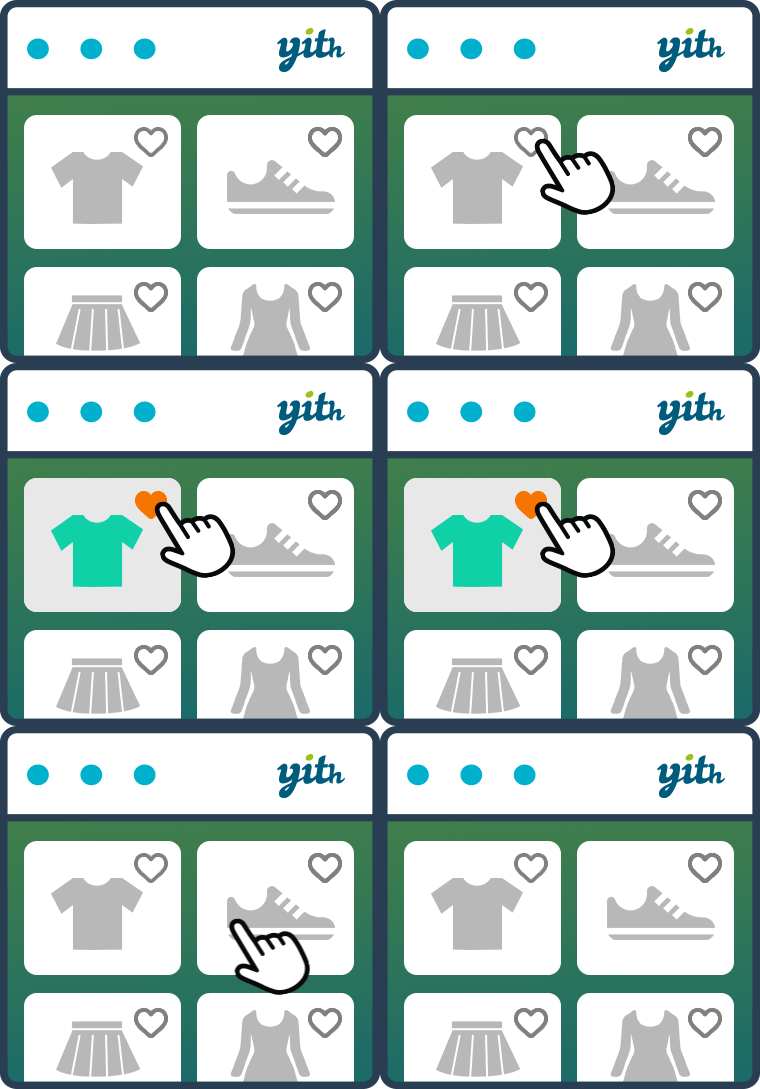
YITH WooCommerce Wishlist lets shoppers save products, preserve selected variations, and revisit or share favorite items later.

WPC Smart Wishlist for WooCommerce provides a compact wishlist workflow for WooCommerce and uses a lower-priced premium model than many established wishlist suites.
WPC Smart Wishlist for WooCommerce fits WooCommerce stores that want a lightweight wishlist with low-cost premium licensing and optional multiple lists. The main reason to consider it is it covers core save-for-later behavior while keeping licensing simple for smaller stores. It is less suitable when the store needs deep wishlist analytics, campaign automation or enterprise-level merchandising workflows.
The plugin adds wishlist buttons to WooCommerce products and lets shoppers maintain saved products for later. Sharing helps customers circulate product choices, while Premium can enable multiple wishlists and additional controls over how lists behave.
The practical workflow centers on product wishlist buttons, saved-product list, social and link sharing, guest workflow, multiple wishlists in Premium, WooCommerce integration, configurable button placement, low-cost site licensing. These capabilities affect setup, customer or administrator experience, and the amount of ongoing maintenance required after launch.
WPC Smart Wishlist concentrates on the core saved-product experience. It is useful when the store wants straightforward wishlist functionality without buying a broader marketing platform.
WPClever currently lists Premium at $29 for one site, $59 for up to five sites and $99 for unlimited sites. A free edition is also available. WPC pricing is primarily a site-count decision, so compare the one-site and agency tiers with the number of stores that will actually use Premium features.
Implementation is mostly about placing the wishlist action, creating or assigning the wishlist page, and checking theme styling. Variable products, cache plugins and guest sessions should be included in launch testing.
Create test wishlists for guests and registered users and confirm list creation, sharing and add-to-cart behavior before enabling the feature across the entire catalog. That validation is especially important on stores using full-page cache, AJAX product grids or custom product-loop templates.
It suits stores that mainly want shoppers to save and share products. The multi-wishlist Premium option can support gift lists, project lists or different purchase plans without a large annual fee.
WPC Smart Wishlist for WooCommerce is most convincing when its core model matches the project instead of being forced to imitate a different category of plugin. Teams should compare the operational model, not only the number of listed features.
Stores that want admin analytics, promotional wishlist campaigns, quote requests or a deeper customer-retention toolkit may find YITH or TI more aligned.
A WPC migration should preserve product IDs and user ownership where possible, while multiple-list names and default-list behavior need an explicit mapping from the old system.
Check whether existing saved lists can be transferred from the old plugin. If migration is not supported, communicate the change before launch and keep the old wishlist available long enough for customers to complete important purchases.
After launch, check old customer accounts, shared wishlist links and variable products before deactivating the previous wishlist extension.
WPC Smart Wishlist is a practical low-cost wishlist path. Its appeal is simplicity and licensing rather than the deepest merchandising toolkit.
If Premium multiple wishlists are enabled, decide whether shoppers need separate gift lists, project lists or purchase phases. Too many list types can create clutter, while a clear naming and default-list policy makes the feature genuinely useful. Test how list switching behaves on mobile because that is where extra controls can quickly crowd product actions.
On large stores, wishlist buttons may appear thousands of times across archives, search results and recommendations. Check query count, AJAX requests and cache behavior on representative category pages, not just one product page. The wishlist should remain responsive without forcing every catalog view to bypass full-page caching.
Agency users should also document which premium license key belongs to each client site and whether multiple wishlists are enabled. That makes future handoff cleaner and prevents a client from unknowingly losing a Premium-only workflow after license changes.
Stores using customer accounts should also test what happens when a guest wishlist is merged after login. Duplicate items, quantity changes, and list naming can create confusion if the transition is not predictable, especially when multiple wishlists are enabled.
WPC Smart Wishlist is often chosen because it keeps the wishlist workflow lightweight and closely tied to normal WooCommerce product loops. Test the button placement on archive cards, quick-view layouts, variable products, and custom theme templates rather than checking only the single-product page. The AJAX behavior should also be tested with page caching and optimization plugins enabled.
Guest wishlist behavior is especially important on stores with a high share of anonymous traffic. Confirm whether browser-stored items persist for the period you expect, what happens when a shopper logs in, and whether account wishlists merge cleanly. If you use popup-style wishlist display, verify keyboard access and mobile scrolling as part of the QA.
The Premium upgrade is mainly relevant when the store needs more control over layouts, integrations, or advanced behavior. Keep the free-versus-paid decision tied to the exact storefront features you need rather than the number of available settings.
Yes. A free version is available, with paid licensing for additional features.
WPClever currently lists one-site Premium at $29, five sites at $59 and unlimited sites at $99.
Yes. Sharing is part of the wishlist workflow.
Yes. Multiple wishlists per user are part of the paid functionality.
Yes, especially when the store mainly needs save-for-later behavior and wants a low-cost upgrade path.
Test guest sessions, variable products, cache behavior, responsive buttons and the add-to-cart flow from the wishlist page.
YITH WooCommerce Wishlist lets shoppers save products, preserve selected variations, and revisit or share favorite items later.
WCBoost Wishlist adds a modern wishlist flow to WooCommerce so shoppers can save products, return later and manage purchase intent…
TI WooCommerce Wishlist adds customer wishlists to WooCommerce with a substantial free feature set and a Premium tier for multiple…
Log in or create an account to continue.