



Choosing among WooCommerce product designer plugins is less about finding the plugin with the longest feature list and more about matching the tool to how your store actually works. This guide focuses on established options that help you sell personalized or configurable products without turning the product page into a confusing form. I checked the current plugin records and separated practical differences that matter during setup and day-to-day use.
TL;DR: Best WooCommerce Product Designer & Configurator Plugins
Zakeke Interactive Product Designer for WooCommerce is the first option I would evaluate for most stores in this category. The alternatives below make more sense when you need a different workflow, lighter setup, or a more specialized feature set. Compare compatibility and test the workflow on staging before rolling it out to a live checkout.
Quick Comparison
| Plugin | Best for | Active installs | Model |
|---|---|---|---|
| Zakeke Interactive Product Designer for WooCommerce | Best overall fit | 2,000+ | 14-day trial + paid plans |
| PickPlugins Product Designer for WooCommerce | Simple focused setup | 500+ | Free + Pro upgrade |
| Flexible Product Fields (WooCommerce Product Addons) – WooCommerce Product Page Editor | Specialized workflow | 10,000+ | Free + Pro from |
| Advanced Product Fields (Product Addons) for WooCommerce | Alternative workflow | 50,000+ | Free + Pro from /year |
| Product Addons for Woocommerce – Product Options with Custom Fields | Alternative workflow | 30,000+ | Free + Pro from /year |
How I Chose These Plugins
For this WooCommerce Product Designer & Configurator Plugins list, I prioritized direct WooCommerce integration, current maintenance, controls that matter to the workflow, and a clear reason each product belongs. I left out loosely related extensions rather than padding the list.
1. Zakeke Interactive Product Designer for WooCommerce — Best Overall
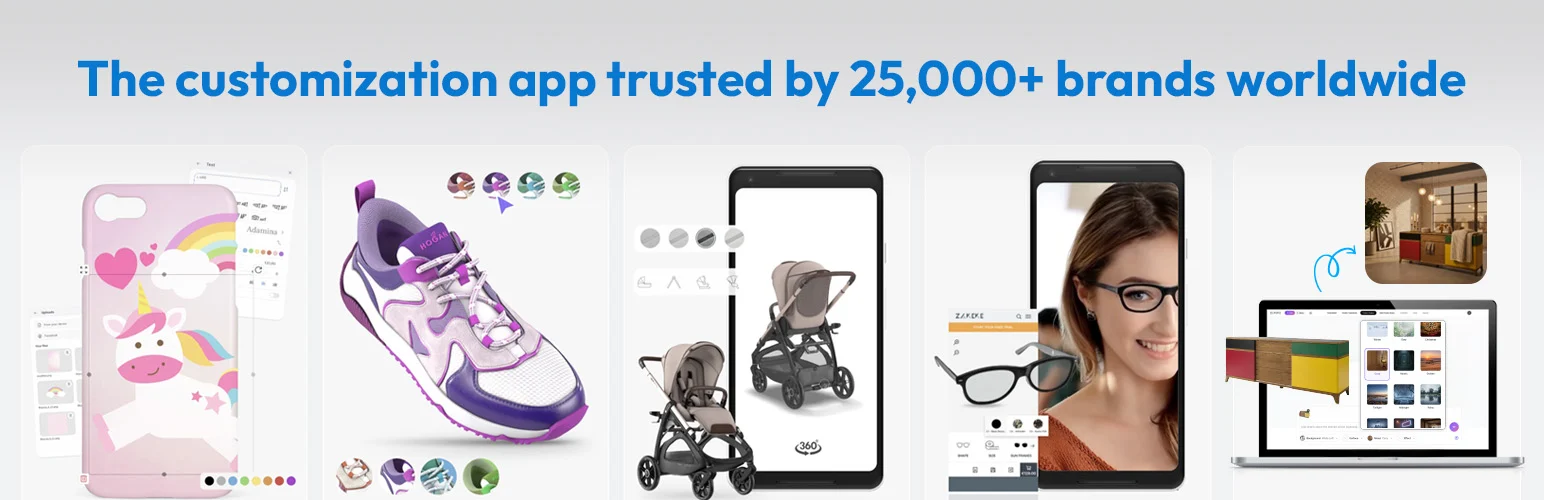
Zakeke is a product personalization and 3D configuration platform that lets shoppers customize products with text, images, colors, and fonts while previewing changes before purchase. It is useful for stores selling personalized or made-to-order products that need a visual configurator.
Key features
- Built specifically around a WooCommerce-compatible workflow
- Current WordPress.org plugin record checked for this 2026 comparison
- Can be evaluated on a staging store before production rollout
- Works from the WordPress/WooCommerce admin rather than requiring a custom-built system
- Provides a focused alternative to handling this task manually
Pros
- Addresses the core use case without requiring a custom plugin.
- Current plugin record makes maintenance easier to verify before installation.
Cons
- For Product Designer & Configurator Plugins, advanced store rules may require a paid edition, an add-on, or an external service. Confirm that dependency before rollout so the workflow and recurring cost are clear.
- Theme, checkout, HPOS, and extension compatibility should be tested on staging.
Pricing
Zakeke offers a 14-day free trial. Continued use requires a paid Zakeke plan; Standard and Enterprise pricing is handled through Zakeke's current pricing and checkout flow.
2. PickPlugins Product Designer for WooCommerce — Best Focused Option
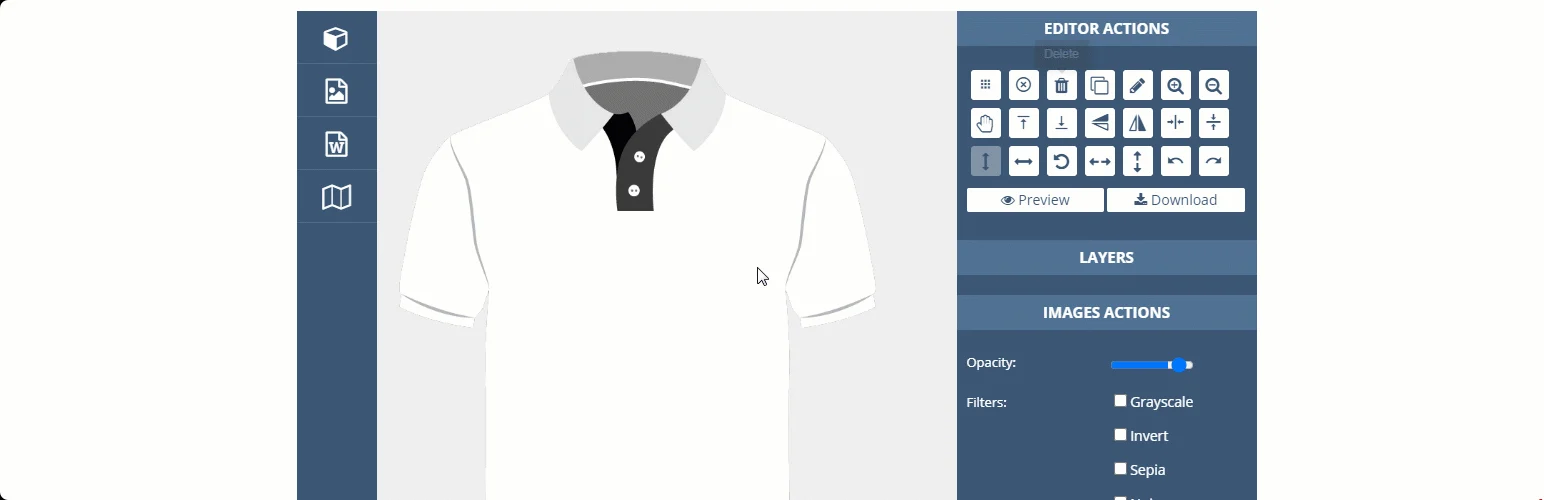
PickPlugins Product Designer lets WooCommerce customers customize products before placing an order. Shoppers can add text, clipart, shapes, and other design elements, work with multiple product sides, and preview or download their designs before checkout.
Key features
- Built specifically around a WooCommerce-compatible workflow
- Current WordPress.org plugin record checked for this 2026 comparison
- Can be evaluated on a staging store before production rollout
- Works from the WordPress/WooCommerce admin rather than requiring a custom-built system
- Provides a focused alternative to handling this task manually
- Used on approximately 500+ active WordPress installations according to the current WordPress.org record
Pros
- Addresses the core use case without requiring a custom plugin.
- Current plugin record makes maintenance easier to verify before installation.
Cons
- For Product Designer & Configurator Plugins, advanced store rules may require a paid edition, an add-on, or an external service. Confirm that dependency before rollout so the workflow and recurring cost are clear.
- Theme, checkout, HPOS, and extension compatibility should be tested on staging.
Pricing
PickPlugins Product Designer has a free version, and its Pro add-on requires the free core plugin. PickPlugins offers the Pro upgrade through its own store; the current public product page does not show a stable license price.
3. Flexible Product Fields (WooCommerce Product Addons) – WooCommerce Product Page Editor — Best Alternative
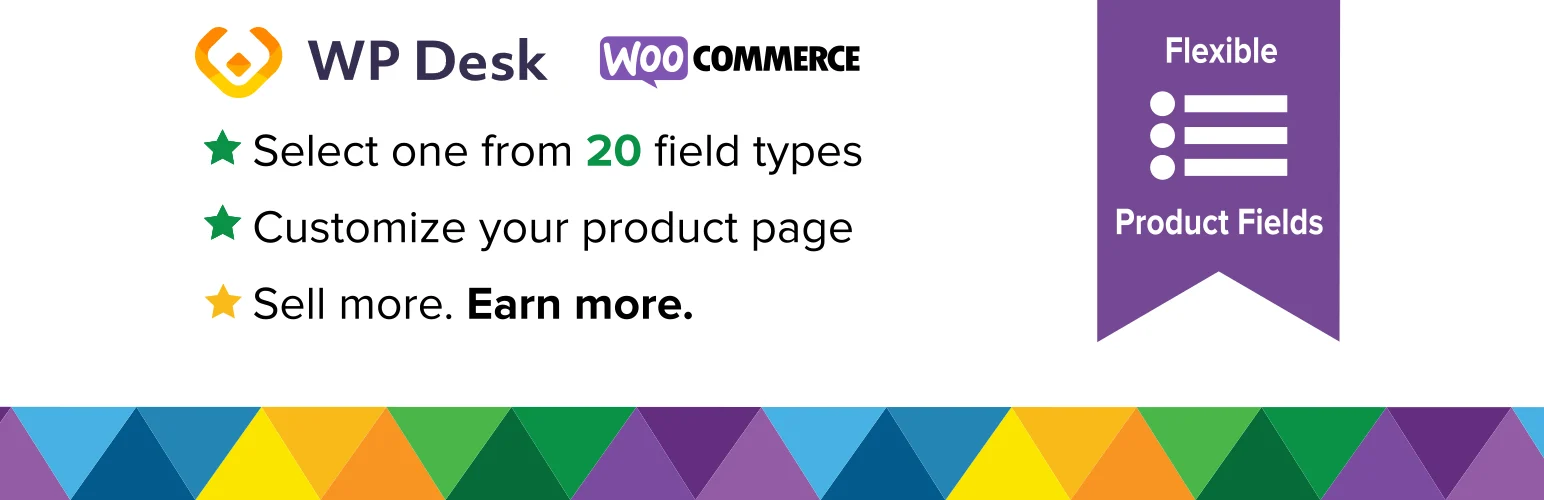
Flexible Product Fields extends WooCommerce product pages with extra fields and configurable options. It works well when customers need to choose add-ons, enter custom information, or build a product configuration directly from the product page.
Key features
- Built specifically around a WooCommerce-compatible workflow
- Current WordPress.org plugin record checked for this 2026 comparison
- Can be evaluated on a staging store before production rollout
- Works from the WordPress/WooCommerce admin rather than requiring a custom-built system
- Provides a focused alternative to handling this task manually
Pros
- Addresses the core use case without requiring a custom plugin.
- Current plugin record makes maintenance easier to verify before installation.
Cons
- For Product Designer & Configurator Plugins, advanced store rules may require a paid edition, an add-on, or an external service. Confirm that dependency before rollout so the workflow and recurring cost are clear.
- Theme, checkout, HPOS, and extension compatibility should be tested on staging.
Pricing
Flexible Product Fields has a free version. Flexible Product Fields PRO currently starts at $59 for a paid license from WP Desk.
4. Advanced Product Fields (Product Addons) for WooCommerce — Best for a Different Workflow
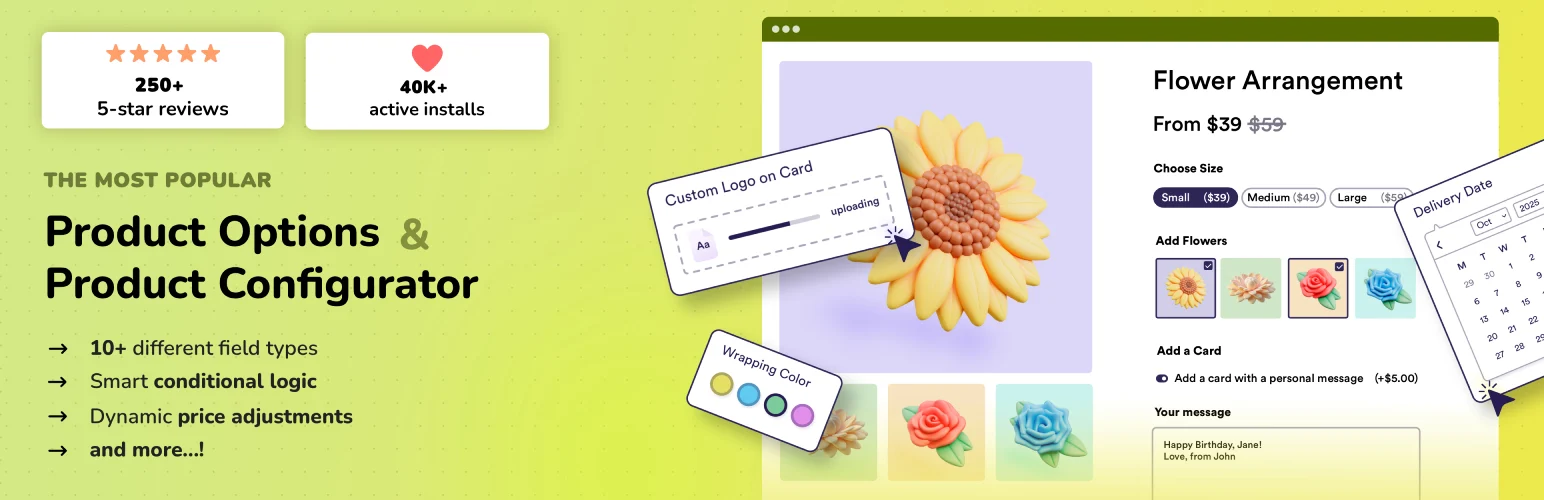
Advanced Product Fields adds custom input fields and product options to WooCommerce. It can be used for simple add-ons or more complex product configurators, and selected options can affect the final product price and carry through to the cart and checkout.
Key features
- Built specifically around a WooCommerce-compatible workflow
- Current WordPress.org plugin record checked for this 2026 comparison
- Can be evaluated on a staging store before production rollout
- Works from the WordPress/WooCommerce admin rather than requiring a custom-built system
- Provides a focused alternative to handling this task manually
- Used on approximately 50,000+ active WordPress installations according to the current WordPress.org record
Pros
- Addresses the core use case without requiring a custom plugin.
- Current plugin record makes maintenance easier to verify before installation.
Cons
- For Product Designer & Configurator Plugins, advanced store rules may require a paid edition, an add-on, or an external service. Confirm that dependency before rollout so the workflow and recurring cost are clear.
- Theme, checkout, HPOS, and extension compatibility should be tested on staging.
Pricing
Advanced Product Fields for WooCommerce has a limited free version. The paid version starts at $69 per year.
5. Product Addons for Woocommerce – Product Options with Custom Fields — Best for a Different Workflow

Product Addons for WooCommerce is a lightweight way to add custom fields and extra product options with a visual form builder. Customer-entered data is stored with the order, making it useful for personalized products, custom requests, and configurable purchases.
Key features
- Built specifically around a WooCommerce-compatible workflow
- Current WordPress.org plugin record checked for this 2026 comparison
- Can be evaluated on a staging store before production rollout
- Works from the WordPress/WooCommerce admin rather than requiring a custom-built system
- Provides a focused alternative to handling this task manually
Pros
- Addresses the core use case without requiring a custom plugin.
- Current plugin record makes maintenance easier to verify before installation.
Cons
- For Product Designer & Configurator Plugins, advanced store rules may require a paid edition, an add-on, or an external service. Confirm that dependency before rollout so the workflow and recurring cost are clear.
- Theme, checkout, HPOS, and extension compatibility should be tested on staging.
Pricing
Product Addons for WooCommerce by Acowebs has a free version. Premium starts at $49 per year for 1 site; a 1-site lifetime license is $119.
Which One Should You Choose?
Start with Zakeke Interactive Product Designer for WooCommerce if you want the most straightforward starting point from this shortlist. Choose another option when its workflow matches a specific requirement your store has. For WooCommerce product designer plugins, compatibility with your checkout stack and the quality of the day-to-day admin workflow matter more than simply choosing the plugin with the most settings.
Conclusion
The best WooCommerce product designer plugins should solve the store problem cleanly without creating a second maintenance problem. Shortlist two options, test them against real products and orders on staging, and confirm compatibility with your payment, caching, checkout, and other WooCommerce extensions before deploying.
Frequently Asked Questions
Do I need a dedicated plugin for this WooCommerce task?
A dedicated Product Designer & Configurator Plugins plugin becomes useful when WooCommerce core no longer covers the operational rule cleanly. The benefit should be a simpler, more reliable store workflow rather than another layer of settings for its own sake.
Should I test the plugin before installing it on a live store?
Test any Product Designer & Configurator Plugins plugin on staging with the same theme, payment gateways, checkout configuration, HPOS setup, caching, and extensions used by the live store. Run the complete affected order flow before deployment.
Are free WooCommerce plugins enough?
A free Product Designer & Configurator Plugins plugin can be enough for a straightforward store. Paid versions become more relevant when the workflow needs advanced conditions, deeper integrations, higher-volume operations, or vendor support.
How many plugins from this list should I install?
Use one primary Product Designer & Configurator Plugins plugin unless two products have clearly separate responsibilities. Overlapping tools can create duplicate settings, competing hooks, or inconsistent customer and admin experiences.
What should I check before choosing?
For Product Designer & Configurator Plugins, check recent maintenance, current WooCommerce and HPOS compatibility, support history, the exact workflow you need, and the total cost of any paid modules or external services.

