



A warranty plugin becomes useful when a WooCommerce store needs more than a line of warranty text on the product page. The better tools can sell protection plans, record coverage, accept claims, track expiry dates, and give customers a clear place to see what is covered. The four options below take different approaches, so the right choice depends on whether you need full warranty operations or simply clearer product-level warranty information.
TL;DR
Warranty Cart is the broadest option here for selling and managing warranty cover. ClaimPress is stronger when warranty, returns, refunds, and exchanges need one claims workflow. Product Warranty and Guarantee is a lighter choice for displaying warranty details, while Kung Woo focuses on extended-warranty upsells.
Quick comparison
| Plugin | Best for | Key strength | Starting point |
|---|---|---|---|
| Warranty Cart | Complete warranty management | Claims, renewals, expiry tracking | Free on WordPress.org |
| ClaimPress | Warranty + returns/exchanges | Combined claims workflow | Free plugin; paid features available |
| Product Warranty and Guarantee | Simple warranty information | Badges, expiry dates, tooltips | Free on WordPress.org |
| Kung Woo Add Warranty | Extended-warranty upsells | Percentage-priced protection plans | Free on WordPress.org |
How I evaluated these warranty plugins
I compared whether each plugin only displays coverage or manages the full warranty lifecycle. The key criteria were paid versus included plans, claim submission, My Account records, renewals and expiry reminders, certificates or serial numbers, return/refund overlap, and how mature the current WordPress.org footprint is. Newer plugins were treated more cautiously even when their feature lists are strong.
1. Warranty Cart – Best for complete warranty management
Warranty Cart is built around the full warranty lifecycle rather than only displaying a warranty note. Stores can offer fixed-price or percentage-based cover, assign plans to products or categories, include free coverage, and keep warranty records after checkout. Customers can see coverage in My Account, submit claims, renew eligible cover, and receive scheduled expiry reminders.
- Sell extended warranties and protection plans alongside products.
- Support fixed or percentage pricing with optional minimum and maximum values.
- Customer warranty records, claims, renewals, serial numbers, and expiry tracking.
- PDF warranty certificates and configurable checkout fields.
- CSV import/export and warranty reporting.
Best for: stores that want warranty sales and after-sale administration in one WooCommerce workflow. Limitation: it is a newer plugin, so stores should test its claim and email workflows on staging before relying on it operationally. Pricing: the WordPress.org version is free.
2. ClaimPress – Best for warranty plus returns and exchanges
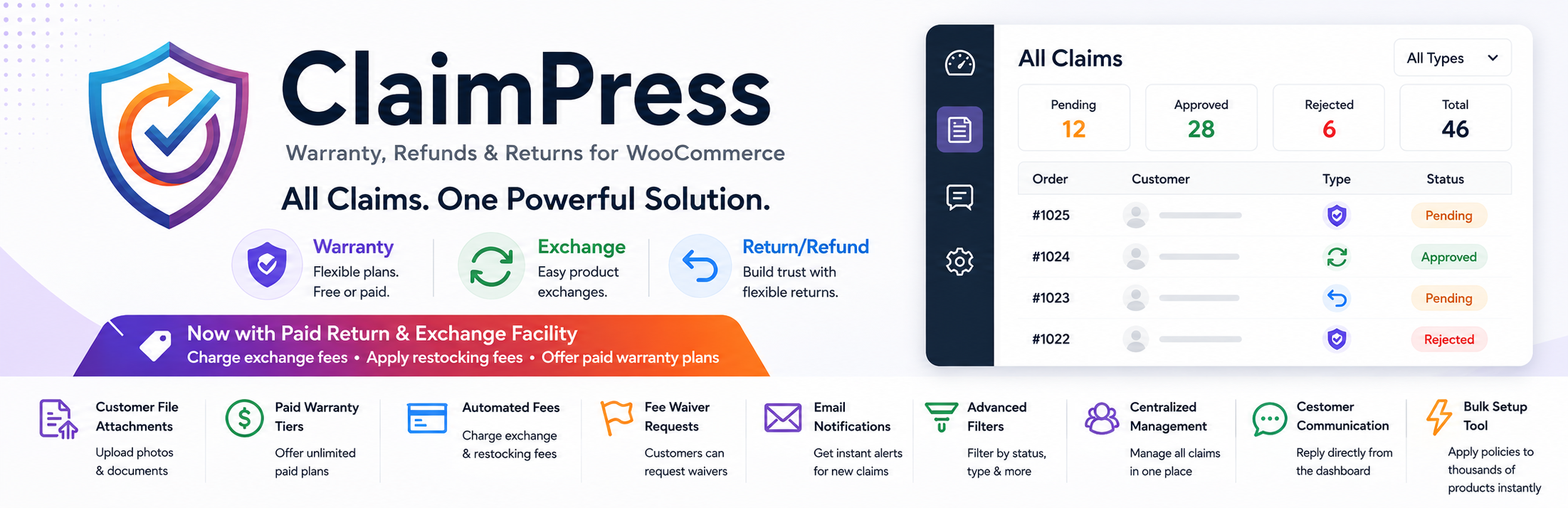
ClaimPress treats warranty as one part of a broader claims system. A merchant can enable warranty, exchange, and return/refund rules per product. Customers then submit eligible claims from My Account, while guest customers can use a secure order-and-email lookup flow.
- Included or paid warranty options with configurable durations.
- Separate warranty, exchange, and return/refund modules.
- Customer evidence uploads for claims.
- Central claim dashboard and status communication.
- Pro features include paid warranty tiers, certificates, and processing-fee workflows.
Best for: stores that want one interface for warranty and RMA-style requests. Limitation: several advanced automation features are reserved for Pro, so compare the free workflow with your return policy before rollout.
3. Product Warranty and Guarantee for WooCommerce – Best lightweight option
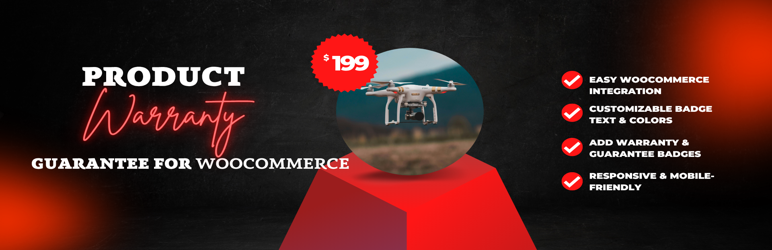
This plugin is much simpler. It adds warranty or guarantee information to WooCommerce products, supports multiple warranty options, and can hide expired coverage automatically. It is a better fit when the main requirement is communicating coverage clearly rather than running a detailed claims operation.
- Multiple warranty or guarantee options per product.
- Warranty expiry dates.
- Customizable badge text and placement.
- Tooltip or popup details on the product page.
Best for: stores that mainly need visible warranty terms. Limitation: it does not offer the deeper claims and renewal workflow found in dedicated warranty-management tools. Pricing: free on WordPress.org.
4. Kung Woo Add Warranty – Best for warranty upsells

Kung Woo Add Warranty focuses on selling additional coverage. It can show a warranty modal during the add-to-cart flow, calculate warranty pricing as a percentage of the product price, and give customers a My Warranties area for active and expired plans.
- Two warranty tiers in a customizable modal.
- Percentage-based warranty pricing.
- Per-product activation.
- My Account warranty records.
- Renewal links and scheduled expiry reminders.
Best for: stores experimenting with paid protection-plan upsells. Limitation: adoption is currently very small, so it deserves especially careful staging tests before production use.
How to choose a WooCommerce warranty plugin
Start with the workflow you actually need. If customers must file claims and staff need to track them, choose a warranty-management system rather than a display-only plugin. If warranties are a paid upsell, check how pricing, renewals, refunds, and certificates work. For stores that already use a dedicated returns and RMA plugin, avoid duplicating the same return workflow unless the systems have clearly separated responsibilities.
Final Take
Warranty Cart has the broadest warranty-specific feature set in this group. ClaimPress makes more sense when warranty claims need to sit beside returns and exchanges. The other two options are narrower: Product Warranty and Guarantee for straightforward coverage display, and Kung Woo for warranty upselling. Because several of these plugins are relatively new, staging tests and a clear written warranty policy matter as much as the feature list.
FAQs
Can WooCommerce manage warranties by itself?
WooCommerce can store order and product information, but it does not provide a complete warranty-plan, claim, renewal, and expiry-management workflow by default.
What is the difference between a warranty plugin and an RMA plugin?
A warranty plugin tracks product coverage and warranty claims. An RMA plugin is usually centered on returns, exchanges, refunds, and return authorization. Some products combine both.
Can I sell extended warranties in WooCommerce?
Yes. Plugins such as Warranty Cart and Kung Woo Add Warranty are designed to add paid coverage or protection-plan options to WooCommerce products.
Should I test warranty plugins on staging?
Yes. Test checkout, My Account, emails, claims, renewals, refunds, and order-status behavior before enabling a warranty workflow on a live store.

