



Some WooCommerce stores should not accept every order automatically. Wholesale quotes, custom products, high-value purchases, and cash-on-delivery orders may need a human check before payment or fulfillment. Order approval plugins add an intermediate state where staff can approve or reject the request.
TL;DR
Order Approval for WooCommerce by Sevengits is the most established option in this group. Approve Orders by NeeB adds a modern approval workflow with automation in Pro. Pi Approve Order offers a simpler manual flow, while Giopucc Request-to-Pay is useful when approval should happen before the customer completes payment.
Quick comparison
| Plugin | Best for | Approach |
|---|---|---|
| Order Approval for WooCommerce | Established approval workflow | Approve/reject before payment |
| Approve Orders | COD/high-risk review | Manual + Pro rules |
| Pi Approve Order | Simple manual approval | Approval status workflow |
| Giopucc Request-to-Pay | Approve before payment request | Request-to-pay flow |
How these order approval plugins were evaluated
The critical comparison point is what happens between order submission and payment. I looked at approve and reject states, payment-link handling, gateway targeting, email notifications, product or category rules, customer visibility, and whether the workflow can be limited to high-risk, COD, B2B, or custom orders instead of adding friction to every checkout.
Where approval sits in the checkout flow matters
The most important question is whether the order is created before payment, whether payment is delayed until approval, and what the customer sees while waiting. Also check gateway support, email notifications, custom statuses, HPOS compatibility, and automation rules.
1. Order Approval for WooCommerce
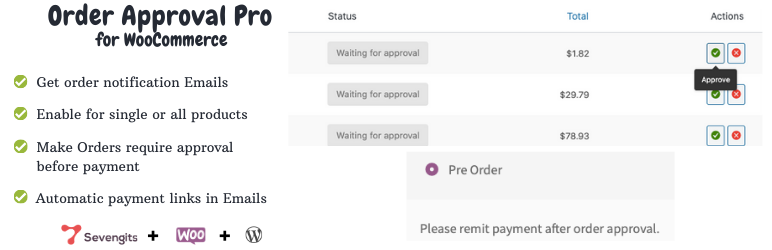
Best for: stores that want an established approve/reject-before-payment workflow.
The Sevengits plugin lets stores review an order before collecting payment. Its WordPress.org listing describes approve/reject handling, email notifications, payment links, and broad gateway support, and it has a significantly larger active install base than most plugins in this niche.
Key features
- Approve or reject orders
- Payment after approval workflow
- Customer email notifications
- Payment-link flow
- Support for WooCommerce gateways
Limitations: Payment and checkout behavior can vary by gateway, so test the complete approval-to-payment path before using it on live orders.
Pricing: Free version on WordPress.org with commercial upgrades available.
2. Order Approval – Approve Orders for WooCommerce
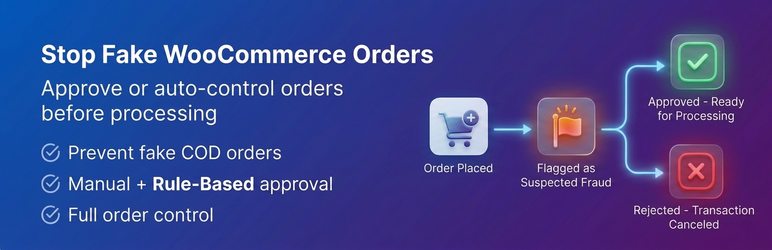
Best for: COD, high-value, B2B, and other orders that need staff review or rule-based approval.
NeeB Plugins provides manual approval in the free version with dedicated approval statuses, admin/customer notifications, and payment capture after approval. The Pro version adds conditional rules based on order value, payment method, customer type, products, or categories.
Key features
- Awaiting Approval, Approved, and Rejected statuses
- Approve/reject controls in order admin
- Admin and customer notifications
- Payment-method targeting
- Rule-based automation in Pro
Limitations: Automation, bulk approval, custom email templates, and advanced controls are paid features.
Pricing: Free core plugin; Pro is available from the developer.
3. Pi Approve Order for WooCommerce
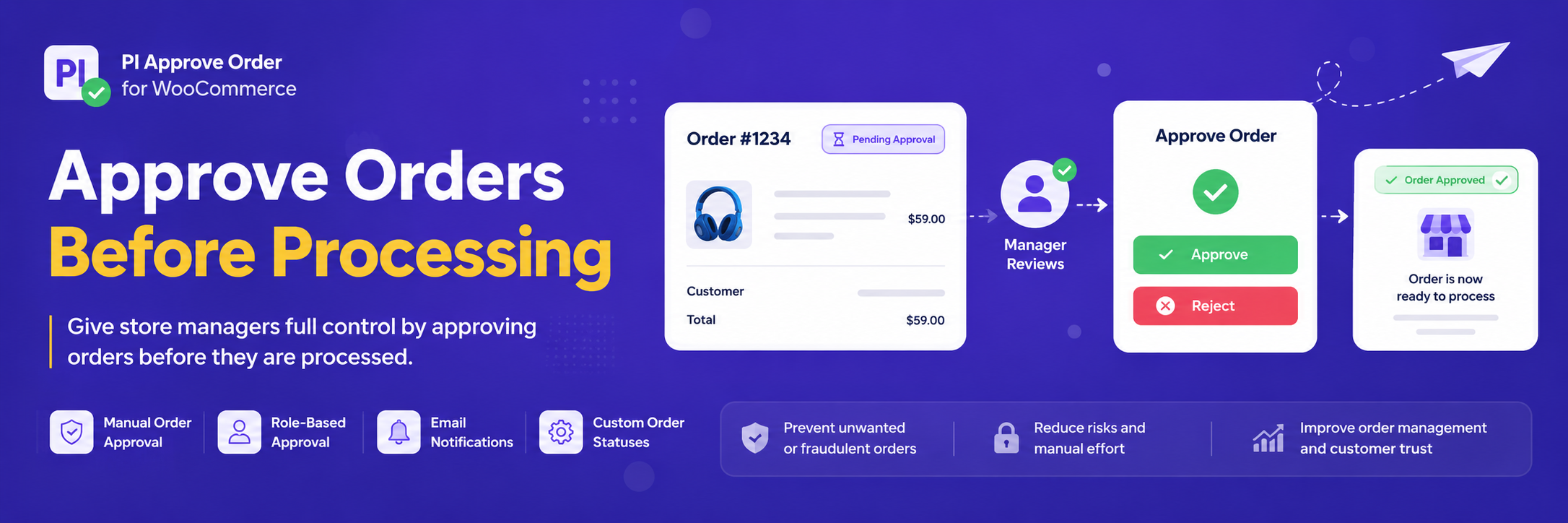
Best for: stores looking for a lightweight manual approve/reject process.
Pi Approve Order is a focused plugin for holding WooCommerce orders for store-owner review before payment processing. It targets the same core need without trying to become a broad fraud-management suite.
Key features
- Manual order approval
- Approve/reject workflow
- Pre-payment review use case
- WooCommerce order integration
- Simple operational scope
Limitations: It has a small adoption footprint, so evaluate support history and compatibility carefully on staging.
Pricing: Available on WordPress.org.
4. Giopucc Request-to-Pay for WooCommerce
Best for: businesses that want to review an order request before inviting the customer to pay.
Request-to-Pay changes the sequence of a normal WooCommerce transaction: the customer submits the request, the merchant reviews it, and payment happens after approval. That model can suit made-to-order, B2B, availability-sensitive, or manually confirmed purchases.
Key features
- Request-before-payment workflow
- Merchant review step
- Delayed payment collection
- WooCommerce order integration
- Useful for manually confirmed sales
Limitations: This workflow is intentionally different from standard instant checkout and may not fit stores where immediate payment is essential.
Pricing: Check the current WordPress.org listing and developer documentation for available plans.
How to choose
Map the desired order states before installing anything: submitted, awaiting review, approved, payment due, paid, rejected, and cancelled. Then choose the plugin whose status and payment flow matches that map. This avoids confusing customers and staff with duplicate or contradictory statuses.
Approval can complement a WooCommerce fraud prevention plugin, but it should not duplicate the same checks. Also test the full flow against any plugin that already modifies your WooCommerce checkout.
Final Take
Order approval works best when it solves a real operational reason to pause checkout. For general stores it adds friction; for COD, B2B, custom, or high-risk orders it can create a useful control point before money or fulfillment moves.
FAQs
Can WooCommerce require manual approval before payment?
Yes, an order approval extension can hold the order and delay or control payment until staff approve it.
Is order approval useful for COD stores?
It can be useful for screening suspicious or high-risk COD orders before fulfillment.
Can approval be automated?
Some plugins offer rule-based approval or rejection in paid versions. Others are designed for manual review.
Will approval work with every payment gateway?
Not necessarily. Test the exact gateway and checkout configuration because delayed-payment behavior depends on how the gateway handles authorization and payment links.

