



A small WordPress media library is easy to manage. A site with thousands of screenshots, product photos, PDFs, logos, and campaign assets is not. The default Media Library gives you search and date filters, but it does not give most teams the folder-style organization they expect.
I prefer media plugins that improve organization without physically moving files unless that is an explicit requirement. Virtual folders are usually safer because existing media URLs keep working while editors get a cleaner interface.
These five plugins cover folders, metadata, large-library management, and team workflow. For image compression and WebP/AVIF work, use our WordPress image optimization plugins. For image SEO metadata, see our WordPress image SEO plugins.
TL;DR
- FileBird: best overall for fast drag-and-drop folders across media and other WordPress content.
- Real Media Library: best for structured folders, collections, galleries, and a polished large-library workflow.
- HappyFiles: best lightweight folder organizer for users who also want to organize posts, pages, and custom post types.
- Media Library Assistant: best free option for advanced metadata, taxonomy, filtering, and media administration.
- Folders: best for a simple visual folder system that works across media, pages, posts, and other content types.
Quick Comparison
| Plugin | Best for | Free version | Starting paid price |
|---|---|---|---|
| FileBird | Fast drag-and-drop media folders | Yes | Currently from $39/year |
| Real Media Library | Structured folders and collections | Yes | €39 lifetime |
| HappyFiles | Lightweight content folders | Yes | Pro available |
| Media Library Assistant | Metadata and advanced filtering | Yes | Free |
| Folders | Simple visual folder organization | Yes | Pro currently listed from $69 |
How I Chose These Plugins
I compared folder workflow, support for large media libraries, metadata tools, whether organization is virtual or physical, compatibility with normal WordPress media URLs, and how much extra interface complexity each plugin adds. Public pricing was checked in September 2026.
1. FileBird – Best Overall Media Folder Plugin

FileBird adds a familiar folder tree to the WordPress Media Library and lets you drag files between folders without changing their public URLs. The current Pro version also expands organization beyond media into posts, pages, and custom post types.
This is the tool I would start with for a busy content team because the interaction is easy to understand immediately. Editors do not need to learn a new metadata system before they can clean up a messy library.
Key features
- Drag-and-drop virtual media folders
- Bulk file organization
- Folder tree inside the Media Library
- Folder support for posts and other content in Pro
- Import and export folder structure options
- Cloud and document-library add-ons available separately
Pros: Very intuitive, fast for large libraries, and does not require changing the underlying media URLs.
Cons: Some broader content organization and cloud/document features are paid or separate add-ons.
Best for: Content teams, ecommerce stores, and agencies that need a familiar folder interface for a large Media Library.
Pricing: Free version available. FileBird Pro is currently promoted from $39 per year for one site, with lifetime options also available.
2. Real Media Library – Best for Structured Media Organization
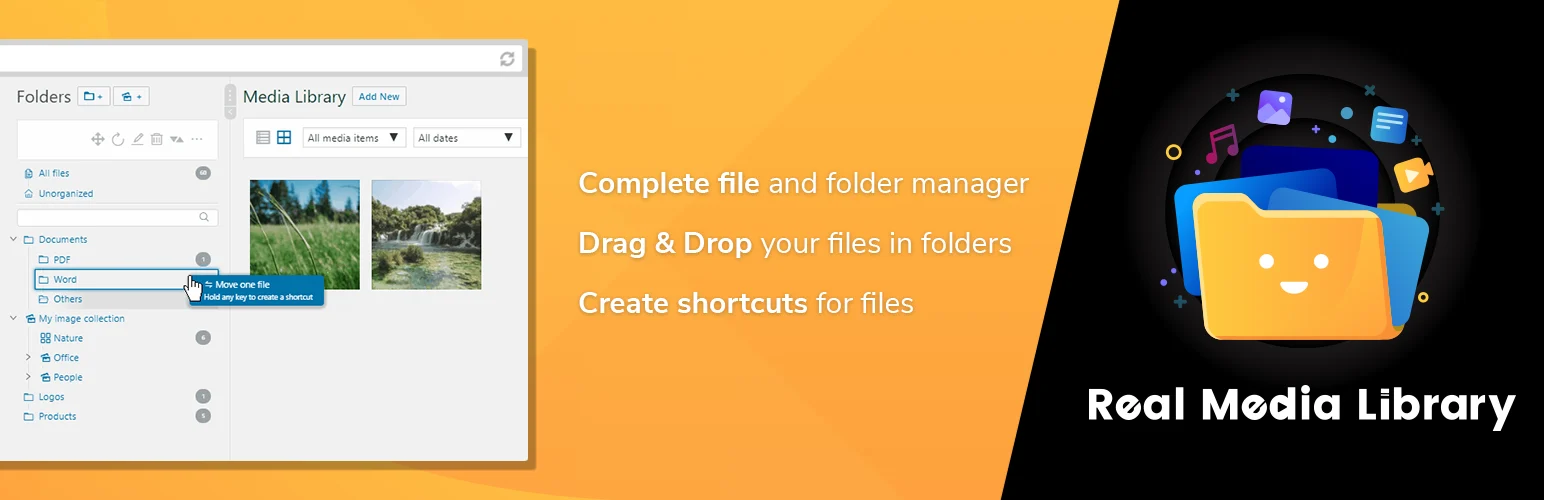
Real Media Library gives you folders, collections, and galleries inside WordPress and is designed for managing very large asset libraries. It keeps the organizational layer separate from the physical file path unless you add the related Real Physical Media product.
I like the distinction between folders, collections, and galleries because not every media group means the same thing. A campaign folder can be organizational, while a gallery collection is presentation-oriented.
Key features
- Drag-and-drop folders
- Collections and galleries
- Bulk media organization
- Virtual organization without breaking URLs
- Integrations with common WordPress workflows
- Optional physical-folder companion plugin
Pros: Polished folder model, useful collection/gallery concepts, and lifetime licensing on current paid plans.
Cons: More structure than a small blog needs, and physical file organization requires another product.
Best for: Large editorial, photography, documentation, and agency libraries that need more than basic folders.
Pricing: Free version available. The current Single license is €39 gross as a lifetime license with lifetime updates and one year of support.
3. HappyFiles – Best Lightweight Content Folder Organizer
HappyFiles focuses on virtual folders and a lightweight admin experience. It can organize media as well as other WordPress content types, which is useful when the mess is not limited to images and PDFs.
I would choose HappyFiles when I want folder organization across the admin without installing a large media-management suite. It is especially appealing on sites where pages, posts, templates, and media all need the same mental model.
Key features
- Virtual folders for media
- Organize posts and pages
- Custom post type organization
- Drag-and-drop folder workflow
- Lightweight admin interface
- Free and Pro versions
Pros: Lightweight, fast to learn, and broader than media-only organization.
Cons: It does not provide the deep metadata administration of Media Library Assistant.
Best for: Editors and agencies that want one folder-style organizer across several WordPress content types.
Pricing: Free version available. HappyFiles Pro is sold separately; check the current vendor page for the active license pricing.
4. Media Library Assistant – Best Free Metadata and Filtering Tool
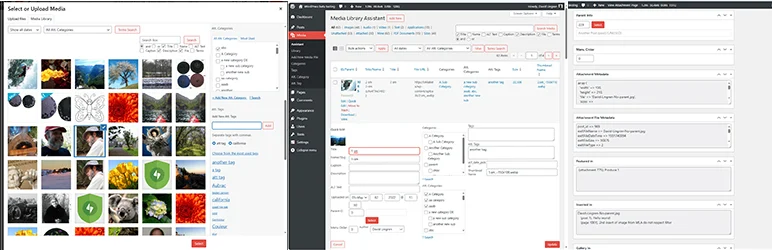
Media Library Assistant solves a different problem from folder plugins. It extends media administration with additional metadata, taxonomy handling, powerful filters, gallery and list shortcodes, and tools for managing attachments more precisely.
I would use it when the real issue is not visual folders but finding and classifying assets by metadata. On documentation or publishing sites, that can be more scalable than manually maintaining a deep folder tree.
Key features
- Extended attachment metadata
- Taxonomy support for media
- Advanced media filtering
- Attachment list and gallery shortcodes
- Bulk media editing tools
- Developer-oriented media administration options
Pros: Free, extremely flexible, and better than folder-only tools for metadata-heavy libraries.
Cons: The interface is more technical and less immediately visual than FileBird or HappyFiles.
Best for: Publishers, archives, documentation sites, and advanced users who organize media by metadata and taxonomy.
Pricing: Free.
5. Folders – Best Simple Visual Organizer Across WordPress

Folders by Premio adds a visual folder system for media and other WordPress content. The goal is simplicity: create folders, drag items into them, and keep the backend easier to scan.
It is a good fit for teams that want organization without advanced media metadata or a more technical asset-management workflow. I would compare it directly with FileBird and choose whichever interface feels faster for the editors who will use it every day.
Key features
- Virtual media folders
- Drag-and-drop organization
- Organize posts, pages, and other content
- Bulk item movement
- Simple visual folder tree
- Free and Pro versions
Pros: Easy to understand, broad content support, and suitable for non-technical editors.
Cons: Less useful than Media Library Assistant for advanced metadata workflows.
Best for: Small teams that want a clean folder interface across media and other WordPress content.
Pricing: Free version available. Premio currently lists Folders Pro from $69.
Which One Should You Choose?
If your team thinks in folders, start with FileBird, HappyFiles, Real Media Library, or Folders. If the library is better organized by searchable metadata and taxonomy, Media Library Assistant is the stronger free tool. I would avoid physically moving files unless there is a real technical reason because changing file paths can affect URLs, imports, and integrations.
Conclusion
Media organization is an editorial problem before it is a technical one. FileBird is my first choice for straightforward folders, Real Media Library is better for structured asset collections, and HappyFiles is a strong lightweight cross-content organizer. Media Library Assistant is the best fit when metadata matters more than folders, while Folders offers another clean visual workflow for teams that want simplicity.
Frequently Asked Questions
What is the best WordPress media library plugin?
FileBird is the best all-round choice for simple folder organization. Real Media Library is stronger for structured collections, while Media Library Assistant is better for metadata-heavy workflows.
Do media folder plugins change image URLs?
Most folder plugins use virtual organization and do not change the physical upload path or public media URL. Check the plugin documentation before enabling any physical-folder feature.
Can I organize PDFs and documents too?
Yes. WordPress Media Library folder plugins can generally organize PDFs and other uploaded file types, not only images.
Is Media Library Assistant a folder plugin?
Not primarily. It focuses on metadata, taxonomy, filtering, and advanced attachment administration rather than a simple visual folder tree.
Will media folders improve site speed?
Not directly. They improve editorial workflow. For frontend performance, use image compression, responsive images, modern formats, caching, and CDN strategies.

