



A map plugin becomes useful when a contact-page embed is no longer enough. The moment you need several markers, store locations, filters, directions, custom icons, search by distance, or a map that matches your site design, a dedicated WordPress map plugin saves a lot of manual work.
I separate map plugins by workflow. Some are general-purpose map builders. Some are optimized for store locators. Others deliberately keep the map lightweight by loading a thumbnail first and opening the interactive map only when the visitor asks for it.
These five options cover the strongest distinct use cases in 2026. If you need to change content based on a visitor’s country or city, see our WordPress geolocation plugins. For location-focused SEO, compare our WordPress local SEO plugins.
TL;DR
- WP Go Maps: best overall for flexible Google Maps, OpenLayers, markers, routes, store locators, and a large mature ecosystem.
- WP Maps: best for map-based listings, filters, store locators, and directories that need several mapping engines.
- WP Store Locator: best for businesses that mainly need radius search, nearby locations, store details, and directions.
- MapPress: best for straightforward maps inside posts, pages, and custom content without a large marketing interface.
- Maps Widget for Google Maps: best lightweight option when a fast static thumbnail plus lightbox map is enough.
Quick Comparison
| Plugin | Best for | Map engines / model | Pricing |
|---|---|---|---|
| WP Go Maps | General-purpose maps and store locators | Google Maps, OpenLayers, Leaflet workflows | Free; Pro from $69 one-time |
| WP Maps | Listings, directories, filtering | Google Maps, OpenStreetMap, Mapbox | Free + Pro |
| WP Store Locator | Nearby physical locations | Store-locator focused | Free core |
| MapPress | Simple embedded maps | Google Maps and map integrations | Free + Pro |
| Maps Widget for Google Maps | Fast thumbnail + lightbox maps | Google Maps | Free + Pro |
How I Chose These Plugins
I compared current maintenance, marker and location management, map-engine choice, store-locator features, mobile behavior, performance model, Gutenberg compatibility, and whether the plugin solves a clear use case without duplicating another tool in the list. Product status and public pricing were checked in September 2026.
1. WP Go Maps – Best Overall WordPress Map Plugin

WP Go Maps is the strongest all-round choice here. Formerly WP Google Maps, it can create maps with markers, map blocks, store locators, directions, shapes, categories, and several display options. The plugin also supports alternatives to Google Maps for users who want a different map engine.
I would choose it when the requirements might grow. A simple contact map today can become multiple branches, categories, routes, clustered markers, custom info windows, or a store locator later, and WP Go Maps gives you room to expand without replacing the map system.
Key features
- Google Maps, OpenLayers, and related mapping options
- Unlimited markers in the free version
- Map block, shortcode, widget, and Elementor support
- Store-locator workflows
- Directions, shapes, categories, and advanced marker tools in Pro
- Large mature install base and active 2026 development
Pros: Broadest feature range in this list, strong free version, multiple map engines, and enough depth for complex projects.
Cons: The number of options can feel excessive when you only need one address and one marker.
Best for: Businesses, directories, agencies, and sites that may grow from a basic map into a more advanced location experience.
Pricing: Free version available. WP Go Maps currently lists a one-site Pro license at $69 as a one-time payment for the current major version.
2. WP Maps – Best for Listings, Filters, and Directory-Style Maps
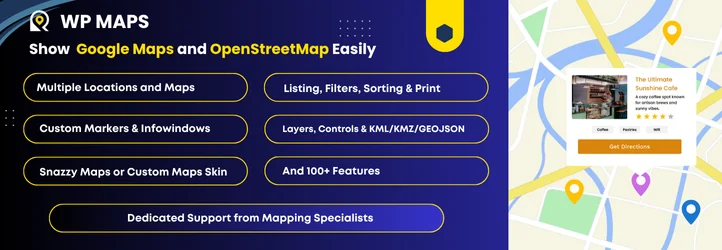
WP Maps by Flipper Code is better suited to location listings and directories than a simple contact-page map. It supports multiple map providers, searchable locations, filters, custom markers, store-locator behavior, and listing layouts tied to the map.
I would look at WP Maps when the map and the result list need to work together. Think dealers, branches, service areas, property-style locations, or directories where visitors filter locations and immediately see the matching markers.
Key features
- Google Maps, OpenStreetMap, and Mapbox support
- Store locator and location listings
- Category and location filtering
- Custom marker and info-window controls
- Directory-style map and listing layouts
- Free core with commercial upgrade options
Pros: Strong listing-plus-map workflow and good choice of mapping engines.
Cons: More configuration than necessary for one or two static business locations.
Best for: Directories, dealer locators, property-style listings, and businesses with filterable location data.
Pricing: Free version available. Commercial editions are available for advanced maps, filters, and listing features.
3. WP Store Locator – Best for Nearby Store Search
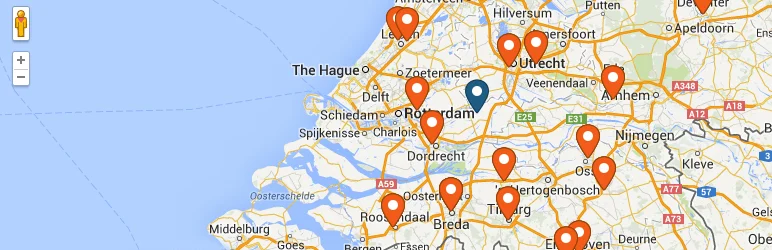
WP Store Locator is focused on one job: helping visitors find physical locations near them. It supports radius filtering, store details, directions, opening hours, custom labels, map styling, and location-specific shortcodes.
That narrow scope is a strength. If the requirement is ‘find the closest branch’ rather than ‘build an interactive map application,’ a dedicated store locator is easier for staff to maintain and easier for visitors to understand.
Key features
- Unlimited store locations
- Radius and distance filtering
- Directions and nearby-location results
- Store phone, email, URL, description, and opening hours
- Custom map styles and marker options
- Current 3.0 work expanding map-provider options
Pros: Clear store-locator workflow, easy location management, and strong fit for physical branch networks.
Cons: Less appropriate for general-purpose custom maps, routes, or complex visual storytelling.
Best for: Retail stores, clinics, dealers, service locations, restaurants, and branch networks.
Pricing: Free core plugin. Optional extensions are available separately.
4. MapPress – Best for Straightforward Embedded Maps

MapPress is a practical option when you want to create and insert maps directly into normal WordPress content without adopting a larger location-management platform.
I like this approach for editorial and business sites where maps belong to specific pages, posts, or custom entries. It keeps the mental model close to WordPress content instead of forcing every location into a separate directory workflow.
Key features
- Embed maps in posts and pages
- Multiple markers and locations
- Gutenberg-compatible editing workflow
- Custom marker and map controls
- Maps tied naturally to WordPress content
- Commercial Pro features available
Pros: Straightforward WordPress workflow and good fit for content-specific maps.
Cons: Not as specialized as WP Store Locator for branch search or WP Maps for directory-style filtering.
Best for: Business pages, travel/editorial content, events, and sites that attach maps directly to individual posts or pages.
Pricing: Free version available, with MapPress Pro for additional functionality.
5. Maps Widget for Google Maps – Best Lightweight Thumbnail Map

Maps Widget for Google Maps takes a performance-oriented approach. Instead of loading a full interactive map immediately, it can show a static map thumbnail and open a larger interactive map in a lightbox when the visitor clicks it.
I would use it for a footer, sidebar, contact page, or small business site where the map is helpful but not the main interaction. Loading a static thumbnail first can reduce the amount of map JavaScript competing with the rest of the page.
Key features
- Static Google Maps thumbnail
- Interactive lightbox map
- Address, marker, size, and zoom controls
- Widget-oriented placement
- Lower initial map-loading overhead
- Commercial Pro edition for additional controls
Pros: Simple, fast to configure, and useful when performance matters more than advanced mapping features.
Cons: Too limited for complex marker filtering, routes, or large store-locator projects.
Best for: Contact pages, footers, sidebars, and small business sites that need one clear location map.
Pricing: Free version available, with a commercial Pro edition.
Which One Should You Choose?
Choose WP Go Maps if you want the safest all-round starting point. WP Maps is stronger for filterable listings, while WP Store Locator is the better specialized branch finder. MapPress fits content-driven sites, and Maps Widget is the lightweight choice when a simple location thumbnail is enough.
Also remember that Google Maps itself can have API usage and billing requirements depending on the features and traffic involved. The plugin price and the map-provider cost are separate decisions, so check both before committing a high-traffic site to one map stack.
Conclusion
The best WordPress map plugin depends on what visitors need to do with the map. WP Go Maps is the most flexible all-rounder, WP Maps is stronger for listings and filtering, and WP Store Locator is the clearest branch-search tool. For simpler maps, MapPress keeps the workflow close to WordPress content, while Maps Widget gives you a lightweight thumbnail-first approach.
Frequently Asked Questions
What is the best Google Maps plugin for WordPress?
WP Go Maps is the strongest all-round choice because it covers basic maps, markers, alternative map engines, and advanced store-locator features as the site grows.
Do WordPress Google Maps plugins require an API key?
Google Maps features commonly require a Google Maps Platform API key and may involve usage-based billing. Plugins that support OpenStreetMap or other engines can offer alternatives.
Which plugin is best for a store locator?
WP Store Locator is the most focused option here for radius search and physical branches. WP Go Maps and WP Maps are better when the store locator is part of a broader map system.
Can a map plugin slow down WordPress?
Interactive map scripts can add frontend requests and JavaScript. Load maps only where needed, use lazy or click-to-load behavior when possible, and test Core Web Vitals on pages containing maps.
Can I use OpenStreetMap instead of Google Maps in WordPress?
Yes. Plugins such as WP Go Maps and WP Maps support non-Google mapping options, which can be useful for cost, privacy, or project requirements.

