Premium
Build multilingual WordPress sites with content translation, string translation, translation workflows, WooCommerce support, and AI-assisted translation.

Polylang is a strong fit when you want multilingual content to remain a native part of WordPress rather than being delivered through an external translation proxy. This Polylang review recommends the free version for many editorial multilingual sites and Polylang Pro when URL translation, advanced workflow features, or machine-translation tooling become important.
Best fit: Polylang makes the most sense for WordPress sites that want native language-specific content, manual editorial control, and multilingual SEO. A different tool will usually make more sense for teams wanting a fully managed external translation proxy with minimal WordPress-side translation management.
Polylang lets you assign languages to WordPress content and connect translated versions. You can manage languages for posts, pages, categories, tags, custom post types, custom taxonomies, menus, and widgets according to your setup.
This approach keeps the editorial workflow inside WordPress. Editors work with real WordPress content items in each language rather than only viewing an automatically translated mirror.
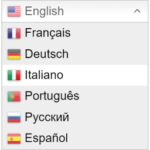
Polylang supports language switchers and language-aware URLs. Its multilingual architecture is designed so search engines can discover language versions correctly, with the plugin handling important language relationships such as hreflang output.
For SEO teams, the main advantage is control. You can write a different title, body, taxonomy choice, and localized message for each translated content item instead of depending entirely on one automatic translation pass.
The Polylang Free vs Pro decision depends on workflow depth. The free plugin covers the core multilingual content model and is enough for many sites that translate content manually.
Polylang Pro adds premium capabilities including URL slug translation and enhanced translation workflows. Current Polylang materials also position machine translation as part of the Pro workflow. If multilingual publishing is a serious editorial operation, those additions can reduce manual friction.
Do not assume Polylang Pro by itself is the complete WooCommerce package. Polylang for WooCommerce is a separate paid product, and the Polylang Business Pack combines Polylang Pro with the WooCommerce add-on.
This matters for budgeting. A multilingual blog or business site has a different requirement from a store that needs products, cart behavior, emails, and WooCommerce data translated consistently.
Polylang pricing was checked on September 10, 2026. Polylang Pro costs €99/year for 1 site, €198/year for 3 sites, €297/year for 5 sites, and €495/year for 25 sites, excluding VAT. The current pricing page states that renewals receive a 50% discount.
Polylang for WooCommerce also starts at €99/year. The Business Pack combines Pro and the WooCommerce add-on, with current pricing shown separately by Polylang. Check the official store pricing before purchase because bundle promotions can change.
I see Polylang fitting editors and site owners who want each language version to be intentional WordPress content. It works especially well when translated pages need human editing, localized SEO decisions, and a clear relationship between language versions.
If your priority is translating the final rendered page visually, TranslatePress uses a different workflow. If your priority is a managed cloud translation proxy, GTranslate or Weglot approach the problem differently again.
Native multilingual content gives you control, but it also creates editorial work. Someone still needs to create, review, and maintain translations. As the number of languages and content types grows, governance becomes important.
WooCommerce adds another licensing and implementation layer. Before buying, map exactly which content types, taxonomies, custom fields, and commerce data must be translated.
This Polylang review recommends it for WordPress teams that value native content ownership and manual editorial control. The free plugin is genuinely useful and can be enough for straightforward multilingual sites.
Polylang Pro makes more sense when advanced URL and workflow features matter. For stores, budget separately for the WooCommerce requirement rather than treating the base Pro license as the full ecommerce solution.
Yes. Polylang has a free WordPress plugin that covers the core multilingual content workflow.
Polylang pricing starts at €99 per year for one site as checked on September 10, 2026.
Free covers the main multilingual content model. Pro adds premium workflow capabilities including translated URL slugs and other advanced translation features.
Yes, but the dedicated Polylang for WooCommerce product is sold separately. The Business Pack combines it with Polylang Pro.
Yes. Polylang manages language-specific WordPress content and relationships between translated content items.
Polylang manages translated WordPress content items and language relationships. TranslatePress centers its workflow on a visual front-end translation editor.
Build multilingual WordPress sites with content translation, string translation, translation workflows, WooCommerce support, and AI-assisted translation.
Translate WordPress visually from the front end, with a free bilingual setup and Pro multilingual SEO and AI translation tools.
Add instant website translation with a free language switcher, or use paid cloud translation for indexable multilingual SEO.
Log in or create an account to continue.