



Choosing a multilingual WordPress plugin is not just a translation decision. It affects URLs, indexing, WooCommerce, page builders, translation ownership, database structure, and what happens if you stop paying for a service later.
I separate these tools into three broad models. Some store translations directly in WordPress and give you strong manual control. Some mix manual editing with AI translation. Others run translation through a cloud service and handle delivery, language URLs, and machine translation outside your normal WordPress content workflow.
For this 2026 comparison I picked seven established options with genuinely different trade-offs. If multilingual SEO is a major goal, also review our WordPress SEO plugin comparison. WooCommerce stores should also check our WooCommerce plugin roundup before committing to a translation stack.
TL;DR
- WPML: best for complex multilingual business sites that need translation management, WooCommerce support, and deep WordPress integrations.
- TranslatePress: best for visual front-end translation with a strong mix of manual editing and AI translation.
- Polylang: best for users who want a WordPress-native language structure and direct editorial control.
- Weglot: best cloud option for fast setup and low-maintenance automatic translation.
- GTranslate: best for a very easy free language switcher with paid SEO-ready hosted translations.
- Linguise: best cloud option for high word allowances and unlimited languages on paid plans.
- ConveyThis: best value-focused cloud translation option when word and language limits matter.
Quick Comparison
| Plugin | Translation model | Free option | Starting paid price |
|---|---|---|---|
| WPML | WordPress-native + AI | No | €39/year |
| TranslatePress | Visual manual + AI | Yes | €99/year |
| Polylang | WordPress-native manual + machine options | Yes | €99/year |
| Weglot | Cloud automatic + editing | Yes, limited | $17/month |
| GTranslate | Machine translation + hosted SEO plans | Yes | $12/month |
| Linguise | Cloud AI translation | Trial | $15/month |
| ConveyThis | Cloud automatic + editing | Yes | $12/month |
How I Chose These Plugins
I compared translation ownership, multilingual SEO, WooCommerce and page-builder support, manual editing, AI or machine translation, language limits, and current pricing. Pricing was checked against public vendor pages in September 2026 and can change.
1. WPML – Best for Complex Business and WooCommerce Sites
WPML is still one of the most complete choices for large WordPress sites because it treats multilingual content as a full site-management problem. The CMS plan includes the Advanced Translation Editor, string translation, translation management, page-builder support, WooCommerce support, and Full Site Editing compatibility.
I would choose WPML when several people are involved in translation or when the site has lots of plugin-generated strings, custom fields, ecommerce content, and structured templates. It is more configuration-heavy than cloud translators, but the control is deeper.
Key features
- Translation editor and workflow management
- String translation for themes and plugins
- WooCommerce multilingual support
- Page builder and Full Site Editing support
- Team and professional translation workflows
- AI translation credits on higher plans
Pros: Deep WordPress integration, strong translation management, mature WooCommerce ecosystem, and good fit for complex sites.
Cons: More setup and ongoing management than a cloud-first translator.
Best for: Business, membership, directory, and WooCommerce sites with complex multilingual content.
Pricing: Multilingual Blog starts at €39 per year. The more complete Multilingual CMS plan is €99 per year, with Agency at €199.
2. TranslatePress – Best for Visual Front-End Translation
TranslatePress lets you translate the site from a visual front-end interface, which is one of the easiest ways to understand what you are actually editing. You can mix manual translations with automatic services and TranslatePress AI, then review the result in context.
This is the option I tend to prefer when a content team wants control but does not want to work through separate translation screens for every string.
Key features
- Visual front-end translation editor
- Manual and AI-assisted translation
- SEO Pack on paid plans
- URL slug translation
- Multiple-language support
- DeepL and Google translation integrations
Pros: Very intuitive visual workflow, good manual control, and strong paid SEO features.
Cons: Advanced multilingual SEO and multiple-language features require paid plans.
Best for: Marketing sites and content teams that want to review translations visually.
Pricing: Free version available. Personal is currently €99 per year for one site, Business €199 for three sites, and Developer €349 for unlimited sites.
3. Polylang – Best for WordPress-Native Editorial Control

Polylang keeps the multilingual workflow close to normal WordPress publishing. You assign languages to posts, pages, media, taxonomy terms, and other content, then manage translated versions as WordPress content rather than relying entirely on an external cloud layer.
I like Polylang for editorial teams that want ownership and a familiar WordPress model. It can be simple on a blog but also scale through Pro and the WooCommerce add-on.
Key features
- Translate posts, pages, media, categories, and tags
- Language switcher
- SEO-friendly language URLs
- URL translation in Pro
- Machine and manual translation options
- Dedicated WooCommerce add-on
Pros: WordPress-native workflow, strong content ownership, useful free version, and mature plugin.
Cons: WooCommerce and some advanced workflows require separate paid products or the Business Pack.
Best for: Publishers and site owners who prefer translations stored and managed directly in WordPress.
Pricing: Free version available. Polylang Pro starts at €99 per year for one site. The current Business Pack starts from €139 per year during the listed promotion.
4. Weglot – Best for Fast Cloud Translation Setup
Weglot takes a cloud-first approach. You connect the site, it detects content, generates translations, creates language versions, and gives you a hosted dashboard for editing and glossary control. That removes a lot of WordPress-side configuration.
The appeal is speed and low maintenance. The main trade-off is that pricing scales with translated word count and language limits, so I always estimate the real site size before recommending it.
Key features
- Automatic translation
- Cloud translation dashboard
- Glossary and translation rules
- SEO-ready language URLs
- Media translation
- Automatic visitor redirection on paid plans
Pros: Very quick setup, strong automatic workflow, and minimal WordPress-side complexity.
Cons: Recurring cost grows with word count and number of languages, and the translation workflow depends on the hosted service.
Best for: Businesses that want fast multilingual deployment without managing translations deeply inside WordPress.
Pricing: Free plan supports up to 2,000 translated words and one translated language. Starter is currently about $17 per month or $170 per year.
5. GTranslate – Best Easy Free Translator with an SEO Upgrade Path

GTranslate is one of the easiest ways to add a language selector and automatic machine translation to WordPress. The free version can translate content on the fly, while paid plans add hosted language versions, search-engine indexing, editing, and other multilingual SEO features.
I see the free version as a usability tool rather than a full multilingual SEO strategy. If organic search in translated languages matters, look closely at the paid URL and indexing features.
Key features
- Free automatic machine translation
- Multiple language selector styles
- Gutenberg language-switcher block
- Paid search-engine indexing
- Editable paid translations
- Paid language hosting and translation delivery
Pros: Very easy to start, generous free translation access, and a large active install base.
Cons: The free version is not the same as owning fully indexed translated pages with editable URLs.
Best for: Sites that want instant machine translation first, with the option to upgrade to SEO-ready translated versions.
Pricing: Free version available. Paid Custom currently starts at $12 per month.
6. Linguise – Best for High Word Limits and Many Languages

Linguise is another cloud translation platform, but its plans are built around large translated-word allowances and unlimited languages. It provides automatic cloud AI translation and a dashboard for managing the multilingual site.
The pricing model can be attractive when the site has many languages or a lot of content, because the limits are different from services that restrict both words and translated languages aggressively.
Key features
- Cloud AI translation
- Unlimited languages on paid plans
- Large translated-word allowances
- Unlimited translated pageviews
- Translation management dashboard
- One-month free trial
Pros: Strong word allowances, unlimited languages, and simple fixed monthly tiers.
Cons: Like other cloud services, the multilingual layer depends on an ongoing hosted subscription.
Best for: Content-heavy sites that need many translated languages and want automatic translation.
Pricing: Start is currently $15 per month for 200,000 translated words, Pro $25 for 600,000, and Large $45 with fair-use unlimited translated words.
7. ConveyThis – Best Value-Focused Cloud Translation Option
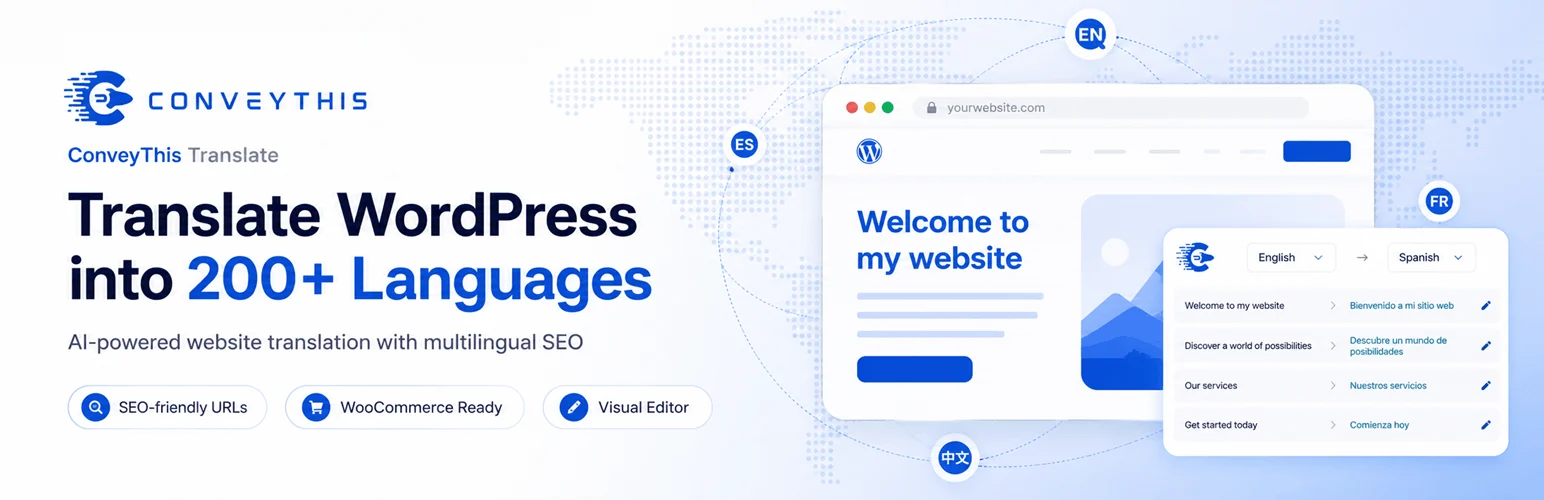
ConveyThis competes directly with cloud translators such as Weglot, but its current plans emphasize higher language and word allowances at lower entry prices. It handles automatic website translation through a hosted platform and provides paid tiers as the site grows.
I would compare it on total annual cost rather than the first month. Count your existing words, expected languages, and content growth so you do not choose a plan that becomes expensive after six months.
Key features
- Automatic website translation
- Cloud translation management
- Free entry plan
- Multiple paid language tiers
- Word-based plan limits
- Agency and larger-site plans
Pros: Competitive entry pricing and generous language/word combinations on several plans.
Cons: Cloud dependency and plan limits still need to be considered as the site grows.
Best for: Small and mid-sized sites that want cloud translation but are sensitive to word and language limits.
Pricing: Free plan available. Starter is currently $12 per month, Business $24, and higher tiers scale by words, languages, and domains.
Which One Should You Choose?
First decide who owns the translation workflow. If editors need to control every translated page inside WordPress, WPML, TranslatePress, or Polylang usually make more sense. If the goal is fast automatic coverage with less WordPress-side management, Weglot, GTranslate, Linguise, and ConveyThis are easier to deploy.
Then check SEO before pricing. Make sure the plan you choose supports crawlable language URLs, hreflang, translated metadata, and the URL structure you want. A cheap translation widget is not automatically a multilingual SEO solution.
Conclusion
There is no single multilingual plugin that wins every model. WPML is the strongest complex-site platform, TranslatePress gives the best visual editing workflow, and Polylang keeps the experience close to native WordPress. Weglot is excellent for fast cloud deployment, while GTranslate, Linguise, and ConveyThis offer useful alternatives with different pricing and translation-limit models.
Frequently Asked Questions
What is the best multilingual WordPress plugin in 2026?
WPML is the strongest fit for complex WordPress and WooCommerce projects. TranslatePress is easier for visual editing, while Weglot is one of the fastest cloud options to deploy.
Which WordPress translation plugin is best for SEO?
WPML, TranslatePress Pro, Polylang Pro, and the paid cloud platforms can all support multilingual SEO. The important requirement is crawlable language URLs, correct hreflang, and control over translated metadata.
Is there a free multilingual WordPress plugin?
Yes. Polylang, TranslatePress, and GTranslate all have free versions. Weglot and ConveyThis also offer limited free tiers.
Should I use manual or AI translation?
Use AI or machine translation to accelerate first drafts, then manually review high-value pages, navigation, product copy, legal content, and conversion-focused text. Fully automatic output can miss context.
Which multilingual plugin is best for WooCommerce?
WPML has deep WooCommerce support through its ecosystem. Polylang offers a dedicated WooCommerce add-on, while TranslatePress can visually translate WooCommerce content and interfaces.

