


A WordPress SEO plugin should handle the technical work you do not want to repeat on every page: titles and meta descriptions, XML sitemaps, canonical URLs, schema markup, robots controls, social previews, and redirects. The harder part is choosing how much guidance, automation, reporting, and control you actually need.
I tested the five plugins in this guide from the perspective of someone who regularly works on WordPress SEO, content publishing, technical audits, and site migrations. I paid attention to the setup experience, editor workflow, schema controls, sitemap handling, redirects, Search Console connections, WooCommerce support, and how much useful functionality remains in the free version.
I do not think there is one SEO plugin that is automatically right for every WordPress site. Rank Math gives you a dense feature set, Yoast keeps the content workflow familiar, SmartCrawl is simpler, Squirrly takes a more guided approach, and AIOSEO packages a broad set of business-focused SEO tools. The right choice depends on how you work.
TL;DR
- Rank Math: strong fit if you want extensive free controls, schema options, analytics connections, and room to grow into more technical SEO workflows.
- Yoast SEO: a practical choice if you value a familiar editor experience, readability guidance, structured data, and a long-established ecosystem.
- SmartCrawl: worth considering if you want a cleaner interface with SEO audits, instant indexing, auto-linking, and fewer settings to work through.
- Squirrly SEO: suited to users who want step-by-step SEO coaching, live optimization guidance, and built-in research tools.
- AIOSEO: useful for business sites that want redirects, schema, local SEO, WooCommerce SEO, audits, and broader site-management features in one product family.
WordPress SEO Plugin Comparison
| Plugin | Good fit for | Free version | Paid pricing checked September 22, 2026 |
|---|---|---|---|
| Rank Math | Feature-heavy SEO setups, schema, analytics, agencies | Yes | PRO €7.99/month billed annually during the current promotion; renews at €8.99/month billed annually |
| Yoast SEO | Editorial teams, bloggers, familiar content optimization workflow | Yes | $118.80/year for one site, excluding VAT |
| SmartCrawl | Simpler SEO management, audits, automatic linking | Yes | Pro Basic currently $36/year for one site; standard monthly price shown as $5/month |
| Squirrly SEO | Guided SEO, live coaching, research-oriented workflows | Yes | PRO $9.99/month |
| AIOSEO | Business, WooCommerce, local SEO, redirects and site management | Yes | Basic $49.50 first year; regular renewal $99/year |
Pricing changes often. The figures above were checked against each plugin’s official pricing page on September 22, 2026. Promotional prices and renewal rates can differ, so I recommend checking the vendor page before buying.
How I Evaluated These WordPress SEO Plugins
I did not judge these plugins only by the number of features on their pricing pages. In practice, an SEO plugin becomes part of your publishing workflow, so usability and control matter just as much as the checklist.
- Technical SEO: XML sitemaps, canonicals, robots controls, redirects, schema, breadcrumbs, and indexation settings.
- On-page workflow: how easy it is to edit titles, descriptions, focus keywords, social previews, and structured data while publishing.
- Free-version limits: what you can realistically manage without upgrading.
- Data and reporting: Search Console, Analytics, rank tracking, audits, and site-level reporting.
- Specialized SEO: WooCommerce, local SEO, news, video, image SEO, and custom schema.
- Migration: whether moving from another SEO plugin is reasonably straightforward.
- Pricing: introductory price, renewal cost, site limits, and whether important modules require separate purchases.
1. Rank Math
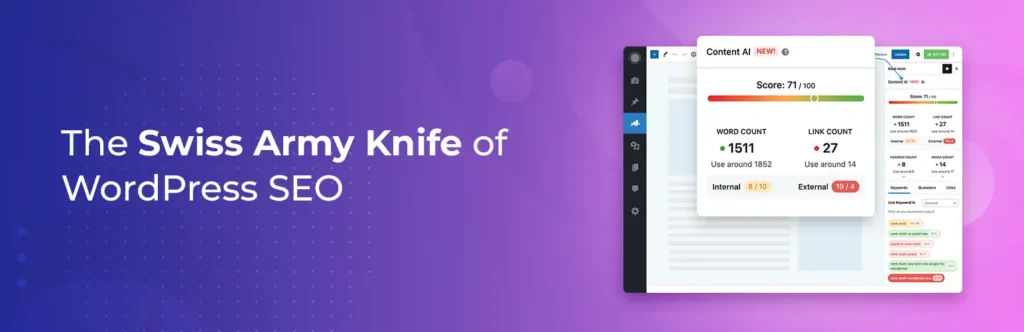
Rank Math is the plugin I look at when I want a lot of SEO control without immediately installing several supporting plugins. Its free version already covers the core workflow well, and the interface exposes more technical controls than many beginner-first alternatives.
In my testing, the setup wizard is one of its stronger areas. You can start in Easy mode or expose more settings in Advanced mode, import data from another SEO plugin, connect Search Console and Analytics, and decide which modules you actually want active. I like that modular approach because not every site needs every feature enabled.
The post editor gives you title and description controls, focus keyword analysis, schema settings, robots directives, canonical options, and social previews in one place. Rank Math also integrates closely with Gutenberg and popular page builders. For sites with custom post types or more involved schema requirements, I find its deeper controls useful.
What I like
- Strong free feature set
- Modular setup, so unused features can stay disabled
- Flexible schema controls
- XML sitemaps, redirects, breadcrumbs, image SEO, and 404 monitoring options
- Search Console and Analytics connections
- Useful import tools when migrating from another SEO plugin
- WooCommerce and custom post type support
Where I would be careful
Rank Math gives you many settings, which is useful when you know what you want but can be distracting for a simple brochure site. I also would not treat its content score as a ranking formula. The checks are useful prompts, not proof that a page will rank.
Some newer AI features are also separate from the core SEO subscription or come with limited trial usage. Rank Math says Content AI is an independent subscription, although paid SEO plans include limited complimentary usage.
Pricing: Rank Math Free is available on WordPress.org. On the official pricing page I checked, the personal PRO plan was listed at €7.99/month billed annually during the current promotion and renews at €8.99/month billed annually. The PRO license is for unlimited personal websites; client sites require Business or Agency. Check Rank Math pricing.
Use it when: you want extensive SEO controls, schema flexibility, analytics integration, and a feature-rich free version.
2. Yoast SEO
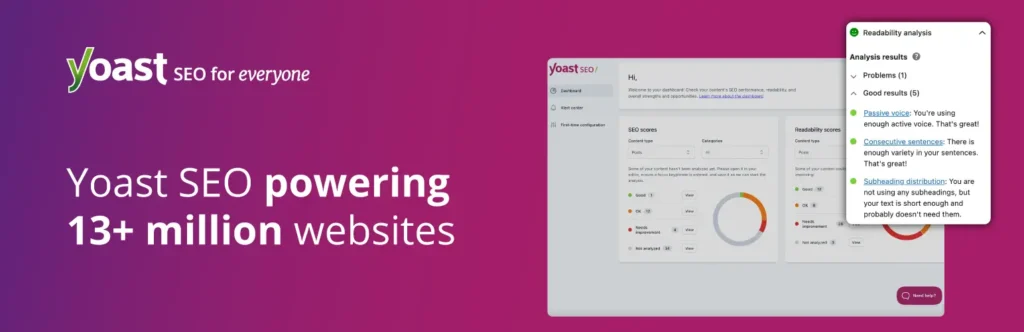
Yoast SEO is still one of the easiest SEO plugins to recognize when moving between WordPress sites. I have used Yoast across many years of WordPress work, and its biggest strength for me is consistency: the content analysis, readability checks, social settings, schema output, and sitemap handling are predictable.
The red, orange, and green indicators are simple, but that simplicity is exactly why editorial teams tend to understand the workflow quickly. I like the readability analysis as an editing aid, especially for writers who are not SEO specialists. I do not follow every recommendation literally, but it catches obvious issues such as missing descriptions, awkward keyphrase placement, and difficult sentence structure.
Yoast also handles much of the technical baseline automatically, including XML sitemaps, canonicals, and a connected schema graph. Premium adds automatic redirects, internal linking suggestions, AI-assisted optimization features, and support.
What I like
- Very familiar editorial workflow
- Readable SEO and content analysis
- Solid automatic technical SEO defaults
- Structured data graph instead of isolated schema snippets
- Strong documentation and SEO learning resources
- Premium now includes Local SEO, Video SEO, and News SEO
Where I would be careful
The free version is capable, but several workflow features such as redirect automation and advanced internal linking guidance sit behind Premium. Yoast can also feel conservative compared with Rank Math if you want a large number of technical controls visible inside WordPress.
I would also avoid writing only to turn every Yoast indicator green. A useful page written for readers can still be good SEO even when a plugin’s keyword-density or readability rule is not perfect.
Pricing: Yoast SEO has a free version. Yoast SEO Premium is currently $118.80/year for one site, excluding VAT. The current Premium package also includes Yoast Local SEO, News SEO, and Video SEO. Check Yoast SEO Premium pricing.
Use it when: you want a mature, familiar SEO workflow that writers and editors can learn quickly.
3. SmartCrawl
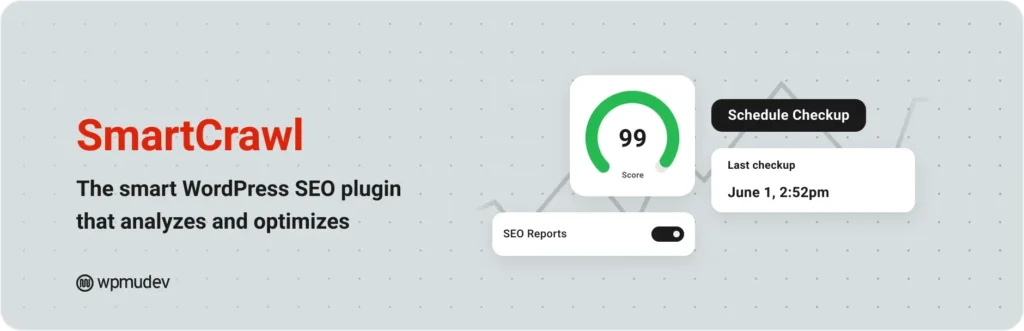
SmartCrawl does not have the same name recognition as Yoast or Rank Math, but I like its cleaner approach. The dashboard is easier to scan, and the plugin covers the SEO basics without making every screen feel like a control panel.
Its current feature set includes SEO health audits, content analysis, XML sitemaps, schema, breadcrumbs, automatic linking, instant indexing, and site crawls. In my testing, the simpler navigation made it easier to find the settings I actually needed.
I also like SmartCrawl’s automatic-linking concept for sites with a defined internal-linking strategy. It can save repetitive work, but I would configure it carefully rather than letting a large keyword map create links everywhere.
What I like
- Clean interface with fewer distractions
- SEO audits and reports
- Instant indexing
- Automatic internal linking
- Breadcrumbs and schema
- Useful site crawling features in Pro
Where I would be careful
SmartCrawl’s ecosystem, tutorials, third-party integrations, and community footprint are smaller than Yoast or Rank Math. If you rely on unusual custom workflows, I would confirm compatibility first. It is also tied closely to the broader WPMU DEV ecosystem, which may be a positive or unnecessary depending on your stack.
Pricing: SmartCrawl has a free WordPress.org version. WPMU DEV currently lists Pro Basic for one site at $3/month when billed yearly, or $36/year, with a standard monthly price shown as $5/month. Check SmartCrawl pricing.
Use it when: you prefer a cleaner SEO interface and want auditing, instant indexing, crawling, and automatic linking without a very dense settings experience.
4. Squirrly SEO

Squirrly SEO takes a different approach from traditional SEO plugins. Instead of mainly giving you fields and settings, it tries to coach you through SEO tasks with live guidance, audits, keyword research, focus pages, and AI-assisted recommendations.
The SEO Live Assistant is the part I find most distinctive. While editing, it gives real-time recommendations instead of waiting until the end of the writing process. For someone learning SEO, that feedback can make the plugin feel more like a workflow tool than a settings plugin.
Squirrly also combines keyword research and site-audit features that would often live outside WordPress. That can be convenient if you want one dashboard, although advanced SEOs already using Ahrefs, Semrush, or another dedicated suite may not need the overlap.
What I like
- Real-time SEO Live Assistant
- Guided workflow for less experienced users
- Keyword research inside WordPress
- SEO audit tools
- Focus Pages for tracking important URLs
- Imports from other SEO plugins
Where I would be careful
Squirrly’s guidance-heavy interface is useful if you want coaching, but it can feel busy if you already have a mature SEO process. I would also separate its recommendations from actual search-engine requirements: like every SEO scoring system, the guidance is a framework, not a guarantee of rankings.
Pricing: Squirrly offers a free plan. Its official pricing page currently lists PRO at $9.99/month, with higher tiers for developers and businesses managing more sites and larger usage limits. Check Squirrly SEO pricing.
Use it when: you want active SEO guidance while you work and prefer research, audits, and optimization coaching in the same WordPress environment.
5. AIOSEO
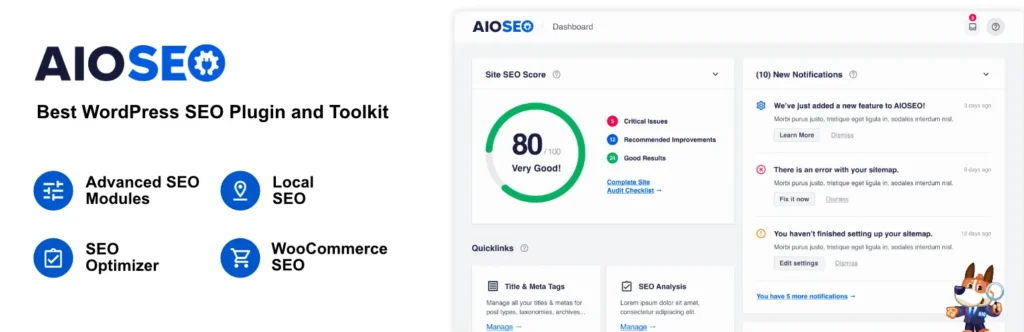
All in One SEO (AIOSEO) is aimed at site owners who want core SEO plus broader business-focused tools. Its current paid plans cover schema, XML sitemaps, WooCommerce SEO, redirects, audits, local SEO on higher tiers, author SEO, and search-performance features.
In my testing, the setup wizard is straightforward and the interface explains settings in a way that works for non-specialists. I like that AIOSEO separates several advanced areas into modules instead of forcing every tool into the publishing sidebar.
The redirect manager and site-audit features are especially relevant for business sites where SEO work extends beyond optimizing individual posts. WooCommerce support is also a strong part of the package if products are central to the site.
What I like
- Beginner-friendly setup
- XML and RSS sitemaps
- Schema markup
- WooCommerce SEO
- Redirect and 404 management on paid plans
- Local SEO and author SEO on higher plans
- Search statistics and rank tracking on the higher tiers
Where I would be careful
AIOSEO’s pricing is strongly tiered. Some features you may consider standard for a business site, such as more advanced local SEO, internal-link tools, or deeper search statistics, require higher plans. The first-year discount can also make the product look cheaper than the renewal cost, so I would compare the regular annual price before committing.
Pricing: AIOSEO Lite is free. The official pricing page currently lists Basic at $49.50 for the first year for one site, with a regular renewal price of $99/year. Plus is $99.50 introductory, Pro $199.50, and Elite $299.50; renewals are at the full regular price. Check AIOSEO pricing.
Use it when: you run a business, local, or WooCommerce site and want SEO configuration, redirects, audits, and specialized modules in one ecosystem.
Which WordPress SEO Plugin Fits Which Type of Site?
| If you need… | Plugins I would compare first |
|---|---|
| A lot of technical control in the free version | Rank Math, then SmartCrawl |
| A familiar editorial and readability workflow | Yoast SEO |
| Simple SEO management with audits | SmartCrawl |
| Live SEO coaching while writing | Squirrly SEO |
| WooCommerce, local SEO, redirects, and business tooling | AIOSEO or Rank Math, depending on the exact modules you need |
| Advanced schema control | Rank Math, with AIOSEO also worth comparing |
I would not switch SEO plugins simply because another product has a longer feature list. If your current plugin already outputs correct canonicals, sitemaps, metadata, schema, and robots directives, the migration itself may create more risk than value. Switch when there is a workflow, feature, pricing, or support reason that matters to your site.
Do SEO Plugins Actually Improve Rankings?
An SEO plugin can make a WordPress site easier for search engines to crawl and understand, but installing one does not automatically improve rankings. The plugin helps you implement technical SEO correctly. Rankings still depend on content quality, search intent, site architecture, links, brand authority, page experience, competition, and many other signals.
I use SEO-plugin scores as QA prompts, not as targets. A page does not become authoritative because it reaches 90/100 in a plugin, and a useful page does not become weak because one sentence is longer than the plugin recommends.
Can You Use Two WordPress SEO Plugins Together?
You generally should not run two full SEO management plugins at the same time. Rank Math, Yoast, AIOSEO, SmartCrawl, and Squirrly can all output overlapping titles, canonicals, robots tags, sitemaps, and schema. Running two together can create duplicate or conflicting markup.
Specialized tools are different. For example, an SEO monitoring plugin can work alongside your primary SEO plugin if it only checks output rather than trying to generate the same metadata.
What About SEO Monitoring After Setup?
Your primary SEO plugin manages the settings, but that does not guarantee those settings stay unchanged. Theme updates, plugin conflicts, migrations, content edits, and developer changes can alter canonicals, robots tags, schema, titles, sitemaps, or redirects without anyone noticing immediately.
SEO Sentry serves a different role from Rank Math, Yoast, AIOSEO, SmartCrawl, or Squirrly. It monitors SEO output and can flag changes to elements such as robots directives, titles, descriptions, canonicals, schema, Open Graph tags, H1s, word-count drops, and HTTP errors. Because it is a monitoring layer rather than a primary SEO configuration plugin, it can sit alongside your main SEO plugin.
For a deeper look at that category, see our guide to WordPress SEO monitoring plugins and tools.
What to Check Before Switching SEO Plugins
- Back up your site and database.
- Confirm the new plugin can import titles, descriptions, robots settings, schema, and redirects from the old plugin.
- Do not keep both full SEO plugins active longer than required for migration.
- Compare sitemap URLs before and after the switch.
- Check several posts, pages, taxonomies, and custom post types for canonicals and robots directives.
- Validate schema output on representative pages.
- Check redirects and 404 handling.
- Recheck Search Console after Google has recrawled important URLs.
Final Take
The useful question is not “Which SEO plugin has the most features?” It is “Which plugin gives me the controls I need without making my workflow harder?”
I would compare Rank Math when technical controls and a generous free version matter, Yoast when editorial simplicity and readability guidance matter, SmartCrawl when you want a cleaner SEO dashboard, Squirrly when you want active coaching, and AIOSEO when business, local, WooCommerce, redirect, and audit features are central to the site.
Whichever one you choose, configure it carefully and then focus most of your effort on the site itself: useful content, clear internal linking, crawlable architecture, accurate structured data, fast pages, and a real reason for people to trust your information.
Frequently Asked Questions
Which WordPress SEO plugin has the strongest free feature set?
Rank Math includes a broad range of free SEO controls, while SmartCrawl, Yoast, AIOSEO, and Squirrly also have useful free versions. The better choice depends on whether you need schema controls, content analysis, audits, local SEO, redirects, or other specific features.
Is Rank Math better than Yoast SEO?
They emphasize different workflows. Rank Math exposes more controls and modules, while Yoast has a very familiar content-analysis and readability experience. Compare the features you actually use rather than choosing only by the size of the feature list.
Can I use Rank Math and Yoast together?
No. Both are full SEO management plugins and can generate overlapping metadata, sitemaps, schema, and robots directives. Migrate your data and keep only one active as the primary SEO plugin.
Do I need an SEO plugin for WordPress?
WordPress can be indexed without one, but a dedicated SEO plugin makes it much easier to manage titles, descriptions, canonicals, XML sitemaps, robots controls, schema, social metadata, and redirects consistently.
Will an SEO plugin automatically improve my Google rankings?
No. It helps implement technical and on-page SEO correctly, but rankings also depend on content usefulness, relevance, links, authority, competition, site quality, and other search signals.
Which WordPress SEO plugin is useful for WooCommerce?
Rank Math and AIOSEO both provide dedicated WooCommerce SEO features, while Yoast offers WooCommerce-focused tooling as well. Compare product schema, sitemap handling, metadata controls, and the exact paid plan required for your store.
Which SEO plugin is easier for beginners?
Yoast is easy to understand because of its familiar traffic-light content analysis. AIOSEO and SmartCrawl also provide guided setup, while Squirrly goes further with live coaching. Rank Math is beginner-friendly too, but exposes more settings when Advanced mode is enabled.
Can I switch SEO plugins without losing metadata?
Usually yes. Major SEO plugins provide import tools for common competitors. Back up the site first, import the data, then verify titles, descriptions, robots directives, canonicals, schema, sitemaps, and redirects before fully removing the old plugin.
Do WordPress SEO plugins support schema markup?
Yes. All five plugins in this comparison support structured data in some form. The amount of manual control, available schema types, templates, and advanced options varies between free and paid plans.
Should I choose an SEO plugin based on its SEO score?
No. Treat plugin scores as editing and QA guidance. They can catch common issues, but search engines do not rank pages according to Rank Math, Yoast, AIOSEO, SmartCrawl, or Squirrly scores.


