



WooCommerce is powerful because it starts lean. That is also why store owners quickly end up asking for more: a better checkout, smarter coupons, subscriptions, wishlists, faster product search, professional invoices, or an easier payment setup. The danger is installing ten plugins before deciding which problems actually need solving.
I have worked with WooCommerce stores where too many overlapping extensions created more problems than they fixed. For this list, I chose seven plugins that solve different high-value parts of the store. I would not install all seven by default. Pick the ones that match your business model and customer journey.
TL;DR: Best WooCommerce Plugins in 2026
- FunnelKit — best for improving WooCommerce checkout and sales funnels.
- Advanced Coupons — best for smarter discount and promotion rules.
- WooCommerce Subscriptions — best for recurring products and membership-style billing.
- YITH WooCommerce Wishlist — best for adding customer wishlists.
- FiboSearch — best for fast AJAX product search.
- PDF Invoices & Packing Slips for WooCommerce — best for invoices and store documents.
- WooPayments — best integrated payment option for merchants in supported countries.
1. FunnelKit — Best for WooCommerce Checkout and Sales Funnels
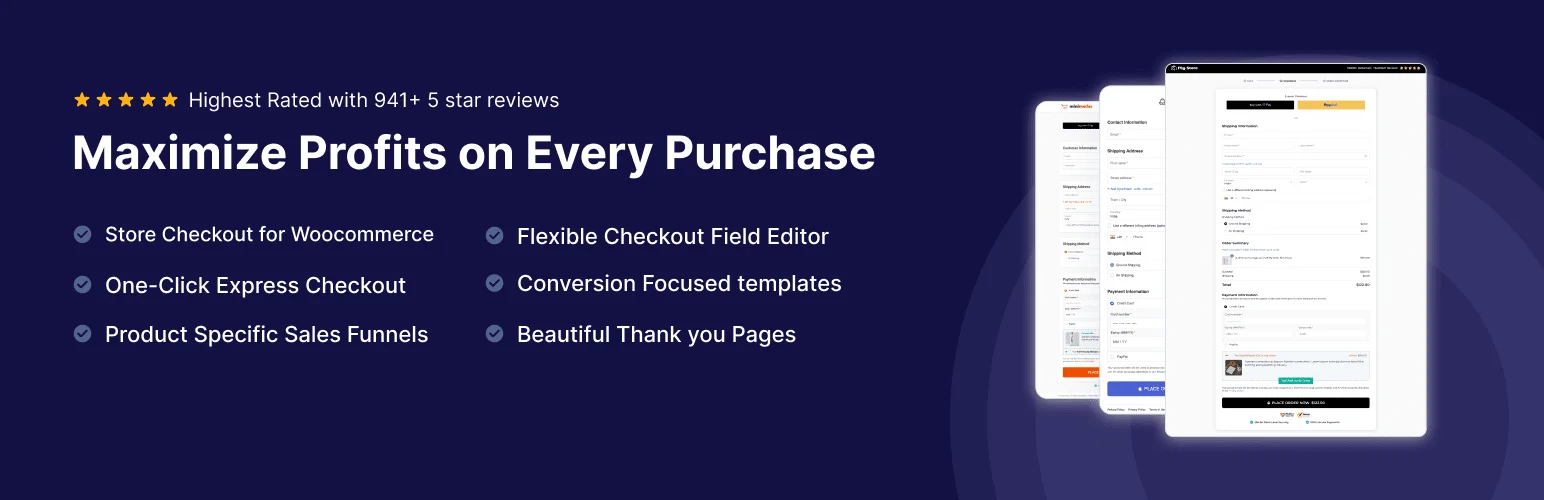
FunnelKit is the plugin I look at when the default WooCommerce checkout is technically working but the buying experience needs more control. It can replace or customize checkout pages, add order bumps, create sales funnels, handle post-purchase offers, and connect those steps to automation tools in the broader FunnelKit ecosystem.
What I like is that the features sit around the point where revenue is actually won or lost. I would rather improve a confusing checkout and test a relevant order bump than install another decorative product widget that does not change the buying experience.
Key features
- Custom WooCommerce checkout pages
- Sales funnels
- Order bumps
- One-click upsells and post-purchase offers
- Checkout templates
- Analytics and marketing integrations
Pros: Focuses directly on checkout conversion, strong funnel tools, useful templates, good fit for serious WooCommerce stores.
Cons: More setup than a simple checkout field editor; advanced funnel features require paid plans.
Best for: Stores that want to improve checkout flow, average order value, and post-purchase offers.
Pricing: Free components are available, while paid FunnelKit plans vary by feature and site count. Check FunnelKit’s current pricing before buying.
2. Advanced Coupons — Best for Smarter WooCommerce Discounts

WooCommerce core coupons cover basic percentage and fixed discounts. Advanced Coupons becomes useful when promotions need business rules: buy-one-get-one offers, cart conditions, store credit, coupon URLs, shipping deals, scheduled campaigns, or loyalty features through related products.
I like it because discounts can be made more intentional. A blanket 20% coupon is easy, but it can train customers to wait for discounts. Conditional offers let you reward the behavior you actually want, such as spending above a threshold or buying a particular product combination.
Key features
- Buy-one-get-one deals
- Cart-condition rules
- Coupon URLs
- Store credit options
- Scheduled promotions
- Advanced shipping and discount conditions
Pros: Much more flexible than core coupons, strong promotion rules, useful free edition.
Cons: Complex promotions require planning and testing; loyalty features can involve separate products/plans.
Best for: Stores running frequent promotions, BOGO campaigns, customer rewards, or conditional discounts.
Pricing: Free version available. Premium plans are sold annually by Advanced Coupons and pricing can change with promotions.
3. WooCommerce Subscriptions — Best for Recurring Products
WooCommerce Subscriptions is the official extension I would consider first when recurring billing is central to the store. It supports weekly, monthly, annual, and custom subscription schedules, automatic renewals through compatible payment gateways, customer subscription management, trials, signup fees, and subscription reporting.
Subscriptions add complexity that normal products do not have. Failed renewals, payment-method changes, cancellations, upgrades, and recurring tax or shipping behavior all matter. That is why I prefer a mature extension rather than trying to improvise recurring billing with a generic payment plugin.
Key features
- Recurring billing
- Free trials
- Signup fees
- Synchronized renewals
- Customer subscription management
- Support for compatible recurring-payment gateways
Pros: Official WooCommerce ecosystem, mature recurring-billing workflow, broad gateway compatibility.
Cons: Expensive for small stores; subscriptions add operational complexity beyond installing the plugin.
Best for: Membership products, subscription boxes, recurring services, and stores built around repeat billing.
Pricing: The current one-year license is $279 for one subscription to the extension, with multi-year options available from WooCommerce.
4. YITH WooCommerce Wishlist — Best for Product Wishlists
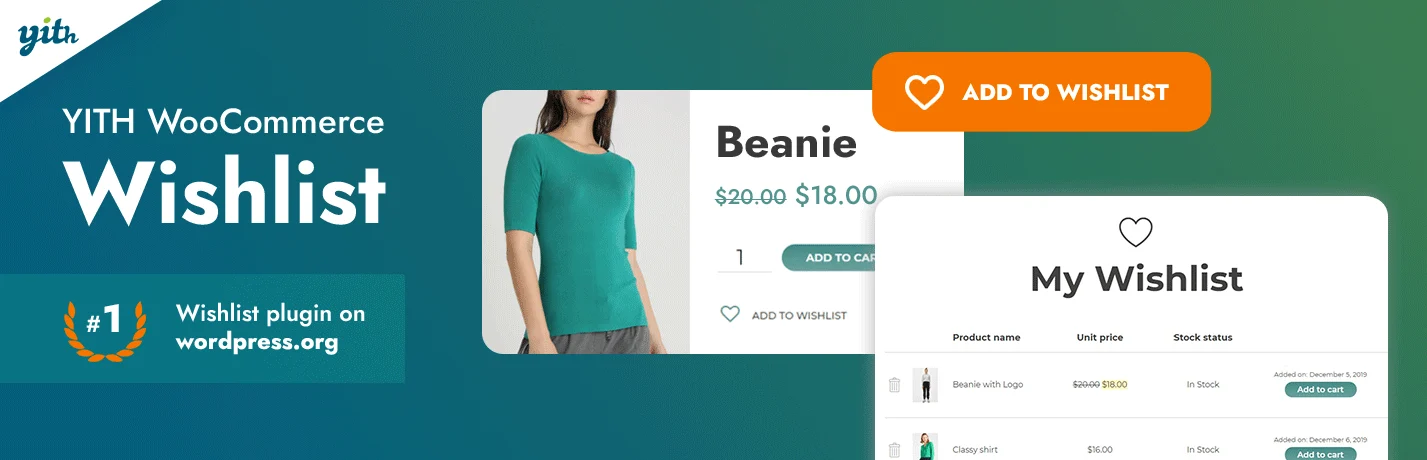
A wishlist gives visitors somewhere to save products before they are ready to buy. That is especially useful for fashion, gifts, furniture, electronics, and larger catalogs where shoppers compare items across several visits.
YITH WooCommerce Wishlist is one of the best-known tools for this job. I like wishlist features when they support the buying journey rather than only adding another heart icon. Sharing, multiple lists, privacy controls, and account integration can turn saved products into something genuinely useful.
Key features
- Add-to-wishlist buttons
- Customer wishlist pages
- Wishlist sharing
- Privacy controls
- Multiple lists on eligible plans
- Analytics and promotional options in premium versions
Pros: Mature WooCommerce integration, useful free version, strong shopper-facing features.
Cons: Advanced list management and marketing features are premium; not every store needs wishlists.
Best for: Stores with large catalogs or products customers commonly save and compare before buying.
Pricing: Free version available with a paid premium edition from YITH.
5. FiboSearch — Best WooCommerce Product Search Plugin
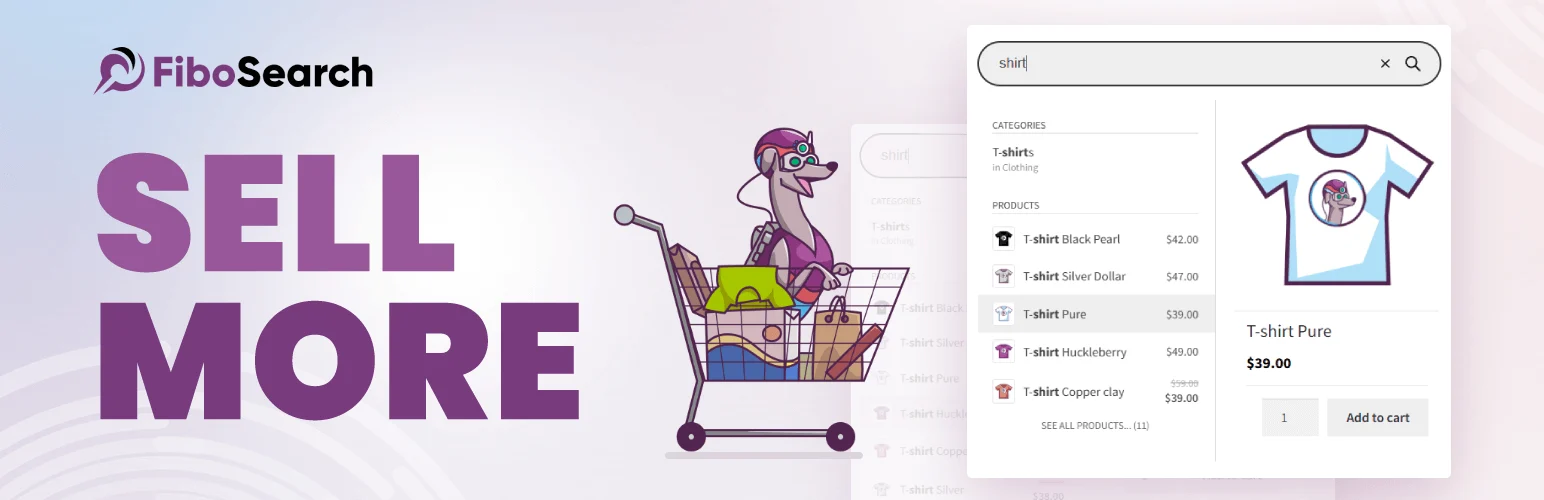
WooCommerce search becomes painful when shoppers know what they want but cannot find it quickly. FiboSearch adds AJAX product search with live suggestions, product images, prices, SKUs, categories, and other catalog data before the visitor even reaches the results page.
This is one of those plugins where I can feel the usability difference immediately on a larger store. Search should shorten the path to a product, not send someone to a generic results page after every spelling variation.
Key features
- AJAX product search
- Live product suggestions
- SKU search
- Category and tag search
- Mobile-friendly search interface
- Advanced search analytics and indexing options in Pro
Pros: Noticeably improves catalog navigation, strong free version, excellent for product-heavy stores.
Cons: The most powerful indexing and search features require Pro; very small catalogs may not need it.
Best for: Medium and large WooCommerce catalogs where search is an important buying path.
Pricing: Free version available with paid Pro licenses from FiboSearch.
6. PDF Invoices & Packing Slips for WooCommerce — Best for Store Documents
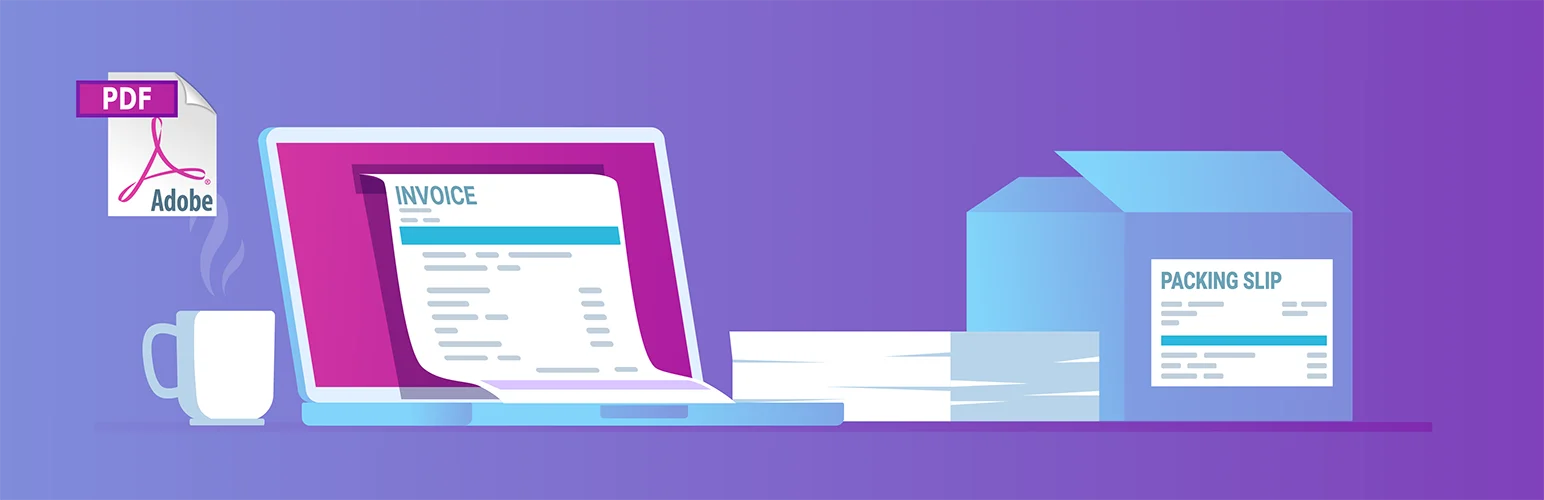
PDF Invoices & Packing Slips by WP Overnight solves an operational problem rather than a marketing one. It can automatically attach PDF invoices to WooCommerce emails and gives store teams printable invoice and packing-slip documents for order fulfillment.
I like plugins like this because they remove repetitive admin work. Once the document template and numbering rules are correct, staff should not need to manually create an invoice for every normal order.
Key features
- Automatic PDF invoice generation
- Email invoice attachments
- Customizable invoice templates
- Packing slips
- Sequential invoice numbering
- Tax and company-detail fields
Pros: Excellent free core, saves fulfillment time, mature WooCommerce workflow.
Cons: Advanced document types, templates, and compliance requirements may need paid extensions or accounting advice.
Best for: Physical and digital stores that need consistent customer invoices and fulfillment documents.
Pricing: Free core plugin available; premium templates and professional extensions are sold separately by WP Overnight.
7. WooPayments — Best Integrated Payment Option for Supported Merchants

WooPayments keeps payment management inside the WooCommerce dashboard. Supported merchants can accept cards and selected local payment methods, manage transactions and deposits, handle refunds, review disputes, and see payment activity without jumping between several dashboards.
I like the integrated workflow, but I would never choose a gateway only because the plugin looks convenient. Fees, supported countries, payout schedules, payment methods, dispute costs, currency handling, and business eligibility matter more than the admin interface.
Key features
- Card payment processing
- Supported local payment methods
- Apple Pay and Google Pay where available
- Payment and refund management inside WooCommerce
- Dispute management
- Integration with WooCommerce reporting
Pros: Deep WooCommerce integration, no separate monthly online-payment subscription fee, convenient payment management.
Cons: Only available to supported businesses/countries; transaction, international, currency-conversion, and dispute fees vary by market.
Best for: Eligible WooCommerce merchants who want payment operations managed directly inside their store dashboard.
Pricing: Pay-as-you-go. WooPayments has no setup or monthly fee for online payments, but transaction fees depend on business country, customer location, currency, and payment method.
How I Choose WooCommerce Plugins
Start with the bottleneck. If customers abandon checkout, look at checkout before adding loyalty points. If people cannot find products, improve search before building upsells. If the store sells recurring access, subscriptions become infrastructure. If fulfillment is messy, invoices and operational tools may create more value than another marketing widget.
If you are building a marketplace rather than a single-vendor store, compare the best WordPress multivendor plugins. For checkout troubleshooting, see our guide on fixing incorrect WooCommerce shipping costs at checkout. Elementor users should also read why the WooCommerce shop page can be difficult to edit in Elementor.
WooCommerce Plugin Mistakes I Avoid
- Install a plugin only when it solves a real store or customer problem.
- Avoid overlapping extensions that change the same checkout, pricing, search, or email behavior.
- Test cart, checkout, account, and transactional email flows after important plugin updates.
- Back up the store before major changes and use staging for risky updates.
- Watch performance when adding search, filters, tracking, or visual widgets.
- Prefer actively maintained extensions with clear compatibility information and support.
Conclusion
There is no single must-have plugin stack for every WooCommerce store. FunnelKit is my first choice when checkout and funnels need work, Advanced Coupons expands promotions, and WooCommerce Subscriptions provides mature recurring billing. YITH Wishlist improves product saving, FiboSearch fixes weak catalog search, PDF Invoices & Packing Slips simplifies store operations, and WooPayments offers a convenient integrated gateway for eligible merchants.
The better approach is to install fewer plugins with clearer jobs. Every extension becomes part of checkout reliability, performance, security, and future maintenance, so each one should earn its place.
Frequently Asked Questions
What are the best WooCommerce plugins in 2026?
The best plugin depends on the store’s problem. FunnelKit is strong for checkout and funnels, FiboSearch for product discovery, Advanced Coupons for promotions, WooCommerce Subscriptions for recurring billing, and WooPayments for integrated payments in supported markets.
How many WooCommerce plugins should I install?
There is no safe fixed number. Ten well-built plugins that solve distinct problems can be better than three poorly coded overlapping ones. I focus on quality, overlap, frontend assets, database behavior, and whether each extension is actively maintained.
Do WooCommerce plugins slow down a store?
They can. Plugins that add queries, scripts, AJAX requests, tracking, dynamic cart behavior, or heavy admin jobs can affect performance. Test changes with real product, cart, checkout, and account flows instead of only checking the homepage.
Are free WooCommerce plugins safe to use?
Many excellent WooCommerce plugins have free versions. Check active maintenance, support history, compatibility, permissions, code quality, and whether the free version still receives security updates. Free does not automatically mean unsafe, and paid does not automatically mean better.
Should I use WooPayments or Stripe for WooCommerce?
Compare availability, fees, payout timing, currencies, payment methods, dispute handling, and your accounting workflow. WooPayments is deeply integrated with WooCommerce, but the best gateway depends on your country and business requirements.

