



When shoppers know what they want, search is often faster than navigation. The problem is that default WooCommerce search can feel unforgiving: a small typo, SKU search, variation name, brand term, or partial product phrase may return weak results or nothing at all. That friction gets more expensive as the catalog grows.
I look for a WooCommerce search plugin that improves relevance first, then adds useful interface features such as instant suggestions, thumbnails, prices, categories, and filters. A fast search box is not enough if it keeps returning the wrong products.
These six options cover lightweight AJAX search, advanced relevance, large catalogs, and hosted search. If customers need to narrow broad category pages rather than search by name, read our WooCommerce product filter plugin comparison.
TL;DR: Best WooCommerce Product Search Plugins
- FiboSearch: best overall for fast AJAX product search with a strong free version.
- SearchWP: best for relevance control and searching custom product data.
- Advanced Woo Search: best free-first option for instant product results.
- WooCommerce Product Search: best official extension for search plus product filtering.
- Jetpack Search: best hosted option for stores that want search workload off the WordPress server.
- ElasticPress: best for developer-led stores using Elasticsearch/OpenSearch infrastructure.
1. FiboSearch – Best Overall WooCommerce Search Plugin

FiboSearch replaces the basic WooCommerce search experience with fast live suggestions that can show product images, prices, categories, descriptions, and other useful context before a shopper presses Enter.
I like FiboSearch because it improves a very visible customer interaction without forcing a store to rebuild its search architecture. On a normal WooCommerce catalog, the free version already feels like a meaningful upgrade from the default search box.
Key features
- AJAX live search suggestions
- Product image, price, and description display
- SKU search
- Category and tag matching
- Fuzzy and improved search logic in Pro
- Mobile-friendly search interface
Pros: Easy to install, strong free version, useful live results, and built specifically around WooCommerce shopping behavior.
Cons: Larger catalogs may need the Pro indexing engine, and advanced relevance controls are not as deep as SearchWP.
Best for: Most small and medium WooCommerce stores that want a better search box quickly.
Pricing: Free version available. Pro licenses are sold annually based on site count.
2. SearchWP – Best for Search Relevance Control
SearchWP goes deeper than visual autocomplete. It lets you decide which content fields should influence results and how much weight titles, custom fields, taxonomies, SKUs, attributes, and other data should carry.
This is the option I prefer when the search problem is relevance rather than presentation. If customers use product codes, custom metadata, or terminology that WooCommerce does not prioritize well, controlling the index and weights can make a bigger difference than adding prettier suggestions.
Key features
- Custom search engines and relevance weights
- WooCommerce SKU and product-data search
- Custom field and taxonomy indexing
- Keyword stemming and partial-match controls
- Search statistics and query insights
- Extensions for live search and related workflows
Pros: Excellent relevance control, broad WordPress data support, strong for custom product structures, and developer friendly.
Cons: Premium only and requires more configuration than a simple AJAX search plugin.
Best for: Stores with complex product data, unusual search terms, or a need to tune result ranking.
Pricing: Paid annual licenses; current price depends on plan and site count.
3. Advanced Woo Search – Best Free-First AJAX Search
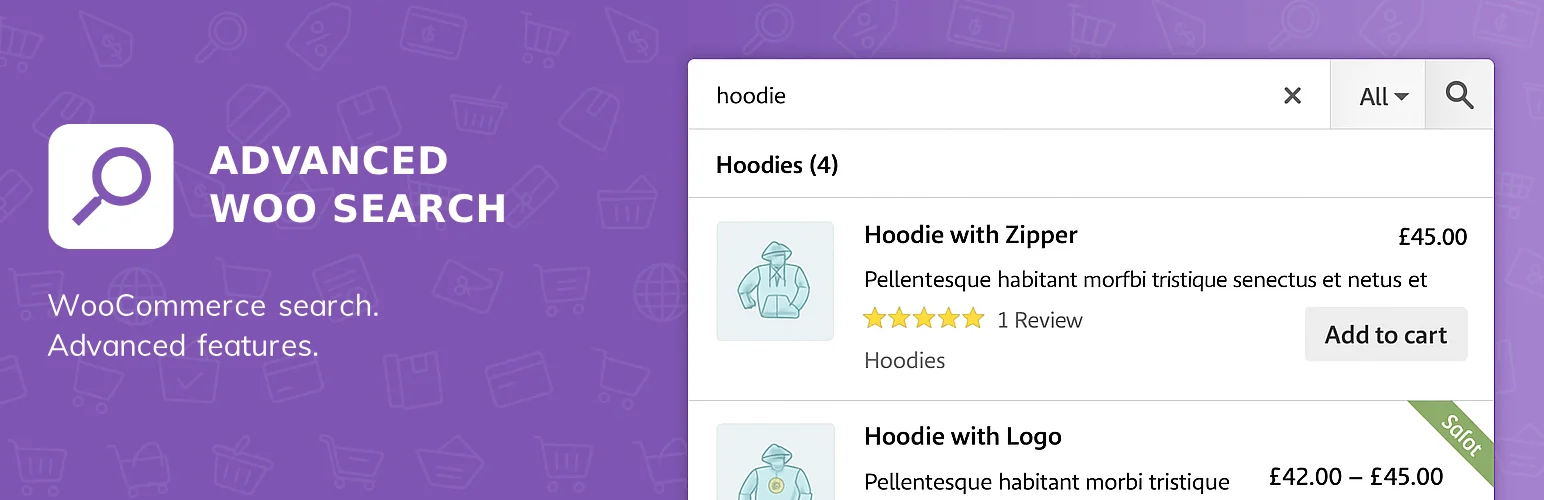
Advanced Woo Search provides instant product suggestions, SKU matching, category and tag search, and flexible result layouts with a useful free core.
I consider it when a store needs a straightforward improvement but does not need a larger search platform. The settings are focused enough that you can usually get a better storefront search without spending much time tuning an index.
Key features
- Instant AJAX product results
- SKU, category, tag, and attribute matching
- Product thumbnails and pricing in suggestions
- Search form shortcodes and widgets
- Result layout controls
- Additional indexing and relevance options in Pro
Pros: Good free feature set, easy setup, WooCommerce-focused interface, and fast live suggestions.
Cons: Less advanced search weighting than dedicated premium engines and fewer enterprise-scale tools.
Best for: Smaller stores that want practical AJAX search without a large budget.
Pricing: Free version available; Pro is sold separately by the developer.
4. WooCommerce Product Search – Best Official WooCommerce Extension
WooCommerce Product Search combines live search with product filters, relevance controls, and indexing inside an extension distributed through the official WooCommerce marketplace.
The main reason I would choose it is ecosystem fit. When a store owner prefers official WooCommerce extensions for support and compatibility, having search and filtering under the same product can be easier to maintain than mixing several third-party tools.
Key features
- Live product search
- Product, category, attribute, and price filters
- Search relevance configuration
- Indexed product data
- WooCommerce-focused widgets and blocks
- Integration with the core WooCommerce catalog
Pros: Official ecosystem, search and filters together, solid catalog integration, and centralized support.
Cons: Paid only and may be more expensive than a focused AJAX search plugin.
Best for: Merchants who prefer official WooCommerce extensions and want search plus catalog filtering.
Pricing: Paid annually through WooCommerce.com; verify the current license price before purchasing.
5. Jetpack Search – Best Hosted Search Option

Jetpack Search moves search indexing and query work to Automattic’s hosted infrastructure. That can be attractive for larger sites where search traffic or indexing would otherwise put additional pressure on the WordPress database.
I would use a hosted approach when performance and scale matter more than keeping everything on the same server. The trade-off is ongoing service pricing, but the WordPress host does less of the search-heavy work.
Key features
- Cloud-hosted search index
- Instant search experience
- Relevance ranking and filtering
- WooCommerce product support
- Typo tolerance and fast query handling
- Search analytics depending on plan
Pros: Offloads search work, good for larger sites, maintained by Automattic, and designed for fast results.
Cons: Recurring hosted-service cost and less attractive for small catalogs that do not need external infrastructure.
Best for: Larger WooCommerce catalogs or busy sites that want search infrastructure handled off-server.
Pricing: Usage-based paid service; current cost depends on records and traffic.
6. ElasticPress – Best for Elasticsearch/OpenSearch Stores

ElasticPress integrates WordPress with Elasticsearch-compatible search infrastructure. It can improve search, related content, queries, and WooCommerce catalog behavior when the project already has the technical environment to support it.
This is not the first plugin I would install on a small shop. It becomes interesting when the store is large enough that search and query performance are infrastructure problems, and a developer is already comfortable managing an external search service.
Key features
- Elasticsearch/OpenSearch-powered indexing
- WooCommerce query integration
- Custom field and taxonomy indexing
- Search weighting and relevance controls
- Faster complex WordPress queries at scale
- Developer hooks and custom integration options
Pros: Powerful at scale, flexible for developers, reduces database search pressure, and supports complex WordPress data.
Cons: Requires external search infrastructure and technical maintenance; unnecessary for most small stores.
Best for: High-volume WooCommerce sites with developer resources and Elasticsearch/OpenSearch infrastructure.
Pricing: Plugin availability and hosted ElasticPress.io plans vary; infrastructure costs are separate.
How to Choose the Right WooCommerce Search Plugin
- For a normal catalog, start with FiboSearch or Advanced Woo Search.
- Use SearchWP when matching custom fields, SKUs, or relevance weights is the real problem.
- Use Jetpack Search when you want the search workload handled outside your hosting account.
- Use ElasticPress only when the site has the scale and technical support to justify search infrastructure.
- Review zero-result queries regularly; they reveal product naming, synonym, and catalog gaps.
Conclusion
FiboSearch is the easiest recommendation for most WooCommerce stores because it makes search feel better immediately without demanding an infrastructure project. SearchWP is stronger when relevance and custom data matter more than autocomplete, while Jetpack Search and ElasticPress make sense when scale changes the technical requirements.
Good ecommerce search should feel almost invisible. A shopper types the words they naturally use, sees the right products quickly, and keeps moving. That outcome matters more than how many search settings the plugin can expose.
Frequently Asked Questions
What is the best WooCommerce search plugin?
FiboSearch is the best overall choice for many stores because its live WooCommerce search is easy to implement and the free version is useful. SearchWP is better when you need deep relevance and custom-data control.
Can WooCommerce search find product SKUs?
Several plugins in this list can search SKUs, including FiboSearch, SearchWP, and Advanced Woo Search. Confirm how the plugin handles variations if your store uses variation-specific SKUs.
Does better product search improve conversions?
It can, especially on larger catalogs where shoppers arrive with a specific product in mind. Better relevance and fewer zero-result searches reduce friction, but search cannot compensate for weak product naming, poor inventory data, or confusing categories.
Should I use product search and product filters together?
Usually yes on larger stores. Search helps people who know what they want, while filters help people narrow a broader category. The two tools solve different discovery behaviors and should complement each other rather than duplicate the same interface.

