



Selling software, activation codes or prepaid keys through WooCommerce creates a fulfillment problem that normal downloadable products do not solve. Each order may need a unique key, controlled activation limits, expiration rules, customer delivery and an API your app can validate. These plugins are built for license keys and serial numbers rather than generic digital downloads.
TL;DR
License Manager for WooCommerce is the best-established free-first choice for selling and managing software keys. Digital License Manager is a strong alternative with current maintenance and WooCommerce integration. Serial Numbers is better when you want deeper license activation and key-generation workflows, while Codulon is worth considering for a lighter manual-key system with an upgrade path to WooCommerce automation.
Quick Comparison
| Plugin | Best for | Pricing |
|---|---|---|
| License Manager for WooCommerce | established WooCommerce software licensing | Free + extensions/paid options |
| Digital License Manager | modern license-key sales and management | Free + Pro/commercial options |
| Serial Numbers | activation, validation and generated keys | Free + Pro |
| Codulon License & Serial Manager Lite | manual license inventory with simple validation | Free Lite + Pro |
How I Chose These WooCommerce License Key Plugins
I looked for tools that genuinely create, import, assign, deliver or validate unique license keys. I checked current WordPress.org maintenance, WooCommerce order automation, activation/validation capabilities and whether the plugin supports a real licensing workflow. Generic download managers and membership plugins were excluded.
1. License Manager for WooCommerce — Best for established WooCommerce software licensing

License Manager for WooCommerce is the most established WordPress.org option in this group, with 6,000+ active installs when checked. It is designed to sell and manage license keys through WooCommerce and supports the core lifecycle needed by software sellers rather than treating a key as plain order text.
Key features
- Sell license keys through WooCommerce
- Manage license inventory in WordPress
- Assign keys to customer orders
- Import or manage key stock
- License delivery through WooCommerce workflow
- REST/API-oriented licensing capabilities
- Actively maintained with current WordPress compatibility
What I like
Its adoption and WooCommerce-specific focus make it the safest first plugin to test for a conventional software-key store.
Limitations
Complex SaaS licensing, advanced entitlement models or large-scale device activation may require extensions or a dedicated licensing backend.
Pricing
The core plugin is free on WordPress.org; optional commercial functionality may add cost. Check the current official listing before purchase or deployment.
2. Digital License Manager — Best for modern license-key sales and management
Digital License Manager is actively maintained and supports selling and managing software license keys or codes through WooCommerce. Its smaller install base is offset by a strong current update cadence, making it a credible alternative for stores that want a modern license workflow.
Key features
- WooCommerce license-key delivery
- Create and manage digital licenses
- License status and lifecycle controls
- Customer/order association
- API-oriented validation workflows
- Supports software codes and keys
- Current WordPress 7.1 compatibility when checked
What I like
The plugin is actively developed and focused on licensing rather than bundling unrelated digital-product features.
Limitations
With around 800 active installs when checked, it has a smaller production footprint than License Manager for WooCommerce. Test API behavior with your application before launch.
Pricing
A free WordPress.org version is available, with commercial options for advanced licensing needs. Check the current official listing before purchase or deployment.
3. Serial Numbers — Best for activation, validation and generated keys
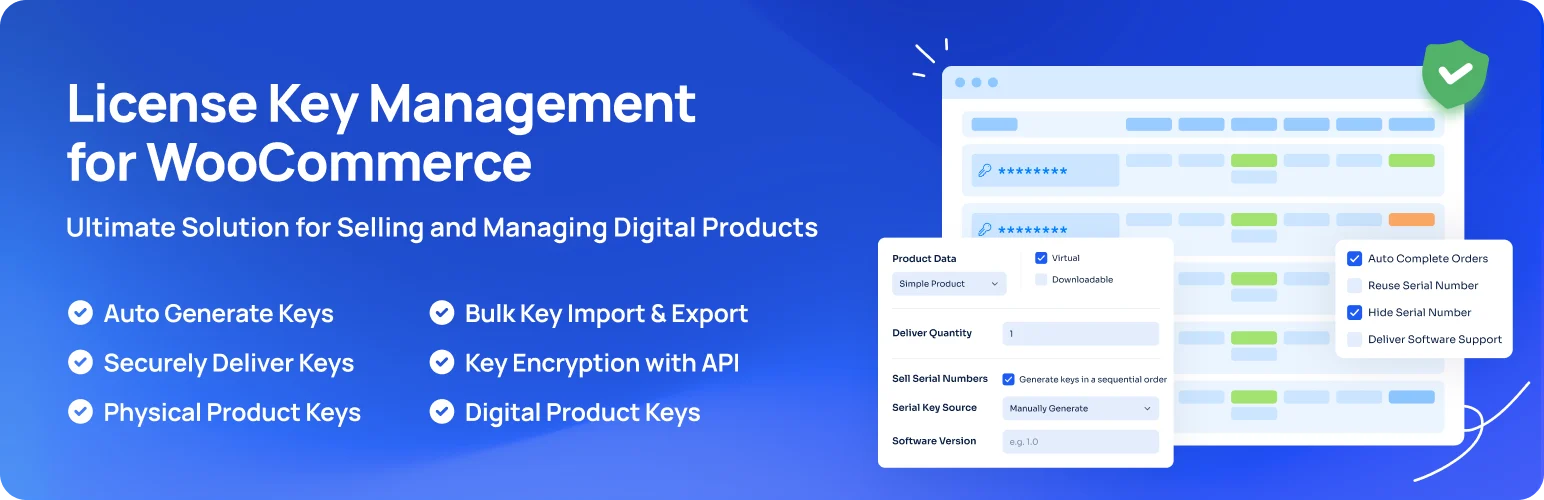
Serial Numbers – Ultimate License Manager combines WooCommerce delivery with activation and validation workflows. Its Pro edition can generate keys automatically, while the plugin exposes validation, activation and deactivation methods for software that needs to check license status remotely.
Key features
- Sell serial numbers and license keys with WooCommerce
- License activation controls
- Validation, activation and deactivation API workflows
- Customer-facing license validation form
- Key generation rules in Pro
- Automatic key generation in Pro
- Supports license-enabled products
What I like
The activation API and generation workflow make it more suitable than a simple key-delivery plugin when software needs to validate licenses after purchase.
Limitations
Important automation features are in Pro, so compare the paid feature set before designing your licensing architecture around it.
Pricing
A free version is available; automatic generation and other advanced capabilities are part of the commercial edition. Check the current official listing before purchase or deployment.
4. Codulon License & Serial Manager Lite — Best for manual license inventory with simple validation

Codulon is a newer and smaller option, but its scope is clear: create manual keys, manage statuses, let customers look up keys and validate them through a REST endpoint. The Pro upgrade adds WooCommerce order automation and automatic serial generation, so it can grow from a manual workflow into store fulfillment.
Key features
- Manual license-key creation
- Automatic serial generation from manual form
- Active, suspended and expired statuses
- Customer lookup shortcode
- REST validation endpoint
- Hardware-ID binding for locally created serials
- WooCommerce automation available in Pro
What I like
The Lite edition is useful for testing a licensing model before paying for order automation, and hardware binding is a distinctive feature for certain software products.
Limitations
It has a very small adoption history. I would use staging and test the validation API, key security and upgrade path before relying on it for a large customer base.
Pricing
Lite is free; WooCommerce automation and automatic order-based serial generation are Pro features. Check the current official listing before purchase or deployment.
Pre-Generated Keys vs Generated Licenses
Some stores sell codes they already received from another vendor. Others sell their own software and need a new license created when an order is paid. Those are different workflows. For pre-generated inventory, look for bulk import, stock visibility, duplicate protection and reliable one-key-per-order delivery. For generated licenses, focus on activation limits, expiry, API validation, deactivation and what happens after refunds.
License Manager for WooCommerce has the strongest adoption signal in this group, with more than 6,000 active installations. Serial Numbers has more than 1,000 active installations and is a credible choice when activation and validation controls matter. Digital License Manager is smaller but actively maintained and suitable for stores that want a modern license-management workflow. Codulon is better treated as a simpler serial-inventory option than as a full software licensing platform.
Also decide which WooCommerce order status should release a key. Delivering at Pending Payment is dangerous, while waiting until Completed can be awkward if your store normally leaves digital orders at Processing. Test failed payments, refunds, canceled orders, guest checkout and duplicate orders before launch.
How to Choose a WooCommerce Serial Number Plugin
Map the license lifecycle before choosing software. Decide when a key is created, when it becomes active, how many devices or domains may activate it, what happens after refund, whether licenses expire, and how your application checks status. A plugin that only emails a key is enough for gift codes, but not for software activation.
Also test stock exhaustion, failed orders, refunds, subscription renewals and API downtime. If your product is business-critical software, think about what customers experience when your WordPress site is temporarily unavailable for validation.
Which Licensing Plugin Fits Which Business?
For a software company building a real activation system, I would compare License Manager for WooCommerce and Serial Numbers first. Both are established enough to justify deeper testing, and both are built around the idea that a license continues to matter after checkout. Digital License Manager is a strong alternative when you prefer its key-management workflow or API model. Codulon is more appropriate when the job is distributing a controlled inventory of codes rather than running a complex activation platform.
If you sell third-party codes, the operational priorities change. You need to know how many unused keys remain, prevent the same key from being delivered twice, import large batches safely and see which order consumed which code. For your own software, the priorities become activation limits, domain or device binding, renewals, expiry and remote validation. Choose the plugin around that distinction instead of treating every “license key” product as the same.
Before migration, export a small sample of current keys and test the full customer journey from purchase to account page, email delivery and validation. Licensing data is painful to repair after customers are already using it, so a careful staging test is worth the extra time.
Conclusion
License Manager for WooCommerce is the strongest general starting point. Choose Serial Numbers when activation APIs and generated keys are central, and evaluate newer tools only after testing their validation workflow under real order conditions.
Frequently Asked Questions
Can WooCommerce sell software license keys?
Yes. A licensing plugin can attach unique keys to WooCommerce products and deliver them after a successful order.
What is the difference between a serial number and a license key?
They are often used interchangeably, but a licensing system may attach activation limits, expiration and validation status to a key rather than treating it as a static code.
Should license keys be generated before or after purchase?
Either model can work. Pre-generated inventory suits externally issued keys, while automatic generation is useful for software you control.
Do I need a licensing API?
You do if your software or service must remotely validate, activate or deactivate a customer’s license.
For other digital-product workflows, see our WooCommerce subscription plugins.

