



AI content plugins can save time, but they can also create the fastest route to bland, repetitive WordPress content. The useful tools are the ones that fit into research, drafting, editing, SEO, and publishing without encouraging you to publish the first output untouched.
For this list, I focused specifically on content-generation workflows. That means tools for blog drafts, product copy, landing pages, outlines, rewrites, semantic SEO, and editor assistance. I did not rank chatbot-first plugins just because they can also write text.
If you need broader AI functionality such as chatbots, forms, images, or agent workflows, read our best WordPress AI plugins guide. This article is deliberately narrower to avoid duplicate intent.
TL;DR: Best WordPress AI Content Generator Plugins
GetGenie is my top choice for SEO-driven content production. AI Engine is more flexible if you want your own model and prompt workflow. Jetpack AI Assistant is the easiest for Gutenberg writers, while Bertha AI is better for quick marketing copy.
- GetGenie AI – best overall for SEO content and research.
- AI Engine – best for flexible model and prompt control.
- Jetpack AI Assistant – best for Gutenberg writing.
- Bertha AI – best for marketing and website copy.
- AI Power – best broad free content toolkit.
- Rank Math Content AI – best for Rank Math SEO users.
1. GetGenie AI
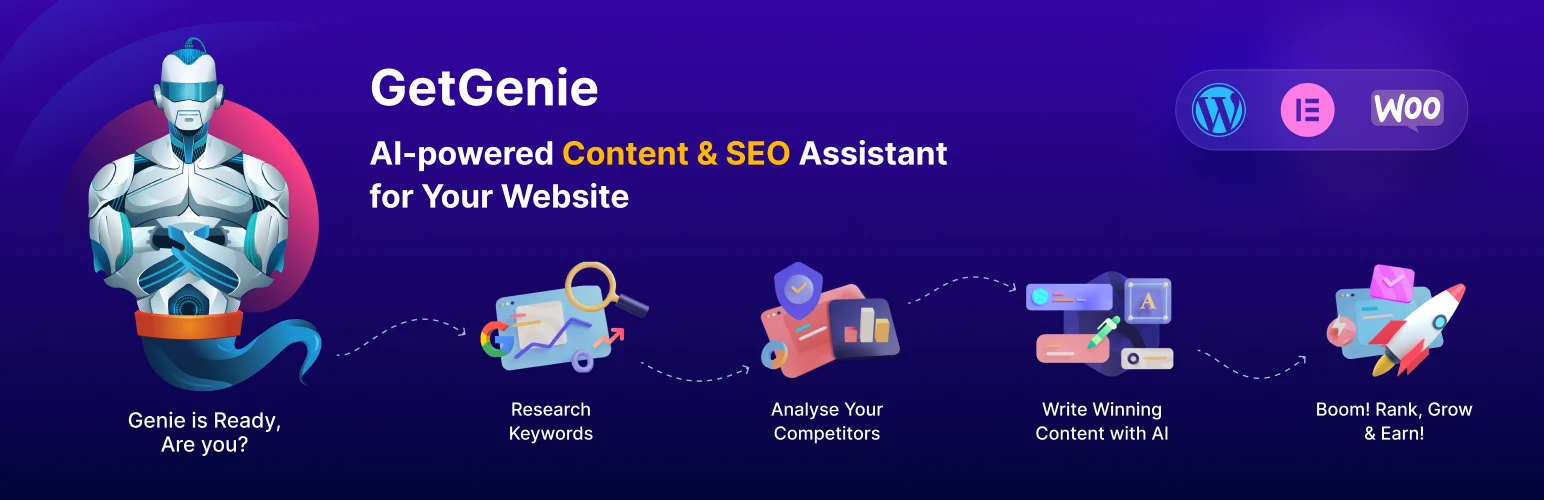
GetGenie earns the first position because it treats content generation as an SEO workflow rather than a blank prompt box. You can move from keyword research and SERP analysis into an outline, draft, semantic optimization, and related content ideas without leaving WordPress.
In practical publishing work, that research layer matters more than generating another 1,500 words. It gives the writer context before drafting, although I would still verify search intent and factual claims manually.
Key features
- Blog Wizard and long-form AI writing.
- SERP competitor analysis and keyword research.
- NLP and semantic keyword suggestions.
- AI FAQ and AI Overview-oriented tools.
- 40+ writing templates on paid plans.
- Topical maps, page tracking, and SEO insights.
Pros: Strong research-to-draft workflow; useful for SEO teams; combines content generation and optimization.
Cons: Usage limits matter at scale; SEO scores and generated copy still need human review.
Best for: SEO writers, publishers, affiliate sites, and content teams.
Pricing: Free plan available. Paid plans currently start around $9.99 per month before annual or promotional discounts. See GetGenie pricing.
2. AI Engine

AI Engine is the better choice when you care about control. Instead of forcing one writing model or fixed template system, it lets you connect supported AI providers and build your own prompts, editor workflows, content generation tools, and reusable AI actions.
That makes it especially useful for agencies or technical users who want a repeatable editorial system rather than a one-click article writer.
Key features
- Content generator for posts and custom workflows.
- Editor assistant for rewrite, expansion, and translation.
- Multiple AI provider and model connections.
- Reusable prompt and playground tools.
- Image generation for supporting content.
- API, function calling, and advanced Pro controls.
Pros: Flexible; good model control; useful beyond writing if your workflow grows later.
Cons: Requires more configuration; API costs are separate from the plugin license.
Best for: Agencies, developers, and advanced publishers building custom AI editorial workflows.
Pricing: Free version available. Pro has paid yearly and lifetime licenses, while connected AI providers may bill usage separately. Check AI Engine Pro.
3. Jetpack AI Assistant

Jetpack AI Assistant is the easiest option for writers who live inside Gutenberg. You can draft, rewrite, shorten, expand, summarize, change tone, and translate from the block editor without building a separate prompt library.
Its simplicity is the advantage. I would use it for fast editorial assistance rather than a large SEO content operation where deeper research and workflow controls matter.
Key features
- Native block-editor AI assistance.
- Draft, rewrite, expand, and shorten text.
- Tone and style adjustments.
- Summaries and content transformations.
- Translation support.
- No external API-key setup for normal use.
Pros: Very low learning curve; feels native to Gutenberg; useful for day-to-day editing.
Cons: Limited SEO research; less control over models and reusable production workflows.
Best for: Bloggers, editors, and small publishing teams using Gutenberg.
Pricing: Jetpack provides AI through its current usage and subscription model. Check the latest allowance on Jetpack AI.
4. Bertha AI
Bertha AI is designed around marketing copy rather than long-form SEO research. It is handy for landing-page sections, service descriptions, product copy, calls to action, headlines, and quick rewrites while you are already editing a WordPress page.
That narrower focus can be a benefit. A marketer who mainly needs better page copy does not always need the dashboards and model controls of a larger AI suite.
Key features
- Marketing and website copy templates.
- Headline and CTA generation.
- Product and service descriptions.
- Rewrite and idea-generation tools.
- WordPress and page-builder workflow.
- Simple prompt experience for non-technical users.
Pros: Focused and easy; useful for conversion copy; minimal setup.
Cons: Not a deep SEO research platform; less suitable for custom AI workflows.
Best for: Freelancers, marketers, and small businesses writing site copy.
Pricing: Limited/free usage and paid plans are available. Verify current limits on Bertha AI.
5. AI Power

AI Power gives you a large set of content tools in a free-first plugin. It can generate posts, product copy, images, and chatbot content while also supporting prompt templates and different AI providers.
I see it as a good experimentation platform. You can test several AI content workflows before deciding whether you need a more specialized paid product.
Key features
- Post and article content generation.
- WooCommerce product-content tools.
- Prompt templates and writing utilities.
- Multiple AI provider support.
- Image generation integrations.
- Additional chatbot and AI form features.
Pros: Broad free toolkit; useful for testing; works across several content types.
Cons: The interface can feel crowded; broad functionality is less focused than GetGenie’s SEO workflow.
Best for: Budget-conscious users who want to test AI content generation inside WordPress.
Pricing: Free version available with premium options. External AI provider usage may cost extra. Visit AI Power.
6. Rank Math Content AI
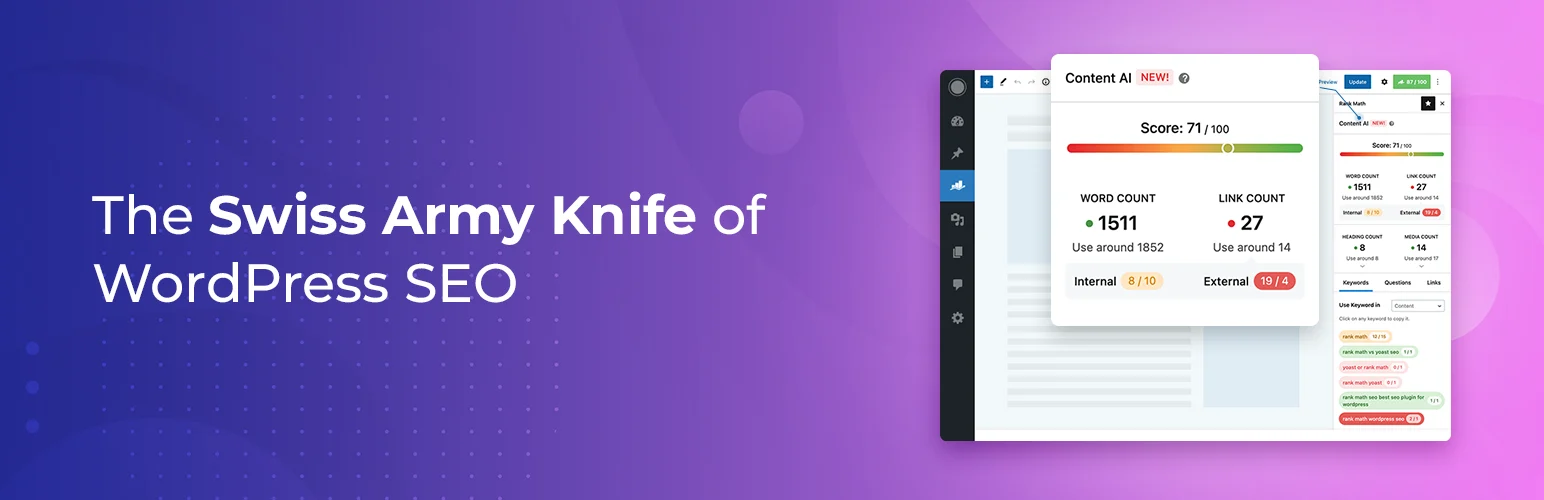
Rank Math Content AI is strongest when content generation is part of an existing Rank Math SEO workflow. It combines AI writing actions with keyword research, optimization guidance, metadata support, RankBot, and newer AI-assisted SEO tools.
It is not the most neutral choice if you use another SEO plugin, but for Rank Math sites the integration reduces tool switching and keeps content recommendations close to the SEO panel.
Key features
- SEO-focused AI writing assistance.
- Content research and optimization guidance.
- RankBot conversational assistant.
- AI help for titles and metadata.
- Feature-based monthly usage system.
- Direct integration with Rank Math SEO.
Pros: Strong SEO context; convenient for Rank Math sites; combines AI and on-page optimization.
Cons: Less attractive if you use another SEO plugin; higher usage requires a separate Content AI subscription.
Best for: Rank Math users who want AI content and SEO in one dashboard.
Pricing: Content AI is a separate usage-based subscription, with trial or included allowances on qualifying Rank Math plans. See Content AI.
What I look for in an AI content plugin
The best AI content generator is not the one that produces the most words. I look for a clean editor workflow, useful research context, model or prompt control, predictable usage costs, and an easy way to edit the output before it reaches the site.
I also avoid publishing AI output without a human pass. Add examples, first-hand observations, screenshots, original comparisons, internal links, and factual verification. That is where the article becomes useful instead of interchangeable.
Conclusion
GetGenie AI is the strongest overall choice here for SEO-focused WordPress content because research, drafting, and optimization live together. AI Engine is better for teams that want deeper control, while Jetpack AI Assistant is the easiest option for everyday Gutenberg editing.
Pick one primary writing workflow and make it better. Installing three AI writers rarely creates three times the value. It usually creates three subscriptions and three different ways to produce the same draft.
Frequently Asked Questions
What is the best AI content generator plugin for WordPress?
GetGenie AI is the best overall choice in this comparison for SEO-focused content creation. AI Engine is better when you need flexible model, prompt, and workflow control.
Can WordPress AI plugins write complete blog posts?
Yes, several can generate outlines and long-form drafts. You should still review facts, search intent, examples, originality, tone, internal links, and claims before publishing.
Which AI writer is easiest to use in Gutenberg?
Jetpack AI Assistant is one of the simplest options because the writing tools are integrated directly into the block-editor workflow.
Are free AI content plugins really free?
The plugin may be free, but connected AI models can have separate API or usage charges. Always check both the WordPress license and the AI provider cost.
Will AI-generated content hurt SEO?
The risk is low-quality, unhelpful, inaccurate, or repetitive content, not the mere use of an AI tool. Human review, original value, clear intent, and accurate information remain essential.

