



AI in WordPress has moved far beyond a button that writes a paragraph. The better plugins can now help with content, SEO, images, chatbots, forms, product copy, site workflows, and even agent-style tasks. The problem is that many tools now use the same AI language while solving very different jobs.
For this roundup, I focused on plugins that are useful inside a real WordPress workflow, not just tools that add another generic text box. I also looked at how much control you get over models, prompts, SEO, editor integration, automation, and usage costs.
If your main goal is customer support rather than general AI work, see our best WordPress AI chatbot plugins. For workflow automation, our WordPress automation plugins guide is the better next step.
TL;DR: Best WordPress AI Plugins in 2026
The best choice depends on where you want AI to live inside WordPress. AI Engine is the strongest all-round toolkit, Jetpack AI Assistant is simple for editor-first writing, Elementor AI fits visual site building, and GetGenie is stronger when SEO content is the priority.
- AI Engine – best overall for flexible WordPress AI features.
- Jetpack AI Assistant – best for simple writing inside the block editor.
- Elementor AI – best for Elementor website-building workflows.
- GetGenie AI – best for AI writing plus SEO research.
- AI Power – best for users who want a broad free AI toolkit.
- Bertha AI – best for lightweight marketing copy inside WordPress.
- Rank Math Content AI – best for SEO-focused AI inside Rank Math.
1. AI Engine

AI Engine by Meow Apps is the plugin I would start with when the requirement is broader than content generation. It can handle chatbots, editor assistance, image generation, AI forms, embeddings, function calling, model connections, usage tracking, and MCP-style WordPress control.
What makes it stand out is flexibility. You can build around your own provider and workflow instead of being locked into one narrow AI feature. That flexibility also means it takes more setup than a simple writing assistant.
Key features
- Customizable AI chatbots and prompt workflows.
- Editor copilot for writing, rewriting, and translation.
- AI image generation and image understanding.
- Embeddings and content-aware knowledge bases in Pro.
- AI forms, function calling, and API integrations.
- MCP tools and usage analytics for advanced workflows.
Pros: Extremely flexible; works for content, chat, forms, and automation; strong model and developer controls.
Cons: More settings than beginner-focused tools; advanced features require Pro and external AI usage can add API costs.
Best for: Site owners, developers, and agencies that want one flexible AI layer across WordPress.
Pricing: Free version available. AI Engine Pro offers paid yearly and lifetime licenses. Model/API usage may be billed separately by the provider you connect. See current AI Engine pricing.
2. Jetpack AI Assistant

Jetpack AI Assistant is one of the easiest options when the main job is improving content inside the WordPress editor. It feels less like a separate AI application and more like an editor helper for drafting, rewriting, changing tone, summarizing, and translating.
I like this approach for publishers who do not want to manage prompts, API keys, or a complicated AI dashboard. The trade-off is that it is much less flexible than AI Engine for custom chatbots or automation.
Key features
- AI writing directly inside the WordPress block editor.
- Rewrite, shorten, expand, and summarize existing copy.
- Tone adjustment for different audiences.
- Translation and language assistance.
- Prompt-based content generation without API-key setup.
- Tight integration with the Jetpack and WordPress.com ecosystem.
Pros: Very easy to start; clean block-editor workflow; no need to build your own AI stack.
Cons: Less control over models and advanced workflows; not the right choice for custom AI apps or automation.
Best for: Bloggers, editors, and small teams that mainly want AI writing assistance.
Pricing: Jetpack offers AI access through its current usage and subscription model. Check the latest limits and paid options on Jetpack AI before buying.
3. Elementor AI
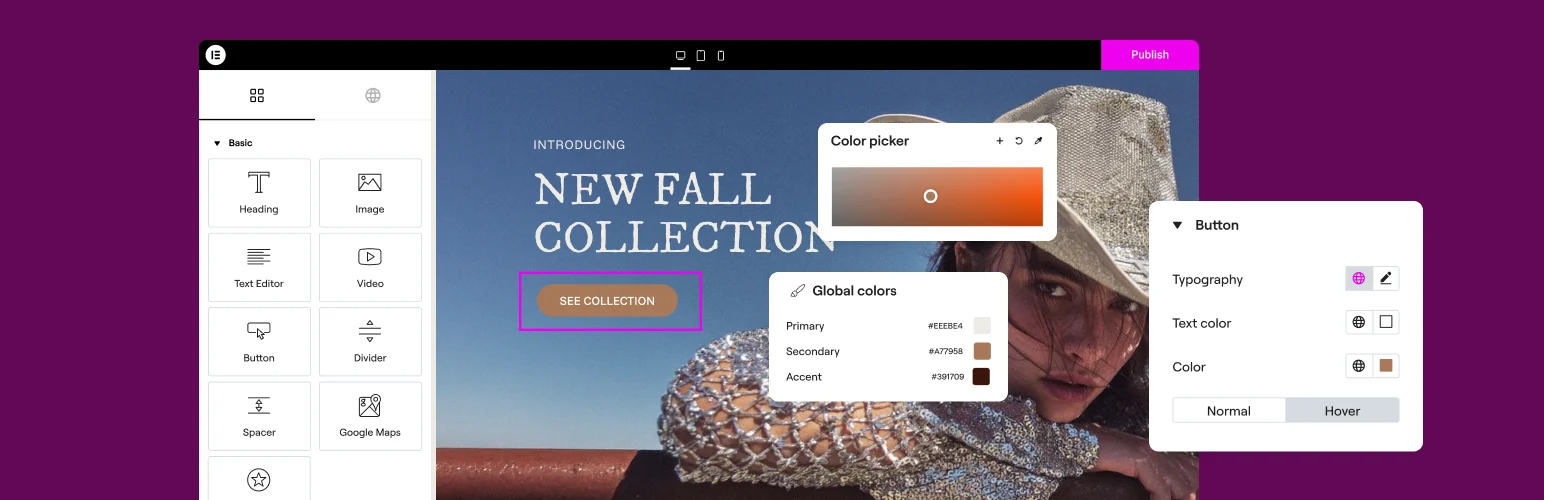
Elementor AI makes the most sense when Elementor is already your page-building environment. Instead of moving between an external AI tool and the builder, you can generate or improve copy, create images, and get help with website-building tasks in the same interface.
This is a workflow advantage more than a reason to switch builders. If your site is built with Gutenberg or Breakdance, another AI plugin will usually fit better.
Key features
- AI text generation inside Elementor.
- Rewrite, translate, shorten, and adjust tone.
- AI image generation and image editing tools.
- Code and CSS assistance for Elementor workflows.
- Context-aware help while building pages.
- Available to Elementor users from the editor AI interface.
Pros: Excellent workflow for Elementor users; reduces context switching; useful across copy, images, and code.
Cons: Strongly tied to Elementor; less useful if your editorial workflow lives elsewhere.
Best for: Designers and site owners who build most pages with Elementor.
Pricing: Elementor AI uses Elementor’s current AI access and usage plans. Confirm current credits and plan requirements on Elementor AI.
4. GetGenie AI
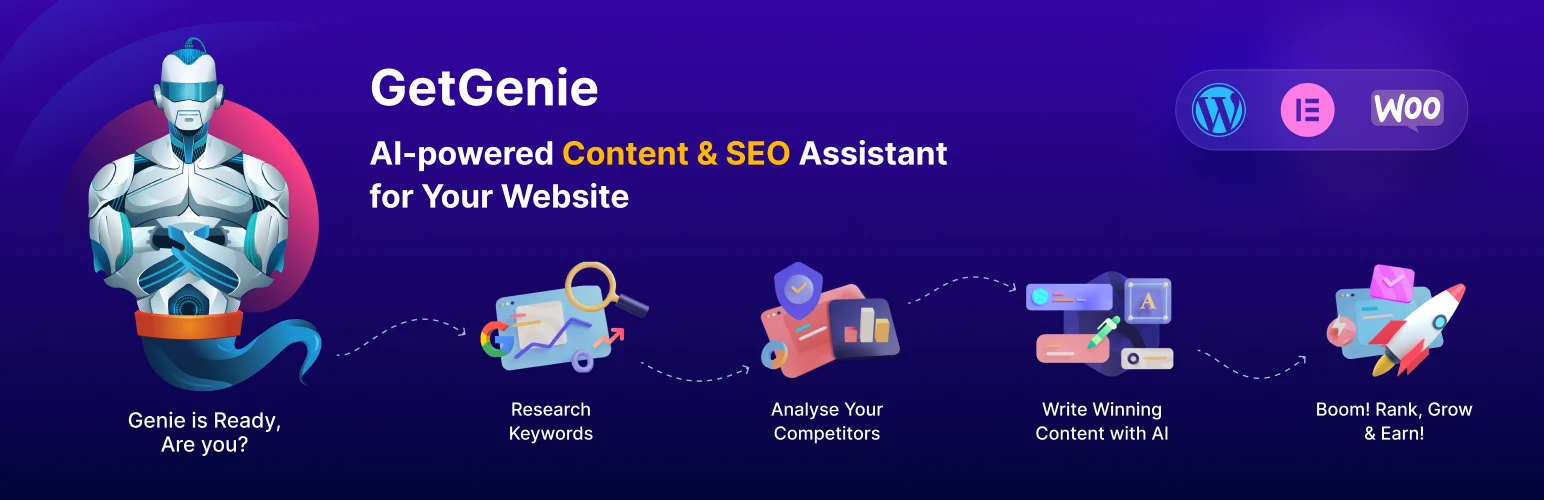
GetGenie combines AI writing with SEO research, which makes it more useful than a generic content generator when the end goal is organic traffic. It includes content templates, SERP analysis, keyword research, semantic terms, topical mapping, and AI-assisted optimization.
The main value is having research and drafting in the same WordPress workflow. I would still review search intent and factual claims manually, but it can reduce the repetitive research work around content briefs.
Key features
- AI writing templates and blog workflow.
- SERP competitor analysis.
- Keyword, NLP, and semantic keyword research.
- AI Overview and FAQ-oriented tools.
- Topical map and SEO insights features.
- AI image generation on supported plans.
Pros: Strong SEO focus; combines research and generation; useful for content teams.
Cons: Credit and usage limits matter on larger publishing teams; generated SEO recommendations still need human review.
Best for: SEO writers, publishers, and content teams producing search-focused articles.
Pricing: Free plan available. Paid plans currently start around $9.99 per month before promotional or annual-billing discounts. Check GetGenie pricing.
5. AI Power

AI Power is attractive when you want many AI features in one plugin without immediately buying a premium license. It covers writing, images, chatbots, forms, WooCommerce content, embeddings, and multiple AI providers.
The interface is more utilitarian than some premium-first tools, but the breadth is useful for experimenting with several AI use cases before deciding which ones matter on your site.
Key features
- AI content and product-description generation.
- Chatbot and conversational AI tools.
- Image-generation integrations.
- AI forms and prompt templates.
- Embeddings and knowledge-base workflows.
- Support for multiple AI providers and models.
Pros: Broad free feature set; useful for experimentation; supports multiple AI use cases.
Cons: Can feel busy if you only need one AI feature; external API usage still needs cost control.
Best for: Users who want to experiment with content, chat, images, and AI utilities from one plugin.
Pricing: Free version available with premium options for additional capabilities. Check AI Power for current plan details.
6. Bertha AI
Bertha AI is more focused than the all-in-one tools above. Its strength is helping marketers create and improve website copy inside WordPress and compatible page builders without turning the workflow into a technical AI project.
I would choose it for landing pages, product messaging, headings, descriptions, and marketing copy rather than advanced chatbots or automation.
Key features
- Marketing copy generation inside WordPress.
- Headline, paragraph, and CTA assistance.
- Product-description generation.
- Rewrite and idea-generation tools.
- Works across common WordPress editing environments.
- Simple prompt workflow aimed at non-technical users.
Pros: Simple marketing focus; easy to understand; useful for page copy and ideation.
Cons: Narrower than AI Engine or AI Power; not designed as a full automation or chatbot platform.
Best for: Marketers, freelancers, and small businesses writing website and landing-page copy.
Pricing: Bertha offers limited/free access and paid usage plans. Verify the current allowance and subscription on Bertha AI.
7. Rank Math Content AI
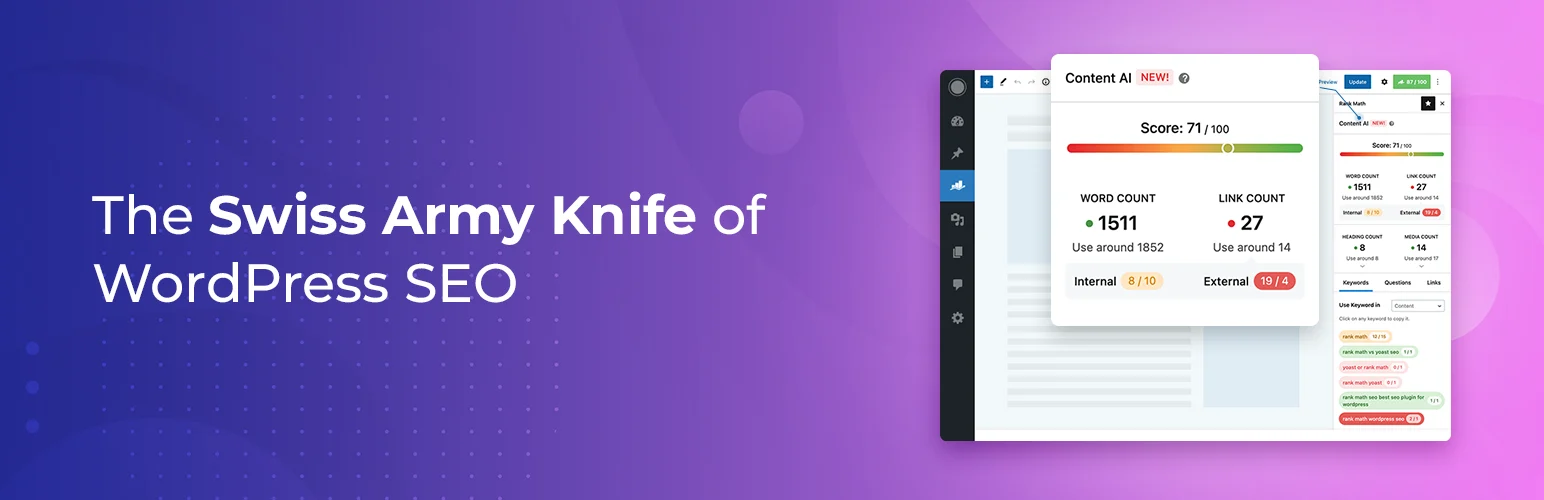
Rank Math Content AI is a logical choice when Rank Math already controls your on-page SEO workflow. Its AI tools are built around research, optimization, writing assistance, RankBot, and SEO-focused content actions rather than general-purpose website AI.
The benefit is context. SEO recommendations and AI assistance live next to the metadata and optimization workflow you are already using. The limitation is the same: it is strongest for SEO content, not for customer-service chatbots or custom AI applications.
Key features
- SEO-focused AI research and writing tools.
- RankBot assistant inside WordPress.
- Content optimization and keyword guidance.
- AI-assisted titles, descriptions, and content ideas.
- Feature-based monthly usage limits on current plans.
- Tight integration with the Rank Math SEO workflow.
Pros: Strong SEO context; convenient for Rank Math users; reduces switching between SEO and AI tools.
Cons: Best value is tied to an SEO workflow; Content AI is a separate subscription when you need higher limits.
Best for: WordPress SEO teams already using Rank Math.
Pricing: Content AI is sold separately based on usage needs, with limited trial or included usage on qualifying Rank Math plans. See current Content AI details.
How I would choose between these WordPress AI plugins
Start with the job, not the AI label. For broad AI functionality and custom workflows, AI Engine is the strongest starting point. For writing only, Jetpack is easier. Elementor AI makes sense when the builder is already central to your workflow. GetGenie and Rank Math Content AI are better when SEO research is part of the decision.
Also include API or credit costs in the decision. A plugin can be free while the connected model still costs money. On a busy site, usage controls and reporting can matter more than the license price.
Conclusion
AI Engine is my overall pick for the best WordPress AI plugin in 2026 because it covers the widest range of serious WordPress use cases without forcing you into one workflow. GetGenie is the stronger choice for SEO-heavy content teams, while Jetpack AI Assistant is easier for writers who simply want help inside Gutenberg.
Do not install several overlapping AI plugins just because each has one attractive feature. Pick the tool that owns the main workflow, measure its cost and output quality, then add a specialist only when there is a clear gap.
Frequently Asked Questions
What is the best AI plugin for WordPress in 2026?
AI Engine is the best overall choice for users who want flexible chatbots, writing, images, embeddings, forms, APIs, and advanced AI workflows. The best plugin can change if your only goal is SEO writing or page-building assistance.
Can I use AI in WordPress for free?
Yes. Several plugins have free versions or limited free usage. However, some features connect to external AI APIs, so model usage may still create a separate cost even when the WordPress plugin is free.
Which WordPress AI plugin is best for SEO content?
GetGenie AI and Rank Math Content AI are the strongest options in this list when SEO research, keyword guidance, and content optimization are central to the workflow.
Should I install more than one AI plugin?
Usually not at first. Overlapping AI plugins can add duplicate scripts, dashboards, subscriptions, and API costs. Start with one primary tool and add another only when it solves a clearly different problem.
Do WordPress AI plugins replace an editor or SEO specialist?
No. They can speed up research, drafting, rewriting, and repetitive work, but factual review, search intent, brand judgment, originality, and final publishing decisions still need human oversight.

