



WordPress databases rarely become slow because of one dramatic mistake. The usual problem is accumulation: revisions, expired transients, orphaned metadata, plugin tables, autoloaded options, old comments, and years of settings from plugins you no longer use. A database optimization plugin can expose and remove that bloat, but it can also delete data you actually need if you treat every cleanup button as harmless.
This roundup is intentionally narrower than our WordPress speed optimization plugins and caching plugin guide. Here I am looking specifically at database cleanup, table optimization, orphan detection, scheduling, and recovery safety.
TL;DR: Six Database Cleaners for Different Levels of Control
- WP-Optimize: best all-round option for site owners who want database cleanup inside a broader optimization suite.
- Advanced Database Cleaner: best mature specialist for scheduled cleanup and deeper database inspection.
- WP-Sweep: best completely free lightweight cleaner using WordPress delete functions where possible.
- Database Cleaner by Meow Apps: best for large databases and identifying which plugin owns tables, options, and post types.
- Optimize Database after Deleting Revisions: best one-click scheduled cleanup for revision-heavy sites.
- SweepPress: best for users who want many targeted sweepers plus an options-table management view.
Quick Comparison: Cleanup Depth vs Simplicity
| Plugin | Best strength | Automation | Pricing |
|---|---|---|---|
| WP-Optimize | All-in-one optimization | Yes; more controls in Premium | Free; Premium from $49/year |
| Advanced Database Cleaner | Specialist cleanup and schedules | Yes | Free; Premium from about $39/year |
| WP-Sweep | Simple native cleanup | Manual / WP-CLI | Free |
| Database Cleaner | Ownership analysis and large DBs | Pro background sweeper | Free; Pro from $39/year |
| Optimize Database after Deleting Revisions | Revision cleanup | Built-in schedules | Free |
| SweepPress | Many targeted sweepers | Manual + WP-CLI/REST options | Free; Pro available |
The Rule Before Every Database Cleanup: Back Up First
A database cleaner cannot know the business meaning of every custom table or option. A row that looks orphaned may belong to a disabled plugin you plan to reactivate, a migration tool, a custom integration, or a WooCommerce extension. Take a fresh database backup, know how to restore it, and clean in small groups. Our backup plugin comparison covers that first layer.
1. WP-Optimize — Best all-round database optimizer

WP-Optimize combines database cleaning with caching, image optimization, and minification. I would choose it when you want one maintenance plugin rather than a specialist database dashboard. Its database tools cover revisions, spam, trashed content, transients, table optimization, and scheduled cleanups.
Cleanup tools
- Clean post revisions and auto-drafts
- Remove spam, trashed comments and expired transients
- Optimize database tables
- Scheduled automatic cleanups
- Integration with backup workflows
- Premium WP-CLI and more flexible scheduling
Pros: Easy for non-developers and useful beyond the database.
Cons: If you only want deep database forensics, the extra caching/image features may be unnecessary.
Best for: Best all-round database optimizer
Pricing: Free version available. Premium currently starts at $49/year for up to two sites.
Official plugin or pricing page
2. Advanced Database Cleaner — Best mature specialist cleaner
Advanced Database Cleaner focuses on database bloat rather than trying to be a full performance suite. It is useful for agencies that need repeatable cleanup schedules and deeper views of tables, options, cron tasks, and orphaned records.
Database controls
- Clean revisions, drafts, comments and transients
- Optimize database tables
- Scheduled cleanup jobs
- Inspect tables and options
- Premium orphan detection and ownership insights
- Multisite and agency-oriented licensing
Pros: Mature database-focused workflow and granular scheduling.
Cons: The deeper ownership/orphan analysis is stronger in the paid edition, so the free version is more limited for forensic cleanup.
Best for: Best mature specialist cleaner
Pricing: Free version available; current one-site yearly Premium pricing is about $39.
Official plugin or pricing page
3. WP-Sweep — Best lightweight free cleaner
WP-Sweep is the tool I reach for when I want a transparent manual cleanup without a subscription. It removes revisions, deleted content, orphaned metadata, expired transients, and other leftovers, using WordPress delete functions wherever possible so normal hooks still fire.
What it removes
- Sweep revisions and auto-drafts
- Clean deleted and spam comments
- Remove orphaned post/comment/term metadata
- Delete expired transients
- Bulk sweep selection
- WP-CLI commands for scripted cleanup
Pros: Free, focused, and easy to audit before running.
Cons: There is no rich scheduling dashboard or ownership mapping, and cleanup is irreversible.
Best for: Best lightweight free cleaner
Pricing: Free and open source.
Official plugin or pricing page
4. Database Cleaner by Meow Apps — Best for large or old WordPress databases

Database Cleaner is built for databases where a simple one-request scan can time out. Its analysis can show table, option, cron, and post-type ownership so you can understand where bloat came from before deleting it.
Analysis features
- Asynchronous scanning for large databases
- Clean revisions, comments, transients and orphaned metadata
- Table and options management
- Plugin/theme ownership identification
- Database size history
- Pro automatic background sweeping
Pros: Excellent visibility into what created database data and strong handling of large installs.
Cons: Deep cleanup requires judgment; the more information it exposes, the more careful you need to be before deleting unknown data.
Best for: Best for large or old WordPress databases
Pricing: Free version available; Pro currently starts at $39/year for one site.
Official plugin or pricing page
5. Optimize Database after Deleting Revisions — Best scheduled revision cleanup

This plugin keeps the job narrow: remove old revisions and selected WordPress leftovers, optimize tables, and repeat the process on a schedule. It is a good fit for editorial sites where revisions accumulate quickly but you do not need an advanced database explorer.
Useful controls
- Keep a chosen number of recent revisions
- Delete trashed posts and comments
- Remove spam, transients, pingbacks and trackbacks
- Clean orphaned post meta
- Optimize selected database tables
- Hourly, twice-daily, daily or weekly schedules
Pros: Simple automation and useful control over revision retention.
Cons: It is less suitable for diagnosing plugin-owned tables or complex autoloaded-option problems.
Best for: Best scheduled revision cleanup
Pricing: Free.
Official plugin or pricing page
6. SweepPress — Best for targeted sweepers and options-table work
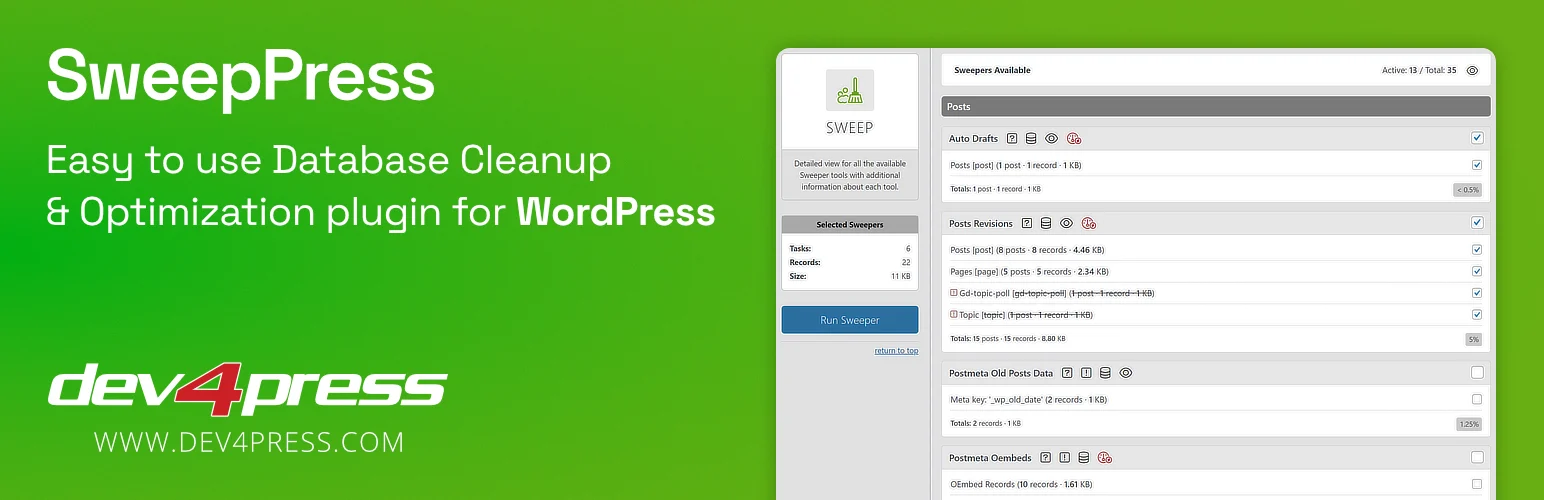
SweepPress provides a large collection of individual cleanup sweepers and an options-table management panel. That makes it useful when you want to inspect one class of data at a time instead of running a generic optimize-everything action.
Sweepers and tools
- Dozens of targeted database sweepers
- Options-table management panel
- Transient and leftover-data cleanup
- WP-CLI support
- REST API support
- Free and Pro feature tiers
Pros: Granular cleanup choices and strong options-table visibility.
Cons: The large number of sweepers can overwhelm beginners, and you still need a backup before aggressive cleanup.
Best for: Best for targeted sweepers and options-table work
Pricing: Free version available; Pro adds additional sweepers and features.
Official plugin or pricing page
How Often Should You Optimize the WordPress Database?
There is no SEO benefit in deleting revisions every day just because a scheduler exists. Small brochure sites may need cleanup only occasionally. Busy editorial, membership, and WooCommerce sites accumulate data faster, but those are also the sites where aggressive automatic deletion carries more risk. I prefer conservative retention rules, a regular backup schedule, and periodic inspection of table size and autoloaded options rather than constant sweeping.
Conclusion
WP-Optimize is the easiest all-round choice, Advanced Database Cleaner and Meow Database Cleaner give deeper specialist visibility, WP-Sweep is excellent for simple free cleanups, Optimize Database after Deleting Revisions suits revision-heavy editorial sites, and SweepPress gives power users many targeted sweepers. Whichever tool you choose, the backup is part of the optimization process—not an optional extra.
Frequently Asked Questions
Can database optimization speed up WordPress?
It can help when the database contains significant bloat, oversized autoloaded options, expired transients, or inefficient tables. It will not fix every performance problem, so measure before and after instead of expecting a universal speed boost.
Is it safe to delete all post revisions?
Usually not necessary. Revisions can be useful for editorial recovery. A safer approach is to keep a reasonable number of recent revisions and delete older ones after a backup.
What are orphaned database tables?
They are tables left behind when the plugin or theme that created them is no longer active or installed. Do not delete a table only because it looks unfamiliar; confirm ownership and whether you may need the data later.
Should I optimize WooCommerce tables automatically?
Be conservative. WooCommerce stores contain business-critical orders, customers, sessions, and extension data. Use tools that understand your database structure and take a fresh backup before cleanup.
Do I need both a cache plugin and a database optimizer?
They solve different problems. Page caching reduces repeated page-generation work, while database cleanup removes stored bloat. Some plugins bundle both functions, but one does not replace the other.

