



Editorial calendars fail when they are only calendars. A publishing team also needs to know who owns a draft, what stage it is in, what is blocking it, and whether a scheduled post is actually ready. Without that visibility, dates move in Slack, approvals disappear in email, and WordPress becomes the last place anyone checks for the real status.
These plugins keep planning closer to the content itself. Some are full editorial workflow systems; others deliberately focus on scheduling. The right choice depends on whether you need approvals and team coordination or simply a clearer publishing calendar.
TL;DR
PublishPress Planner is the best overall option for teams that need statuses, planning and workflow visibility. SchedulePress is strongest for scheduling plus social distribution. Nelio Content connects editorial planning with social promotion and content-quality assistance. Strive offers a clean calendar, pipeline and checklist workflow, but its rebuilt version currently has a very small WordPress.org install base. Editorial Calendar remains the simplest proven choice if you mainly need drag-and-drop scheduling.
Quick Comparison
| Plugin | Best for | Pricing model |
|---|---|---|
| PublishPress Planner | Editorial teams needing planning and workflow visibility | Free + PublishPress Pro/bundle plans |
| SchedulePress | Scheduling plus automatic social sharing | Free + Pro |
| Nelio Content | Editorial planning with social promotion | Free + paid plans |
| Strive Content Calendar | Writers who want a calendar, pipeline and checklists | Free + separate Pro edition |
| Editorial Calendar | Simple visual scheduling | Free |
How I Chose These Editorial Calendar Plugins
I prioritized what happens between “idea” and “published”: visual planning, unscheduled drafts, editorial status, ownership, checklists, notifications and schedule changes. I did not treat generic project-management plugins as direct alternatives because they do not understand WordPress post status or publishing dates without extra setup. I also checked current maintenance; all five products have current 2026 signals, although their adoption levels differ substantially.
1. PublishPress Planner — Best overall for editorial teams
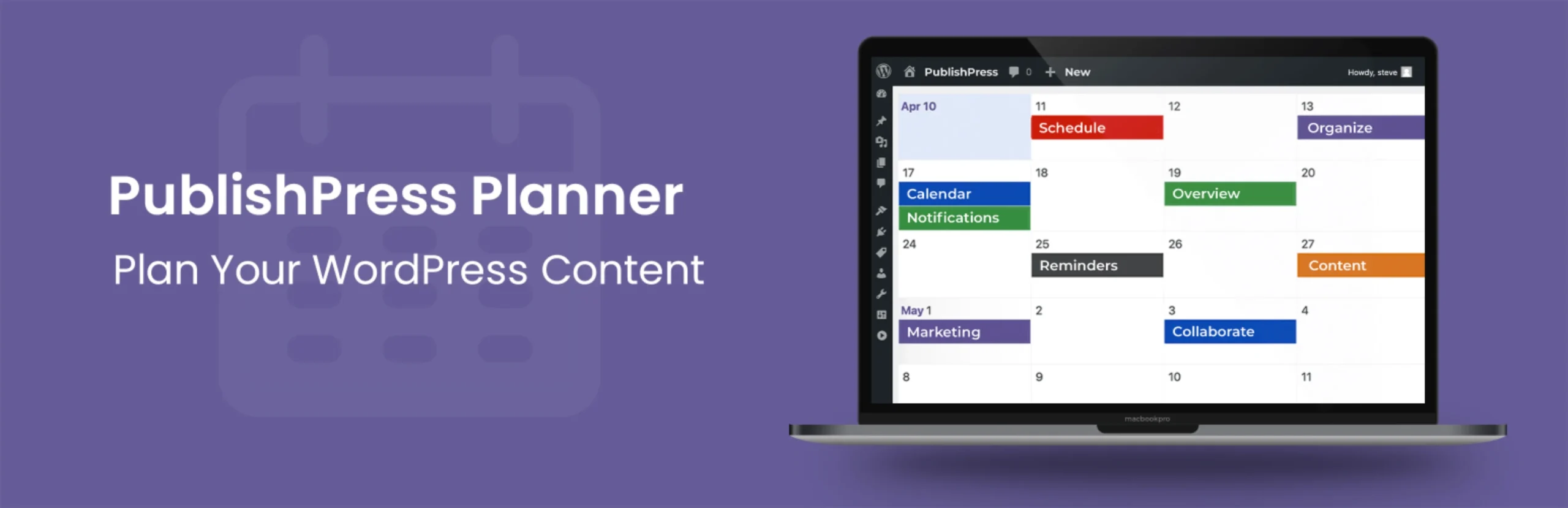
PublishPress Planner goes beyond putting posts on a calendar. It is designed to make the editorial pipeline visible inside WordPress, so a team can see what is planned, what is waiting, and what needs attention before publication. That distinction matters for multi-author sites where the bottleneck is usually coordination, not the ability to schedule a post.
The current product includes a content calendar plus broader planning views, and PublishPress markets Pro features such as notification workflows, reminders and Slack-related communication. It pairs naturally with other PublishPress tools if you later need deeper permissions or publishing controls.
Key features
- Editorial content calendar
- Content overview for broader planning
- Content Board/Kanban-style workflow view
- Custom editorial statuses and planning metadata depending on edition
- Notifications and reminders in Pro
- Slack-related workflow options in Pro
- Works inside the WordPress editorial environment
Pros
- Best balance of calendar and workflow management
- Well suited to multi-author editorial operations
- Expandable through the wider PublishPress suite
Cons
- Can be more system than a solo blogger needs
- Some collaboration and workflow features require paid products
Pricing
PublishPress Planner has a free version. PublishPress also sells Pro products in a bundle; when checked, bundle pricing started at $129/year for one site, with higher agency and unlimited-site tiers. Confirm which Planner features are included in the current package before purchase.
2. SchedulePress — Best for scheduling plus social distribution
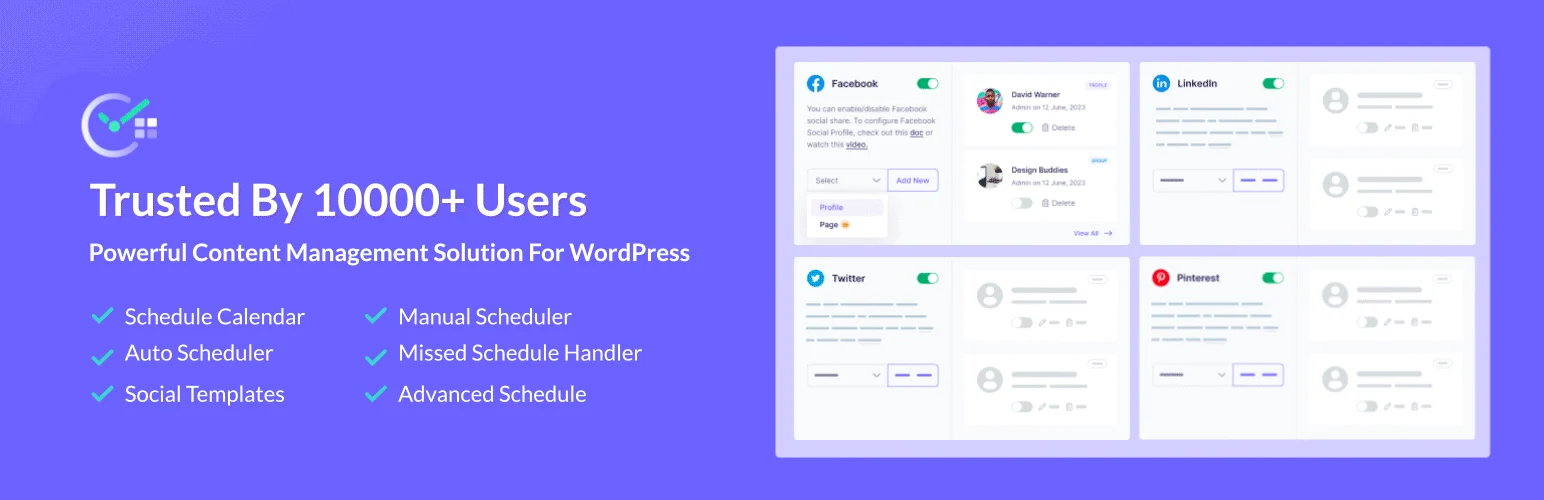
SchedulePress is a better fit when the central problem is keeping the publication calendar moving and making sure new content is distributed to social channels. It provides a visual calendar and scheduling controls, then extends the workflow with automatic social sharing so publication and promotion do not become two unrelated checklists.
That makes it useful for small marketing teams where one person may handle WordPress and social publishing together. If you need multi-stage approvals and custom editorial statuses, PublishPress is the stronger workflow tool; if distribution is the pain point, SchedulePress is more direct.
Key features
- Visual editorial calendar
- Drag-and-drop scheduling workflow
- Automatic social sharing
- Missed-schedule handling tools
- Auto scheduler for planning publication slots
- Multiple social platform integrations in current releases
- Dashboard for upcoming scheduled content
Pros
- Combines publishing schedule with promotion workflow
- Good fit for marketing teams that publish frequently
- Reduces manual social-post handoff after publication
Cons
- Not as deep as PublishPress for complex approvals
- Some automation and social features are Pro
Pricing
SchedulePress has a free WordPress.org plugin and a paid Pro edition. Pricing and site limits change with Essential Addons/WPDeveloper promotions, so verify the current SchedulePress pricing page before buying rather than relying on an old quoted license.
3. Nelio Content — Best for content planning plus social promotion

Nelio Content treats the editorial calendar as the center of a content-marketing workflow. You can plan WordPress posts and social messages together, move items on the calendar, and use its assistant/checklist features to catch incomplete publishing tasks before content goes live.
The social layer is the main differentiator. If your team routinely publishes a post and then manually creates several promotional messages, Nelio can consolidate those tasks. It is less about formal editorial governance than PublishPress and more about coordinating content production with distribution.
Key features
- Editorial calendar for WordPress content
- Drag-and-drop rescheduling
- Social message planning and automation
- Automatic social promotion workflows
- Content assistant and quality checks
- Analytics and performance-oriented features depending on plan
- Team-oriented content planning
Pros
- Strong bridge between editorial and social workflows
- Useful for content marketers, not only editors
- Actively maintained with a current 2026 release
Cons
- Social automation adds complexity if you only want a calendar
- Some valuable automation and analytics require a paid plan
Pricing
Nelio Content offers a free version and commercial plans. Check Nelio current pricing for the number of sites, social profiles and automation limits you need, because those plan details are more important than the base calendar itself.
4. Strive Content Calendar — Best for a clean calendar, pipeline and checklist workflow
Strive was rebuilt in 2026 around a practical editorial workspace. The free workflow includes a four-week visual calendar, a Pipeline that separates Not Started, Writing, Editing and Complete, reusable checklists, editorial notes and a Local Readiness check. Those are sensible tools for a writer or small team that wants process without a heavy publishing suite.
There is one important caveat: the rebuilt WordPress.org listing currently shows fewer than 10 active installations. I like the workflow design, but I would treat it as a newer product and test it more carefully than Editorial Calendar, PublishPress or Nelio before standardizing a large newsroom on it.
Key features
- Four-week visual content calendar
- Pipeline with practical editorial stages
- Reusable editorial checklists
- Editorial notes
- Local Readiness checks before publishing
- Solo and Team workspace modes
- Keeps article content in normal WordPress posts
Pros
- Focused interface with little workflow clutter
- Checklist and pipeline features solve real editorial problems
- Free workflow is non-expiring according to the current listing
Cons
- Very small install base for the rebuilt 2.0 version
- Current active workflow focuses on built-in WordPress Posts rather than every CPT
Pricing
Strive has a complete free workflow on WordPress.org and a separately distributed Pro edition. Check the vendor for current Pro pricing if your team needs paid capabilities.
5. Editorial Calendar — Best simple free scheduling calendar
Editorial Calendar has survived because it solves one problem cleanly: show scheduled and unscheduled posts on a calendar and let editors move them without fighting the normal Posts screen. WordPress.org currently shows 20,000+ active installations, which is significant for a focused editorial utility.
Choose it when your workflow already lives somewhere else or when a small team does not need statuses, approvals, reminders and social automation. It is the opposite of an all-in-one suite, and that simplicity can be an advantage.
Key features
- Visual calendar of scheduled posts
- View unscheduled drafts
- Drag-and-drop date changes
- Quick-edit titles, content and publishing time
- Multi-author visibility
- Post-status visibility
- Free WordPress.org plugin
Pros
- Simple and easy to explain to contributors
- Large established install base
- No paid upgrade required for the core scheduling job
Cons
- Does not replace a full approval/workflow system
- Limited automation compared with PublishPress, SchedulePress or Nelio
Pricing
Editorial Calendar is free on WordPress.org. There is no need to buy a large suite if the only missing feature in your process is a better visual schedule.
How to Choose an Editorial Calendar and Workflow Plugin
Map your existing bottleneck before installing anything. If drafts disappear between writers and editors, prioritize statuses, ownership, notifications and a board view. If the problem is missed publication dates, a strong calendar is enough. If promotion is always late, choose a tool that includes social scheduling rather than adding another disconnected system.
Also decide where the source of truth will live. The worst setup is half the workflow in WordPress, half in a spreadsheet, and final approvals in chat. A lighter plugin can be better if your team will actually keep it current.
For agencies, check custom post type support and permissions before rollout. A calendar that works beautifully for standard Posts may not fit a site where the editorial team publishes reviews, documentation or other custom content types.
If your editorial workflow also includes distributing new posts after publication, compare these calendar tools with our WordPress social auto-posting plugins guide. That is a separate decision from planning and approvals, but the two workflows often meet at publish time.
Conclusion
PublishPress Planner is the best overall recommendation for a real editorial team because it treats planning and workflow as the same problem. SchedulePress and Nelio Content are stronger when social distribution is part of the publishing process. Strive has a thoughtful newer workflow, while Editorial Calendar remains the dependable free choice for simple scheduling.
The goal is not to add more process. It is to make the current state of every article obvious enough that writers and editors spend less time asking what happens next.
Frequently Asked Questions
What is the best WordPress editorial calendar plugin for a team?
PublishPress Planner is the strongest general choice when you need more than dates. It combines planning with workflow visibility and can be expanded with PublishPress collaboration features.
Do I need an editorial workflow plugin if I already use Trello or Asana?
Not always. If your external project manager is working, a simple WordPress calendar may be enough. A WordPress-native workflow becomes more valuable when status in the project tool frequently gets out of sync with the actual post.
Can editorial calendar plugins automatically publish posts?
WordPress handles scheduled publishing itself. These plugins make scheduling and planning easier, and some add automation, missed-schedule handling or distribution features around that core behavior.
Which plugin is best for scheduling social posts with WordPress content?
SchedulePress and Nelio Content both make social distribution part of the content workflow. Compare supported social networks and automation limits before choosing.
Is Editorial Calendar still useful in 2026?
Yes. It remains useful when you only need a visual drag-and-drop schedule. A mature simple tool can be better than a larger workflow suite if approvals and automation are handled elsewhere.

