



An event calendar plugin has to do more than show dates in a grid. Once events become a real part of the site, you may need recurring schedules, venues, organizers, tickets, RSVPs, community submissions, imports, maps, filters, time zones, and calendar views that still work on a phone.
I ranked these plugins around event management rather than appointment booking. That distinction matters: an appointment plugin manages availability around people and services, while an event calendar publishes scheduled events for an audience.
If you actually need one-to-one or staff scheduling, see our best WordPress booking plugins. For selling event access as part of a membership, compare the best WordPress membership plugins.
TL;DR: Best WordPress Event Calendar Plugins in 2026
The Events Calendar is the best overall choice for mature event management and a large extension ecosystem. Sugar Calendar is easier when you want a clean interface with ticketing and recurring events. EventON is strong for highly visual calendars, while My Calendar remains a solid accessibility-focused option.
- The Events Calendar – best overall for complete event management.
- Sugar Calendar – best for simple event setup plus ticketing.
- EventON – best for visual calendar presentation.
- Modern Events Calendar – best for many views and event display options.
- My Calendar – best accessibility-focused free option.
- All-in-One Event Calendar – best for straightforward calendar publishing and imports.
1. The Events Calendar
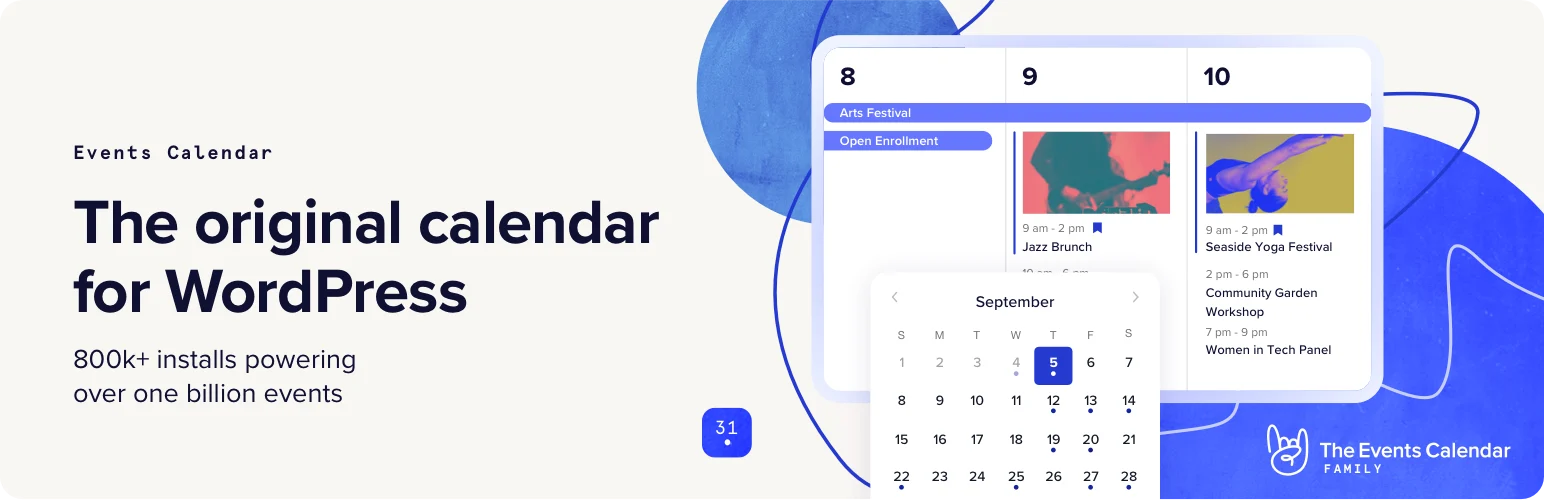
The Events Calendar is my overall pick because it has one of the deepest event ecosystems in WordPress. The free core handles normal event publishing well, while Pro and companion products add recurring events, advanced views, ticketing, community submissions, imports, filters, seating, and marketing features.
The main advantage is growth headroom. You can start with a simple calendar and expand without changing the core event data model later.
Key features
- Event, venue, and organizer management.
- Multiple calendar and list views.
- Recurring events and advanced views in Pro.
- Ticketing and RSVP products through companion plugins.
- Community event submissions and event imports.
- Large extension ecosystem for filters, seating, and promotion.
Pros: Mature ecosystem; strong free core; excellent expansion path; good documentation.
Cons: Advanced event stacks can become expensive when several premium extensions are required.
Best for: Conferences, venues, organizations, schools, communities, and sites that expect event needs to grow.
Pricing: Free core plugin. Premium products and bundles are sold separately; the current Starter Bundle with Events Calendar Pro and Event Tickets Plus starts at $249/year for one site. See The Events Calendar.
2. Sugar Calendar
Sugar Calendar is easier to get comfortable with when you want a clean event admin rather than a huge event-management suite. It supports recurring events, ticketing, RSVP features, WooCommerce ticket sales on supported plans, and a straightforward WordPress-native workflow.
I would choose it for smaller organizations or publishers that want strong event functionality without spending much time learning the interface.
Key features
- Simple WordPress event creation.
- Flexible recurring events.
- Event ticketing and multiple ticket types.
- RSVP management on supported plans.
- WooCommerce ticketing on supported tiers.
- Multiple calendars and event display options.
Pros: Clean interface; easy to learn; good balance of calendar and ticket features.
Cons: Smaller extension ecosystem than The Events Calendar; advanced community/event marketplace use cases are less central.
Best for: Small organizations, churches, schools, creators, and businesses running events without a complex event stack.
Pricing: Paid event plans currently start at an introductory $49.50/year for Basic, with higher tiers adding more sites and features. See Sugar Calendar pricing.
3. EventON
EventON is the most design-forward option in this list. It is known for compact event cards, colorful calendar layouts, interactive presentation, and a large add-on catalogue for tickets, sliders, speakers, bookings, maps, and other event experiences.
The visual flexibility is the reason to choose it. I would still keep the design restrained so the calendar stays readable and fast, especially on mobile.
Key features
- Highly visual event calendar layouts.
- Event cards, colors, images, and rich event details.
- Recurring event support.
- Location, organizer, and map features.
- Large premium add-on ecosystem.
- Ticketing, sliders, and specialized display extensions.
Pros: Excellent visual presentation; many add-ons; flexible event display.
Cons: Total cost can rise with add-ons; highly styled layouts need performance and accessibility testing.
Best for: Entertainment, nightlife, venues, creative brands, and event-heavy sites that care strongly about presentation.
Pricing: EventON is a paid plugin with optional paid add-ons, many billed annually. Check current EventON pricing.
4. Modern Events Calendar
Modern Events Calendar focuses on presentation variety and feature breadth. It offers many calendar skins and views, recurring events, booking and ticket-related features, shortcodes, integrations, and add-ons for more advanced event sites.
It is a good fit when you need the same event data displayed differently across several pages, such as a compact widget, monthly calendar, list, slider, or venue-specific view.
Key features
- Many event calendar views and skins.
- Recurring event scheduling.
- Shortcodes and flexible event placement.
- Booking and payment options on premium setups.
- Maps, organizers, locations, and event metadata.
- Add-ons for advanced display and event workflows.
Pros: Lots of view options; feature-rich; flexible display across complex sites.
Cons: Many options create a busier admin experience; advanced setup may rely on add-ons.
Best for: Sites that need several different event layouts and display styles.
Pricing: A free Lite edition and paid Pro/add-on options are available. Check Modern Events Calendar pricing.
5. My Calendar

My Calendar is a dependable free-first calendar plugin with a strong accessibility focus. It supports multiple calendars, categories, locations, recurring events, widgets, shortcodes, and customizable event output without pushing every site toward a premium suite.
I would look at it first for public-sector, nonprofit, school, or community projects where accessible event publishing matters more than advanced ticketing.
Key features
- Multiple calendars and event categories.
- Recurring events and location management.
- Shortcodes and widgets.
- Accessible calendar output and controls.
- Custom templates and event display options.
- Premium extensions for additional event capabilities.
Pros: Strong free value; accessibility-conscious; flexible for community calendars.
Cons: Less polished commercial ecosystem than larger event platforms; ticketing is not the main strength.
Best for: Nonprofits, community groups, schools, municipalities, and accessibility-focused sites.
Pricing: Free core plugin with paid Pro/extensions available. See My Calendar.
6. All-in-One Event Calendar
All-in-One Event Calendar by Timely is a straightforward option for publishing events, recurring schedules, calendar feeds, and public-facing calendar views. It is particularly useful when imports, sharing, and keeping an external-style calendar synchronized are part of the workflow.
I would choose it for a simpler public calendar rather than a heavily monetized event marketplace with many custom ticket workflows.
Key features
- Month, week, agenda, and event calendar views.
- Recurring event scheduling.
- Calendar feeds and event imports.
- Categories, tags, and event organization.
- Maps and location data on supported setups.
- Sharing and public-calendar features.
Pros: Easy public calendar workflow; useful import/feed features; familiar calendar presentation.
Cons: Less flexible than dedicated event suites for advanced WordPress-native ticketing and marketplace features.
Best for: Organizations that mainly need a public event calendar and calendar synchronization.
Pricing: Free and paid Timely event-calendar options vary by product and service level. Check current Timely plans.
How I choose an event calendar plugin
I separate event publishing from event commerce first. If the site only needs dates, venues, recurring schedules, and filters, a simpler calendar is enough. If it needs ticket inventory, attendee data, community submissions, seating, or paid promotion, the extension ecosystem becomes much more important.
I also test recurring events and time zones carefully. Those two areas can create confusing public schedules if the event model is not configured correctly.
Conclusion
The Events Calendar is the best overall WordPress event calendar plugin in 2026 because it can grow from a free calendar into a serious event-management stack. Sugar Calendar is easier for simpler event sites, while EventON is strongest when visual presentation is the priority.
For community and accessibility-focused calendars, My Calendar remains worth considering. Match the plugin to how events are managed, not just how the monthly view looks.
Frequently Asked Questions
What is the best event calendar plugin for WordPress?
The Events Calendar is the best overall choice for most event-heavy WordPress sites because of its mature free core and large premium extension ecosystem.
What is the best free WordPress event calendar plugin?
The Events Calendar and My Calendar both have strong free versions. The better choice depends on whether you prioritize a large expansion ecosystem or accessibility-focused public calendars.
Can WordPress event plugins sell tickets?
Yes. The Events Calendar ecosystem, Sugar Calendar, EventON, Modern Events Calendar, and other plugins offer ticketing through paid features, companion plugins, or ecommerce integrations.
What is the difference between event and booking plugins?
Event plugins publish scheduled events for an audience. Booking plugins usually manage availability for appointments, staff, services, or resources. Some products overlap, but the underlying workflow is different.
Do event calendar plugins support recurring events?
Most established event plugins support recurring events either in the free core or a paid tier. Check how exceptions, end dates, and time zones work before building a large recurring schedule.

