



Long-form articles lose credibility when sources are dumped into raw links or references interrupt every paragraph. Footnote plugins let writers cite evidence without breaking the reading flow, while stronger reference tools can build bibliographies and structured citations. This roundup focuses on footnotes and citation workflows—not glossary definitions or generic link management.
TL;DR
Easy Footnotes is the simplest established choice for conventional numbered notes. Modern Footnotes is better for responsive inline reading with desktop tooltips and mobile expansion. Footnotes Made Easy offers flexible note syntax and repeated-reference controls, while CM Footnotes is the better fit when citations and bibliography features matter alongside basic footnotes.
Quick Comparison
| Plugin | Best for | Pricing |
|---|---|---|
| Easy Footnotes | simple, reliable numbered footnotes | Free |
| Modern Footnotes | responsive inline footnotes and tooltips | Free |
| Footnotes Made Easy | flexible inline syntax and repeated references | Free |
| CM Footnotes | citations and bibliography-oriented content | Free + premium edition |
How I Chose These WordPress Footnote Plugins
I checked current maintenance, adoption, editor workflow, numbering behavior, responsive presentation and whether each plugin helps writers cite or annotate sources rather than merely styling links. All four are currently available on WordPress.org; the leading three were tested with WordPress 7.1 when checked.
1. Easy Footnotes — Best for simple, reliable numbered footnotes
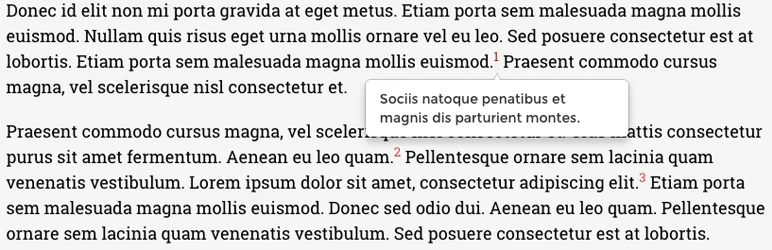
Easy Footnotes is the most widely used plugin in this shortlist, with 8,000+ active installs when checked. Its appeal is simplicity: writers add footnotes with a shortcode and the plugin handles numbering and presentation. For blogs and editorial sites that want traditional notes without a research-management system, that is often enough.
Key features
- Simple shortcode-based footnotes
- Automatic sequential numbering
- Works inside normal WordPress content
- Designed for quick editorial use
- Lightweight feature scope
- 8,000+ active installs when checked
- Tested with WordPress 7.1 when checked
What I like
The small learning curve makes it easy to introduce into an existing editorial workflow. It does not force writers into a complex citation database.
Limitations
It is primarily a footnote tool, not a full academic reference manager. Teams that need DOI imports or formal bibliography styles should look at a citation-focused option.
Pricing
Easy Footnotes is free on WordPress.org. Check the current official listing before purchase or deployment.
2. Modern Footnotes — Best for responsive inline footnotes and tooltips
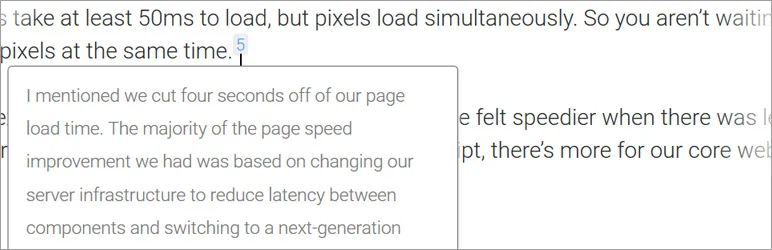
Modern Footnotes changes how notes are consumed. On desktop, a reader can open a footnote as a tooltip; on mobile, the note can expand below the text. It also supports a footnote list and Gutenberg toolbar workflow. With 6,000+ active installs and current WordPress 7.1 testing, it is a strong choice for reader-friendly editorial sites.
Key features
- Desktop tooltip-style footnotes
- Expandable mobile footnotes
- Gutenberg editor toolbar support
- Shortcode support
- Optional footnote list output
- Custom reference numbers and reset controls
- Current WordPress 7.1 compatibility
What I like
The responsive presentation keeps readers close to the sentence they are checking, which is useful for essays and explanatory content.
Limitations
Its interaction style is less traditional than end-of-page academic notes. Check accessibility and theme styling on your own front end.
Pricing
Modern Footnotes is free and open source. Check the current official listing before purchase or deployment.
3. Footnotes Made Easy — Best for flexible inline syntax and repeated references
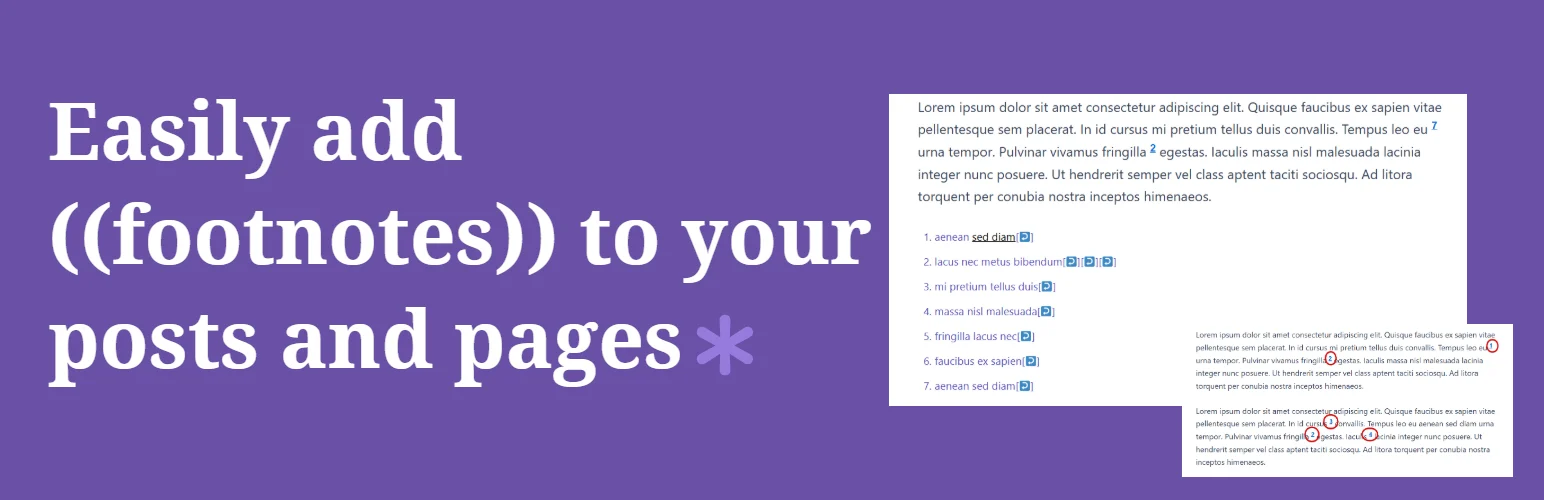
Footnotes Made Easy uses a straightforward double-parentheses syntax and adds useful controls such as referencing a previous footnote, manual starting numbers and optional tooltips. It has 2,000+ active installs and current WordPress 7.1 compatibility when checked.
Key features
- Double-parentheses inline footnote syntax
- Automatic numbering
- Reference an earlier footnote by number
- Manual starting-number control
- Optional hover tooltips
- Control display on archives and feeds
- Supports paginated posts
What I like
Repeated-reference and numbering controls make it more flexible than the simplest shortcode-only plugins without becoming a full bibliography manager.
Limitations
The custom syntax is convenient but creates some migration work if you later switch to a plugin with a different markup format.
Pricing
Footnotes Made Easy is free on WordPress.org. Check the current official listing before purchase or deployment.
4. CM Footnotes — Best for citations and bibliography-oriented content
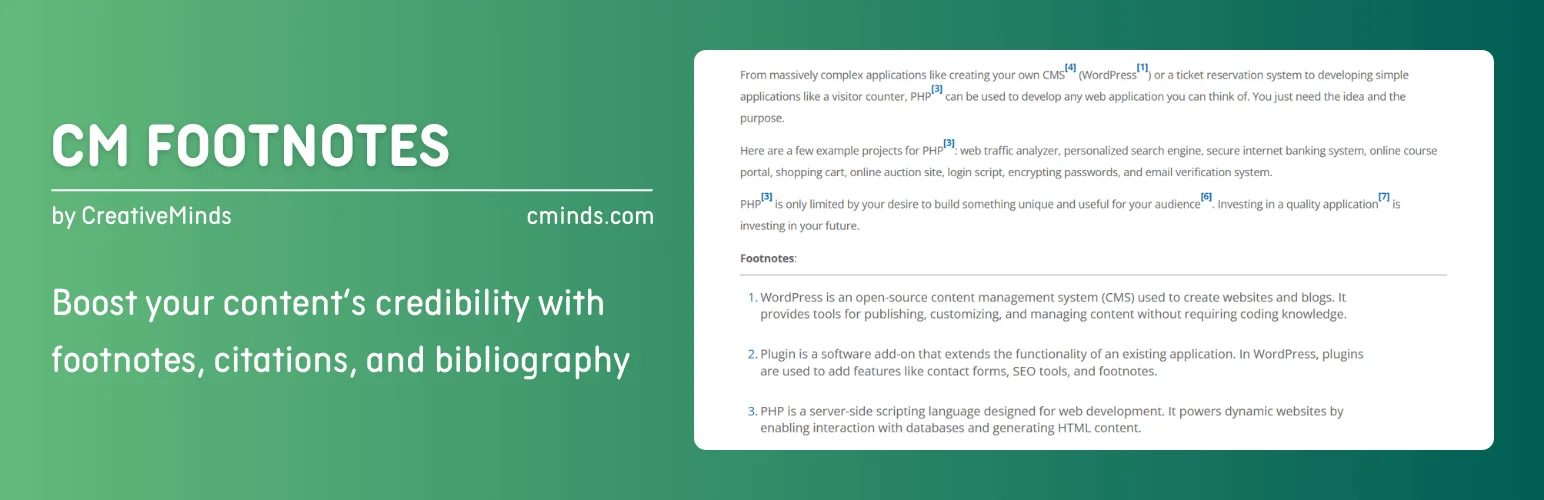
CM Footnotes is aimed more directly at credibility and source management, with footnotes, citations and bibliography positioning in the product itself. Its install base is much smaller than the first three choices, but it belongs in the roundup because it addresses the citation side of the search intent rather than only note formatting.
Key features
- Create and manage footnotes
- Citation-oriented workflow
- Bibliography support/positioning
- Reference content inside WordPress
- Designed for research-heavy articles
- Free WordPress.org edition
- Premium upgrade path
What I like
It is the better conceptual fit when your end goal is structured sourcing rather than occasional explanatory notes.
Limitations
The small active install base means you should test editor behavior and output carefully before migrating a large archive. Some advanced features may require the paid edition.
Pricing
A free edition is available on WordPress.org, with commercial CM Footnotes options from the developer. Check the current official listing before purchase or deployment.
Footnotes, Citations and Bibliographies Are Different Jobs
A basic footnote plugin only needs to create a numbered reference and connect it to a note. A citation workflow can be more demanding: reusable sources, repeated references, bibliographies, academic styles and structured metadata. Easy Footnotes is strongest when you want a familiar, lightweight numbered-footnote workflow. Modern Footnotes is better when the reading experience matters, especially responsive inline notes and tooltips. Footnotes Made Easy has become more capable for writers who need repeated references and, in its Pro edition, formal citation features. CM Footnotes is the most bibliography-oriented option in this list.
For a publishing site, test the editing experience as carefully as the front end. Add several notes to a long article, move paragraphs around, duplicate a reference and preview on mobile. Make sure numbering remains predictable and that notes do not become trapped in shortcodes you would hate to clean up later.
Data portability matters too. If the plugin stores references using shortcodes or custom markup, disabling it may leave visible syntax in old articles. Before standardizing on one tool, create a test post, deactivate the plugin and see what remains. A graceful fallback is valuable for content that may stay online for years.
How to Choose a WordPress Citation or Footnote Plugin
Decide whether you need notes for reading convenience or formal source management. A blogger adding occasional context can use a simple shortcode tool. Researchers, technical writers and policy sites may need repeat references, bibliography output and consistent source metadata.
Before migrating an established site, check how the plugin stores its markup. Shortcodes and custom inline syntax can remain visible if the plugin is deactivated, so test deactivation and export behavior on staging.
Which Footnote Plugin Fits Your Publishing Workflow?
For a normal editorial blog, Easy Footnotes is the easiest recommendation because it has the largest install base in this group and keeps the workflow simple. Modern Footnotes is the better choice when you want notes to feel more interactive on desktop and mobile. Footnotes Made Easy is attractive for writers who need repeated references and want a path toward academic citation features. CM Footnotes makes the most sense when bibliography-style output is central to the content.
Writers should also consider who edits the site. A shortcode-based workflow can be efficient for experienced authors but confusing for occasional contributors. A block or toolbar-driven workflow may be easier for a team, even if the plugin has fewer advanced options. The best footnote plugin is the one authors will use consistently without breaking reference markup.
For research-heavy content, create a style rule before publishing at scale. Decide whether citations appear as numbered notes, whether URLs are shown, how repeated sources are handled, and whether the bibliography belongs at the end of each article. Consistency matters more to readers than adding every possible citation feature.
Conclusion
Easy Footnotes is the best simple default, while Modern Footnotes offers the most reader-friendly responsive experience. Choose a citation-oriented tool when references need to be managed as part of an editorial system rather than inserted as occasional notes.
Frequently Asked Questions
Does WordPress have built-in footnotes?
The block editor has evolved over time, but dedicated plugins still provide additional numbering, tooltip, list and citation workflows.
Are footnotes good for SEO?
Footnotes are mainly an editorial and usability feature. Clear citations can improve trust, but adding footnotes alone is not a ranking tactic.
Can I use the same footnote more than once?
Some plugins support repeated references or custom reference numbers. Check this feature if you cite the same source repeatedly.
What happens if I disable a footnote plugin?
It depends on how the plugin stores notes. Shortcodes or custom syntax may remain in the post content, so test portability before committing.
For term definitions rather than source citations, see our WordPress glossary plugins.

