



Image compression can shrink a Media Library, but it does not solve the storage problem. When a WordPress site has tens of gigabytes of images, video or downloadable files, local disk usage grows, backups become heavier, migrations take longer and the origin server still has to serve every media request.
Media offload plugins solve a different problem from image optimization or media-library organization: they copy or move uploads to object storage such as Amazon S3, Cloudflare R2, Google Cloud Storage or other S3-compatible providers, then rewrite WordPress media URLs so those files can be delivered from cloud storage or a CDN. For foldering and file organization instead, see our WordPress media library plugins guide.
TL;DR
WP Offload Media is the safest all-around recommendation for established sites using S3, DigitalOcean Spaces or Google Cloud. WP Media Cloud offers unusually broad storage-provider choice with straightforward multi-site pricing. WP-Stateless is the specialist choice for Google Cloud Storage. CloudSync Master is a newer free option with support for multiple providers including S3-compatible services and R2. Offload Media – Cloud Storage is another actively maintained free-first alternative worth testing for simpler deployments.
Quick Comparison
| Plugin | Best for | Pricing model |
|---|---|---|
| WP Offload Media | Proven S3/Spaces/GCS offload on established sites | Free Lite + paid Pro |
| WP Media Cloud | Broad provider choice and agencies managing many sites | $49.99/year for 5 sites when checked |
| WP-Stateless | Google Cloud Storage and stateless/serverless architectures | Free + add-ons/services |
| CloudSync Master | Free multi-provider offload including R2/S3-compatible storage | Free |
| Offload Media – Cloud Storage | Simple free-first cloud offload | Free + commercial upgrades/support |
How I Chose These Media Offload Plugins
I excluded plugins that only compress images, reorganize the Media Library or add a CDN URL without managing cloud storage. I checked whether each tool can actually offload WordPress uploads, rewrite delivery URLs, sync existing files or support a production storage workflow. I also reviewed 2026 update activity because a media-offload plugin sits in a sensitive path: upload handling, thumbnails, metadata, URLs and deletion all need to stay compatible with WordPress core.
1. WP Offload Media — Best overall for proven cloud offload

WP Offload Media is the mature default recommendation for sites that want media in Amazon S3, DigitalOcean Spaces or Google Cloud Storage. The Lite plugin automatically copies WordPress uploads to the configured bucket and can serve media through the storage URL or a CDN or custom domain.
Its maintenance is a strong reason to rank it first. Version 3.4.2 shipped in September 2026, shortly after a larger 3.4 update added WordPress 7.1 compatibility and a new custom table for offloaded-file information. The changelog also shows active work around new WordPress media metadata and thumbnail behavior.
Key features
- Automatic offload for images, video, documents and other uploads
- Amazon S3 support
- DigitalOcean Spaces support
- Google Cloud Storage support
- CDN or custom-domain URL delivery
- Existing media migration and management features depending on edition
- Remove-local-media workflows in supported configurations
- Active compatibility work for WordPress 7.1 media changes
Pros
- Long track record and active maintenance
- Good fit for high-value production sites
- Clear documentation around common object-storage providers
Cons
- Lite provider list is narrower than some newer multi-provider tools
- Advanced migration, delivery and storage controls require Pro
Pricing
WP Offload Media Lite is free on WordPress.org. WP Engine sells the full WP Offload Media product commercially; current pricing is presented through WP Engine product plans, so confirm live site and license limits at checkout.
2. WP Media Cloud — Best for broad storage-provider choice
WP Media Cloud is compelling because it does not tie you to one cloud. The current product supports nine storage-provider categories, including Bunny.net, Cloudflare R2, Amazon S3, DigitalOcean Spaces, Wasabi, Hetzner, Backblaze B2, Google Cloud Storage and other S3-compatible providers.
Its pricing is also unusually transparent for agencies: every paid tier includes all storage providers, CDN providers, integrations, bulk offload, WP-CLI, migration tools and multisite support. You are mainly paying for the number of sites rather than unlocking core features one tier at a time.
Key features
- Nine storage-provider options including R2, S3, B2, Wasabi and GCS
- Multiple CDN integrations and custom CDN URLs
- Bulk offload tool
- Migration from other offload plugins
- WP-CLI support
- WooCommerce and page-builder integrations
- Multisite compatibility
- Image-optimizer integrations
Pros
- Excellent provider flexibility
- Simple feature-complete pricing tiers
- Good value for agencies managing multiple sites
Cons
- Paid product compared with several free-first alternatives
- A broad provider list adds configuration choices beginners may not need
Pricing
When checked, WP Media Cloud cost $49.99/year for 5 sites, $99.99/year for 25 sites, $199.99/year for unlimited sites, or $499.99 lifetime for up to 1,000 sites. All listed features are included across the tiers.
3. WP-Stateless — Best for Google Cloud Storage

WP-Stateless is the specialist option if your infrastructure is already centered on Google Cloud Storage. It can run in several modes: Backup copies files to GCS while serving local URLs; CDN serves them from GCS; Ephemeral uses local storage only temporarily; and Stateless stores and serves media from GCS without retaining local copies.
The plugin is actively maintained in 2026. Version 4.4.3 shipped in September with fixes following security and dependency updates in 4.4.2. Its architecture also makes it interesting for multi-server or serverless WordPress deployments where local media synchronization is a real operational problem.
Key features
- Native Google Cloud Storage integration
- Backup, CDN, Ephemeral and Stateless modes
- Automatic media URL replacement
- Synchronization tools for existing uploads
- Custom-domain masking for GCS URLs
- wp-config and network-level configuration
- Multisite support
- Add-ons for WooCommerce, Elementor and form plugins
Pros
- Most purpose-built option for Google Cloud Storage
- Useful for stateless and horizontally scaled infrastructure
- Free core with deep technical configuration
Cons
- Google Cloud only, so it is not suitable if you need R2, S3 or multiple providers
- Existing-media sync should be tested carefully on staging before a large migration
Pricing
WP-Stateless is free on WordPress.org. The project also has optional add-ons and custom services. Budget separately for Google Cloud Storage, bandwidth and any CDN costs.
4. CloudSync Master — Best free multi-provider newcomer
CloudSync Master was rebuilt as version 2.0 and now positions itself as a free multi-provider offload system. Its WordPress.org listing supports Amazon S3-compatible storage, Cloudflare R2, Google Cloud and additional providers, along with cross-provider migration and CDN-oriented delivery.
The key attraction is cost: the current listing says the multi-provider feature set is free. Because the rewrite is newer than WP Offload Media long production history, I would run a realistic staging migration—uploads, regenerated thumbnails, deletions, WooCommerce images and backups—before using it on a large library.
Key features
- Multiple cloud storage providers
- Amazon S3 and S3-compatible targets
- Cloudflare R2 support
- Google Cloud support
- Setup wizard
- Cross-provider migration
- CDN delivery options
- Offload workflow for existing and new media
Pros
- Broad free feature set
- Useful for R2 and S3-compatible providers without an annual plugin fee
- Current rebuilt version targets modern cloud storage
Cons
- Newer rewrite has less long-term production history than WP Offload Media
- Test migrations and deletion behavior carefully before removing local originals
Pricing
CloudSync Master is currently free on WordPress.org. You still pay the cloud storage or CDN provider directly for storage, operations and bandwidth according to that provider pricing.
5. Offload Media – Cloud Storage — Best alternative free-first offload plugin
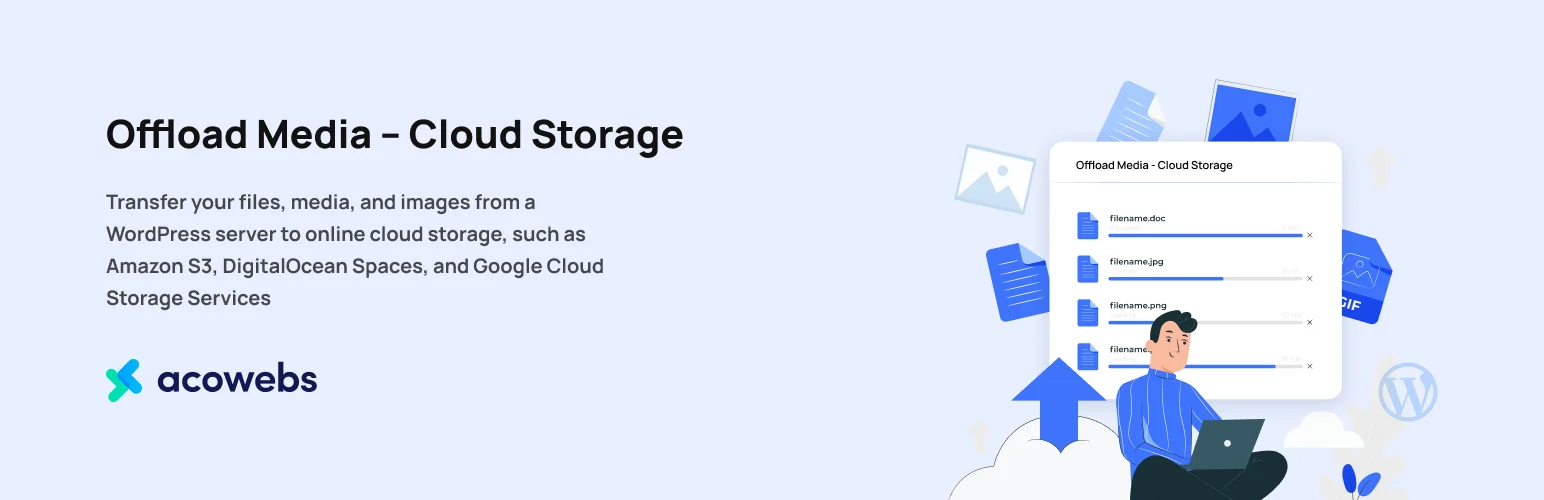
Offload Media – Cloud Storage is another current WordPress.org option for moving Media Library files to cloud storage and serving them away from the origin server. It has a smaller footprint than WP Offload Media, but its current listing shows 1,000+ active installations and an update from the past week.
I would consider it when you want a straightforward offload layer and the supported provider list matches your infrastructure. As with every media migration plugin, test old uploads, generated sizes, replacement URLs and deletion behavior before turning on any “remove local files” option.
Key features
- Cloud media offload workflow
- URL rewriting for offloaded media
- Support for existing Media Library items
- CDN and cloud delivery focus
- WooCommerce media compatibility work in its history
- Current compatibility updates
Pros
- Free-first option with 1,000+ active installations
- Recent maintenance signal
- Can be simpler than an agency-oriented suite
Cons
- Smaller ecosystem than WP Offload Media
- Provider-specific capabilities should be checked against your exact storage service
Pricing
The core plugin is free on WordPress.org and may offer commercial upgrades or support depending on the current edition. Cloud-provider charges are separate.
How to Choose a WordPress Media Offload Plugin
Choose the storage provider first. If the company already uses AWS, a strong S3 workflow is more important than supporting nine providers you will never use. If egress costs are the main concern, Cloudflare R2 or another S3-compatible service may change the economics, so make sure the plugin supports that provider cleanly.
Next, decide whether local copies stay on the server. Keeping local files uses more disk but makes rollback simpler. Removing them saves space, but the offload plugin and cloud bucket become critical infrastructure. Do not delete local originals until you have tested image regeneration, backups, restore, staging clones and plugin deactivation.
Finally, separate storage from optimization. Offloading can reduce origin disk and media traffic, but it does not automatically compress oversized images. You may still need an image optimization workflow, especially on photo-heavy WooCommerce or editorial sites.
Conclusion
WP Offload Media remains my first choice for a proven production workflow. WP Media Cloud is the strongest value when provider choice and multiple sites matter, WP-Stateless is ideal for Google Cloud-centric stacks, and CloudSync Master is an interesting free multi-provider newcomer.
Media offload is infrastructure work. Treat the first migration like a hosting change: stage it, test it, keep a rollback path and verify backups before deleting anything from the origin.
Frequently Asked Questions
What does a WordPress media offload plugin do?
It copies or moves WordPress uploads to object storage and changes media delivery URLs so files can be served from the cloud or a CDN instead of only from the web server disk.
Is media offload the same as image optimization?
No. Offload changes where files are stored and served. Image optimization reduces file size or changes formats. Many sites benefit from both.
Can I use Cloudflare R2 for WordPress media?
Yes, with a plugin that explicitly supports R2 or compatible S3 endpoints. WP Media Cloud and CloudSync Master are examples in this roundup.
Should I delete local media after offloading it?
Only after testing. Keeping local copies consumes disk but makes rollback easier. If you remove originals, verify backups, restores, thumbnail generation and cloud access first.
Will offloading media make WordPress faster?
It can reduce origin bandwidth and let a CDN or object-storage network serve media efficiently, but page speed still depends on image size, caching, front-end markup and other performance factors.

