



A notification bar works because it puts one message in a predictable place without forcing visitors into a popup. That makes it useful for shipping notices, product launches, maintenance alerts, seasonal offers, coupon codes, webinar reminders, and simple calls to action.
The best bars are not the loudest. I look for mobile controls, scheduling, page targeting, close behavior, sticky positioning, countdowns, and enough design control to match the site without adding a second page builder.
These five plugins cover lightweight announcement bars through more advanced campaign tools. If you need modal campaigns instead, compare our WordPress popup plugins. For lead-capture workflows, see our WordPress lead generation plugins.
TL;DR
- WPFront Notification Bar: best for a focused, lightweight top or bottom bar with scheduling and visibility controls.
- HashBar: best for advanced announcement bars with countdowns, coupons, targeting, analytics, and popup campaigns.
- Easy Notification Bar: best free minimalist option for a clean site-wide announcement and CTA.
- WP Notification Bars: best for marketers who want multiple simple bars with CTA and targeting options.
- NotificationX: best when announcement bars are part of a broader social-proof and conversion notification strategy.
Quick Comparison
| Plugin | Best for | Free version | Advanced campaign tools |
|---|---|---|---|
| WPFront Notification Bar | Simple scheduled bars | Yes | Focused feature set |
| HashBar | Campaign bars and popups | Yes | Strong |
| Easy Notification Bar | Minimal announcements | Yes | Basic |
| WP Notification Bars | Marketing CTA bars | Yes | Moderate |
| NotificationX | Bars plus social proof | Yes | Broad conversion suite |
How I Chose These Plugins
I compared mobile behavior, placement, page targeting, scheduling, countdown support, styling, CTA options, analytics, and whether the plugin remains useful without requiring a large conversion suite. Current plugin status was checked in September 2026.
1. WPFront Notification Bar – Best Lightweight All-Rounder

WPFront Notification Bar is the option I would choose when the site needs a proper announcement bar without turning that task into a campaign platform. It can show a message and button at the top or bottom of the page, keep the bar sticky, schedule visibility, and control who sees it.
The attraction is focus. For maintenance alerts, shipping deadlines, short promotions, and event notices, a dedicated bar is often easier to maintain than a larger popup or personalization plugin.
Key features
- Top or bottom notification bar
- Sticky positioning
- Message and CTA button
- Start and end scheduling
- User-role and page visibility controls
- Custom colors and close behavior
Pros: Focused, lightweight, easy to understand, and suitable for temporary site-wide messages.
Cons: Less useful when you need advanced A/B testing, popup triggers, or detailed campaign analytics.
Best for: Blogs, stores, and business sites that need a reliable announcement bar without extra campaign complexity.
Pricing: Free core plugin.
2. HashBar – Best for Advanced Announcement Campaigns

HashBar has grown beyond a basic bar plugin. It now combines announcement bars with popup campaign types, countdown timers, coupon campaigns, lead capture, smart triggers, targeting, analytics, and A/B testing.
I would use HashBar when the bar is part of a conversion campaign rather than only an informational notice. The broader toolset makes sense for product launches, flash sales, email capture, and recurring promotions.
Key features
- Announcement and notification bars
- Countdown timers and coupons
- Page, device, country, and behavior targeting
- Lead-capture forms
- Analytics and A/B testing
- Popup campaigns and smart triggers
Pros: Strong campaign depth, modern targeting options, and much more flexible than a basic announcement bar.
Cons: Overkill if the site only needs one static message above the header.
Best for: Ecommerce, launches, promotions, and marketers who want bars and popups in one conversion toolkit.
Pricing: Free version available. HashBar also offers a commercial Pro edition.
3. Easy Notification Bar – Best Minimal Free Option
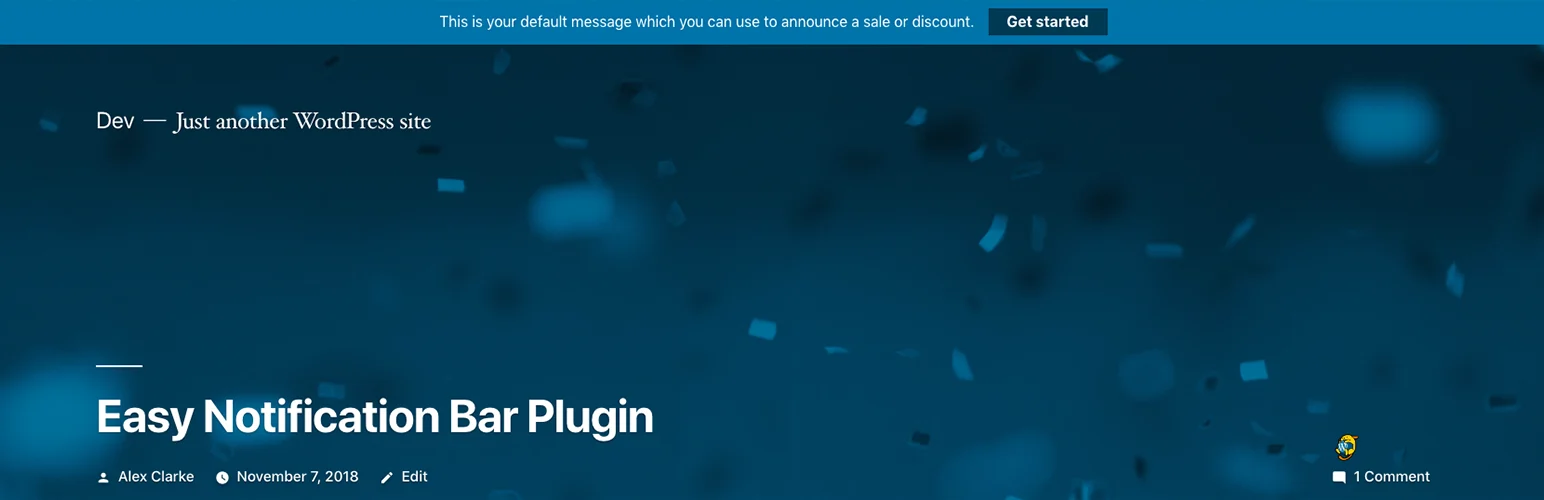
Easy Notification Bar keeps the concept simple: add a notice and optional button to the site without introducing a large marketing interface.
I like this kind of plugin for policy notices, office closures, launch messages, shipping cutoffs, or short updates that do not need segmentation. Fewer settings also means fewer opportunities to create inconsistent bars across the site.
Key features
- Site-wide notification message
- Optional CTA button
- Simple color controls
- Responsive layout
- Clean lightweight setup
- Works well for short temporary notices
Pros: Simple, free, and easier to maintain than a full campaign plugin.
Cons: Limited targeting, analytics, and automation compared with HashBar.
Best for: Small sites that need one clean global announcement at a time.
Pricing: Free.
4. WP Notification Bars – Best for Simple Marketing CTAs

WP Notification Bars is aimed at marketers who want multiple notification bars and basic targeting without using a more complex popup builder.
It works well when different parts of the site need different messages. A blog category can promote a related guide while product-focused pages can show a sale or signup CTA.
Key features
- Multiple notification bars
- CTA buttons and links
- Page targeting options
- Color and style controls
- Marketing-oriented bar management
- Lightweight alternative to popup suites
Pros: Good middle ground between a single static bar and a larger conversion platform.
Cons: Less modern campaign depth than HashBar or NotificationX.
Best for: Content and affiliate sites that want several targeted CTA bars.
Pricing: Free core plugin.
5. NotificationX – Best for Bars Plus Social Proof

NotificationX approaches notifications as a broader conversion system. Alongside bars, it can display social-proof alerts, sales notifications, reviews, downloads, and other activity-based messages.
I would only choose it for a notification bar if the site also benefits from those other notification types. Otherwise, a dedicated bar plugin is simpler and easier to keep visually restrained.
Key features
- Announcement and notification campaigns
- Social-proof notifications
- WooCommerce and marketing integrations
- Display targeting
- Design templates
- Conversion-focused notification types
Pros: Broader conversion use cases and useful when social proof is already part of the marketing strategy.
Cons: More plugin than necessary for one plain site-wide announcement.
Best for: WooCommerce and marketing sites combining announcement bars with social-proof notifications.
Pricing: Free version available, with premium plans for additional features.
Which One Should You Choose?
WPFront is my first choice for a focused announcement bar. Easy Notification Bar is better when simplicity matters most. HashBar is the strongest campaign tool here, while WP Notification Bars sits in the middle. Choose NotificationX when the bar is only one part of a wider social-proof strategy.
Keep mobile usability in mind. A sticky bar that looks small on desktop can cover a meaningful part of a phone screen. Test the bar with your real header, cookie banner, chat widget, and any other fixed elements before publishing it site-wide.
Conclusion
A good notification bar should make one message easier to notice without making the site harder to use. WPFront is the cleanest all-round choice, HashBar is better for serious campaign work, and Easy Notification Bar keeps simple announcements lightweight. The right plugin depends on whether you are publishing a notice or running a conversion campaign.
Frequently Asked Questions
What is the best WordPress notification bar plugin?
WPFront Notification Bar is the best focused all-round option. HashBar is stronger when you need advanced campaign targeting, countdowns, analytics, and popups.
Can notification bars be scheduled?
Yes. Several plugins support start and end dates or campaign scheduling, which is useful for promotions and temporary notices.
Are sticky notification bars bad for mobile UX?
They can be if the bar is too tall or competes with other fixed elements. Always test the actual mobile viewport and allow users to dismiss non-critical bars.
Should I use a notification bar or popup?
Use a bar for persistent but low-friction messages. Use a popup when the campaign needs stronger interruption, form fields, exit intent, or more space.
Can I show different bars on different pages?
Yes. HashBar, WPFront, and several marketing-focused bar plugins provide page or audience visibility controls.

